Page 1 :
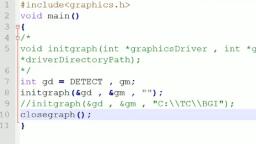
Practical – 1, Aim: Study and enlist the basic functions used for graphics in C language, Arc Function in C:, #include<graphics.h>, #include<conio.h>, void main(), {, int gd=DETECT,gm;, initgraph(&gd,&gm,"C:\\TC\\BGI");, arc(100,100,0,135,50);, getch();, closegraph();, }, , Output:
Page 8 :
Practical – 2(A), Aim: To draw circle, rectangle, ellipse, sector and polygon on a screen., Source Code:, #include<graphics.h>, #include<conio.h>, void main(), {, int gd=DETECT,gm;, int poly[12]={350,450,350,410,430,400,350,350,300,430,350,450};, initgraph(&gd,&gm,"C:\\TC\\BGI");, circle(100,100,50);, outtextxy(75,170,"Circle");, rectangle(200,50,350,150);, outtextxy(240,170,"Rectangle");, ellipse(500,100,0,360,100,50);, outtextxy(480,170,"Ellipse");, line(100,250,540,250);, outtextxy(300,260,"Line");, sector(150,400,30,300,100,50);, outtextxy(120,460,"Sector");, drawpoly(6,poly);, outtextxy(340,460,"polygon");, getch();, closegraph();, }
Page 9 :
Output:
Page 10 :
Practical – 2(B), Aim: Draw a simple hut on the screen., Source Code:, #include<graphics.h>, #include<conio.h>, void main(), {, int gd=DETECT,gm;, initgraph(&gd,&gm,"C:\\TC\\BGI");, setcolor(WHITE);, rectangle(150,180,250,300);, rectangle(250,180,420,300);, rectangle(180,250,220,300);, line(200,100,150,180);, line(200,100,250,180);, line(200,100,150,100);, line(370,100,420,180);, setfillstyle(SOLID_FILL,BROWN);, floodfill(152,182,WHITE);, floodfill(252,182,WHITE);, setfillstyle(SLASH_FILL,BLUE);, floodfill(182,252,WHITE);, setfillstyle(HATCH_FILL,GREEN);, floodfill(200,105,WHITE);, floodfill(210,105,WHITE);, getch();
Page 12 :
Practical – 3, Aim: Draw the following basic shapes in the centre of the screen:, i. Circle ii. Rectangle iii. Square iv. Concentric Circles v. Ellipse vi. Line, , Circle in Centre of the Screen:, #include<graphics.h>, #include<conio.h>, void main(), {, int gd=DETECT,gm;, int x,y,radius=80;, initgraph(&gd,&gm,"C:\\TC\\BGI");, x=getmaxx()/2;, y=getmaxy()/2;, outtextxy(x-100,50,"Circle Using Graphics in C");, circle(x,y,radius);, getch();, closegraph();, }, , Output:
Page 24 :
Output:
Page 26 :
Output:
Page 28 :
Output:
Page 37 :
Output:
Page 38 :
Practical – 8 (B), Aim: Perform smiling face animation using graphic functions., Source Code:, #include<graphics.h>, #include<conio.h>, #include<stdio.h>, void main(), {, int gd=DETECT,gm;, initgraph(&gd,&gm,"C:\\TC\\BGI");, circle(200,200,30);, circle(190,190,5);, arc(190,190,50,130,10);, circle(210,190,5);, arc(210,190,50,130,10);, arc(200,210,180,360,10);, line(187,210,193,210);, line(207,210,213,210);, line(198,195,195,200);, line(202,195,205,200);, line(195,200,200,205);, line(205,200,200,205);, getch();, closegraph();, }
Page 39 :
Output:
Page 40 :
Practical – 8 (C), Aim: Draw the moving car on the screen., Source Code:, #include<graphics.h>, #include<dos.h>, #include<conio.h>, void main(), {, int i,j=0,gd=DETECT,gm;, initgraph(&gd,&gm,"C:\\TC\\BGI");, settextstyle(DEFAULT_FONT,HORIZ_DIR,2);, outtextxy(25,240,"press any key to view the moving car");, getch();, setviewport(0,0,639,440,1);, for(i=0;i<=420;i=i+10,j++), {, rectangle(50+i,275,150+i,400);, rectangle(150+i,350,200+i,400);, circle(75+i,410,10);, circle(175+i,410,10);, setcolor(j);, delay(100);, if(i==420);, break;, clearviewport();, }