Notes of Soumya Bhat, Computer Science chapter-12-functions - Study Material
Page 1 :
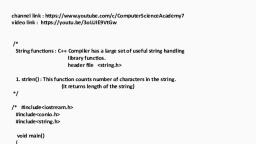
Chapter-12, Introduction, FUNCTIONS, A function is a named group of statements developed to solve a sub-problem and returns a value to other functions when it is called., Types of functions, There are two types of functions:, Library functions, User-defined functions, Library functions, A standard library is a collection of pre-defined functions and other programming elements which are accessed through header files., Header files are the files containing standard functions that our programs may use., The header files should be written angled brackets and its functions are included into our programs by #include directive., User-defined functions, We can create our own functions or sub-programs to solve our problem. Such functions are normally referred to as user defined functions., A user-defined function is a complete and independent program, which can be used (or invoked) by the main program, or by the other sub-programs., The user-defined functions are written to perform definite calculations, after performing their task they send back the result to the calling program or sub-program., Different header files, iostream.h, This header file contains C++ streams and i/o routines and are listed below., open, close, get, getline, read, write, put, seekg, seekp, tellg, tellp, eof etc., stdio.h, This header file contains functions and macros to perform standard i/o operations., When we include the header file iostream.h, the header file stdio.h is automatically included into our program. The standard i/o functions of the header file stdio.h are listed below., fopen, fclose, printf, scanf, fprintf, fscanf, fread, fwrite etc., string.h, This header file declares functions to manipulate strings and memory manipulation routines., The functions contained in the header file string.h are listed below in the table., stdlib.h, This header file is used to declare conversion routines, search/sort routines and other miscellaneous things. The functions are listed below., atoi, atol, atof, free, malloc, calloc, realloc etc., iomanip.h, This header file contains functions and macros for I/O manipulators for creating parameterized manipulations. The functions are listed., endl, setw, setfile, setprecision, hex, oct etc., math.h, This header file declares prototypes for the mathematical functions and error handlers., The functions that are used to perform mathematical calculations and conversions are listed below in the table., Character functions, A character is any single character enclosed within single quotes., Some functions accept a character as argument., The argument is processed as an int by using its ASCII code., To use these functions, the header file ctype.h should be included., Any character enclosed within single quotes is called as a single character constant or simply, a character constant., These functions will be of the form : int function-name(int character), Any character enclosed within single quotes is called as a single character constant or simply, a character constant., Some functions that perform operations on characters are given below., Inputting single character, We can input a character using the function get ( )., The general form is, char ch; or char ch;, cin =get(ch); ch=cin.get(ch);, Outputting single character, put ( ) function is used to display single character., The general form is cout.put (ch);, Example: char ch; ch=cin.get( ); cout.put (ch);, Sample Program 1: To determine the type of character., #include<iostream.h> #include<conio.h> #include<ctype.h> void main ( ), {, char ch; clrscr( );, cout<<”Type-in a character:”;, ch=cin.get();, if((ch>=’A’ &&ch<=’Z’)||(ch>=’a’ &&ch<=’z’)) cout<<”It is an albhabet”<<endl;, else, if(ch>=’0’ &&ch<=’9’), cout<<”It is a digit”<<endl;, else, cout<<”It is a special character”<<endl;, getch( );, }, Sample Program 2: To convert a character from upper-case to lower case and vice versa., #include<iostream.h> #include<conio.h> #include<ctype.h> void main( ), {, char ch; clrscr( );, cout<<”Type-in a character:”;, ch=cin.get();, if( isupper (ch) ), {, }, else, ch= tolower (ch);, cout<<”The lower-case letter is”<<ch<<endl;, if( islower (ch) ), {, }, else, getch();, }, ch= toupper (ch);, cout<<”The upper-case letter is”<<ch<<endl;, cout<<”It is not an alphabet”<<endl;, String functions:, A string is sequence of characters enclosed within double quotes., String are manipulated as one-dimensional array of characters and terminated by null (‘\0’), character., C++ provides many functions to manipulate strings., To use these functions, the header file string.h should be included., Declaring a string variable, The general form to declare a string is:, char string _name[size];, String_ name is the name of the string variable, Size is the number of characters in the string. The size helps the compiler to allocate required number of memory locations to store the string., Example: char st[50];, This declaration reserves 50-bytes to store the characters of the string variable st., Initializing a string, Like other variables, strings can also be initialized when they are declared., Example: char s[10]=”Karnataka”;, There are only 9 characters in the string. The null character (‘\0’) is automatically appended, to the end of the string., Example: char s[ ]=”Bangalore”;, The string st is initialized without specifying its size. The size is determined automatically which is 9 in the above example., Example: char st[]={‘E’, ‘m’, ‘p’, ‘r’, ‘e’, ‘s’, ‘s’,’\0’};, The string is initialized character –wise. In this case, we must specify the null character., Example: char st[10]=”Book”;, The string is initialized with only 4-characters and the null characters and the null characters are appended to the end f the string., If an entire string is initialized to a string-variable then the null character is automatically appended to end-of-string., If string is initialized by giving the characters, then we must explicitly specify the string terminator. i.e., null character., Inputting a string, C++ provides the function getline ( ) to read a string., The general form is: cin.getline (string, size);, Example :- cin.getline (st, 25);, getline( ) the function terminates reading characters on reading a newline character or when number of characters read is equal to size., The newline character is read, but replaced by null character., Outputting a string, C++ provides the function write ( ) to output a string., The general form is: cout.write (string, size);, Example:- cout.write (st, 25);, write ( ) function displays the specified number of characters., This function does not stop displaying the characters when encountering the null character. As a result, if the size specified is greater than the length of the string, it displays beyond the bounds of the line., Sample Program 3: To read a string and print the string., #include<iostream.h> #include<conio.h>, #include<string.h> void main( ), {, char s[50]; int l; clrscr( );, cout<<”enter the string:”; cin.getline(s,50); l=strlen(s);, cout<<”the given string is”;, cout.write(s,l); getch();, }, Some string manipulation functions are given below:, strlen( ) function, This function returns the length of the string .i.e., the number of characters present in the string, excluding the null character., The general form is variable=strlen(string);, A string of length ‘0’ is called a null string., Example:- l = strlen (“empress”); returns 7, Sample Program 4: To find the length of the string using the library function., #include<iostream.h> #include<conio.h> #include<string.h> void main(), {, char st[100]; int l;, clrscr( );, cout<<”enter the string:”; cin.getline (st,100) l=strlen (st);, cout<<”length=”<<l<<endl;, getch();, }, Sample Program 5:- To find the length of the string without using the library function., #include<iostream.h> #include<conio.h> #include<string.h> void main(), {, char st[100]; int i; clrscr();, cout<<”enter the string:”;, cin.getline(st,100);, for (i=0; st[i]!=’\0’; i++) //for loop terminated, cout<<”length=”<<i<<endl;, getch();, }, strcat( ) function, This function is used to concatenate 2 strings. The process of combining 2 strings to form a string is called as concatenation., The general form is strcat(string1, string2);, Example:- char str1[ ]=”win”; char str2[ ]=”dows8”; strcat(str1,str2);, str1 becomes “windows8”., strcpy( ) function, A string cannot be copied to another string by using assignment statement. The function strcpy() is used to copy a string into another string., The general form is strcpy (string1, string2);, It copies all the characters to string2 to string1., Example:- char str1[ ]=”computer”; char str2[ ]=”science”; strcpy (str1,str2);, str1 becomes ”science”, strcmp( ) function, This function is used to alphabetically compare a string with another string. This function is case-sensitive. i.e., it treats the uppercase letters and lowercase letters as different., The general form is strcmp (string1, string2);, It compares all the characters of str2 with str1. The function returns a positive value if string1>string2, a negative vale if string 1<string2 or it string1 is same as string2., Example:- char str1[ ]=”There”;, char str2[ ]=”there”;, strcmp (str2,str1); //gives a positive value But, strcmp (str1,str2); //gives a negative value, strcmpi ( ) function, This function is used to alphabetically compare a string with another string. This function is not case-sensitive. i.e., it treats the uppercase letter and lowercase letter as same., The general form is strcmpi (string1,string2);, It compares all the characters of str2 with str1. This function returns a positive value if string1>string2, a negative value if string1<string2 or 0 it string1 is same as string2., Example:- char str1[ ]=”There”;, char str2[ ]=”there”;, strcmpi (str2,str1); //gives 0, Practical Program 25: To determine whether the string is a palindrome., #include<iostream.h> #include<conio.h> #include<string.h> void main( ), {, char s[100], r[100]; //s is the string and r is the reserved string clrscr();, cout<<”Enter the String:”;, cin.getline(s,100);, strcpy (r, s); // Copy the characters of the string s to r, strrev (r); // Reverse the characters of the string r if(strcmpi(s, r) == 0), cout<<”It is palindrome”<<endl;, else, getch();, }, cout<<”It is not palindrome”<<endl;, Practical Program 26: To count the number of vowels and consonants in a string., #include<iostream.h> #include<conio.h> #include<string.h> #include<ctype.h> void main( ), {, char s[100];, int l, i, cons=0, vow=0; clrscr( );, cout<<”enter the string:”;, cin.getline(s,100); l=strlen(s); for(i=0;i<1;i++), if( isalpha (s[i]) ) switch (toupper (s[i]) ), {, case ’A’:, case ’E’:, case ’I’:, case ’O’:, case ’U’: vow++;, break;, default: cons++;, }, cout<<”Number of Vowels:”<<vow<<endl; cout<<”Number of Consonants:”<<cons<<endl; getch();, }, Other functions, C++ provides some useful functions under the library stdlib.h. Some functions are rand( ), srand( ), random( ) and randomized( )., These functions are used to generate pseudo-random numbers. i.e.,numbers that are uniformly distributed within a given interval and for which there is no particular pattern., Computer will generate a number by itself!! Randomly, using this randomized ( )., **************



 Learn better on this topic