Page 1 :
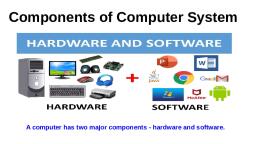
Chapter 1, , Computer System, 1.1 Introduction, , to, , Computer System, , A computer is an electronic device that can be, programmed to accept data (input), process it and, generate result (output). A computer along with, additional hardware and software together is called a, computer system., A computer system primarily comprises a central, processing unit (CPU), memory, input/output devices, and storage devices. All these components function, together as a single unit to deliver the desired output., A computer system comes in various forms and sizes., It can vary from a high-end server to personal desktop,, laptop, tablet computer, or a smartphone., Figure 1.1 shows the block diagram of a computer, system. The directed lines represent the flow of data, and signal between the components., , “A computer would deserve, to be called intelligent if it, could deceive a human into, believing that it was human.”, –Alan Turing, , Secondary, Storage Devices, Primary, Memory, Input, Device, , Control Unit, (CU), , In this chapter, Output, Device, , »» Introduction to, Computer System, »» Evolution of, Computer, , Arithmetic Logic, Unit (ALU), , »» Computer Memory, , Central Processing, Unit (CPU), , Figure 1.1: Components of a computer system, , 1.1.1 Central Processing Unit (CPU), It is the electronic circuitry of a computer that carries, out the actual processing and usually referred as the, brain of the computer. It is commonly called processor, also. Physically, a CPU can be placed on one or more, microchips called integrated circuits (IC). The ICs, comprise semiconductor materials., , »» Data Transfer, between Memory, and CPU, »» Data and, Information, »» Microprocessors, »» Software, »» Operating System, , 2021-22, , Ch 1.indd 1, , 08-Apr-19 11:36:15 AM
Page 2 :
2, , Computer Science – Class, , Keyboard, , Mouse, , Scanner, , Touch Screen, , Figure 1.2: Input devices, , xi, , The CPU is given instructions and data through, programs. The CPU then fetches the program and data, from the memory and performs arithmetic and logic, operations as per the given instructions and stores the, result back to memory., While processing, the CPU stores the data as well, as instructions in its local memory called registers., Registers are part of the CPU chip and they are limited, in size and number. Different registers are used for, storing data, instructions or intermediate results., Other than the registers, the CPU has two main, components — Arithmetic Logic Unit (ALU) and Control, Unit (CU). ALU performs all the arithmetic and logic, operations that need to be done as per the instruction in a, program. CU controls sequential instruction execution,, interprets instructions and guides data flow through the, computer’s memory, ALU and input or output devices., CPU is also popularly known as microprocessor. We will, study more about it in section 1.5., 1.1.2 Input Devices, , Display monitor, , Speaker, , Printer, , 3D printer, , Figure 1.3: Output devices, , The devices through which control signals are sent, to a computer are termed as input devices. These, devices convert the input data into a digital form that is, acceptable by the computer system. Some examples of, input devices include keyboard, mouse, scanner, touch, screen, etc., as shown in Figure 1.2. Specially designed, braille keyboards are also available to help the visually, impaired for entering data into a computer. Besides, we, can now enter data through voice, for example, we can, use Google voice search to search the web where we can, input the search string through our voice., Data entered through input device is temporarily, stored in the main memory (also called RAM) of the, computer system. For permanent storage and future use,, the data as well as instructions are stored permanently, in additional storage locations called secondary memory., 1.1.3 Output Devices, The device that receives data from a computer system, for display, physical production, etc., is called output, device. It converts digital information into humanunderstandable form. For example, monitor, projector,, headphone, speaker, printer, etc. Some output devices, 2021-22, , Ch 1.indd 2, , 08-Apr-19 11:36:15 AM
Page 3 :
Computer System, , are shown in Figure 1.3. A braille display monitor is, useful for a visually challenged person to understand, the textual output generated by computers., A printer is the most commonly used device to get, output in physical (hardcopy) form. Three types of, commonly used printers are inkjet, laserjet and dot, matrix. Now-a-days, there is a new type of printer, called 3D-printer, which is used to build physical, replica of a digital 3D design. These printers are being, used in manufacturing industries to create prototypes, of products. Their usage is also being explored in the, medical field, particularly for developing body organs., , 1.2 Evolution, , of, , 3, , A punched card is a, piece of stiff paper that, stores digital data in, the form of holes at, predefined positions., , Computer, , From the simple calculator to a modern day powerful, data processor, computing devices have evolved in a, relatively short span of time. The evolution of computing, devices in shown through a timeline in Figure 1.4, EDVAC/ENIAC, , Pascaline, , John Von Neumann introduced, the concept of stored program, computer which was capable of, storing data as well as program, in the memory. The EDVAC and, then the ENIAC computers were, developed based on this concept., , Blaize Pascal invented a mechanical, calculator known as Pascal calculator, or Pascaline to do addition and, subtraction of two numbers directly, and multiplication and division through, repeated addition and subtraction., , Integrated Circuit, , Tabulating Machine, , 1642, , step towards programming., , An Integrated Circuit (IC) is, a silicon chip which contains, entire electronic circuit on a, very small area. The size of, computer drastically reduced, because of ICs., , 1890, , 1970, , Herman Hollerith designed, a tabulating machine for, summarising the data stored, on the punched card. It is, , 1945, , 1834, , 1947, , Analytic Engine, 500 BC, , Abacus, , Transistor, , Charles Babbage invented, analytical engine, a, mechanical computing device, for inputting, processing,, storing and displaying the, output, which is considered, to form the basis of modern, computers., , Computing is attributed to, the invention of ABACUS, almost 3000 years ago. It, was a mechanical device, capable of doing simple, arithmetic calculations only., , 1937, , Vacuum tubes were, replaced by transistors, developed at Bell Labs,, using semiconductor, materials., , Turing Machine, , The Turing machine concept was a, general purpose programmable, machine that was capable of solving, any problem by executing the, program stored on the punched cards., , Figure 1.4: Timeline showing key inventions in computing technology, 2021-22, , Ch 1.indd 3, , 08-Apr-19 11:36:15 AM
Page 4 :
4, , Computer Science – Class, , xi, , Number of Transistors, per Integrated Circuit, , The Von Neumann architecture is shown in Figure, 1.5. It consists of a Central Processing Unit (CPU), for processing arithmetic and logical instructions, a, memory to store data and programs, input and output, devices, and, communication, channels to send or receive the, output data. Electronic Numerical, Integrator and Computer (ENIAC), is the first binary programmable, Figure 1.5: Von Neumann architecture for, computer based on Von Neumann, the computer, architecture., During the 1970s, Large Scale Integration (LSI) of, electronic circuits allowed integration of complete, CPU on a single chip, called microprocessor. Moore’s, Law predicted exponential growth in the number, of transistors that could be assembled in a single, In 1965, Intel comicrochip. In 1980s, the processing power of computers, founder Gordon Moore, introduced Moore’s, increased exponentially by integrating around 3 million, Law which predicted, components on a small-sized chip termed as Very, that the number of, Large Scale Integration (VLSI). Further advancement in, transistors on a chip, technology has made it feasible to fabricate high density, would double every two, years while the costs, of transistors and other components (approx 106, would be halved., components) on a single IC called Super Large Scale, Integration (SLSI) as shown in Figure 1.6., IBM introduced its first personal computer (PC) for, the home user in 1981 and Apple introduced Macintosh, 10,000,000,000, 1,000,000,000, 100,000,000, 10,000,000, 1,000,000, 100,000, 10,000, 1,000, 100, 10, 1, , Core 2 DUO, Core i7, Pentium IV, Pentium II Pentium III, Pentium, 486, 486, 386, 286, 8086, , Intel Microprocessors, Invention of the, Transistor, 4004, , Doubles every 2 years, , 1940 1950 1960 1970 1980 1990 2000, , 2010 2020, , Figure 1.6: Exponential increase in number of transistors used in ICs over time, , 2021-22, , Ch 1.indd 4, , 08-Apr-19 11:36:15 AM
Page 5 :
Computer System, , 5, , machines in 1984. The popularity of the PC surged, by the introduction of Graphical User Interface (GUI), based operating systems by Microsoft and others in, place of computers with only command line interface,, like UNIX or DOS. Around 1990s, the growth of World, Wide Web (WWW) further accelerated mass usage of, computers and thereafter computers have become an, indispensable part of everyday life., Further, with the introduction of laptops, personal, computing was made portable to a great extent. This, was followed by smartphones, tablets and other, personal digital assistants. These devices have leveraged, the technological advancements in processor, miniaturisation, faster memory, high speed data and, connectivity mechanisms., The next wave of computing devices includes, the wearable gadgets, such as smart watch, lenses,, headbands, headphones, etc. Further, smart appliances, are becoming a part of the Internet of Things (IoT), by, leveraging the power of Artificial Intelligence (AI)., , 1.3 Computer Memory, A computer system needs memory to store the data and, instructions for processing. Whenever we talk about the, ‘memory’ of a computer system, we usually talk about the, main or primary memory. The secondary memory (also, called storage device) is used to store data, instructions, and results permanently for future use., 1.3.1 Units of Memory, A computer system uses binary numbers to store and, process data. The binary digits 0 and 1, which are the, basic units of memory, are called bits. Further, these, bits are grouped together to form words. A 4-bit word, is called a Nibble. Examples of nibble are 1001, 1010,, 0010, etc. A two nibble word, i.e., 8-bit word is called a, byte, for example, 01000110, 01111100, 10000001, etc., Like any other standard unit, bytes are grouped, together to make bigger chunks or units of memory., Table 1.1 shows different measurement units for digital, data stored in storage devices., , 2021-22, , Ch 1.indd 5, , 08-Apr-19 11:36:16 AM
Page 6 :
6, , Computer Science – Class, , xi, , Table 1.1 Measurement units for digital data, Unit, KB (Kilobyte), MB (Megabyte), GB (Gigabyte), TB (Terabyte), , Description, 1, 1, 1, 1, , KB = 1024 Bytes, MB = 1024 KB, GB = 1024 MB, TB = 1024 GB, , Unit, PB (Petabyte), EB (Exabyte), ZB (Zettabyte), YB (Yottabyte), , Description, 1, 1, 1, 1, , PB = 1024 TB, EB = 1024 PB, ZB = 1024 EB, YB = 1024 ZB, , 1.3.2 Types of Memory, Human beings memorise many things over a lifetime, and, recall from memory to make a decision or some action., However, we do not rely on our memory completely, and, we make notes and store important data and information, using other media, such as notebook, manual, journal,, document, etc. Similarly, computers have two types of, memory — primary and secondary., , Think and Reflect, Suppose there is a, computer with RAM, but no secondary, storage. Can we install, a software on that, computer?, , (A) Primary Memory, Primary memory is an essential component of a, computer system. Program and data are loaded into the, primary memory before processing. The CPU interacts, directly with the primary memory to perform read or, write operation. It is of two types viz. (i) Random Access, Memory (RAM) and (ii) Read Only Memory (ROM)., RAM is volatile, i.e., as long as the power is supplied, to the computer, it retains the data in it. But as soon, as the power supply is turned off, all the contents of, RAM are wiped out. It is used to store data temporarily, while the computer is working. Whenever the computer, is started or a software application is launched, the, required program and data are loaded into RAM, for processing. RAM is usually referred to as main, memory and it is faster than the secondary memory or, storage devices., On the other hand, ROM is non-volatile, which, means its contents are not lost even when the power is, turned off. It is used as a small but faster permanent, storage for the contents which are rarely changed. For, example, the startup program (boot loader) that loads, the operating system into primary memory, is stored, in ROM., (B) Cache Memory, RAM is faster than secondary storage, but not as fast, as a computer processor. So, because of RAM, a CPU, 2021-22, , Ch 1.indd 6, , 08-Apr-19 11:36:16 AM
Page 7 :
Computer System, , 7, , may have to slow down. To speed up the operations of, the CPU, a very high speed memory is placed between, the CPU and the primary memory known as cache. It, stores the copies of the data from frequently accessed, primary memory locations, thus, reducing the average, time required to access data from primary memory., When the CPU needs some data, it first examines the, cache. In case the requirement is met, it is read from, the cache, otherwise the primary memory is accessed., (C) Secondary Memory, Primary memory has limited storage capacity and, is either volatile (RAM) or read-only (ROM). Thus, a, computer system needs auxiliary or secondary memory, to permanently store the data or instructions for, future use. The secondary memory is non-volatile and, has larger storage capacity than primary memory. It, is slower and cheaper than the main memory. But, it, cannot be accessed directly by the CPU. Contents of, secondary storage need to be first brought into the main, memory for the CPU to access. Examples of secondary, memory devices include Hard Disk Drive (HDD), CD/, DVD, Memory Card, etc., as shown in Figure 1.7., However, these days, there are secondary storage, devices like SSD which support very fast data transfer, speed as compared to earlier HDDs. Also, data transfer, between computers have become easier and simple due, to the availability of small-sized and portable flash or, pen drives., , 1.4 Data Transfer, , between, , Memory, , and, , CPU, , Data need to be transferred between the CPU and, primary memory as well as between the primary and, secondary memory., Data are transferred between different components of, a computer system using physical wires called bus. For, example, bus is used for data transfer between a USB, port and hard disk or between a hard disk and main, memory. Bus is of three types — (i) Data bus to transfer, data between different components, (ii) Address bus to, transfer addresses between CPU and main memory., The address of the memory location that the CPU wants, to read or write from is specified in the address bus,, , Pen, Drive, , CD/DVD, , Figure 1.7: Storage devices, , 2021-22, , Ch 1.indd 7, , 08-Apr-19 11:36:16 AM
Page 8 :
8, , Computer Science – Class, , xi, , and (iii) Control bus to communicate, control signals between different, components of a computer. All these, three buses collectively make the, system bus, as shown in Figure 1.8., As the CPU interacts directly with, main memory, any data entered from, input device or the data to be accessed, from hard disk needs to be placed in the, main memory for further processing., Figure 1.8: Data transfer between components through The data is then transferred between, system bus, CPU and main memory using bus., The CPU places on the address bus, the address of, the main memory location from which it wants to read, data or to write data. While executing the instructions,, the CPU specifies the read or write control signal through, the control bus., As the CPU may require to read data from main, memory or write data to main memory, a data bus is, bidirectional. But the control bus and address bus are, unidirectional. To write data into memory, the CPU, places the data on the data bus, which is then written, to the specific address provided through the address, bus. In case of read operation, the CPU specifies the, address, and the data is placed on the data bus by a, dedicated hardware, called memory controller. The, memory controller manages the flow of data into and, out of the computer's main memory., , 1.5 Microprocessors, In earlier days, a computer's CPU used to occupy a large, room or multiple cabinets. However, with advancement, in technology, the physical size of CPU has reduced and, it is now possible to place a CPU on a single microchip, only. A processor (CPU) which is implemented on a, single microchip is called microprocessor. Nowadays,, almost all the CPUs are microprocessors. Hence, the, terms are used synonymously for practical purpose., Microprocessor is a small-sized electronic component, inside a computer that carries out various tasks involved, in data processing as well as arithmetic and logical, operations. These days, a microprocessor is built over, an integrated circuit comprising millions of small, components like resistors, transistors and diodes., 2021-22, , Ch 1.indd 8, , 08-Apr-19 11:36:16 AM
Page 9 :
Computer System, , 9, , Microprocessors have evolved over time in terms, of their increased processing capability, decreasing, physical size and reduced cost. Currently available, microprocessors are capable of processing millions of, instructions per millisecond. Table 1.2 lists different, types of microprocessors along with their generation,, time period, and underlying technology since their, inception in early 1970s., Table 1.2 Generations of Microprocessor, Generation, , Era, , Chip, type, , Word, size, , Maximum, memory size, , 108, KHz- Single, 200 KHz, Upto 2 MHz Single, 4 MHz - 6 Single, MHz, Upto, 133 Single, MHz, 533 MHz - Multicore, 34 GHz, , First, , 1971-73, , LSI, , Second, , 1974-78, , LSI, , 4 / 8 1 KB, bit, 8 bit, 1 MB, , Third, , 1979-80, , VLSI, , 16 bit 16 MB, , Fourth, , 1981-95, , VLSI, , 32 bit 4 GB, , Fifth, , 1995 till SLSI, date, , 64 bit 64 GB, , Clock, speed, , Cores, , Example*, Intel 8080, Motorola 6800, Intel 8085, Intel 8086, Intel 80386, Motorola 68030, Pentium,, Celeron, Xeon, , *few prominent examples are included., , 1.5.1 Microprocessor Specifications, Microprocessors are classified on the basis of different, features which include chip type, word size, memory, size, clock speed, etc. These features are briefly, explained below:, (A) Word Size, Word size is the maximum number of bits that a, microprocessor can process at a time. Earlier, a word, was of 8 bits, as it was the maximum limit at that, time. At present, the minimum word size is 16 bits and, maximum word size is 64 bits., (B) Memory Size, Depending upon the word size, the size of RAM varies., Initially, RAM was very small (4MB) due to 4/8 bits word, size. As word size increased to 64 bits, it has become, feasible to use RAM of size upto 16 Exabytes (EB)., (C) Clock Speed, Computers have an internal clock that generates pulses, (signals) at regular intervals of time. Clock speed simply, means the number of pulses generated per second by the, , Activity 1.1, The maximum memory, size of microprocessors, of different generations, are given at Table 1.2., Represent each of the, memory size in terms, of power of 2., , 2021-22, , Ch 1.indd 9, , 08-Apr-19 11:36:16 AM
Page 10 :
10, , Computer Science – Class, Activity 1.2, , Find out the clock speed, of the microprocessor, of your computer and, compare with that of, your peers?, , xi, , clock inside a computer. The clock speed indicates the, speed at which the computer can execute instructions., Earlier, it was measured in Hertz (Hz) and Kilohertz, (kHz). But with advancement in technology and chip, density, it is now measured in Gigahertz (GHz), i.e.,, billions of pulses per second., (D) Cores, Core is a basic computation unit of the CPU. Earlier, processors had only one computation unit, thereby, capable of performing only one task at a time. With the, advent of multicore processor, it has become possible, for the computer to execute multiple tasks, thereby, increasing the system’s performance. CPU with two,, four, and eight cores is called dual-core, quad-core and, octa-core processor, respectively., 1.5.2 Microcontrollers, , The microcontroller is a small computing device which, has a CPU, a fixed amount of RAM, ROM and other, peripherals all embedded on a single chip as compared, to microprocessor that has only a CPU on the chip. The, structure of a microcontroller is shown in Figure 1.9., Keyboard, mouse, washing machine, digital camera,, pendrive, remote controller, microwave are few examples, of microcontrollers. As these are designed for specific, tasks only, hence their size as well as cost is reduced., Because of the very small size of the, microcontroller, it is embedded in another device, or system to perform a specific functionality. For, example, the microcontroller in a fully automatic, Clock, CPU, Memory, washing machine is used to control the washing cycle, without any human intervention. The cycle starts, Bus System, with the filling of water, after which the clothes are, Input, Output, soaked and washed; thereafter the water is drained, I/O-ports, and the clothes are spin dry. The simple use of, microcontroller has permitted repetitive execution, of tedious tasks automatically without any human, Figure 1.9: Structure of, intervention, thereby saving precious time., microcontroller, , 1.6 Data, , and, , Information, , A computer is primarily for processing data. A computer, system considers everything as data, be it instructions,, pictures, songs, videos, documents, etc. Data can also be, 2021-22, , Ch 1.indd 10, , 08-Apr-19 11:36:16 AM
Page 11 :
Computer System, , 11, , raw and unorganised facts that are processed to get, meaningful information., So understanding the concept of data along with, its different types is crucial to understand the overall, functioning of a computer. Sometimes people use the, terms data, information and knowledge interchangeably,, which is incorrect., 1.6.1 Data and Its Types, A computer system has many input devices, which, provide it with raw data in the form of facts, concepts,, instructions, etc., Internally everything is stored in, binary form (0 and 1), but externally, data can be input, to a computer in the text form consisting of English, alphabets A–Z, a–z, numerals 0 – 9, and special symbols, like @, #, etc. Data can be input in other languages too, or it can be read from the files. The input data may, be from different sources, hence it may be in different, formats. For example, an image is a collection of Red,, Green, Blue (RGB) pixels, a video is made up of frames,, and a fee receipt is made of numeric and non-numeric, characters. Primarily, there are three types of data., (A) Structured Data, Data which follows a strict record structure and is easy, to comprehend is called structured data. Such data with, pre-specified tabular format may be stored in a data file, to access in the future. Table 1.3 shows structured data, related to monthly attendance of students maintained, by the school., Table 1.3 Structured data: Monthly attendance records of students, Roll No, , Name, , Month, , Attendance (in %), , R1, , Mohan, , May, , 95, , R2, , Sohan, , May, , 75, , R3, , Sheen, , May, , 92, , R4, , Geet, , May, , 82, , R5, , Anita, , May, , 97, , R1, , Mohan, , July, , 98, , R2, , Sohan, , July, , 65, , R3, , Sheen, , July, , 85, , R4, , Geet, , July, , 94, , R5, , Anita, , July, , 85, , 2021-22, , Ch 1.indd 11, , 08-Apr-19 11:36:16 AM
Page 12 :
12, , Computer Science – Class, , Think and Reflect, Can you give some, more, examples, of, unstructured data?, , xi, , It is clear that such data is organised in row/column, format and is easily understandable. Structured data, may be sorted in ascending or descending order. In the, example, attendance data is sorted in increasing order, on the column ‘month’. Other examples of structured, data include sales transactions, online railway ticket, bookings, ATM transactions, etc., (B) Unstructured Data, Data which are not organised in a pre-defined record, format is called unstructured data. Examples include, audio and video files, graphics, text documents, social, media posts, satellite images, etc. Figure 1.10 shows a, report card with monthly attendance record details sent, to parents. Such data are unstructured as they consist, of textual contents as well as graphics, which do not, follow a specific format., , Attendance record for the month of July, , School Logo, , Attended:, , Guardian’s Signature, , Principal’s Signature, , Figure 1.10: Unstructured data: Monthly attendance record, , (C) Semi-structured Data, Data which have no well-defined structure but, maintains internal tags or markings to separate data, elements are called semi-structured data. Examples, include email document, HTML page, comma separated, values (csv file), etc. Figure 1.11 shows an example of, semi-structured data containing student’s month-wise, attendance details. In this example, there is no specific, format for each attendance, Name: Mohan, Month: July, Class: XI, Attendance: 98, record. Here, each data value, Name: Sohan, Month: July, Class: XI, Attendance: 65, Name: Sheen, Month: July, Class: XI, Attendance: 85, is preceded by a tag (Name,, Name: Geet, Month: May, Class: XI, Attendance: 82, Month, Class, Attendance) for, Name: Geet, Month: July, Class: XI, Attendance: 94, the interpretation of the data, Figure 1.11: Semi-structured data: Month-wise total, value while processing., attendance record maintained by the school, 2021-22, , Ch 1.indd 12, , 08-Apr-19 11:36:17 AM
Page 13 :
Computer System, , 1.6.2 Data Capturing, Storage and Retrieval, To process data, we need to first input or capture, the data. This is followed by its storage in a file or a, database so that it can be used in the future. Whenever, data is to be processed, it is first retrieved from the, file or database so that we can perform further actions, on it., (A) Data Capturing, It involves the process of gathering data from different, sources in the digital form. This capturing may vary, from simple instruments like keyboard, barcode readers, used at shopping outlets (Figure 1.12), comments or, posts over social media, remote sensors on an earth, orbiting satellite, etc. Sometimes, heterogeneity among, data sources makes data capturing a complex task., (B) Data Storage, It is the process of storing the captured data for, processing later. Now-a-days data is being produced at, a very high rate, and therefore data storage has become, a challenging task. However, the decrease in the cost, of digital storage devices has helped in simplifying, this task. There are numerous digital storage devices, available in the market like as shown in Figure 1.7., Data keeps on increasing with time. Hence, the, storage devices also require to be upgraded periodically., In large organisations, computers with larger and, faster storage called data servers are deployed to store, vast amount of data. Such dedicated computers help, in processing data efficiently. However, the cost (both, hardware and software) of setting up a data server as, well as its maintenance is high, especially for small, organisations and startups., , 13, , Activity 1.3, Visit some of the places, like bank, automobile, showroom,, shopping, mall, tehsil office, etc.,, and find out 2 – 3 names, of tools or instruments, used to capture data in, digital format., , Figure 1.12: Capturing, data using barcode reader, , (C) Data Retrieval, It involves fetching data from the storage devices, for its, processing as per the user requirement. As databases, grow, the challenges involved in search and retrieval of, the data in acceptable time, also increase. Minimising, data access time is crucial for faster data processing., 1.6.3 Data Deletion and Recovery, One of the biggest threats associated with digital data is, its deletion. The storage devices can malfunction or crash, down resulting in the deletion of data stored. Users can, 2021-22, , Ch 1.indd 13, , 08-Apr-19 11:36:17 AM
Page 14 :
14, , Computer Science – Class, Activity 1.4, , Explore possible ways, of recovering deleted, data or data from a, corrupted device., , Activity 1.5, Create a test file and, then delete it using, Shift+Delete from, the keyboard. Now, recover the file using, the methods you have, explored in Activity 1.4., , xi, , accidentally erase data from storage devices, or a hacker, or malware can delete the digital data intentionally., Deleting digitally stored data means changing the, details of data at bit level, which can be very timeconsuming. Therefore, when any data is simply deleted,, its address entry is marked as free, and that much, space is shown as empty to the user, without actually, deleting the data., In case data gets deleted accidentally or corrupted,, there arises a need to recover the data. Recovery of the, data is possible only if the contents or memory space, marked as deleted have not been overwritten by some, other data. Data recovery is a process of retrieving, deleted, corrupted and lost data from secondary, storage devices., There are usually two security concerns associated, with data. One is its deletion by some unauthorised, person or software. These concerns can be avoided, by limiting access to the computer system and using, passwords for user accounts and files, wherever, possible. There is also an option of encrypting files to, protect them from unwanted modification., The other concern is related to unwanted recovery of, data by unauthorised user or software. Many a times,, we discard our old, broken or malfunctioning storage, devices without taking care to delete data. We assume, that the contents of deleted files are permanently, removed. However, if these storage devices fall into the, hands of mischief-mongers, they can easily recover, data from such devices; this poses a threat to data, confidentiality. This concern can be mitigated by using, proper tools to delete or shred data before disposing off, any old or faulty storage device., , 1.7 Software, Till now, we have studied about the physical, components or the hardware of the computer system., But the hardware is of no use on its own. Hardware, needs to be operated by a set of instructions. These, sets of instructions are referred to as software. It is that, component of a computer system, which we cannot, , 2021-22, , Ch 1.indd 14, , 08-Apr-19 11:36:17 AM
Page 15 :
Computer System, , touch or view physically. It comprises the instructions, and data to be processed using the computer hardware., The computer software and hardware complete any, task together., The software comprises a set of instructions which, on execution deliver the desired outcome. In other, words, each software is written for some computational, purpose. Some examples of software include operating, systems like Ubuntu or Windows 7/10, word processing, tool like LibreOffice or Microsoft Word, video player like, VLC Player, photo editors like GIMP and LibreOffice, draw. A document or image stored on the hard disk or, pen drive is referred to as a soft-copy. Once printed, the, document or an image is called a hard-copy., 1.7.1 Need of Software, The sole purpose of a software is to make the computer, hardware useful and operational. A software knows how, to make different hardware components of a computer, work and communicate with each other as well as with, the end-user. We cannot instruct the hardware of a, computer directly. Software acts as an interface between, human users and the hardware., Depending on the mode of interaction with hardware, and functions to be performed, the software can be broadly, classified into three categories viz. (i) System software,, (ii) Programming tools and (iii) Application software., , 15, , Hardware refers to the, physical components, of the computer system, which can be seen and, touched. For example,, RAM, keyboard,, printer, monitor, CPU,, etc. On the other hand,, software is a set of, instructions and data, that makes hardware, functional to complete, the desired task., , 1.7.2 System Software, The software that provides the basic functionality, to operate a computer by interacting directly with its, constituent hardware is termed as system software. A, system software knows how to operate and use different, hardware components of a computer. It provides services, directly to the end user, or to some other software., Examples of system software include operating systems,, system utilities, device drivers, etc., (A) Operating System, As the name implies, the operating system is a system, software that operates the computer. An operating, system is the most basic system software, without, which other software cannot work. The operating system, manages other application programs and provides, , 2021-22, , Ch 1.indd 15, , 08-Apr-19 11:36:17 AM
Page 16 :
16, , Computer Science – Class, , xi, , access and security to the users of the system. Some, of the popular operating systems are Windows, Linux,, Macintosh, Ubuntu, Fedora, Android, iOS, etc., (B) System Utilities, Software used for maintenance and configuration of the, computer system is called system utility. Some system, utilities are shipped with the operating system for, example disk defragmentation tool, formatting utility,, system restore utility, etc. Another set of utilities are, those which are not shipped with the operating system, but are required to improve the performance of the, system, for example, anti-virus software, disk cleaner, tool, disk compression software, etc., Activity 1.6, Ask your teacher to, help you locate any two, device drivers installed, on your computer., , (C) Device Drivers, As the name signifies, the purpose of a device driver is to, ensure proper functioning of a particular device. When, it comes to the overall working of a computer system,, the operating system does the work. But everyday new, devices and components are being added to a computer, system. It is not possible for the operating system alone, to operate all of the existing and new devices, where each, device has diverse characteristics. The responsibility, for overall control, operation and management of a, particular device at the hardware level is delegated to, its device driver., The device driver acts as an interface between the, device and the operating system. It provides required, services by hiding the details, of operations performed at the, hardware level of the device. Just, like a language translator, a device, driver acts as a mediator between, the operating system and the, attached device. The categorisation, of software is shown in Figure 1.13., 1.7.3 Programming Tools, , Figure 1.13: Categorisation of software, , In order to get some work done, by the computer, we need to give, instructions which are applied on the, input data to get the desired outcome., Computer languages are developed, for writing these instructions., , 2021-22, , Ch 1.indd 16, , 08-Apr-19 11:36:17 AM
Page 17 :
Computer System, , It is important to understand here that computers and, humans understand completely different languages., While humans are able to write programs in high-level, language, computers understand machine language., There is a continuous need for conversion from high, level to machine level language, for which translators, are needed. Also, to write the instruction, code editors, (e.g., IDLE in Python) are needed. We will briefly describe, here the programming languages, language translators, and program development tools., , 17, , Notes, , (A) Classification of Programming Languages, It is very difficult for a human being to write, instructions in the form of 1s and 0s. So different types, of computer programming languages are developed to, simplify the coding. Two major categories of computer, programming languages are low-level languages and, high-level languages., Low-level languages are machine dependent languages, and include machine language and assembly language., Machine language uses 1s and 0s to write instructions, which are directly understood and executed by the, computer. But writing a code in machine language is, difficult as one has to remember all operation codes, and machine addresses. Also finding errors in the code, written in machine language is difficult., To simplify the writing of code, assembly language, was developed that allowed usage of English-like words, and symbols instead of 1s and 0s. But one major, drawback of writing a code in this language is that the, code is computer specific, i.e., the code written for one, type of CPU cannot be used for another type of CPU., High level languages are machine independent and, are simpler to write code into. Instructions are using, English like sentences and each high level language, follows a set of rules, similar to natural languages., However, these languages are not directly understood, by the computer. Hence, translators are needed to, translate high-level language codes into machine, language. Examples of high level language include C++,, Java, Python, etc., (B) Language Translators, As the computer can understand only machine, language, a translator is needed to convert program, written in assembly or high level language to machine, 2021-22, , Ch 1.indd 17, , 08-Apr-19 11:36:17 AM
Page 18 :
18, , Computer Science – Class, , Code in high, level language, (Source Code), , Language, translater, , Code in machine, language, (Object Code), , Figure 1.14: Translator to, convert source code into, object code, , xi, , language. The program code written in assembly or, high-level language is called source code. The source, code is converted by a translator into the machine, understandable form called object (machine) code as, depicted in Figure 1.14., As we have different types of computer languages,, different translators are needed to convert the source, code to machine code. The three types of translators, used in computing systems are assembler, compiler, and interpreter., The translator used to convert the code written, in assembly language to machine language is called, assembler. Each assembler can understand a specific, microprocessor instruction set only and hence, the, machine code is not portable., We also need translators to convert codes written, in high level language (source code) to machine, understandable form (machine code) for execution by, the computer. Compiler converts the source code into, machine code. If the code follows all syntactic rules of, the language, then it is executed by the computer. Once, translated, the compiler is not needed., An interpreter translates one line at a time instead of, the whole program at one go. Interpreter takes one line,, converts it into executable code if the line is syntactically, correct, and then it repeats these steps for all lines in, the source code. Hence, interpreter is always needed, whenever a source code is to be executed., (C) Program Development Tools, Whenever we decide to write a program, we need a text, editor. An editor is a software that allows us to create a, text file where we type instructions and store the file as, the source code. Then an appropriate translator is used, to get the object code for execution. In order to simplify, the program development, there are software called, Integrated Development Environment (IDE) consisting, of text editor, building tools and debugger. A program, can be typed, compiled and debugged from the IDE, directly. Besides Python IDLE, Netbeans, Eclipse, Atom,, Lazarus are few other examples of IDEs. Debugger, as, the name implies, is the software to detect and correct, errors in the source code., 2021-22, , Ch 1.indd 18, , 08-Apr-19 11:36:17 AM
Page 19 :
Computer System, , 1.7.4 Application Software, The system software provides the core functionality of, the computer system. However, different users need the, computer system for different purposes depending upon, their requirements. Hence, a new category of software, is needed to cater to different requirements of the endusers. This specific software that works on top of the, system software is termed as application software. There, are again two broad categories of application software —, general purpose and customised application software., (A) General Purpose Software, The application software developed for generic, applications, to cater to a bigger audience in general, are called general purpose software. Such ready-made, application software can be used by end users as per, their requirements. For example, spreadsheet tool Calc, of LibreOffice can be used by any computer user to do, calculation or to create account sheet. Adobe Photoshop,, GIMP, Mozilla web browser, iTunes, etc., fall in the, category of general purpose software., (B) Customised Software, These are custom or tailor-made application software,, that are developed to meet the requirements of a specific, organisation or an individual. They are better suited to, the needs of an individual or an organisation, considering, that they are designed as per special requirements. Some, examples of user-defined software include websites,, school management software, accounting software,, etc. It is similar to buying a piece of cloth and getting a, tailor-made garment with the fitting, colour, and fabric, of our choice., , 19, , Activity 1.7, With the help of your, teacher, install one, application software in, your computer., , A computer system, can work without, application software,, but it cannot work, without system, software. For example,, we can use a computer, even if no word, processing software, is installed, but if no, operating system is, installed, we cannot, work on the computer., In other words, the use, of computer is possible, in the absence of, application software., , 1.7.5 Proprietary or Free and Open Source Software, The developers of some application software provide, their source code as well as the software freely to the, public, with an aim to develop and improve further with, each other’s help. Such software is known as Free and, Open Source Software (FOSS). For example, the source, code of operating system Ubuntu is freely accessible, for anyone with the required knowledge to improve or, add new functionality. More examples of FOSS include, Python, Libreoffice, Openoffice, Mozilla Firefox, etc., Sometimes, software are freely available for use but, , Activity 1.8, With the help of your, teacher, install one, free and open source, application software on, your computer., , 2021-22, , Ch 1.indd 19, , 21-May-19 4:32:01 PM
Page 20 :
20, , Computer Science – Class, , Think and Reflect, When a computer is, turned on, who brings, the OS into RAM from, the secondary storage?, , xi, , source code may not be available. Such software are, called freeware. Examples of freeware are Skype, Adobe, Reader, etc. When the software to be used has to be, purchased from the vendor who has the copyright of the, software, then it is a proprietary software. Examples of, proprietary software include Microsoft Windows, Tally,, Quickheal, etc. A software can be freeware or open, source or proprietary software depending upon the, terms and conditions of the person or group who has, developed and released that software., , 1.8 Operating System, , Types of User, Interface of, Operating System, , Command-based, Interface, , Graphical User, Interface, , Touch-based, Interface, , Voice-based, Interface, , Gesture-based, Interface, , Figure 1.15: Types of user, interface of OS, , An operating system (OS) can be considered to be a, resource manager which manages all the resources of a, computer, i.e., its hardware including CPU, RAM, Disk,, Network and other input-output devices. It also controls, various application software and device drivers, manages, system security and handles access by different users., It is the most important system software. Examples of, popular OS are Windows, Linux, Android, Macintosh, and so on., The primary objectives of an operating system are, two-fold. The first is to provide services for building and, running application programs. When an application, program needs to be run, it is the operating system, which loads that program into memory and allocates, it to the CPU for execution. When multiple application, programs need to be run, the operating system decides, the order of the execution., The second objective of an operating system is to, provide an interface to the user through which the user, can interact with the computer. A user interface is a, software component which is a part of the operating, system and whose job is to take commands or inputs, from a user for the operating system to process., 1.8.1 OS User Interface, There are different types of user interfaces each of which, provides a different functionality. Some commonly used, interfaces are shown in Figure 1.15., (A) Command-based Interface, Command-based interface requires a user to enter the, commands to perform different tasks like creating,, 2021-22, , Ch 1.indd 20, , 08-Apr-19 11:36:17 AM
Page 21 :
Computer System, , opening, editing or deleting a file, etc. The user has to, remember the names of all such programs or specific, commands which the operating system supports., The primary input device used by the user for, command based interface is the keyboard. Command, based interface is often less interactive and usually, allows a user to run a single program at a time., Examples of operating systems with command-based, interface include MS-DOS and Unix., , 21, , Notes, , (B) Graphical User Interface, Graphical User Interface (GUI) lets users run programs, or give instructions to the computer in the form of, icons, menus and other visual options. Icons usually, represent files and programs stored on the computer, and windows represent running programs that the user, has launched through the operating system., The input devices used to interact with the GUI, commonly include the mouse and the keyboard., Examples of operating systems with GUI interfaces, include Microsoft Windows, Ubuntu, Fedora and, Macintosh, among others., (C) Touch-based Interface, Today smartphones, tablets and PCs allow users to, interact with the system simply using the touch input., Using the touchscreen, a user provides inputs to the, operating system, which are interpreted by the OS as, commands like opening an app, closing an app, dialing, a number, scrolling across apps, etc., Examples of popular operating systems with touchbased interfaces are Android and iOS. Windows, 8.1 and 10 also support touch-based interfaces on, touchscreen devices., (D) Voice-based Interface, Modern computers have been designed to address the, needs of all types of users including people with special, needs and people who want to interact with computers, or smartphones while doing some other task. For users, who cannot use the input devices like the mouse,, keyboard, and touchscreens, modern operating systems, provide other means of human-computer interaction., Users today can use voice-based commands to make, a computer work in the desired way. Some operating, 2021-22, , Ch 1.indd 21, , 08-Apr-19 11:36:17 AM
Page 22 :
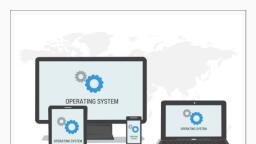
22, , Computer Science – Class, , xi, , systems which provide voice-based control to users, include iOS (Siri), Android (Google Now or “OK Google”),, Microsoft Windows 10 (Cortana) and so on., (E) Gesture-based Interface, Some smartphones based on Android and iOS as well, as laptops let users interact with the devices using, gestures like waving, tilting, eye motion and shaking., This technology is evolving faster and it has promising, potential for application in gaming, medicine and, other areas., 1.8.2 Functions of Operating System, Now let us explore the important services and tasks, that an operating system provides for managing the, computer system., , Operating system is called, resource manager as it, manages different resources, like main memory, CPU,, I/O devices, so that each, resource is used optimally, and system performance does, not deteriorate., , (A) Process Management, While a computer system is operational, different tasks, are running simultaneously. A program is intended to, carry out various tasks. A task in execution is known, as process. We can activate a system monitor program, that provides information about the processes being, executed on a computer. In some systems it can be, activated using Ctrl+Alt+Delete. It is the responsibility, of operating system to manage these processes and get, multiple tasks completed in minimum time. As CPU is, the main resource of computer system, its allocation, among processes is the most important service of the, operating system. Hence process management concerns, the management of multiple processes, allocation, of required resources, and exchange of information, among processes., (B) Memory Management, Primary or main memory of a computer system is, usually limited. The main task of memory management, is to give (allocate) and take (free) memory from running, processes. Since there are multiple processes running, at a time, there arises a need to dynamically (on-the-go), allocate and free memory to the processes. Operating, system should do it without affecting other processes, that are already residing in the memory and once the, process is finished, it is again the responsibility of the, operating system to take the memory space back for re2021-22, , Ch 1.indd 22, , 08-Apr-19 11:36:17 AM
Page 23 :
Computer System, , utilisation. Hence, memory management concerns with, management of main memory so that maximum memory, is occupied or utilised by large number of processes, while keeping track of each and every location within, the memory as free or occupied., , 23, , Notes, , (C) File Management, Data and programs are stored as files in the secondary, storage of a computer system. File management involves, the creation, updation, deletion and protection of these, files in the secondary memory. Protection is a crucial, function of an operating system, as multiple users can, access and use a computer system. There must be a, mechanism in place that will stop users from accessing, files that belong to some other user and have not been, shared with them. File management system manages, secondary memory, while memory management system, handles the main memory of a computer system., (D) Device Management, A computer system has many I/O devices and hardware, connected to it. Operating system manages these, heterogeneous devices that are interdependent. The, operating system interacts with the device driver and the, related software for a particular device. The operating, system must also provide the options for configuring, a particular device, so that it may be used by an end, user or some other device. Just like files, devices also, need security measures and their access to different, devices must be restricted by the operating system to, the authorised users, software and other hardware only., , Summary, •, •, , •, , A computing device, also referred as computer,, processes the input data as per given instructions, to generate desired output., Computer system has four physical components, viz. (i) CPU, (ii) Primary Memory, (iii) Input Device, and (iv) Output Devices. They are referred to as, hardware of computer., Computer system has two types of primary, memories viz. (i) RAM, the volatile memory and, (ii) ROM, the non-volatile memory., 2021-22, , Ch 1.indd 23, , 08-Apr-19 11:36:17 AM
Page 24 :
24, , Computer Science – Class, , Notes, , •, •, •, •, , •, •, , xi, , System bus is used to transfer data, addresses, and control signals between components of the, computer system., A microprocessor is a small-sized electronic, component inside a computer that performs basic, arithmetic and logical operations on data., Microcontroller is a small computing device which, has a CPU, a fixed amount of RAM, ROM and other, peripherals embedded on a single chip., Software is a set of instructions written to achieve, the desired tasks and are mainly categorised, as system software, programming tools and, application software., Hardware of a computer cannot function on its own., It needs software to be operational or functional., Operating system is an interface between the user, and the computer and supervises the working of, computer system, i.e., it monitors and controls the, hardware and software of the computer system., , Exercise, 1. Name the software required to make a computer, functional. Write down its two primary services., 2. How does the computer understand a program, written in high level language?, 3. Why is the execution time of the machine code less, than that of source code?, 4. What is the need of RAM? How does it differ from, ROM?, 5. What is the need for secondary memory?, 6. How do different components of the computer, communicate with each other?, 7. Draw the block diagram of a computer system. Briefly, write about the functionality of each component., 8. What is the primary role of system bus? Why is, data bus is bidirectional while address bus is, unidirectional?, 9. Differentiate between proprietary software and, freeware software. Name two software for each type., 2021-22, , Ch 1.indd 24, , 08-Apr-19 11:36:17 AM
Page 25 :
Computer System, , 10. Write the main difference between microcontroller, and microprocessor. Why do smart home appliances, have a microcontroller instead of microprocessor, embedded in them?, , 25, , Notes, , 11. Mention the different types of data that you deal, with while browsing the Internet., 12. Categorise the following data as structured, semistructured and unstructured:, • Newspaper, • Cricket Match Score, • HTML Page, • Patient records in a hospital, 13. Name the input or output device used to do the, following:, a) To output audio, b) To enter textual data, c) To make hard copy of a text file, d) To display the data or information, e) To enter audio-based command, f) To build 3D models, g) To assist a visually-impaired individual in, entering data, 14. Identify the category (system, application,, programming tool) of the following software:, a) Compiler, b) Assembler, c) Ubuntu, d) Text editor, , Explore Yourself, 1. Ask your teacher to help you locate any two device, drivers installed on your computer., 2. Write any two system software and two application, software installed on your computer., 3. Which microprocessor does your personal computer, have? Which generation does it belong to?, 4. What is the clock speed of your microprocessor?, 5. Name any two devices in your school or home that, have a microcontroller., 2021-22, , Ch 1.indd 25, , 08-Apr-19 11:36:18 AM
Page 26 :
26, , Computer Science – Class, , Notes, , xi, , 6. Check the size of RAM and HDD of a computer in, your school. Make a table and write their size in, Bytes, Kilobytes, Megabytes and Gigabytes., 7. List all secondary storage devices available at your, school or home., 8. Which operating system is installed on your, computer at home or school?, , 2021-22, , Ch 1.indd 26, , 08-Apr-19 11:36:18 AM