Page 1 :
CBSE | DEPARTMENT OF SKILL EDUCATION, CURRICULUM FOR SESSION 2021-2022, INFORMATION TECHNOLOGY (CODE – 402), JOB ROLE: DOMESTIC DATA ENTRY OPERATOR, CLASS – IX, COURSE OVERVIEW:, A Data Entry Operator/Analyst is a person who is responsible for entering data into different, applications and computer databases manage and maintain effective record keeping. In addition,, they are responsible for organizing files, collecting and managing data to be entered into the, computer. They are also responsible for security of data and safeguard the computer network., With every office and organization seeking to become computerized, the demand for data entry, operators/analysts is on a rise. Data entry operators/analysts usually work in an indoor, office, setting using a computer and other electronic machines. To be in the profession of data, entry/analysis, one has to have computer literacy, high typing speed, organization skills,, concentration skills, communication skills and an ability to sit for long periods of time entering and, computing data., , OBJECTIVES OF THE COURSE:, In this course, the students will be introduced to the fundamental concepts of digital, documentation, digital spreadsheet, digital presentation, database management and internet, security., The following are the main objectives of this course:, •, , To familiarize the students with the world of IT and IT enabled services., , •, , To provide an in-depth training in use of data entry, internet and internet tools., , •, , To develop practical knowledge of digital documentation, spreadsheets and presentation., , •, , To enable the students to understand database management system and have updated, knowledge about digital record keeping., Page 1 of 15
Page 2 :
•, , To make the students capable of getting employment in Private Sector, Public Sector, Ministries,, Courts, House of Parliament and State Legislative Assemblies., , •, , To develop the following skills:, o, , Data Entry and Keyboarding skills, , o, , The concept of Digital Documentation, , o, , The concept of Digital Presentation, , o, , The concept of Electronic Spreadsheet, , o, , The concept of Databases, , o, , Internet Technologies, , SALIENT FEATURES, To be a data entry operator/analyst, one requires a lot of hard work and practical hands-on experience., One should have an intensive knowledge of Office applications, computer operations, and knowledge, of clerical, administrative techniques and data analysis. Along with this, as a data entry, operator/analyst, you will be expected to have fast typing speed, accuracy, and efficiency to perform, tasks., As a data entry operator/analyst, one should improve their computer skills, numerical and literacy skills., These skills can help one expand into a new career path in the future., , SCHEME OF UNITS, This course is a planned sequence of instructions consisting of units meant for developing, employability and vocational competencies of students of Class IX opting for skill subject along, with other education subjects. The unit-wise distribution of hours and marks for class IX is as, follows:, , 402 – Information Technology Class IX - 2021-2022, , Page 2 of 15
Page 3 :
INFORMATION TECHNOLOGY (SUBJECT CODE - 402), CLASS – IX (Session 2021-2022), Total Marks: 100 (Theory-50 + Practical-50), , NO. OF HOURS, , TERM, , for Theory, and Practical, 200, , UNITS, , MAX., MARKS, for Theory, and Practical, 100, , Part A, , Employability Skills, , TERM I, , TERM II, , Unit 1 : Communication Skills-I, , 10, , Unit 2 : Self-Management Skills-I, , 10, , Unit 3 : ICT Skills-I, , 10, , Unit 4 : Entrepreneurial Skills-I, , 15, , Unit 5 : Green Skills-I, , 05, , 5, , 50, , 10, , Practical, Theory, (In Hours) (In Hours), , Marks, , Total, Subject Specific Skills, TERM I, , TERM II, , 5, , Unit 1: Introduction to IT- ITeS industry, , 2, , 4, , 4, , Unit 2: Data Entry & Keyboarding Skills, , 4, , 10, , 6, , Unit 3: Digital Documentation, , 10, , 26, , 10, , Unit 4:Electronic Spreadsheet, , 18, , 35, , 10, , Unit 5: Digital Presentation, , 10, , 31, , 10, , 44, , 106, , 40, , Total, Practical Work, Practical Examination, , 15, , Written Test, , 10, , Viva Voce, , 10, Total, , 35, , Project Work/Field Visit, Practical File/ Student Portfolio, , 10, , Viva Voce, , 05, Total, GRAND TOTAL, , 402 – Information Technology Class IX - 2021-2022, , 15, 200, , 100, , Page 3 of 15
Page 4 :
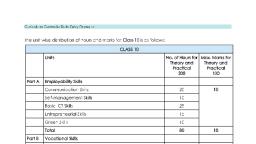
DETAILED CURRICULUM/TOPICS:, Part-A: EMPLOYABILITY SKILLS, S. No., , Units, , Duration in Hours, , 1., , Unit 1: Communication Skills-I, , 10, , 2., , Unit 2: Self-Management Skills-I, , 10, , 3., , Unit 3: Basic Information and Communication Technology Skills-I, , 10, , 4., , Unit 4: Entrepreneurial Skills-I, , 15, , 5., , Unit 5: Green Skills-I, , 05, TOTAL, , 50, , NOTE: For Detailed Curriculum/ Topics to be covered under Part A: Employability Skills can, be downloaded from CBSE website., , Part-B – SUBJECT SPECIFIC SKILLS, UNIT 1: INTRODUCTION TO IT–ITeS INDUSTRY, S., No., 1, , LEARNING, OUTCOMES, Appreciate, the •, applications of IT, •, •, •, , THEORY, Introduction to IT and ITeS, BPO, services,, BPM industry in India,, Structure of the IT-BPM industry,, Applications of IT in home, computing, everyday life, library,, workplace, education,, entertainment, communication,, business, science and engineering,, banking, insurance, marketing,, health care, IT in the government, and public service,, , 402 – Information Technology Class IX - 2021-2022, , PRACTICAL, -, , Identify and list the, various IT enabled, services, Observe, the application of IT, in various areas., , Page 4 of 15
Page 5 :
UNIT 2: DATA ENTRY AND KEYBOARDING SKILLS, S., No., , LEARNING, OUTCOMES, , 1., , Use keyboard and, mouse for data entry, , 2., , Use typing software, , THEORY, , PRACTICAL, , • Keyboarding Skills,, • Types of keys on keyboard,, Numeric keypad,, • Home keys, Guide keys,, • Typing and deleting text,, • Typing ergonomics,, • Positioning of fingers on the, keyboard, Allocation of keys, to fingers on four different, rows,, , • Identify the keys and its use on, the keyboard,, , • Pointing device – Mouse,, Mouse operations., , • Practice to place fingers on, correct key in four different row, of keyboard,, • Practice various mouse, operations., , • Introduction to Rapid Typing, Tutor,, • Touch typing technique,, • User interface of Typing, Tutor,, • Typing text and interpret, results,, • Working with lesson editor,, • Calculating typing speed,, • Typing rhythm., , • Identify the user interface of, • typing tutor,, • Practice to type text in typing, tutor software and interpret the, results,, • Practice to work in lesson editor,, • Calculate the typing speed,, Practice to improve typing, , 402 – Information Technology Class IX - 2021-2022, , • Demonstrate to use various keys, on the keyboard,, • Demonstrate to type the text,, numbers, special character, using appropriate keys on the, keyboard,, • Practice the correct typing, ergonomics,, , • Using typing tutor software., , Page 5 of 15
Page 6 :
UNIT 3: DIGITAL DOCUMENTATION, S., No., 1., , 2., , LEARNING, OUTCOMES, Create a document, using a word, processor, , THEORY, • Introduction to word, processing,, • Word processing applications,, • Introduction to Word, Processing tool, • Creating a document, Parts of, a Word Processor Window,, • Cursor and mouse pointer., , Apply Editing features •, •, •, •, •, •, •, •, •, •, •, •, •, , Text editing – Undo and Redo,, Moving and copying text,, Copy and Paste,, Selecting text,, Selection criteria,, Selecting non-consecutive text, items,, Selecting a vertical block of, text,, Find and replace option,, Jumping to the page number,, Non-printing characters,, Checking spelling and, grammar,, Using Synonyms and, Thesaurus., , PRACTICAL, • List the available word processing, applications., • Introduce with the parts of the, main window., •, •, •, •, •, •, , Change document views., Start a new document., Open an existing document., Save a document., Close a document., Use the Navigator., , • Type some text in the document, and edit it,, • Demonstrate to use undo and, redo option,, • Use the keyboard and mouse, options to select, cut, copy, paste,, and move text., • Demonstrate to select, nonconsecutive text items, vertical, block of text,, • Search the word from the text and, replace it with another word., • Jump to the given page number in, a document,, • Insert non-printing characters in a, document,, • Check spelling and grammar and, apply the changes to the, document., • Demonstrate to use Synonyms, and Thesaurus., , 402 – Information Technology Class IX - 2021-2022, , Page 6 of 15
Page 7 :
S.NO., , LEARNING, OUTCOMES, , THEORY, , PRACTICAL, , 3., , Apply formatting, features, , • Page style dialog,, • Formatting text – Removing, manual formatting,, • Common text formatting,, • Changing text case,, • Superscript and Subscript,, • Formatting paragraph –, Indenting paragraphs,, • Aligning paragraphs, Font colour,, highlighting, and background, colour,, • Using bullets and numbering,, • Assigning colour, border and, background to paragraph, • Page formatting – setting up, basic page layout using styles,, Inserting page break,, • Creating header/footer and page, numbers,, • Defining borders and, backgrounds,, • Inserting images shapes, special, characters in a, document,, • Dividing page into columns,, • Formatting the shape or image., , • Apply various text formatting, options for the text,, • Demonstrate to format, paragraphs – indent/align, paragraphs, assign font, colour, highlighting, and, background colour,, • Assign number or bullets to, the lists items,, • Demonstrate to assign colour,, border and background to, paragraph,, • Demonstrate the page, formatting – set up basic page, layout using styles,, • Insert page break, Create, header/footer and page, numbers,, • Define borders and, backgrounds, • Insert images, shapes,, special characters in a, document, Divide page into, columns,, • Format the shape or image., , 4., , Create and work, with tables, , • Creating table in Word, Processor,, • Inserting row and column in a, table,, • Deleting rows and columns,, • Splitting and merging tables,, , • Demonstrate and do the, following in Word Processor:, • Create table,, • Insert and delete rows and, column in a table,, • Split and merge tables,, • Delete a table,, • Copy or move from one, location to another location of, document., • Demonstrate to print the, document, selected pages in, the document, • Print the document with, various options,, • Preview pages before, printing., , • Deleting a table,, table,, • Moving a table., 5., , Use Print Options, , Copying a, , • Printing options in Word, Processor., • Print preview,, • Controlling printing,, • Printing all pages, single and, multiple pages., , 402 – Information Technology Class IX - 2021-2022, , Page 7 of 15
Page 8 :
S., No., 6., , LEARNING, OUTCOMES, Understand and, apply mail merge, , THEORY, •, Concept of mail merge in, word processing,, •, Creating a main document,, •, Creating the data source,, •, Entering data in the fields,, Merging the data source with, main document,, •, Editing individual document,, Printing the merged letter, Saving, the merged letter., , PRACTICAL, •, , •, •, •, •, , Demonstrate to print the, letters using mail merge,, Do the following to achieve, Create a main document,, Create the data source,, Enter data in the fields,, Merge the data source with, main document,, , •, , Edit individual document,, Print the merged letter,, , •, , Save the merged letter., , UNIT 4: ELECTRONIC SPREADSHEET, S., No., 1., , LEARNING, OUTCOMES, Create a, Spreadsheet, , THEORY, • Introduction to spreadsheet, application,, • Starting a spreadsheet,, • Parts of a spreadsheet, • Worksheet – Rows and, columns, Cell and cell, address,, , PRACTICAL, • Start the spreadsheet,, • Identify the parts of Calc,, • Identify the rows number,, column number, cell address,, • Define the range of cell,, • Identify row range, column, range, row & column range, , • Range of cell – column range,, row range, row and column, range., , 402 – Information Technology Class IX - 2021-2022, , Page 8 of 15
Page 9 :
2., , Apply formula and, functions in, spreadsheet, , • Different types of data,, • Entering data – Label, Values,, Formula, • Formula, how to enter formula,, • Mathematical operators used, in formulae,, • Simple calculations using, values and operators,, • Formulae with cell addresses, and operators,, , 3., , 4., , Format data in the, spreadsheet, , Understand and, apply Referencing, , • Commonly used basic, functions in a spreadsheet –, SUM, AVERAGE, MAX, MIN,, Count, • Use of functions to do, calculations., • Formatting tool,, • Use of dialog boxes to format, values,, • Formatting a range of cells with, decimal places,, • Formatting a range of cells to, be seen as labels,, , • Identify the correct syntax of, formula,, • Use the basic functions to, perform calculations on data., , • Formatting of a cell range as, scientific,, , • Demonstrate to format of a cell, range as scientific,, , • Formatting a range of cells to, display times,, • Formatting alignment of a cell, range,, , • Demonstrate to format a range of, cells to display time,, • Demonstrate to align cell data, range,, , • Speeding up data entry using, the fill handle,, • Uses of fill handle to copy, formulae., •, Concept of referencing,, , • Importance of chart in, spreadsheet,, , • Demonstrate to create, • number series using fill handle,, • Copy formula by dragging the, formula using fill handle., • Demonstrate to use Relative, referencing in spreadsheet,, • Demonstrate to use Mixed, referencing in spreadsheet,, • Demonstrate to use Absolute, referencing in spreadsheet., • Create different types of chart, supported by a spreadsheet,, , • Types of chart, Example of, chart., , • Illustrate the example of chart in a, spreadsheet., , •, Relative referencing,, Mixed referencing,, •, , 5., , Create and insert, different types of, charts in a, spreadsheet, , • Demonstrate to enter the, text, numeric data in a cell,, • Identify the label, values and, formula in the cell,, • Demonstrate to enter formula in, a cell,, • Construct the formula using, mathematical operators,, • Identify formulae with cell, addresses and operators,, , Absolute referencing., , 402 – Information Technology Class IX - 2021-2022, , • Identify the formatting tool,, • Demonstrate to use of dialog, boxes to format values,, • Demonstrate to format range of, cells with decimal places,, • Demonstrate to format a range of, cells to labels,, , Page 9 of 15
Page 10 :
UNIT 5: DIGITAL PRESENTATION, S., No., 1., , 2., , LEARNING, OUTCOMES, Understand, features of an, effective, presentation, , Create a, presentation, , THEORY, , PRACTICAL, , • Concept of presentation,, • Elements of presentation,, • Characteristics of an effective, presentation, , • Identify and list the elements of, presentation,, • List the characteristics of an, effective presentation., , • Introduction to presentation, software,, • Starting a presentation tool,, • Parts of a presentation tool, window,, • Closing the presentation tool,, • Creating a presentation using, template,, • Selecting slide layout,, • Saving a presentation,, • Running a slide show,, , • Start the presentation application, • various components of main, Impress window, • Observe the different workspace, views., • Create a new presentation using, wizard., , • Save a presentation in PDF,, , •, •, •, •, , Run the presentation,, Save the presentation,, Close the presentation,, Demonstrate to use Help in, presentation., , Closing a presentation,, Using Help., 3., , Work with slides, , • Inserting a duplicate slide,, • Inserting new slides,, • Slide layout, Copying and, moving slides,, • Deleting and renaming slides, in presentation,, , • Demonstrate to insert a new slide, and duplicate slide in a, presentation,, • Change the slide layout,, • Demonstrate to copy and move, slides in the presentation,, , • Copying, moving and deleting, contents of slide,, , • Demonstrate to copy, move and, delete contents of the slide,, • Demonstrate to view a, presentation in different views., , • View a presentation,, • Controlling the size of the, view,, • Workspace views – Normal,, Outline, Notes, Slide sorter, view., , 402 – Information Technology Class IX - 2021-2022, , Page 10 of 15
Page 11 :
S., No., 4., , LEARNING, OUTCOMES, Format text and •, apply animations, •, •, •, •, , 5., , Create and use, tables, , THEORY, Formatting toolbar,, Various formatting, features,, Text alignment,, Bullets and numbering., Custom Animation, , • Inserting, tables, in, presentation,, • Entering and editing data in a, table,, • Selecting a cell, row, column,, table,, , PRACTICAL, • Identify and list the various options, in formatting toolbar,, • Apply the appropriate formatting, option, • Align the text in presentation,, • Apply bullets and numbering to the, list items in presentation. Apply, Animation, Demonstrate the following:, • Insert table in presentation,, • Enter and edit data in a table,, • Select a cell, row, column, table,, • Adjust column width and row, height,, , • Adjusting column width and • Assign table borders and, background., row height,, • Table, borders, and, background, 6., , 7., , Insert and format, image, in, presentation, , Work with slide, master, , • Inserting an image from a, file,, • Inserting an image from the, gallery,, , • Demonstrate to insert an image, from file, gallery in presentation,, • Apply formatting options to image, in presentation,, , •, •, •, •, •, , Formatting images,, Moving images,, Resizing images,, Rotating images,, Formatting using the Image, toolbar,, • Drawing graphic objects –, line, shapes,, • Grouping and un-grouping, objects, , • Demonstrate to move, resize and, rotate images,, • Apply formatting options of Image, toolbar,, • Drawing line, shapes using graphic, objects,, • Demonstrate to group and ungroup, objects., , • Slide masters,, • Creating the slide masters,, • Applying the slide masters to, all slide,, • Adding transitions., , •, •, •, •, , 402 – Information Technology Class IX - 2021-2022, , Create the slide masters,, Apply the slide masters to the, presentation,, Add transitions to presentation., , Page 11 of 15
Page 12 :
LIST OF EQUIPMENT/ MATERIALS:, The list given below is suggestive and an exhaustive list should be compiled by the teacher(s), teaching the subject. Only basic tools, equipment and accessories should be procured by the, Institution so that the routine tasks can be performed by the students regularly for practice and, acquiring adequate practical experience., S. No., , ITEM NAME, DESCRIPTION & SPECIFICATION, , QUANTITY, , A, , HARDWARE, , 1., , Computer with latest configuration or minimum Pentium Processor, with minimum 2GB RAM, 512 GB HDD, 17” LED Monitor, NIC Card, 3, button Mouse, 105 keys key board and built-in speakers and mic., , 15, , 2., , Laser Printer - Black, , 01, , 3., , Inkjet Printers (Colour & Black), , 01, , 4., , Scanner, , 01, , 5., , Online UPS 5 KVA, , 01, , 6., , 16 Port Switches, , 01, , 7., , Air Conditioner 1.5 tonne, , 02, , 8., , Telephone line (For Internet), , 01, , 9., , Fire extinguisher, , 01, , B, , SOFTWARE, , 1., , Operating System Linux and Windows, , 2., , Anti-Virus Latest version, , 3., , Productivity Suite, Example – Open Office, Google Suite etc., , C, , FURNITURE, , 1., , Class room chairs and desks, , 25, , 2., , Computer Tables, , 15, , 3., , Straight back revolving & adjustable chairs (Computer Chairs), , 15, , 4., , Printer Tables, , 02, , 5., , Trainers Table, , 01, , 6., , Trainers Chair, , 01, , 7., , Steel cupboards drawer type, , 02, , 8., , Cabinet with drawer, , 01, , 9., , Steel Almira - big size, , 01, , 10., , Steel Almira- small size, , 01, , 402 – Information Technology Class IX - 2021-2022, , Page 12 of 15
Page 13 :
TEACHER’S/ TRAINER’S QUALIFICATIONS:, Qualification and other requirements for appointment of teachers/trainers for teaching this subject,, on contractual basis should be decided by the State/ UT. The suggestive qualifications and, minimum competencies for the teacher should be as follows:, , Qualification, , Minimum Competencies, , Diploma in Computer Science/ Information •, Technology, OR, Bachelor Degree in Computer Application/, Science/ Information Technology (BCA, B., Sc. Computer Science/ Information, •, Technology), OR, Graduate with PGDCA OR, DOEACC A Level Certificate., •, The suggested qualification is the minimum, criteria. However higher qualifications will, also be acceptable., , The candidate should, have a minimum of 1, year of work experience, in the same job role., S/He should be able to, communicate in English, and local language., , Age Limit, •, , 18-37 years (as on, Jan., 01 (year)), , •, , Age, relaxation to be, provided as per, Govt., rules, , S/He should have, knowledge of equipment,, tools, material, Safety,, Health & Hygiene., , Teachers/Trainers form the backbone of Skill (Vocational) Education being imparted as an, integral part of Rashtriya Madhyamik Shiksha Abhiyan (RMSA). They are directly involved in, teaching of Skill (vocational) subjects and also serve as a link between the industry and the, schools for arranging industry visits, On-the-Job Training (OJT) and placement., These guidelines have been prepared with an aim to help and guide the States in engaging, quality Teachers/Trainers in the schools. Various parameters that need to be looked into while, engaging the Vocational Teachers/Trainers are mode and procedure of selection of Teachers/, Trainers, Educational Qualifications, Industry Experience, and Certification/ Accreditation., The State may engage Teachers/Trainers in schools approved under the component of scheme, of Vocationalisation of Secondary and Higher Secondary Education under RMSA in following, ways:, (i), , Directly as per the prescribed qualifications and industry experience suggested by the PSS, Central Institute of Vocational Education (PSSCIVE), NCERT or the respective Sector Skill, Council (SSC)., OR, , (ii), , Through accredited Vocational Training Providers accredited under the National Quality, Assurance Framework (NQAF*) approved by the National Skill Qualification Committee on, 21.07.2016. If the State is engaging Vocational Teachers/Trainers through the Vocational, Training Provider (VTP), it should ensure that VTP should have been accredited at NQAF, Level 2 or higher., , 402 – Information Technology Class IX - 2021-2022, , Page 13 of 15
Page 14 :
* The National Quality Assurance Framework (NQAF) provides the benchmarks, or quality criteria which the different organizations involved in education and, training must meet in order to be accredited by competent bodies to provide, government- funded education and training/skills activities. This is applicable to, all organizations offering NSQF-compliant qualifications., , The educational qualifications required for being a Teacher/Trainer for a particular job role are, clearly mentioned in the curriculum for the particular NSQF compliant job role. The State should, ensure that teachers/ trainers deployed in the schools have relevant technical competencies for, the NSQF qualification being delivered. Teachers/Trainers preferably should be certified by the, concerned Sector Skill Council for the particular Qualification Pack/Job role which he will be, teaching. Copies of relevant certificates and/or record of experience of the teacher/trainer in the, industry should be kept as record., To ensure the quality of the Teachers/Trainers, the State should ensure that a standardized, procedure for selection of (Vocational) Teachers/Trainers is followed. The selection procedure, should consist of the following:, (i), Written test for the technical/domain specific knowledge related to the sector;, (ii), Interview for assessing the knowledge, interests and aptitude of trainer through a panel, of experts from the field and state representatives; and (iii) Practical test/mock test in, classroom/workshop/laboratory., , In case of appointment through VTPs, the selection may be done based on the above procedure, by a committee having representatives of both the State Government and the VTP., The State should ensure that the Teachers/ Trainers who are recruited should undergo induction, training of 20 days for understanding the scheme, NSQF framework and Vocational Pedagogy, before being deployed in the schools., The State should ensure that the existing trainers undergo in-service training of 5 days every, year to make them aware of the relevant and new techniques/approaches in their sector and, understand the latest trends and policy reforms in vocational education., , The Head Master/Principal of the school where the scheme is being implemented should, facilitate and ensure that the (Vocational) Teachers/Trainers:, • Prepare session plans and deliver sessions which have a clear and relevant purpose and, which engage the students;, •, •, •, , Deliver education and training activities to students, based on the curriculum to achieve, the learning outcomes;, Make effective use of learning aids and ICT tools during the classroom sessions;, Engage students in learning activities, which include a mix of different methodologies,, such as project based work, team work, practical and simulation based learning, experiences;, , 402 – Information Technology Class IX - 2021-2022, , Page 14 of 15
Page 15 :
•, , •, •, , Work with the institution’s management to organise skill demonstrations, site visits, on, job trainings, and presentations for students in cooperation with industry, enterprises and, other workplaces;, Identify the weaknesses of students and assist them in up-gradation of competency;, Cater to different learning styles and level of ability of students;, , •, •, , Assess the learning needs and abilities, when working with students with different abilities, Identify any additional support the student may need and help to make special, arrangements for that support;, , •, , Provide placement assistance, , Assessment and evaluation of (Vocational) Teachers/Trainers is very critical for making them, aware of their performance and for suggesting corrective actions. The States/UTs should ensure, that the performance of the (Vocational) Teachers/Trainers is appraised annually. Performance, based appraisal in relation to certain pre-established criteria and objectives should be done, periodically to ensure the quality of the (Vocational) Teachers/Trainers., Following parameters may be considered during the appraisal process:, •, •, •, •, •, •, •, •, •, •, •, , Participation in guidance and counseling activities conducted at Institutional, District and, State level;, Adoption of innovative teaching and training methods;, Improvement in result of vocational students of Class X or Class XII;, Continuous up-gradation of knowledge and skills related to the vocational pedagogy,, communication skills and vocational subject;, Membership of professional society at District, State, Regional, National and, International level;, Development of teaching-learning materials in the subject area;, Efforts made in developing linkages with the Industry/Establishments;, Efforts made towards involving the local community in Vocational Education, Publication of papers in National and International Journals;, Organization of activities for promotion of vocational subjects;, Involvement in placement of students/student support services., , 402 – Information Technology Class IX - 2021-2022, , Page 15 of 15