Page 5 :
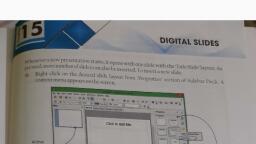
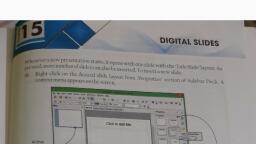
Scorned wth Camecaner, added. In Impress, there are varicus types of predefined layoots for, creating slides which can be used for creating a new prcsentation., Some frequently used layouts are Title Slide, Content, Title Only,, Blank Slide, etc. In the task pane areathere are chifferent Layouts., Click on any Slide layout to select the required design from, Sidebar Ieck, 6 (Or] Click on 'Slide Layout drap-down butten from the, "Presentation toelbar., Select a slide, design., 2., (3), Click on, "Preview, checkbox to, see the, preview., P ynds, Mar olth Sxten&, rows, ToMten, (2), N Select the desired layeut., Set the, output, medrum, (4), Selet, Ongnel, Click on, Create, button., The layout of the slide appear on the workspace as a fiame for slide., To enzble Sidebar eck, Ctich an 'Vie' reru and then click on 'Sidbar., Holo, Cereel, Back, MAKING PRESENTATION, To create a new presentatacn, click on the 'New button of the Standard Tollsar A, Presentarion Wizard dialeg box appears with the following three options, tach of which, can be selectedto make a new presentation, Entering TexXt in a Slide, Empry presentation, From template, * Click in the text boxes to start typing lf the text takes more than one line, Impres, automatically WTaps the text to thenext line, s Toendtyping, click outside the text boo, Open existing presentation, hoertal, 1fitis required to dasplay the text in more than one text bex thenanew text box has to be added., Toadda new text boxin the siide, Select the Text tool button from Drawing toolrar. The mouse pointer changes to (-) sign, Place the cursor to the position on the slide where the new Text Box' is to be added., 1Pp, S Dragthe pointer to create the text bex, Inserting object from Other Applications, In 'impress', it is possilble te insert text/pictures/charts tables from other applications such, as Writer. Cale, etc., Copy the object to be inserted, then place the cursor where it hasto be pasted., Click on Paste button from standardtoolbaror press Ctrl Vfrom the kcyboard., MAe, Making presentation with an Empty presentation, This option helps to make a rew presentation. This option guides the user step-by-step, with the help of pre-defined slide designs, autput medium, transition efects, present ation, type.etc. Tocreate a new presentation with an empty presentation:, SAVING THE PRESENTATION, e Select Empty presentation' from Presentarion Wizardand click on the Next' button., Tosave the created presentation., Sin Click on 'Save' or 'Save As' option from the File menu., 254, 255