Page 1 :
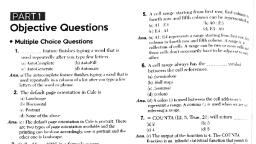
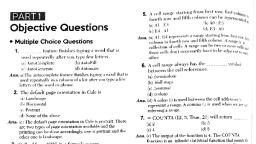
Chapter-9 : Microsoft Excel (Speadsheet ), I. Very Short Answer Questions :, Multiple Choice Questions:, 1. The data of the selected cell is displayed on the:, Ans : Formula bar, 2. To select non-adjacent cells or cell ranges, we use, Ans : CTRL key, 3. To get 1 3, 5 ………. Printed in a column , we use, Ans : Autofill, 4. Fill option is present in, Ans : Font, 5. Which symbol precedes a formula ?, Ans : =, 6. Copying the formula =sum(A4:B4) leads to, Ans ; relative referencing, 7. Copying the formula =sum($A$4:$B$4) leads to, Ans : Absolute referencing, 8. Copying the formula =$C8 leads to, Ans : mixed referencing, Fill in the blanks :, 1. A worksheet has 16384 columns and 1048576 rows., 2. A workbook contains three, , sheet(s) by default., , 3. Address of the active cell is always displayed in the name box and, Contents in the formula bar., 4. A formula always start with equal(=) character., 5. In excel , text is left, , justified and numbers are right justified., , 6. When using relative referencing the cell references change with the position, of formula., 7. Extend selection is used when the range of cells is large, 8. To find the total number of records in a list count() function is used
Page 2 :
9. A list of numbers in the form 6,12,18 , can be created using custom lists, Feature., 10. A row can be made invisible in a spreadsheet by hide it., 11. Dollar signs can be inserted with data using currency option of format cell, dialog box., II. Short Answer Type Questions, 1. What is spreadsheet?, Ans : Spreadsheet is a software used to perform mathematical calculations on, data arranged in rows and columns., 2. What is a workbook?, Ans : Collection of one or more worksheet is called workbook., 3. Is a workbook different from worksheet? How?, Ans : Yes, this is because workbook is collection of worksheet., 4. How can you open a sheet of your choice?, Ans : By clicking on particular sheet., 5. How are rows and columns numbered in a worksheet?, Ans : Rows are numbered by number and columns are numbered by alphabets., 6. From which group can you select the currency category for your data., Ans : Home tab ----> Number group., 7. What happened if the text or number exceeds the cell width?, Ans: Displays overflow characters in adjacent cells., 8. What is custom list? How is it different from autofill?, Ans: User-defined list of data to fill in the selected range of cell is called custom, list whereas Autofill is the pre-defined list of data., 9. Why should we be more careful while copying formulas?, Ans: This is because wrong cell referencing can error or wrong output., 10. Ms. Dixit is the co-ordinator of class IX. She has the section-wise lists of, names of students along with their result under different column heads on, a worksheet. Which feature of excel should she use to view the name list, and result of only IXA while discussing it with its class teacher?, Ans : Filter feature
Page 3 :
11. What is relative referencing? Give example., Ans : In relative referencing copying a formula the cell reference in the formula, also changes accordingly. Example : = B2+C2, 12. Describe absolute referencing. How is it different from relative referencing?, Ans : In absolute referencing copying a formula the cell reference in the formula, does not change accordingly. Example : = $B$2 + $C$2, 13. What is mixed referencing?, Ans : In mixed referencing copying a formula the cell reference in the formula, changes which do not have a $ sign. Example : = B$2 + C$2, 14. Describe the out put of the following functions :, (a) Average, (b) Count, (c) Max, (d) Min, Ans :, (a) To find the average value of the selected range of cells., (b) To count total number of data in the selected range of cells., (c) To get maximum value in the selected range of cells., (d) To get minimum value in the selected range of cells., 15. How can a print area be selected for printing?, Ans: Specific area of the worksheet can be printed by selecting it using mouse., 16. Can we only print the chart? How?, Ans : Yes, we can print only chart by selecting the chart from document., 17. Mr. Narang is the sales head and monitors the performance of each, department. How can be view the graph of a particular department only if, he has a chart showing graphs of all departments?
Page 4 :
Ans : By selecting data of particular department., Long Answer Type Questions, 1. How does MS Excel ease our work?, Ans : It facilitates smooth and easy data entry, analysis, calculations,, customization to represent data in more informative way. This also save, lots of time and increase work efficiency., 2. How is a formula built in excel?, Ans : Formula is built by combination of cell address, operator which are, preceded by equal sign., 3. Describe different type of errors encountered while working on a worksheet., Ans : Errors in excel :, ####, , Column width not enough to accommodate the formula, , #Div/0, , Division by zero, , # N/A, , Data is not available, , #Name, , Cell reference is not known, , #NUM, , Number not acceptable in defined formula, , #REF!, , Cell not valid or has been deleted, , # Value!, , Invalid operator in formula, , 4. Create a worksheet showing marks in five separate subjects obtained by all, the students of your class., Ans :, , 5. Draw a suitable chart for the above question., Ans :