Notes of Class 6th, Computer Fundamental & Computer Application & Computer Science & Computer Hardware & Computer network 6th chapter7 QBasic.pdf - Study Material
Page 1 :
& t7| Introduction to QBasic, , A computer wi, , orks according to the instructions given to it by the user. For, , communicating with the computer we needa language. This language is used for giving, , instructions to the computer. A computer understands the machine language. The, language of 0’s and 1’s is known as the machine language., , The programs We write are written in high level language such as JAVA, C, C++,, | QBasic. For allowing the computer to understand the instructions we need a translator, | which will translate program written in high level language into machine code. There, , are two different types of translator: interpreters and the compilers. They can translate, high level language into machine code., , Introduction to QBasic, , BASIC is a high level programming language used for beginners. It is very easy and, simple to understand. BASIC stands for Beginners All Purpose Symbolic Instruction, Code. It was developed in Dartmouth College, New Hampshire, USA by Professor John, , G. kemeny and Thomas E. kurtz in May 1964. The popular Basic editions are GW BASIC,, BASICA, QBasic and QB64., , QBasic is an integrated development environment (IDE), developed by Microsoft to, type, edit, debug and execute BASIC programs. It uses English words and mathematical, symbols to write programs., , In this chapter, we will learn QB64, which is the updated version of QBasic. It is, compatible with Windows as well as Linux operating system., , Starting QBasic, , In order to start QB64, double-click the icon on, the desktop., , Boss, , , , , , Or, , Click on This PC icon and browse the computer., Go to the folder where you have unzipped QB64, and double-click on the QB64 application file., The following window appears., , Be > ., Computer Science-6 e «i
Page 2 :
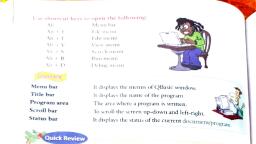
e = i i ee |, , -of the OBasic window., Letus discuss about the various components of the QBasic w1, , Mtns Tet »w, Search, Run and se, , Menu Bar: The menu bar has menus such as File, Edit, View, Sear Baas On. The, ' ing and exec 4 > progr:, , menus contain commands which help in creating and executing a Program. We, , execute QBasic program to see the output or result of the program., , Name of the Program: The name of the program is displayed a below the menu bar, shows the name Untitled for any program that has not been saved., , Work Area : This is the area in which we will type the instructions or program., , Status Section : This section displays OK if the statements typed in the Work Area are, correct otherwise it shows an error message., , Creating a New Program, , Tocreate anew program, follow these steps., 1. Click on File — New., , =, , . A new file opens with the program, name as Untitled. We can write the, program in the Work Area., , Saving a Program, , To save a file for future use, the following, steps should be followed:, , 1. Clickon the File menu., 2. Select the Save As option., , wo, , Type the name of the file in the ‘File, Name:’ text box., , 4. Click OK button. The file will be saved, with the extension .bas., , Opening a Program, , Follow the given steps to open a saved, , program:, , 1. Click on File ~ Open. The Open dialog, box appears., , 2. Choose the name of the folder or, directory and the file that we want to, open., , 3. Click OK., , , , o>, ap" is, Computer a e,=
Page 3 :
— a <r, A Running a Program, , To see the output of a program, we need to, run the program. The two ways to run a, program in QB64 are as follows :, , + By pressing FS key., , _+ By selecting Run menu and clicking, on the Start option,, , We can go back to the Work Area by, pressing any Key., , Exiting QB64, To exit QB64, click on File > Exit., Constants and Variables in QBasic, , Constants : Constants are actual values which are stored in some memory location and, do not change during 3 the program execution. Broadly, constants are of two types :, , , , S la Qe (y) f S ae, Numeric Constants :’ Any numeric value, either an integer or a real number, positive or, negative is called a numeric constant. For example, 224, + 12, 0, - 7.4 are valid numeric, constants. G, , , , Alphanumeric or String Constants : A set of characters is called a string. An, alphanumeric or string constant consists of a sequence of characters, A-Z, a-z, 0-9 and, certain special symbols, like %? # ~ & * etc, enclosed in double quotes. For example,, “RAGHAV”, “SUM = 84”, “192” are valid string constants., , Variables : A variable is a location in the memory, which has been assigned a name, and, is used to store data temporarily. It continues to hold the value until another value is, assigned to it. There are two types of variables:, , Numeric Variables : A numeric variable can hold only numeric value. It is represented, »y an alphabet followed by either another alphabet or a digit. For example, A, C, A2,, ABC, etc represent numeric variables., , Alphanumeric or String Variables : A string variable is represented by an alphabet, followed by dollar ($) sign. It can also store string constant. For example,A1 $, RKL $,, COMPU 1, etc are valid string variables., , Operatorsin QBasic ), There are three types of operators in QBasic., * Arithmetic Operators, The arithmetic operations are performed with the help of arithmetic operators., , &@.2, Computer Science-6 Sa Oy =
Page 4 :
A+B 1B i, Addition SUM = :, a Subtraction DIFF # A oe a, . Multiplication PROD «© A*B ;, / Division Q = A/B 5, , “ Exponentiation EXP = B “3 27 (3° 3*3, , , , + Relational Operators, - The relational expression is formed by using the relational operators., , , , Equal to A=B, —— Not equal to A<>B, 7 Greater than A>B, < Less than A<B, 2S Greater than or equal to A>=B, <5 Less than or equal to A<=B, , , , * Logical Operators, Logical operators are used to connect two or more relations and, , , , , , , , , False value to be used ina decision,, , AND Returns True only C>AandC>B, when both conditions A>CandB<A, are true, , OR Returns True if at least, , B>AandB>c, one condition is true A=CandB=C, , NOT Returns False if the NOTA>C, condition is true and NOTB<¢c, vice-versa, , QBasic Statements ris, , QBasic statements use some specific keywords to perform the specifi, way to write each statement, known as Syntax, Syntax is the, programming language. In this chapter, we will learn a few initial stater, , 2. *, , Computer Sclenca6 2
Page 5 :
; = wT , — oy, = toe, Let Statement —_— eae aX, , The LET statement assigns a value to a variable., , , , syntax : [LET] variable name = {constant/variable/ expression}, pxamples : 1, , , , oT A = 28 will assign the value 28 to A., LETN$ = “COMPUTER” will assign the st ring “COMPUTER” toN $, LET B = Awillassign the value of A to B., , The keyword LET is optional to use and that’s why it is written in square brackets in, syntax., , PRINT Statement, , The keyword PRINT is used to display the result on the screen., Syntax : PRINT “Mesage”, , PRINT <Variable Name>, , Examples:, PRINT 9 will print 9, PRINT “ENJOY Programming” will print the message : ENJOY Programming, PRINT A will print the value of A., , Itcan also have alist of these, seperated by commaor semicolon., PRINT A, B,C, , PRINT “SUM=”; SUM, + REM Statement, , This command helps to add comments or remarks into a, ignores this statement. We can adda comment in the, what the program is all about., , We can replace the word REM by asingle quote (') symbol., Syntax : REM remark, Or, ‘remark, Example:, REM This is an example for PRINT with comma, LETA$=“]”, LETBs = “LOVE”, LETC $ = “COMPUTER”, , PRINT AS,BS,C$, END, , program. The interpreter, beginning of the program to tell, , , , 20., » Computer Sciences § Ge



 Learn better on this topic