Page 1 :
Wu, , ry wv BQ, , Oy, i os :, , @ ~ Introduction to Visual Basic, , Chapter Focuses on:, , coe to Visual Basic 2015 * Starting Visual Basic 2015, \, sual Basic 2015 Integrated Development Environment, evelopment of a Visual Basic application, , Creating and Executing a Visual Basic application, * Commonly used controls, , , , . Basic is a fastand casy way . ; ‘ . ;, , Vjsual Basic 1 nd easy way to create programs for Microsoft Windows, Even if you are, f VS ‘ sus ; F, , new to Windows programming with Visual Basic, you have a complete set of tools to simplify, , development. aw, . Inet a - * . ~ . . +, Nisual Basic 15 & high lev programming language that evolved from the earlier DOS version, , | called BASIC. Visual Basic is a Visual and Event-driven Programming Language. Here, , programming, 15 done in a graphical environment You just need to drag and drop any graphical, , | object anywhere on the form and you can change its properties using the properties window., INTRODUCTION TO VISUAL BASIC 2015, , Visual Basic 2015 is the version of Visual Basic introduced by Microsoft in 2015. Microsoft, has added many new features particularly those features for building mobile applications., Visual Basic 2015 is a full-fledged Object-Oriented Programming (OOP) Language, , implemented on the. NET Framework. Visual Basic 2015 is bundled together with other, , Microsoft Programming languages C++, FA, JavaScript, Python and more in an IDE, , | called Visual Studio Community 2015.) a, | STARTING VISUAL BASIC 2015 ee, VA 6, To star€ Visual Basic, the steps are: Viaglsuaie, | =p Click Start — All Programs ee beeen re, | ~ Visual Studio 2015. 7 :, , The Visual Studio screen, , , , appears., , , , , , or", , Scanned with CamScanner
Page 2 :
eo_———O-”-”,-,—.LDLDLrtttt”™”™”~OOOOO, , : or o » le, fistep2)) Under Start, chick New Project. his will open the New Project dialoy box, , l, Installed — Templates, click Visual Basic, , r, , , , , , , , steps) Sclect Windows Form Application in the middle section of the dialog box. At th, , bottom of this window, change the default project name, WindowsApplicationy,, My First VB2015 Project and click OK., , xz» The Integrated Development Environment window appears. You can see that th:, , name of the project you entered appears on the top right corner of IDE,, , vos, , , , , , Computer ————@, , , , Scanned with CamScanner
Page 4 :
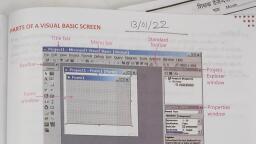
r aie Ys, , Propemie:, , Form] System diindows Ferri: Foren, 4, Properties Window: This window lists the an pF property settings for the selected form or Helpeumon, , conuol. Properties are attributes that define, , , , the appearance and be haviour of objects Felce, B (Detour, , orms may have Properties such as Name Faire o|, ~ . 00, , : » ~ 2, Font, Color, Border style, Padding, Size text. Fates fn, ete, Tent “4, , The tet exsocieted with the control, , Code Editor Window: Thi, , s window serves as an editor for entering application Code,4 3., , separated code editor window is created for each form or code module in your applicatig,, aN, , , , , , 4., , write codes, double click the objects on the form. This action opens the Code Windoy wh, Mh g, , We can write the required visual basic applications., 1., om) :, , + 'p, cl, , , , Form Layout Window:The Form Layout, window allows you to position the forms in your, application using a small graphical, representation of the screen. Form is an interface, using which a user interacts with the, application. A form contains many control, elements, such as Labels, Textboxes, and, Command buttons, ete., , , , Positioning a Window, , A window is dock window if it is attached to the edge of another dock or application winds, Here, Toolbox, Solution Explorer, Properties, etc are dock windows. You can change the, position of the dock windows by clicking their title bar and dragging them to anywhere \ou, like. You can also dock the windows by right-clicking on them and choose dock from the, pop-up menu. Try moving the windows and if you mess up and want the original setting“, , the window, click Window — Reset Window Layout on the Menu bar., , Computer-& 6, , _di, , Scanned with CamScanner
Page 5 :
2 Setunen Explower, Properties witidows are hidden whee you start Visual, wyou cumelick View oa the ment bor and then select the required option, , , , oemMENT OF A VISUAL BASIC APPLICATION, a, , nny, , t ' elox |, sa tuilew che below steps toe Cevelop ata application:, , fort., , , , ~, de w the controls. to handle the events,, \ud ¢, gor is dssverdicd with res tadividual properties, methods, and events., Mes tte>, , ques weit something apeut or control the behaviour of an object, such as its name,, , VVn: " r a nik, ve ot locubon. Tou can think of properties as adjectives that describe objects., , , , ¢ Text boxes have the properties-Color, Font, Enabled, Visible, ete., > Metnuds, , sseurdted Witt poyects are called methods. Methods are the verbs of objects-oriented, , , , cumanoy. Svare typical methods are close, show and clear. Each of the predetined, es have a set of methods that you cam use. You will learn to write additional methods to, , chons In vour programs,, , methods as Object. Method (“object dot method”). Peewee, \, , uple, a Show method can apply to different objects:, , , , , , The term members is used to), , : t > > ‘ refer to both properties and, Form.Show shows the form object called Billing Form: omnes La, , , , . methods., Sur Button. Show shows the burton object called Ext Button, — ., , , , Events, , dan write procedures that exceute W hen a particular event occurs. Au event Occurs W hen, , , , kes an action, such as clicking a button, pressing a key, scrolling, or closing a, , overed by actions of other object, such as repainting a form or, , | Maduw/ Events also can be trigy, , | ter reaching a preset point, , Commputer-3, , Scanned with CamScanner




 Learn better on this topic