Page 1 :
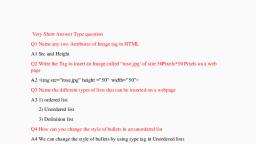
Very Short Answer Type question, Q1 Name any two Attributes of Image tag in HTML, A1 Src and Height, Q2 Write the Tag to insert an Image called “rose.jpg’ of size 50Pixels*50 Pixels on a web, page, A2 <img src=”rose.jpg” height =”50” width=”50”>, Q3 Name the different types of lists that can be inserted on a webpage, A3 1) ordered list, 2) Unordered list, 3) Definition list, Q4 How can you change the style of bullets in an unordered list, A4 We can change the style of bullets by using type tag in Unordered lists, For Example <ul type=”square”, <ul type = “circle”>, Short answer type questions, Q1 Name any 3 attributes of<table> tag in HTML .Give one example of each, 1 Border-: Specify the width of border (in pixels) around the table, 2 Cell spacing :-Specify the space between the cells, 3 Cellpadding:-Specify the space between the cell wall and cell contents, Example of all three attributes are, <table border=”5” cellspacing=”10” cellpadding=”5”>, Q2 What are the different tags that let you create a definition list ? Write briefly with, Examples., A2 Different tags used for creating a definition lists are:, 1 <dl> Definition list, 2 <dt> Definition Term, For Example:-<dt> Apple, 3 <dd> Definition Description, For Example :-<dd> Apple is fruit that is very good for health.

Page 2 :
Q3 In How many different ways an image can be aligned to the text adjoining it?, A3 An image can be aligned to the text adjoining it by following different Ways:1 Align Top- In this the text is top aligned to the image, 2 Align Middle:- In this text is middle aligned to the image, 3 Align Bottom:- In this text is bottom aligned to the image, 4 Align Left:- In this text is left aligned to the image, 5 Align right:- In this text is Right aligned to the image., Q4 How will you merge 5 columns into one table in a table? Give example, A4 We can merge 5 columns into one table by using the attribute COLSPAN, For example, <th colspan=”5”> Vitamins, , Long Answer Type questions, Q1 Make a list of all tags and attributes related to <table>tag in HTML. Also write the, purpose of each., TAG, , <table>, , Attributes, Border, Align, , Bgcolor, Cellspacing, , Cellpadding, Background, , <caption>, , Bgcolor, <tr> table row, Align, , Description, Specifies the width of border, around the table, Specify the alignment of, table according to, surrounding of text, Specify background color of, the table, Specify the space between, the cells, Specify the space between, the cell wall and cell content, Specify the image as, background of the table, Define the caption that, appear on the top of the, table, Specify the background, color of the table row, Horizontally aligns the, contents of all the cells in a, row
Page 3 :
Valign, , <td> Table data, , Valign, Colspan, Rowspan, , <th> table heading, , Same as <td>, , Vertically aligns the, contents of all cell in the, row, Vertically aligns the, contents of the entire cell, Specify across how many, rows the cell should spread, Specifiers across how many, rows the cell should spread, Specifies the column, heading, , Q2 Write a procedure to insert a definition list in a webpage., A2 A definition list usually consists of Definition term(tag <dt>) and definition, description(tag-<dd>), Procedure for inserting a definition list, <dl>, <dt><b> Apple</b>, <dd>Apple is fruit that is very good for health, <dt><b> Orange: </b>, <dd> An orange is a citrus fruit which is good source of vitamins, <dt> <b> Banana:</b>, <dd> World wide the banana is the third most popular fruit, </dl>