Page 1 :
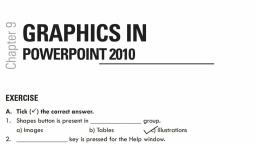
Chapter 7, WORKING WITH SLIDES IN MS POWERPOINT 2010, EXERCISES:A. Tick the correct answer., i., To insert a picture click Picture Option in the images group., ii., To insert a ClipArt click the Insert tab and click clip Art., iii., To add a photo album click the Insert tab and then Photo Album in the Images group., iv., In the Picture Layout, click the drop down arrow and choose the number of photos you would like, display on your slide., v., To change the SmartArt style you can either change the entire theme or use the SmartArt tools tab., B. State True or False:i., You can make all pictures black and white while creating a photo album. True, ii., To insert shapes in a presentation click shapes down arrow on the design tab. False, iii., SmartArt is a way to present text in an artistic way. True, iv., You cannot add header and footers in a presentation. False, v., If you click Office.com then Clip Art an office online will open on your Internet browser. True, C. Fill in the blanks:i., To insert a chart in your presentation using data from MS Excel, click Chart in the illustrations, group., ii., To resize a text box, put your mouse over the circles or squares around the border of the box., iii., The Date and Time and Slide Number buttons will show the Header & Footer dialog box., iv., In the table tool tab you can change the colour of your table., v., PowerPoint gives the option to add either a fixed date and time, or that automatically updates., D. Answer the following questions:1. Ans. We can insert Pictures, ClipArts, Photo Album, Shapes, SmartArt, Chart, Text Box, Headers &, Footers, and insert table in a slide to make the presentation look more attractive., 2. Ans. SmartArt is a way to present text in an artistic way. It is used to show number of comparisons and, to represent the text graphically., 3. Ans. To insert a picture from computer:a. Click Picture option in the images group in the Insert tab., b. Insert Picture dialog box appears. Locate the picture in the computer., c. Select the picture you want to insert on your slide., 4. Ans. We have to write Office.com on the search bar of internet browser, it will open ClipArt on office, online. From this website you can browse and download clip art and insert it to slides., 5. Ans. The steps to insert a slide number:a. Click the Insert tab, b. In the text group click Header & Footer. The Header & Footer Dialog box will appear., c. Select slide number Checkbox., d. Apply to all.