Page 1 :
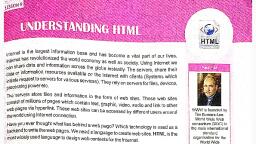
Introduction to, HTML, , 5, Learning Objectives, What is HTML?, , Creating HTML document, , Why do we need HTML?, , Viewing the Web page, , HTML Tags and Attributes, , Editing the web document in Internet browser, , Structure of the HTML document, , <body> tag attributes, , Internet is a huge source to get information that can be accessed and shared by millions, of Internet users, all across the world. The, information on Internet is displayed through, web sites and within the web site each screen, of information is called a web page., A web page is an electronic document which, may contain text, images, sound and video., It is written in a computer language called, HTML (Hypertext Markup Language)., Any document, which is created as HTML, document, can be viewed in any web browser., Today HTML pages are the standard interface, to the Internet., , What is HTML?, HTML (hypertext markup language) is a computer language that is used to create documents, on the Web which makes it possible to present information on the Internet. What you see, when you view a page on the Internet is your browser's interpretation of HTML?, It may seem a bit confusing at first to, understand, however HTML documents are, text files that consist of HTML tags and text, that will show up on your page when you, publish it on the WWW., 66 Brainy Gigabyte+ 7, , Info, HTML was invented, by a scientist named, Tim Berners‐Lee and, introduced to the, world in 1989.
Page 2 :
H, , T, , M, , L, , Hyper is the opposite of, , Text deals with English, , Mark Up since it is a page, , Language, it is not a, , Linear. All the computer, , alphabets and words., , layout language. First we, , programming language; it, , programming languages, , write the text and then, , is just a plain layout and, , are written in a linear, , mark up what we have, , hyperlink specification, , fashion, but HTML does, , written., , language., , not hold this rule., , Info, The standards for HTML are currently being developed by a World Wide Web Consortium known as, the W3C., , Features of HTML, • HTML is a language for describing web pages., • It stands for Hyper Text Markup Language., • It is not a programming language, but a markup language., • A markup language has a set of markup tags or codes., • HTML uses markup tags or codes to describe web pages., , What do we need to Create HTML?, , You don't need any special equipment or software to create HTML. In fact, you probably, already have everything you need. Check for the following in your computer., 1. �Computer with GUI operating system Examples: MS Windows,, Mac or Linux, , 2. �, Text or HTML editor is basically an editor, software to type your HTML codes. Examples of, text editors include Notepad for Windows. You, can also use word‐processing software i.e. MS, Word if you remember to save your document, as 'text only with line breaks'., , Introduction to HTML 67
Page 3 :
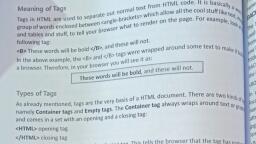
3. �Web Browser software Examples:, Internet Explorer, Google Chrome or, Opera., , Knowing the HTML Document, It is a special kind of text document that is used by Web browsers to display text and, graphics. HTML documents are made up of tags and attributes that work together to identify, document parts and instruct the Internet browsers how to display them., , What are HTML Tags?, HTML markup tags are usually called HTML tags. Tags are the instructions that instruct the, web browser where to put things and how to give them some particular look. In HTML each, tag begins with a left angle bracket ( < ) and ends with a right angle bracket ( > ). In between, the angled brackets we place the tag name as shown below:, left angle bracket, , <HTML>, , right angle bracket, , tag name, , Features of HTML Tags, , • Tags begin with a left‐angle bracket < and end with, a right‐angle bracket >. The first word between the, angled brackets is the name of the tag., • HTML tags are case‐insensitive, it doesn't matter, whether you type them in upper case or lower case,, they mean the same., , ?, , Do You Know, , • H, � TML 2.0, dated November, 1995 was the first official, version of HTML., • H, � TML 5.0 is the latest version., , • All HTML tags have two parts i.e. the opening tag and a closing tag., • Closing tags begin with a /(slash) after the ‘<’ symbol i.e. </html>., 68 Brainy Gigabyte+ 7
Page 4 :
Container and Empty Tags, There are two types of Tags:, Container tag, , Empty tag, , Refers to a tag that contains the opening, as well as the closing tag. The container tag, always wraps around text or graphics and comes, in a set i.e. with an opening and a closing tag., , Refers to a tag that contains only an, opening tag but does not need a closing, tag such as <p> i.e. begin paragraph, and <br> break a line., , <html> opening tag,, , </html> closing tag, , Notice the forward slash (/) in the closing tag, this tells the browser that the tag has ended., On the other hand, the empty tag stands alone. The tag <br> is the one that adds a line, break. Empty tags need not be wrapped around and hence do not require a closing tag., Therefore closing tags are optional in empty tags., , What are Attributes?, These are special code words, used inside the HTML tag and control exactly what the tag, does. In other words, attributes define the properties of that tag or provides you more, features of the tag. A tag is therefore the basic 'item' and an attribute is some extra detail for, example: < p align= “right”> means <p> is a paragraph tag and its property (attribute) is, align which has the value i.e. right, means align the paragraph to right., , Structure of the HTML Document, , All HTML documents are divided into two main parts: the Head and the Body. An element, called HTML surrounds the whole document. This element contains two sub‐elements Head, and Body., <html>, , The Head, , <head>, <title>Choose your own site title and type it in here.</title>, </head>, <body>, , The Body, , Everything that appears on your site will be entered here (text,, images etc.) between the body tags., </body>, </html>, , Introduction to HTML 69
Page 5 :
All HTML documents should contain at least following four tags., 1. The HTML tag: <html>…..</html>, �The first and the last tags in a document should, always be the HTML tag. These are the tags that tell, a Web browser where the HTML in your document, begins and ends. It must appear in the first line and, the last line of your text editor., , Info, • H, � TML is not case sensitive. It, means that you can either use, lowercase letters or uppercase, letters. <HTML> is the same as, <html>., , 2. The HEAD tag: <head> ….</head>, , • Y, � ou should only have one <title>, tag per document., , �The Head contains information about the document,, such as links to pages that could be preloaded and, encloses the title tag too., , • I� t is strongly recommended that, the contents of title tag should be, short or less than 64 characters., , 3. The TITLE tag: <title>.…</title>, �This tag is placed within the HEAD structure. Between the <title> tags, you have the title, of your document. This will appear at the top in the browser's title bar., 4. The BODY tag: <body>….</body>, �BODY comes after the HEAD structure. Between the <body> tag, you type all that is to, be displayed i.e. text, graphics etc., , Creating the Web Page, Step 1: Open Notepad., Step 2: Type the following text in Notepad., <html>, <head><title> My Web Page</title></head>, <body>, This is my First Web Page., </body>, </html>, , Step 3: �Select File>Save As and choose the, directory folder on your hard disk where, you would like to keep your web pages., Step 4: �Give a name to your document and save, it with html or htm extension. Example, mypage.html or mypage.htm, Step 5: �Close the Notepad file., 70 Brainy Gigabyte+ 7, , File Name
Page 6 :
Info, • I� f you do not save your html document with an extension .htm/.html, it will be considered as, normal text file and you will not be able to see it on the browser or publish on web., • �Windows operating system was originally known as ‘Interface Manager’., , Viewing HTML Documents on Browser, Step 1: �Open your browser i.e. Internet, Explorer., Step 2: From the File menu select Open., , Step 3: �, In the Open dialog box, click, Browse., Step 4: �Navigate to the appropriate folder, and select mypage.htm file., Step 5: Click Open., , Step 6: Click the OK button., This is what you see on the Web browser, window., The title is, displayed here., The body contents, are displayed here., , Introduction to HTML 71
Page 7 :
Editing the HTML Document in Internet Browser, , To edit or view the source file that your browser displays to generate the information in your, current window. Follow the steps given below:, Step 1: �Click the View Menu and click on, the Source option., A Notepad window with all the HTML tags, will open., Step 2: Make the required changes., , Step 3: �Save it and close the Notepad, window., Step 4: �Press F5 to refresh or click the, Refresh Button on the command, toolbar., , Notice the changes made, by you are reflected in, the web page., , Info, If you don't type anything between the <title> tags or don't use the <title> tags then browser by default, uses the actual file name for the title and for history list. Example ‘mypage.htm’., , Body Tag Attributes, As we already know, the <body> tag actually determines how the contents of the web page, will be displayed on the browser. Therefore tags and attributes that affect the look and, appearance of the complete web page are placed within the <body>…</body> tags., 72 Brainy Gigabyte+ 7
Page 8 :
Body tag has following attributes:, Attribute, , Syntax, , Explanation, , background, , <body background= “image, filename”>, , Sets an image as the background of a, web page, , bgcolor, , <body bgcolor= “color, name”>, , Sets the background color of the web, page., , text, , <body text= “color name” >, , Sets the color of the text on the web, page., , Background Attribute, , This attribute of the body tag allows you to set an image as a background for a web page by, filling across the browser window. This will help us to enhance the visual effect and make the, page appear more attractive., Syntax: <body background = “image file name” >, Example: Using image as page background., <html>, <head>, <title> Computer Facts</title>, </head>, <body background= “computer.gif”>, TYPEWRITER is the longest word, that you can write using the, letters only on one row keys of, the keyboard of your computer., </body>, </html>, , BGCOLOR Attribute, The bgcolor attribute specifies background color for the HTML page., The value of this attribute can be a hexadecimal number (color code), or a color name. There are sixteen (16) color names to be used in, HTML, besides black and white, you can specify aqua, blue, gray,, green, lime, fuchsia, maroon, purple, red, silver, olive, yellow and teal., Syntax : <body bgcolor= “yellow”>, , Info, HTML color codes, are, hexadecimal, triplets representing, the colors red, green,, and blue (#RRGGBB)., , Introduction to HTML 73
Page 9 :
Text Attribute, , Text attribute of body tag controls the text color in the body of the web page. You can give, color specifications either using the color name or hexadecimal values., Syntax : <body text = “color name”>, Example: To have a yellow background with red text., <html>, <head>, <title> Computer Facts</title>, </head>, <body bgcolor= “yellow” text= “red” >, TYPEWRITER is the longest word that, you can write using the letters only, on one row keys of the keyboard of, your computer., </body>, </html>, , Now You Know, • HTML (hypertext markup language) is a computer language that is used to create documents, on the Web., • HTML code is written using a text editor like Notepad and viewed using web browser., • Tags are the instructions or coded commands used to indicate how a web page should appear., • HTML tags begin with a left angle bracket ( < ) and ends with a right angle bracket ( > )., • The HTML tag consists of an opening tag, contents and a closing tag., • Forward slash(/) after the < symbol and before tag name, tells the browser that the tag has ended., • Container tags always come in a set of an opening and a closing tag., • Empty tags do not require a closing tag hence they stand alone., • Attributes are used to define the characteristics/properties of a particular HTML tag., • All HTML documents should contain at least four tags Html tag, Head tag, Title tag and Body, tag., • HTML tag instructs the web browser where the coding in your document begins and ends., • The Head tag has the text and tags that do not display directly on the web browser., • Title tag is placed within the head tag. This gives the title to your document that will appear, at the top on the browser's title bar., • The Body tag contains all the stuff (i.e. text, graphics) that gets displayed in the browser window., • Background is the attribute of the body tag, used to set an image as the background for a web, page., • Bgcolor attribute of the body tag specifies color at the back of the text for a web page., 74 Brainy Gigabyte+ 7
Page 10 :
Computer Lab Activity, ACTIVITY 1: C, � reate a simple web page with following specifications., TITLE: Windows 10, •, , �Enter the following text:, , �, Windows 10 is the latest OS developed by, Microsoft as part of the Windows family. It was, launched globally in 190 countries on 29 July, 2015. It is free for the first year for Windows 7, 8, and 8.1 users. Windows 10 is available through, Microsoft server, registered windows user can, upgrade this through Internet., •, , � hange the background color of the web page, C, to ‘aqua’., , •, , �Change the text color to ‘Black’., , •, , �Save the file as ‘windows 10 .htm’., , Consider this web page and answer the following questions., a) T, � he attribute of <body> tag used to change the text, color., __________________________________________, , A, , B, , b) �, The attribute of <body> tag used to change the, background color of the web page., __________________________________________, c) What is the default background color of the web page ?, __________________________________________, d) What is the default text color ?, __________________________________________, e) What does 'A' marked in this web page refers to ? ____________________________________________, f) What does 'B' marked in this web page refer to ? _____________________________________________, , Introduction to HTML 75
Page 11 :
Assessment Sheet, A., , Tick () the correct option for the following statements., 1. HTML is used to create one of these., , a), , Documents for printing, , b), , Documents for web, , c), , Documents for e‐mail, , A web browser, , c), , A graphics program, , c), , Web Browser, , c), , Body and Soul, , 2. This is needed to write HTML source code., a), , A text editor, , b), , 3. The output of HTML document is displayed using one of these., a), , Flash 8, , b), , Word Processor, , 4. All normal web pages consist of these two parts., a), , Head and Body, , b), , Top and Bottom, , 5. �The extension name with which HTML documents are saved in Notepad., a), , .doc, , b), , .txt, , c), , .htm, , c), , Capital letters, , 6. Html tags can be written using one of these options., a), , Both capital & small letters, , b), , Small letters, , 7. It instructs the browser the way you want your web page to be presented., a), , Tag, , b), , c), , Home Page, , Attribute, , c), , Angle brackets, , ? and !, , c), , # and #, , c), , <head>, , Attribute, , 8. This contains some extra information about a particular tag., a), , Head Tag, , b), , 9. All HTML tags are enclosed within this., a), , <>, , b), , 10. This beginning tag indicates that it is an HTML document., a), , <html>, , b), , <title>, , 11. This tag tells the browser where should the matter be displayed on the screen., a), , <head>, , b), , <body>, , c), , <html>, , c), , Both of them, , 12. This tag does not require a closing tag and is stand alone., a), , Empty, , 76 Brainy Gigabyte+ 7, , b), , Container
Page 12 :
13. This tag comes between the opening and closing of the head tag., a), , <body>, , b), , <html>, , c), , <title>, , 14. The attribute of body tag that controls the color of the written part of the web page., a), B., , b), , textcolor, , c), , color, , Give one word answer for the following statements., Help Box, , C., , text, , Attributes, W3C, Left‐angle bracket, Internet Explorer, Head tag, Title tag, Notepad,, Tim Berners‐Lee, , 1. The person who invented the HTML language., , _________________, , 2. Default text editor of the MS Windows operating system., , _________________, , 3. Default web browser of the MS Windows., , _________________, , 4. They are the special words used inside the HTML tags., , _________________, , 5. �The contents of this tag are displayed on the title bar of the web browser., , _________________, , 6. The contents of this tag are not displayed as a part of web page., , _________________, , 7. All the tags always begin with this symbol., , _________________, , 8. The organization that maintains the standards of HTML., , _________________, , State whether the following statements are True or False. Rewrite the false statements correctly., 1. HTML is a computer programming language., , _______________________________________________________________________________, 2. Attributes are the instructions that tell the web browser how to display the text., _______________________________________________________________________________, 3. All html documents are saved with .doc extension., _______________________________________________________________________________, 4. HTML document is divided into head and tail sections., _______________________________________________________________________________, 5. HTML 4.0 is the latest version., _______________________________________________________________________________, 6. HTML was invented by Bill Gates the founder of Microsoft., _______________________________________________________________________________, Introduction to HTML 77
Page 13 :
D., , Read the following statements and write the correct tag with their respective attributes., 1. To start the HTML document., , _________________, , 2. Define the title of the web page to be displayed on the title bar of, the web browser., , _________________, , 3. Enter the text to be displayed on the web browser window., , _________________, , 4. Display an image as background of the web page., , _________________, , 5. �To change the background color of the web page., , _________________, , 6. To display the text on the web page in color of your choice., , _________________, , E., , Differentiate between the following:, 1., , Container tags, , Empty tags, , ___________________________________, , ___________________________________, , ___________________________________, , ___________________________________, , 2. , , Tags , , Attributes, , ___________________________________, , ___________________________________, , ___________________________________, , ___________________________________, , F. �Answer the following questions., 1. What is HTML and what does the acronym HTML stand for?, _______________________________________________________________________________, _______________________________________________________________________________, 2. What is an HTML document ? Explain its structure., _______________________________________________________________________________, _______________________________________________________________________________, 3. What do you understand by HTML tags? Give examples., _______________________________________________________________________________, _______________________________________________________________________________, 4. List out all the tags with their functions that are required in every HTML document., _______________________________________________________________________________, _______________________________________________________________________________, 5. What will happen if you don’t close the container tag?, _______________________________________________________________________________, 78 Brainy Gigabyte+ 7
Page 14 :
6. What should be kept in mind while using HTML tags?, _______________________________________________________________________________, _______________________________________________________________________________, _______________________________________________________________________________, 7. List out the attributes associated with <body> tag., _______________________________________________________________________________, _______________________________________________________________________________, _______________________________________________________________________________, , Application Based Questions, 1, , � amika, a student of class VII has been allotted a project to prepare a simple home web page for the, V, school web site. Suggest her about the following:, a) What type of operating system is required to create web pages?, , _________________, , b) Name the software required for writing the HTML codes., , _________________, , c) Name the software for viewing the output of the HTML codes., , _________________, , d) How to change the background color of the home page?, , _________________, , e) How to use the school logo as the background of the home page?, , _________________, , 2. �Tushar wants to write html codes to create a web page, for inter-school competition. But in his computer, Notepad application is not working. Suggest him another, application he can use to write html codes to create a web, page., ______________________________________________, ______________________________________________, , Introduction to HTML 79