Page 1 :
Knowing, Operating System, , 2, Learning Objectives, Understanding Operating System, , Apple Mac OS X, , Services provided by an Operating System, , Linux, , Types of Operating System, , Ubuntu, , Operating System for Personal Computers, , Mobile Operating Systems, , MS Windows, , An Operating System or ‘OS’ remains the soul of any computer. It is the software that, communicates with the hardware and allows other programs to run. It is comprised of, system software or the fundamental files your computer needs to boot up and function., Every desktop computer, tablet and smart phone includes an operating system that provides, basic functionality for the device., , Understanding Operating System, The most important program in any computer is the Operating, System or OS. The OS is a large program made up of many, smaller programs that control how the CPU communicates, with other hardware components. It also makes operating, of computers easier for people who don't understand, programming languages. In other words, operating, systems make the computer a user friendly machine., , Definition, An operating system also known as an ‘OS’, is the primary software that manages all the hardware and, other software on a computer. It interfaces with the computer’s hardware and provides services that, applications can use., , 18 Brainy Gigabyte+ 7
Page 2 :
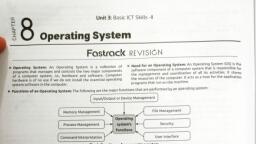
Services Provided by an Operating System, Program Execution, , The purpose of a computer system is to allow the user to execute programs. Therefore the, operating system provides an environment where the user can conveniently run programs., The user does not have to worry about the memory allocation or multitasking or anything., These things are taken care of by the operating systems., , OS, , Security, , Memory, Management, , APPS, , GUI, , User, Interface, , I/O Operations, , We know that every program needs to perform Input and output operations during its, execution. A program which is currently executing may require I/O, that may involve file or, other I/O device. The operating system manages all the input (keyboard, mouse) and output, devices (monitor, printer) connected to the computer., , Info, The hardware devices are controlled with the help of the software called device drivers., , File System Manipulation, , A file represents a collection of related information. Computers can store files on the disk, (secondary storage), for long-term storage purpose. Computer programs has to be read, and written as files and directories. File handling portion of the operating system also allows, users to create and delete files by specific name along with extension, so that you can search, for a given file and/or list file information., , Error Deduction, , While working on the computer system, when different errors creep in, the operating system, responds the user by giving appropriate error messages and warnings., Knowing Operating System 19
Page 3 :
Data Security, , Data is an important part of computer system. The operating system protects the data stored, on the computer from illegal use, modification or deletion. For example, password security, system provided by OS can give a helping hand to the security of a system., , Types of Operating System, Within the broad family of operating systems, that are generally of four types and are, categorized based on the types of computers they control and the sort of applications they, support., , Single-User, Single-Task Operating System, , As the name implies, this operating system is designed to manage the computer, so that a user can use it effectively by doing one thing at a time. The Palm OS, (Operating System) for Palmtop (handheld) computers is a good example for a, modern single-user, single-task operating system., , Single-User, Multi-Tasking Operating System, This is the type of operating system most people use, on their desktop and laptop computers today. MS, Windows and the Mac OS are both examples of an, operating system that will let a single user have several, programs in operation at the same time. For example,, it's entirely possible for a Windows user to write text, in a word processor while downloading a file from the, Internet and simultaneously print the e-mail messages., , Multi-User Operating System, , A multi-user operating system allows, many different users to take advantage of, the computer's resources simultaneously., The operating system must make sure, that the requirements of the various, users are balanced and that each of the, programs they are using has sufficient, and separate resources so that any, problem with one user doesn't affect the, entire community of users. Examples:, Unix server, Windows 2000 server., 20 Brainy Gigabyte+ 7
Page 4 :
Real-Time Operating System, , A Real-Time Operating System (RTOS) is an operating, system that reacts to the input within a specific time, period. They are used to the control machinery,, scientific instruments and industrial systems. Some of, the most widely used RTOS are: Windows CE, RTLinux,, OSE etc., , Operating System for Personal Computers, Modern operating systems for personal computers use a graphical user interface (GUI),, that lets you use mouse to click icons, buttons and menus. Everything displayed on the, screen using a combination of graphics and text. Operating systems for personal computers, include Windows, Mac OS X, Ubuntu and Linux. Each operating system's GUI has a different, look and feel, so if you switch to a different operating system it may seem unfamiliar at first., However, modern operating systems are designed to be easy to use and most of the basic, principles are the same., , Microsoft Windows, There are many operating systems developed, over time, but the one that has stood out strong, is Microsoft Windows. It occupies around 90%, of the total operating system market. And why, shouldn't it? Windows is easy-to-use and comes, equipped with all the services one would expect, from any OS., Microsoft introduced the GUI operating system in 1985 and it has continued to be widely, used despite competition from Apple's Macintosh operating system. Windows makes a, computer system user-friendly by providing a graphical user interface (GUI) and therefore, it can be easily accessed. GUI operating system utilizes icons and tools that simplify the, complex operations performed by computers., , ?, , Do You Know, , • T, � he first OS built by Microsoft was DOS. It was built in 1981 by purchasing the 86-DOS software from, a Seattle company., • �William (Bill) H. Gates is the founder of Microsoft Corporation., • �MS Windows and MS Office are two most widely-used software products in the world., • �Windows operating system was originally known as ‘Interface Manager’., Knowing Operating System 21
Page 5 :
Windows 7, , Windows 7 is an operating system from Microsoft, released in 2009. It is a different operating system, from its predecessor (Vista), providing greater, functio nality in communication, multimedia and, security. Its interface introduced uses 3D graphics, and otherhigh-end visual effects., , Windows 10, , Windows 10 is the latest OS developed by Microsoft, as part of the Windows family. It was launched globally, in 190 countries on 29 July 2015. It free for the first, year for Windows 7, 8 and 8.1 users. Windows 10, is available through Microsoft server and registered, windows user can upgrade this through Internet., , Apple Mac OS X, , Mac OS is a line of operating systems created by Apple. It comes, preloaded on all Macintosh computers or Macs. All of the recent, versions are known as OS X (pronounced O-S Ten). It lets you do, things you simply can’t with other computers. That’s because it’s, designed specifically for the hardware it runs on., Both Microsoft Windows and Mac OSX are proprietary OS. The, term ‘proprietary’ means, that the OS or any other software is an exclusive property of an, individual or a company usually the one that developed it and can't be copied or distributed, without complying with their licensing agreements., The Windows source code is owned by Microsoft and the OS X source code is owned by, Apple. Other companies can make programs that run on these operating systems, but no, one cannot modify the OS., Advantages of using Proprietary OS are:, , • It has complete control over hardware and its functionality., • It is generally tailored to meet the market need., • It has more features in comparison to Open Source., • Customer support is available for troubleshooting and setup purposes., • It is a single source for support, bug fixes, security fixes or regular updates / upgrades., 22 Brainy Gigabyte+ 7
Page 6 :
Linux, , Linux is the best known and most-used open source operating system. It is a cross-platform, operating system based on Unix that can be, installed on PCs, laptops, notebooks, mobile, and tablet devices, video game consoles,, servers, super computers and more. Like, other operating systems, Linux has a graphical, interface and most types of software you are, accustomed to using on MS Windows, such, as MS Word, MS Excel etc. are compatible, with Linux., , Following are some of the important features of Linux Operating System:, , Open Source: Linux source code is freely available and it is a community based development, project. Multiple teams works in collaboration to enhance the capability of Linux operating, system and it is continuously evolving., Multi-User: Linux is a multiuser system which means multiple users can access system, resources like memory/ ram/ application programs at the same time., Multiprogramming: Linux is a multiprogramming system means multiple applications can, run at the same time., Hierarchical File System: Linux provides a standard file structure just like windows in which, system files/ user files are arranged., Portable: Portability means software can work on different types of hardware devices. Linux, and its application programs support their installation on any kind of hardware platform., Security: Linux provides user security by using authentication features like password, protection or controlled access to specific files or encryption of data., , Ubuntu, , The most widely used open source OS is Ubuntu, it is a Linux based operating system and, is distributed free along with the source, code. Its desktop looks somewhat, similar to that of Windows, with window, controls and icons. There is reasonably, large software support available on, Ubuntu, the common applications, include Mozilla Firefox web browser,, LibreOffice office application suite, GIMP, image editor and so on., Knowing Operating System 23
Page 7 :
Ubuntu features:, • Easy to install, , • HDMI support, , • Minimum disk space required i.e. 2GB, , • Secure full-featured web, , • Minimum memory required i.e. 512 MB, , • Social networking services, , The term open source refers to the software that is free to use and provides the source code, in which programmers create and modify software/OS and is freely available on the Internet., Unlike proprietary OS, open source OS can be modified and distributed by anyone and are, often developed by a community rather than by a single organization., Advantages of using Open source OS are:, , • Open-source software is free to use, distribute and modify., • No licensing issues., • Open-source software is more secured as the code is accessible to everyone. Anyone, can fix bugs as they are found and users do not have to wait for the next release., • Open source is not dependent on the company or author that originally created it., , Mobile Operating Systems, A mobile operating system (OS) is a software that, allows smartphones, tablet PCs, wearables and, other devices to run applications and programs., A mobile OS typically starts up when a device, powers ON, presenting a screen with icons or tiles, that present information and provide application, access. Mobile operating systems also manage, cellular and wireless network connectivity, as, well as phone access., Examples of mobile device operating systems are:, , Apple’s iOS: Incredibly popular operating system from Apple, running on devices such as, the iPhone, iPad, iPod Touch and Apple TV., Google’s Android: It is Google's open and free software that includes an operating system, and also key applications for use on mobile devices, including smartphones., Nokia’s Symbian: It is officially the property of Nokia, means that any other company will, have to take permission from Nokia before using this operating system., Windows Mobile: It is Microsoft's mobile operating system used in smartphones and mobile, devices, with or without touchscreens., 24 Brainy Gigabyte+ 7
Page 8 :
Now You Know, • An operating system is a program that is being initially loaded into the computer by a boot, program and manages all the other programs in a computer., • An operating system is a type of system software that provides an interface between the user, and computer system., • Some important services provided by the operating system are program execution, I/O, operations, file system manipulation, error deduction and data security., • Proprietary OS is an exclusive property of a company that develops it and can't be copied, or distributed., • MS Windows is one of the proprietary operating systems which occupies around 90 % of the, total operating system market., • Mac OS X is a proprietary operating system for Apple desktop and laptop computers., • Open source OS is freely available on the Internet with its source code., • Windows 10 is the latest OS developed by Microsoft, available free for the first year to, licensed users of Windows 7 and 8., • Linux is the best known and most used open source operating system., • Ubuntu is a free Linux based operating system, its desktop looks similar to Windows., • A mobile operating system (OS) is a software that allows smartphones, tablet PCs, wearables, and other devices to run applications and programs., , Computer Lab Activity, ACTIVITY 1: U, � nderstanding Windows Control Panel., � he Control Panel is a component of Microsoft Windows that provides the ability to view and change system, T, settings. It is used to configure and manage almost all aspects of Windows, including keyboard and mouse, functionality, users and passwords, power options, network settings, desktop background, display settings,, sound settings, mouse settings etc., Open Control Panel, Windows 10 �In the search box on the taskbar, type control panel and then select Control Panel., Windows 7, , Click the Start button and then click Control Panel., , Using Control Panel, � y default in Windows 7, the Control Panel is displayed in Category view, which is separated into eight categories,, B, ranging from System and Security to Ease of Access. To open a window with the Control Panel options for any, one of these categories, simply click the category’s hyperlink., Knowing Operating System 25
Page 9 :
Using Windows ‘On-Screen Keyboard’, � indows offers an on-screen keyboard that lets you type even, W, if you don’t have access to a physical keyboard. It’s particularly, useful with a touch screen, but you can also use it to type with a, mouse, Click Start → Control Panel → Ease of Access → Ease of Access, Center., The Ease of Access Center appears. Click the Start On-Screen, Keyboard button., � keyboard appears, floating in the middle of your screen. Test out the on-screen keyboard input in any, A, application where you can enter text., Click the Close button on the On-Screen Keyboard when you’re finished using it., ACTIVITY 2: �With the help of Internet find out the information about the open source operating, systems and software applications available for personal computers. Prepare a PowerPoint, presentation for the same., , Assessment Sheet, A., , Tick () the correct option for the following statements., 1. A program that manages the hardware and software of the computer system., , a), , MS Office, , b), , C++, , c), , Operating System, , 2. A program or software is an exclusive property of a company and can't be copied or distributed., a), , Open Source, , b), , Licensed, , c), , Freeware, , 3. A program or software that is freely available on Internet with its source code., a), , Proprietary, , b), , Shareware, , c), , Open source, , c), , Both of them, , 4. Proprietary operating system available for personal computers., a), , MS Windows, , b), , Mac OS X, , 5. �The latest operating system for personal computers designed by Microsoft., a), , Windows 9, , b), , Windows 10, , c), , Windows 8, , c), , Mac OS, , c), , MS Office, , c), , Android, , 6. The operating system for Apple Mac computers., a), , Windows, , b), , Linux, , 7. One of the following is not an operating system., a), , MS Windows, , b), , MAC OS, , 8. Mobile operating system developed by Google., a), , Google Mobile, , 26 Brainy Gigabyte+ 7, , b), , Symbian
Page 10 :
B., , Read the following statements and name the type of operating systems., 1. It is designed to do one job at a time., , ___________, , 2. This will allow a single user to do several programs at the same time., , ___________, , 3. It is designed to control the industrial equipment., , ___________, , 4. It allows many different users to make use of the computer's resources simultaneously. ___________, C., , Read the following statements to tick () whether they belong to Proprietary OS or Open Source OS., Proprietary OS, , , , Open source OS, , 1. It is owned by a specific company or individual., 2. It is free to use and can be distributed., 3. It is developed as a community rather than by a single organization., 4. Its source code is locked., 5. It is generally tailored to meet the market needs., 6. Its source code is freely available on Internet and can be modified., 7. Anyone can fix bugs as they are found., 8. Customer support is available for trouble-shooting and setup purposes., D., , Short answer questions., Help Box, , Data Security, Windows Mobile, Linux, Proprietary, DOS, , 1. The first operating system developed by Microsoft.�, , ___________, , 2. Mobile operating system developed by Microsoft.�, , ___________, , 3. An open source OS that can be installed on PCs, laptops, mobile and tablet devices.�, , ___________, , 4. This type of OS provides customer support for troubleshooting and setup purposes.� ___________, 5. �Name the service provided by OS that protects the data stored on the computer, system.�___________, E., , Answer the following questions., 1. What is an operating system?, , _______________________________________________________________________________, _______________________________________________________________________________, 2. Explain the services provided by the Operating System., _______________________________________________________________________________, _______________________________________________________________________________, Knowing Operating System 27
Page 11 :
3. Name all the types of Operating Systems with examples., _______________________________________________________________________________, _______________________________________________________________________________, 4. What do you understand by mobile operating system?, _______________________________________________________________________________, _______________________________________________________________________________, , Application Based Questions, 1 �, Given below are some logos of the different operating systems for personal computers and mobile, devices. Help Tushar to recognize and name them., a), , _____________, 2, , b), , _____________, , c), , _____________, , d), , _____________, , e), , _____________, , � amika purchased a new laptop computer, but the operating system is not pre-loaded by the laptop, V, company. She has following queries in her mind, help Vamika by answering them., a) She wants to install the latest operating system from Microsoft. Name the Windows version., , ______________________________________________________________________________, b) Is operating systems provided by the Microsoft are free?, ______________________________________________________________________________, c) After buying laptop she has no money left to buy operating system. What should she do?, ______________________________________________________________________________, d) She wants to install free operating system which should be similar to MS Windows., ______________________________________________________________________________, e) After downloading the open source OS in her computer will she be able to use MS Office programs?, ______________________________________________________________________________, 28 Brainy Gigabyte+ 7