Page 1 :
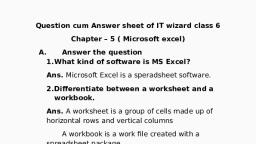
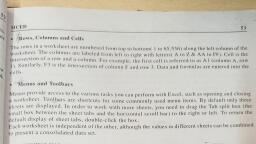
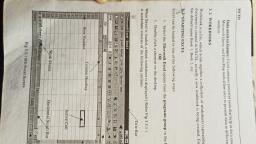
Question cum Answer sheet of IT wizard class 6, Chapter – 5 ( Microsoft excel), Answer the question, What kind of software is MS Excel?, Ans. Microsoft Excel is a speradsheet software., Differentiate between a worksheet and a workbook., Ans. A worksheet is a group of cells made up of horizontal rows and vertical columns, A workbook is a work file created with a spreadsheet package., What is cell?, Ans. A cell is a basic unit of a spreadsheet., What do you understand by active cell?, Ans. the cell that is selected is called active cell. It has a dark border around it., What are the different types of data that can be entered in an MS Excel worksheet?, Ans. Three types of data can be entered in an MS Excel worksheet - Numbers, text and formulae., What is a block?, Ans. As group of adjacent cells forming a rectangle is called block., Fill in the blanks, A _speradsheet__ program allows organizing and presenting information in a clear and concise manner., __worksheet__ refers to the row and column matrix sheet., Excel files are known as __workbooks___, __cell__ is the basic unit of spread sheet., __Numeric__ data can include numbers 0 through 9 and character +, - , E, (, ), etc., __text__ is any combination of numbers, space and non – numeric character., As group of adjacent cells forming a rectangle is called _block_., Write the steps for the following activities., Starting MS Excel., Ans., click start button, move the mouse pointer to all programs, click on Microsoft office. A sub menu will appear, click on Microsoft Excel. Excel window will appear., Creating a new workbook, Ans., Click the file menu and choose new option or press CTRL + N, Click blank workbook from new workbook task pane. A new work book will appear., Entering data into cells., Ans., Select the cell where you want to enter data. You’ll have to double click in a cell after selecting it. Type the name SHAKTI in it., As you type Shakti, the data fills the active cell and the formula bar at the same time., Saving a workbook, Ans., Select the save option from the file menu or press CTRL + S, If you are saving the workbook for the first time, the save as dialog box appears., In the save in box, specify the file name and click the save button., Opening an already existing workbook., Ans., Click the desired workbook from the list of open box in the new workbook task pane. Or press CTRL + O, An open box will appear., Select the desired workbook and then click the open button., Identify the icon., 2. 3. 4.