Page 1 :
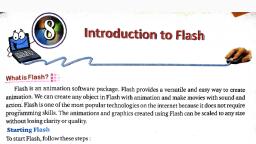
Chapter 7, INTRODUCTION TO FLASH, Very Short Answer Type Questions, Q1 Name any one popular software used for making animations, A1 Popular software used for making animations is Macro media flash., Q2 What is default file extension of a document saved in Flash?, A2 Default file extension of a document saved in Flash is .fla ., Q3 Name the tool used for applying colours to the stroke of an object., A3 Stroke colour tool is used for applying colours to the stroke of an object., Q4 What are different types of gradient fills?, A4 Different type of gradient fills are: 1 Linear Gradient., 2 Radial Gradient., Q5 Define the term ‘symbol’ in context with flash?, A5 A symbol is an object that can be reused . Symbols are stored in a library and can be duplicated, and altered on stage. Symbols can be used anywhere else in the same flash document for creating, movies or it can also be used in other movies., Short Answer Type Questions, Q1 Define the term “animation”., Q1 Animation is anything that moves on your screen for example, a cartoon character. Animation, techniques available nowadays can make a series of still images comes alive. The word Animate, comes from Latin word Animare, meaning to make alive or fill with breath., Q2 Write any two uses of Flash animation software., A2 1 We can draw and animate graphics such as online greeting cards and cartoons etc., 2 Many games are created in flash using its animation technique., Q3 Give the steps to start Flash., A3 1 Click in start button and then click on All programs, 2 Click on Macromedia Flash 8 ,you will get the opening screen of Flash 8. The opening screen of, Flash 8 has three columns-Open a recent Item, Create new and Create from Template., 3 Click on Flash document in Create New column. You will get a new Flash Window.
Page 2 :
Q4 What is the purpose of Stage and Timeline?, A4 Stage: The stage is main working area for your drawings and animations. Stage size in Flash is, 550*400 pixels., Timeline:- Timeline is the area where graphics and elements are gathered in a sequence so that, user can view the order of events in a sequence., Q5 What is the paint Bucket tool used for?, A5 The paint bucket tool is used to fill colours into outlines of shapes. Before using this tool, you, must first create an outline of a shape using the pencil tool or line tool. The paint bucket tool allows, you to fill outlines that have small gaps., , Long Answers Type Questions, Q1 Flash is very useful software. Justify the statement giving at least three reasons., A1 Flash is a very powerful and popular animation software package. It is possible to make any, object with animation and make movies with sounds and actions., •, •, •, , Websites that used to display boring textual content or still images are now days become, lively and exciting as they are displaying animation as well., We can draw and animate graphics such as online greeting cards and cartoons etc., Many games are created in Flash using its animation capabilities., , Q2 What are symbols ? What are they used for?, A2 A symbol is an object that can be reused . symbols are stored in library and can be duplicated, and altered on stage. Symbols can be used anywhere else in the same flash document for creating, movies . A copy of a symbol used in the movie is called instance, Which can have its own, independent properties (like colour, size, function etc) different from original symbols., Q3 Write the purpose of each of the following tool in Flash., a. Pen Tool :- This tool is used to draw precise paths as a straight line or smooth ,flowing curves., b. Lasso tool:-Lasso tool is used to select odd areas by dragging the lasso around them, c. Hand Tool:- Moves the stage around (useful for big drawings/small screens or with strong, zoom), d. Zoom Tool:- To view the entire stage on the screen ,or to view a particular area of your, drawing at high magnification), Q4 Write steps to save a document in Flash., A4 To save a flash document ,the steps are as follows., 1 From the file menu ,choose the save option or press CTRL+S from the keyboard, 2 In the save as dialog box ,choose the location where you want to save your file and enter the file, name., 3 Click on Save button. A file created in flash automatically gets the .fla extension.
Page 3 :
Q5 How can you change the size and colour of the stage? Write the steps., A5 To change the stage size steps are as follows, 1 Click on Modify menu and then click on Document option from the menu bar. The document, properties dialog box appears on the screen., 2 Change the dimensions as per your requirement. By default, Flash 8 uses stage size of 550 pixels, width by 400 pixels height, 3 Click OK., To change the stage, colour the steps are as follows., 1. In the Document properties dialog box, click on the background colour drop down arrow,, Flash opens the Colour palette., 2. Choose the colour of your choice and click on OK




 Learn better on this topic