Page 1 :
ramming Fundamentals of VB.Net 3.1, prog, , , , , pROGRAMMING, ->UNDAMENTALS OF VB.NET, , ST, ia VARIABLES, DECLARATIONS AND THEIR Ayers, , , , , , Variables are used to store data. A variable has a name to which it is referred and the data, type, the type of data the variable holds. VB .NET needs variables to be declared before, using them. Variables are declared with the Dim keyword. Dim stands for Dimension., , In VB.NET, Microsoft has their priorities right and Option Explicit the default. This is the, , option that requires any variable being used in the code to be declared first. One can declare, all kinds of things with the Dim statement., , Since VB .NET is ‘strongly typed’ now, Microsoft doesn't recommend variable prefixes, anymore. VB.NET variables are all of specific types, the prefix is unnecessary now., Option Explicit, , In VB.NET, Option Explicit is now the default. (Actually, it's Option Explicit On, but if one, , just enters Option Explicit, the IDE enters the word 'On'.) If the 'Off parameter is used, the, result would be:, , Option Explicit Off, , Console.WriteLine("varl is {0}", VarType(var1) ), Which gives ..., varl is Object, Initialization and Dim, In VB.NET, variables can be declared and initialized on a single line ..,, Dim myVar As String = "This is a string.", They can also be initialized as more things:, * Values from the command line, Dim MyString As String = Command(), , Note: To test this, which is not a command line environment, set command line values by, Selecting Project > Properties > Debug to enter a command line argument., , * System defined values, Dim TodayDate As DateTime = Today(), , , , Scanned with CamScanner
Page 3 :
Programming Fundamentals of VB.Net, , Decimal System.Decimal, Double System.Double, Integer System. Int32, Long System.Int64, ‘Object System.Object, (class), Short System.Intl6, Single System. Single, String System. String, (class), User-Defined (inherits from, Type (structure) | System. ValueType), , 3.3, , , , , , 12 bytes, , 8 bytes, , 4 bytes, 8 bytes, , 4 bytes, , 2 bytes, 4 bytes, , 10 bytes +, (2*string length), Sum of the sizes, of its members, , , , +/, 79,228,162,514,264,337,, , 593,543,950,335 with no, , decimal point; +/, 7.92281625 14264337593543950335, , with 28 places to the right of the decimal;, smallest non-zero number is +/0.0000000000000000000000000001, -1,797693 1348623 1E308, , to -4.94065645841247E-324 for negative, values; 4.9406564584 1247E-324 to, 1,797693 13486232E308 for positive values, -2,147,483,648 to 2,147,483,647, -9,223,372,036,854,775,808 to, 9,223,372,036,854,775,807, , Any type can be stored in a variable of, type Object, , -32,768 to 32,767, , -3.402823E38 to -1.401298E-45 for, negative values; 1.401298E-45 to, 3.402823E38 for positive values, , 0 to approximately two, , billion Unicode characters, , Each member of the structure, , has a range determined by its data type, and independent of the ranges of the, other members, , , , , , , , .NET Framework types not available in VB.NET: SByte, UInt16, UInt32, UInt64., , The user defined data type is created in the following situations:, , 1. The object should just carry data from | layer to another and that is it., , 2. There should be a business layer that the object is given to. This deals with any, custom logic/validation to the object with any business rules needed to be applied., , 3. Once the business layer gets done with the object, it sends it to the data access layer, which does any database validation/rules and sends it to the database., , 3.2.2 Understanding Scope in Visual Basic .NET, , (April/May 2012), , VB.NET programs are subdivided into zones, VB.NET lines of programming have ranges of, influence. This range of influence, called scope, applies mostly to variables (but can also, apply to procedures - subs and functions - as well as entire classes)., , , , iChantar_2\, , Scanned with CamScanner
Page 4 :
SS EE »Net Program, a ,, 3.4 ®:, , a variable, it is necessary to chy 4, ds on its scope. For example, 9, edure (functions, subroutines aq ;, , 3.2.3 Accessing a Variable :, , , or chang!, , to uery or cna v, , nat is accessible, which de ei, thin the same pr, , ¢ the value n, , Often when one wan pen, , whether or not that variable, , wi, can always access a variable from, , events are all procedures). e module:, , ‘no into the cod, lowing 10 ByVal e As System.EventArgs :, , To see how this works, type the fo system. Object, , Private Sub Form! Load(ByVal sender AS, Handles MyBase.Load, , Dim N As String = "This", , MsgBox(N), , End Sub : x é, Press FS and notice that the MsgBox has no problem displaying the nee ae N., It displays "This". Now type another sub just below the Form1_Load sub in the code window,, Public Sub Trylt(), , MsgBox(N), , End Sub, Notice that there is a sawtooth line under the variable N in the Trylt sub. Hold the mouse, , pointer on top of the sawtooth line and VB.NET displays an error message telling that Name, , 'N' is not declared., , This error message means that any lines of code within the TryIt sub (between Public Sub, , and End Sub) cannot read (access) or write (change) the variable N. N was declared (with, , the Dim command) in a separate procedure, and so the scope of N (its range of accessibility), , is limited to lines of code within its same procedure., , Although Dim is the most commonly used, one can use seven additional declaration, , commands: Static, Public, Protected, Friend, Shared, Protected Friend, and Private. These, , additional commands specify scope (from which locations in the program a variable can be, , accessed),, , oc pon Wane rope aac ce amen bv, , estates codec a0 (dopa one (or event), the variable comes (0, on as the End Sub line is executed., , 3.2.4 When Variables are Local, , Variables that live only within a single procedure, have two qualities:, , * No programming outside their own, , are called local variables. Local variables, , (Chapter-3), , Scanned with CamScanner
Page 5 :
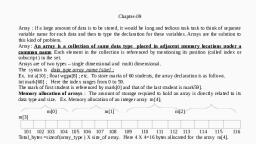
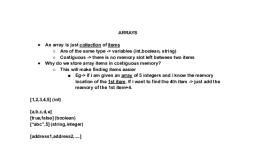
programming Fundamentals of VB.Net 3.5, , 3.3, , There are some, , situations in which you do want a local variable's value to be preserved. In, those cases, y, , OU use the Static command rather than the Dim command., When a variable has form-wide scope, it's then available to all of the procedures in that, form. It's not available, however, to the procedures in any other forms in the project., , ARRAYS, , The ability to work with arrays is important in any programming language. VB.NET offers, a simple way of grouping data into the array structures similarly to other languages., , 3.3.1 Purpose of the Arrays, , Arrays are generally used for storing similar types of values or objects. They allow grouping, variables together and allow referring to them by using an index, Arrays have an upper, bound and a lower bound, which simply refer to the starting index and the ending index of, a given array structure. Additionally, the data in the array can be sorted. Simple arrays are, one-dimensional; however, one can also use multi-dimensional arrays in VB.NET. One can, loop through an array to determine and to modify the values stored in the array., , 3.3.2 Declaring and Initialising Arrays, , There are two ways of initialising the arrays: to declare and initialise them in one statement,, or to declare an array and choose to initialise it later., , When declaring and initialising arrays in the same statement, one must specify the type of, the array elements and the number of the elements the array will hold. In VB.NET, arrays, are zero based, which means that the index of the first element is zero. The elements are, numbered sequentially. One must specify the number of array elements by indicating the, upper bound of the array. The upper bound is the number that specifies the index of the last, element in the array. The declaration and initialisation of an array of integers is as follows., Dim arrNumbers(4) As Integer ‘Declares & initialises an array of 5 integers, with indexes, ranging from 0 to 4, , Another way to declare and initialise arrays is to perform these operations in two separate, steps. If one declares an array without specifying a number of elements on one line, one, has to provide the values for each item of the array when it is initialised. The initial values, are provided enclosed in the {} braces, using a comma as a separator. The declaration and, initialisation of an array in two separate steps is as follows:, , Dim arrNumbers() As Integer 'Declares the array of integers, , arrNumbers = New Integer() {0,1,2,3,4} 'Initialises the array to five members & sets their, values, , Once an array is declared and initialised, it's possible to change the size of an array in run, time by redefining it. One can use the ReDim statement to change the number of items in an, array structure. The declaration, initialisation, and then re-sizing of an array structure are, shown below:, , Dim arrNumbers(32) As Integer! Declares & Initialises an array of integers, , ReDim arrNumbers(45) As Integer’ Re-initialises the array, , , , {Chapter-3), , Scanned with CamScanner