Page 1 :
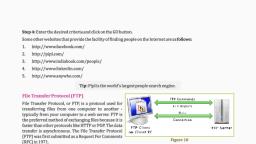
Ch-4 | i, nternet Application Sth CSEIWT| 2021, , , , 4.2 TELNET, , ELNET st TE, , SENET Stands fo) rmil Th, , S iter iotcors ay iat inal NETwork. It is a type of protocol that enables one, ompt ect to local computer. It enables a user to connect toa, , remote host or devi cevice using a telnet client, usually over port 23. It is a used as a, , standard TCP, z, which Senseo for virtual terminal service which is given by ISO. Computer, connected toe whign Nown as the local computer. Computer which is being, telnet operation oun accepts the connection known as remote computer. During, by local computer. Telnet that is performing on the remote computer will be displayed, telnet client procran Inet operates on client/server principle. Local computer uses, provides users with eel remote computers uses telnet server program. Telnet, utilizing a virtual terminal ey ee ee communication system, , syntax: telnet hostname port, , 4.3 FTP, , The File Transfer Protocol (FTP) is a standard network protocol used for the, transfer of computer files from a server to a client on a computer network. FTP is built, on a client-server model architecture using separate control and data connections, between the client and the server. FTP users may authenticate themselves with a cleartext sign-in protocol, normally in the form of a username and password, but can connect, anonymously if the server is configured to allow it. For secure transmission that protects, the username and password, and encrypts the content,FTP is often secured, , with SSL/TLS ., Although transferring files from one system to another is very simple and, , straightforward, but sometimes it can cause problems. For example, two systems may, have different file conventions. Two systems may have different ways to represent text, and data. Two systems may have different directory structures. FTP protocol, overcomes these problems by establishing two connections between hosts. One, connection is used for data transfer, and another connection is used for the control, , connection., , There are two types of connections in FTP:, , © Control Connection: The control connection uses very simple rules for, communication. Through control connection, we can transfer a line of command, or line of response at a time. The control connection remains connected during, the entire interactive FTP session., , > Data Connection: The Data Connection uses very complex rules as data types, may vary. The data connection is made between data transfer processes. The, data connection opens when a command comes for transferring the files and, , closes when the file is transferred.