Page 1 :
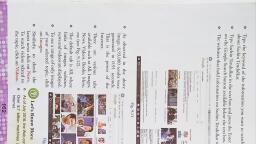
Inside the chapter, © Changing the dosktop, See ea eee toon background, Hey Rahull I want to put © Colour settings in, a picture of my family Bee Windows 10, 0 CTE izi, menbersesedestiop | (—— raya yausan || © Coton tot, help me do that? easily Ce clin o Themes, Tea desktop backg , © Dosktop Icon settings, , You can also change the, , colour of the start menu, , and taskbar, Let me tel, you about it., , °, , Customizing the start, menu, , , , yo, , , , Microsoft Windows is the most popular operating system. We have learnt in the previous, , ing, renaming, deleting files or folders; moving”, , , , classes about parts of desktop window; crez, and copying files or folders; creating mu, arranging icons in an order, opening a progt, , iple desktops; arranging icons on desktop;, ram and shutting down Windows 10. In th, , , , chapter, we will learn about how to customize the appearance and display in Windows 10)", , CHANGING THE DESKTOP BACKGROUND, , Desktop background is simply an image that appears as the background of the screen. This, picture is also called the wallpaper. You can change this image according to your choice. 10, change the background, follow these steps., , , , tm, , Sar tied, , , , , Right-click on the background away from icons, A shortcut menu is displayed,, , © Let’s Know More, , Microsoft Edge has replaced ,, Internet Explorer in the new, Windows 10., , © Choose Personalize option. The Personalization, , Settings window opens,, , © Select Background from the left pane of the window,, The Background drop-down list that, , right panel has three options:, , b., , appears on the, , Slideshow, , a, Picture Solid color (, , , , Picture, °, , © You may click and choose any of the, available pictures or click on the Browse, button and choose any other picture, __ sayed on the computer., , Choose Picture option in the Background drop-down list., , © Click and choose a suitable option from, the Choose a fit drop-down menu that, contains Fill, Fit, Stretch, Tile, Center, , and Span. By this you can decide the, , , , , , manner in which the picture will be, , , , displayed on the screen.