Page 1 :
St. Xavier’s School ICSE, Arrah, COMPUTER ONLINE PDF, Session 2021 – 2022 Class – V, SUBJECT- COMPUTER, , TOPIC: SCRATCH PROGRAMMING, , CLASSWORK: solution of the chapter., Scratch is a programming language developed by MIT IN 2003., How to create a program in scratch?, Step 1: Open scratch editor., Step 2: Drag the “when green flag clicked” or “when space key pressed”, or, “when sprite I click” block from the events block to the script because every, scratch program starts with a control block., , Here,, , , , , when green flag clicked: It means the project begins when the green, flag(present at the upper left corner of the stage) is clicked., when space key pressed: It means the project begins when the space bar is, clicked. Here, you can also change the key according to your requirement., when sprite I click: It means the project will begin when you click the, sprite.
Page 2 :
St. Xavier’s School ICSE, Arrah, COMPUTER ONLINE PDF, Session 2021 – 2022 Class – V, Step 3: Drag “start sound meow” block from the sound block and place it, below the “when green flag clicked” block. This block is responsible for, generating a meowing sound., , Step 4: Drag “move 10 steps” block from the motion block and place it below, the “start sound meow” block. Now change the number from 10 to 100., , Step 3: After completion of script, click on the green flag execution button to, execute your program, and your cat moves 100 steps with a meow sound.
Page 3 :
St. Xavier’s School ICSE, Arrah, COMPUTER ONLINE PDF, Session 2021 – 2022 Class – V, , Advantages of scratch, , , , , , The interface design of scratch is simple so that it is easier to understand, for kids as well as for adults., It allows students to develop 21st-century skills with the help of, technology., It is generally designed for kids. So that they can easily learn a new, computer language., It is free to use., , Disadvantages of scratch, , , , Scratch is open so anybody on the internet can get your work without your, permission., Teachers can’t monitor what student is creating in the scratch.
Page 4 :
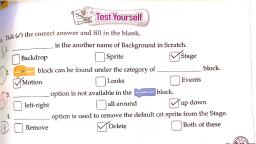
St. Xavier’s School ICSE, Arrah, COMPUTER ONLINE PDF, Session 2021 – 2022 Class – V, Fill in the blanks:, 1., 2., 3., 4., 5., , Page Number: 81, , Program, Programmer, Executable, Application, Application, , Worksheets:, A. Fill in the blanks:, 1. Binary, 2. C, C++, HTML, 3. Translator, 4. Program, 5. MIT-2003, 6. Downloaded, 7. Scripts, 8. Stage, 9. Sprites, 10.Green, 11.Red, 12.Event, B. Match the following:, 1. Script, 2. Stage, 3. Sprite, 4. Red button, 5. Green flag, , d. Pre written instruction, a. Background, b. Object, e. Stops the execution, c. Runs a program
Page 5 :
St. Xavier’s School ICSE, Arrah, COMPUTER ONLINE PDF, Session 2021 – 2022 Class – V, C. Choose the correct answer., 1. Program, 2. MIT, 3. Compiler, 4. Script, 5. Script area, 6. Stage, 7. Event, 8. Motion, 9. Pen, 10.Sound, D. Answer the following questions., 1. Binary language is a language of 0’s and 1’s. 0 means false and 1, means true or 0 means off and 1 means on., 2. Translators translate a program written in high level language into, machine language, allowing the computer to understand the, instructions. Compilers and Interpreter are the types of translators., 3. We need compiler to translate high level language into machine, language in one go., 4. A free programming language means that it can be downloaded, freely., 5. Explain the following terms:, a., Sprites: An object in scratch is called sprite., b., Script: Pre-written instructions available in scratch are, called script., c., Block: The predefined scripts that exist which can be, used in a project are called blocks., d., Stage: The background in scratch where a sprite, moves is called stage.
Page 6 :
St. Xavier’s School ICSE, Arrah, COMPUTER ONLINE PDF, Session 2021 – 2022 Class – V, E. Name the blocks which you will select to perform the following tasks., 1., , Say hello., , 2., , When green flag is clicked., , 3., , Pen down., , 4., 5., , 6., , 7., , 8., , Say hello for 2 seconds., Move 10 steps., , Turn 90 degrees., , Stamp., , Play drum for beats., , HOMEWORK: Learn the definition of different blocks. Try to do scratch, programming.




 Learn better on this topic