Page 1 :
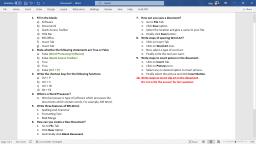
ALANKAR COMPUTER TYPING INSTITUTE, MUL, Microsoft Word - 518 Question Bank, , Microsoft Word, 1 If starting of first line of paragraph is to be made by leaving some space from starting of other lines in the paragraph, then, indent command is set., A) First Line, B) Right, C) Left, D) Default, 2 We can set the image more than one besides that image with the help of, option., A) Stretched, B) Multiple, C) Tiles, D) Centre, 3 In Word, is the page orientation appeared by default s., A) Landscape, B) Vertical, C) Portrait, D) Horizontal, 4 We can add text in Autoshape., A) True, B) False, 5, Bar is displayed in the bottom side of Miscrosoft word application window., A) Format Bar, B) Title Bar, C) Scroll Bar, D) Status Bar, 6 In information is present/shown in the box in application is called, ., A) Too Tips, B) Task Bar, C) Windows, D) Dialog Box, 7, View, Page number gets displayed., A) Home, B) Web Layout, C) Normal, D) Print Layout, 8 After Clicking, in documents, resizing handles are apperaed around it., A) Text, B) Scroll Bar, C)Pictures, D) Paragraph, 9 The information which is given at the bottom of the page is called, ., A) Header, B) Footer, C) Endnote, D) Footnote, 10 If, option used we can make series of data as required just like series of months and days., A) Filter, B) Pivot Table, C) Sort, D) Custom, 11 To Switch in One or more opened applications, we used, shortcut key., A) Shift + Ctrl, B) Alt + Tab, C) Alt + Shift, D) Shift + Tab, 12 Which command can be used to reach a specific page directly?, A) Move, B) Go To, C) Clear, D) Cut, 13 Open option is given in, menu., A) Formatting, B) Drawing, C) Status, D) File, 14 We can see the object in small size using, command., A) View, B) Zoom in, C) Format, D) Zoom out, 15 Design and layout Theme are given to the slides according to Template Selected., A) False, B) True, 16 We set the image more than one besides that image with the help of, option., A) Multiple, B) Tiles, C) Centre, D) Stretched., 17 To select any word in document, with mouse on the word., A) Single Click, B) Double Click, C) Triple Click, D) Right Click, 18, is used in home tabe paragraph group is to give specific symbol sign before all text points of the list., A) Pictures, B) Symbols, C) Numbers, D) Bullets, 19 To highlight a specific word in MS WORD document, use, option for it., A) Color, B) Text Highlight Color, C) Italic, D) Underline, 20 In MS WORD to apply Header & Footer, Tab is available there., A) Home, B) Insert, C) View, D) Pagelayout, 21 There are, alignments in MS Word., A) 3, B) 2, C) 4, D) 5, 22 With the helps of, command two or more continus cells be combined together and data of the first cell can be centralized in the, cell., A) Mail Merge, B) Split Cells, C) Merge & Center, D) Center Align, 23 Can I open book.xlsx. File in MS Word, select the more specific answer from the following list., A) None, B) No, C) I can Insert the book.xlsx file in th D) Yes, 24 In Handout master footer area appears by, ., A) Top of the page, B) Center of the page, C) Bottom of the page, D) None of above, 25 Make, Click to select a specific paragraph from the documents., A) Double, B) Single, C) Triple, D) Fourth, 26 Grammatical mistakes are show by, ., A) Green Wave, B) Red Wave, C) Red line, D) Green line, 27 To undo more than one acions,, is used on the undo button of quick access toolbar., A) Drop-Down, B) Drop-Up, C) Drop-Right, D) Drop-Left, 28 By using, Option, we can save any open file by changing its name only., A) Save as, B) Import, C) File, D) Export, 29 In MS WORD the tab is not available, ., A) Insert, B) Tool, C) Mailings, D) View, 30 MS-Excel is, type of Application software., A) Spreadsheet, B) Image Editor, C) Word Processor, D) Presentation Maker, 31 In slide use of table command is given in, ., A) Home, B) Insert, C) View, D) Animation, 32 In MS WORD, there are documents designed professionally are, formats called as Templates., A) Edit, B) Create, C) Save, D) Delete, , Alankar Computer Typing Institute, Mul, Microsoft Word - 518 Question Bank, 1
Page 2 :
ALANKAR COMPUTER TYPING INSTITUTE, MUL, Microsoft Word - 518 Question Bank, 33 In MS Word, name of the document is displayed on, ., A) Title Bar, B) Indent, C) Ruler, D) Status Bar, 34, Means distance between 'Text matter' & 'Pager margins'., A) Indent, B) Gap, C) Margin, D) Gutter, 35 Different types of Underlines are available in, group of home tab., A) Font, B) Print, C) Mail merge, D) Save as, 36 Any applicaion program can start from option in start menu., A) Find, B) Accessories, C) All programs, D) Documents, 37 In MS Word if any word turned slightly towards right can be applied, option., A) Italic, B) Underline, C) Bold, D) Size, 38 MS Word is an example of, ., A) Hardware, B) Application Software, C) System Software, D) Web Page, 39 Save as option is given in, menu., A) File, B) Status, C) Formatting, D) Drawing, 40 We can create document type by using, ., A) Powerpoint, B) Windows, C) Excel, D) Word Processor, 41 Use the 'Ctrl + A' combination key to, reason., A) Document Select, B) Document Delete, C) Document Edit, D) Paragraph select, 42, is a paragraph format which the first line of the paragraph is started from outside than line of paragraph., A) Hanging Indent, B) Left Indent, C) First line Indent, D) Right Indent, 43 Use, command is used to paste a matter in MS Word., A) Ctrl + V, B) Ctrl + D, C) Ctrl + C, D) Alt + V, 44 We cannot edit the documents file once it is saved., A) True, B) False, 45 In MS Word, we can change the page orientation., A) False, B) True, 46 To close print-Preview, key can be used., A) Esc, B) Alt, C) Shift, D) Ctrl + B, 47 To remove the effect of Freeze, select, ., A) Access, B) Tool, C) unfresszepanes, D) Status, 48 To find any letter(character) or any word in file, command is used., A) Audio Based, B) Find, C) Edit, D) Animation Based, 49 In print preview how the print Document is shown., A) False, B) True, 50 When we save any file in first time, then in the menu save command after click, Box is show n., A) Print, B) Save as, C) Font, D) Open, 51 In MS Word the use of Upper Case then all words, shows., A) Capital, B) Bold, C) Small, D) Underline, 52 In MS Word, is related to alignment., A) Page Placement, B) Justify, C) Page Layout, D) Type Placement, 53 Computing, Formatting, Recalculation is an example of MS-Word., A) True, B) False, 54 In which tab 'Header & Footer' does the present?, A) Insert, B) Slide show, C) Windows, D) Format, 55 AutoCorrect was originally designed to replace, words as you type., A) Macros, B) Template, C) Mail merge, D) None of above, 56 In MS Word You can add page break using, ., A) Shift + Enter, B) Alt + Enter, C) Enter, D) Ctrl + Enter, 57 When we want the Text matter in vertical table format in page just like in newparer or magazine then, Break is inserted., A) Gutter, B) Margin, C) Gap, D) Indent, 58 Save and send option is given in, Menu., A) File, B) Drawing, C) Formatting, D) Status, 59 After clicking with mouse on top area of column in table, will get selected., A) Row, B) Table, C) Column, D) Cell, 60 While keeping the Format intact and to delete data in selected cell,, Command can be used., A) Home Tab-Editing-clear, B) Home Tab-Cells Group-Delete C) File Menu-Close, D) Home Tab-Cells Group-Delete C, 61 An animated border indicate, ., A) Will be deleted, B) Are closed, C) Have been seen to clipboard, D) None of above, 62 IF is a database function., A) False, B) True, 63 Create, to assign a name to specific point in document., B) Header, C) Bookmark, D) Footer, A) Cross Reference, 64 We can go directly to the required page by using, option under Home Tab-editing Group-Find Command., A) Go to, B) Move, C) Clear, D) Cut, 65, tool is used to insert picture of any program running in background., A) Image, B) Screenshot, C) Photo, D) Smartart, 66 To use the pictures of different applications in MS-Office that collection of pictures is called as, ., A) My pictures, B) Clip Art, C) Google Images, D) Word Art, 67 By default, on which page the header or the footer is printed?, , Alankar Computer Typing Institute, Mul, Microsoft Word - 518 Question Bank, 2
Page 3 :
ALANKAR COMPUTER TYPING INSTITUTE, MUL, Microsoft Word - 518 Question Bank, A) Next Page, B) Previous Page, C) Even Page, D) Odd Page, 68 Readymade fromats of professionally designed documents in MS Word 2010, are called as, ., A) Templates, B) Charts, C) Files, D) Graphs, 69 Callouts buttons are in the, option of Insert Tab, A) Status, B) Shapes, C) Standard, D) Formatting, 70, command is used to see two different parts of same document on screen., A) Norma, B) Outline, C) Insert, D) Web layout, 71, option is used to get reference of specific place in Document., A) Caption, B) Field, C) Bookmark, D) Footnote, 72, command / facility is used to correct the common spelling mistakes., A) Save as, B) Font, C) Print, D) Open, 73 In MS-Word, we can use bookmarks, footnote., A) True, B) False, 74 In word, we can create the mixing of files of one having different addresses and the other having letters with the help of, A) Web layout, B) Outline, C) Mail-Merge, D) Draft, 75 Press, key to select the complete word., A) Ctrl + Shift + Right arrow, B) Ctrl + Shift + Left arrow, C) Ctrl + Alt + Right arrow, D) Both A) & B), 76 In MS-Word name of the document is displayed on, ., A) Status bar, B) Rular, C) Title Bar, D) Indent, 77, sorting method is used for Z to A sequence., A) Horizontal, B) Ascending, C) Vertical, D) Descending, 78 To select any paragraph in document,, with mouse on the paragraph., A) Triple click, B) Single Click, C) Double Click, D) Right clik, 79 Several consecutive cells, can be combined with this facility and can align the data center of the cell., A) Merge & Center, B) Mail Merge, C) Split Cells, D) Center Align, 80 We can insert pictures by using, Tab key of Picture command in Word Document., A) Insert, B) View, C) Home, D) Page layout, 81 If we want to start new text on new page by leaving or breaking the current page, then insert, break., A) Column, B) Page, C) Text, D) Line, 82 Save As' dialog box is mainly used to save the open file with different name., A) True, B) False, 83 After double clicking on Header and Footer we can edit it., A) True, B) False, 84 Justified alignment is used only for more than one line paragraph., A) False, B) True, 85, is containing / combination of Rows and Columns., A) Borders, B) Table, C) Rectangle, D) Text Box, 86 Undo option is given in, of Toolbar., A) Quick Access, B) File, C) Format, D) Window, 87, is measurement used to measure font., A) cm, B) Point, C) inch, D) None of above, 88 In a document what is the maximum number of columns that can be inserted in MS Word table?, A) 63, B) 35, C) 15, D) None of above, 89 The ability to combine name and addresses with a standard document is called, ., A) database management, B) Form letters, C) document formatting, D) mail merge, 90 Which of the following command is not available in Tools menu?, A) Autocorrect, B) auto text, C) Macro, D) Auto summarize, 91 We can set the image at the center of the desktop using, option., A) Center, B) Right, C) Tiles, D) All of above, 92 In win-7 operating system we can give the file extension in 3/4 characters., A) True, B) False, 93 The insertion point can be shifted to right side by one character by using, key., A) Right Arrow Key, B) Left Arrow Key, C) Up Arrow Key, D) Down Arrow Key, 94 The insertion point can be shifted to next line by, key ., A) Right Arrow Key, B) Left Arrow Key, C) Up Arrow Key, D) Down Arrow Key, 95 In word Left, Right, Center, Justify are the different types of, ., A) Line Spacing, B) Charts, C) Fonts, D) None of above, 96 Word Processing Software create, Document., A) Text-based, B) Animation based, C) Audio based, D) Video based, 97 In word processor when the line is full, cursor gets shifted to next line is called as, ., A) Sentence Wrap, B) New line, C) Sentence Merge, D) Word Wrap, 98 Use, key to get a blank line before or after the Paragraph., A) Enter, B) Backspace, C) Num Lock, D) Home, 99 In word document, to get the document file link through text separately, use, option., A) Copy, B) Hyperlinks, C) Paste, D) Embed, 100 Increase Indent button is given in, Group of Home Tab., A) Standard, B) Paragraph, C) Drawing, D) Status, 101 Line Tool button is in the, option in Insert Tab., A) Standard, B) Shapes, C) Formatting, D) Status, , Alankar Computer Typing Institute, Mul, Microsoft Word - 518 Question Bank, 3, , .
Page 4 :
ALANKAR COMPUTER TYPING INSTITUTE, MUL, Microsoft Word - 518 Question Bank, 102 Total number of pages in Current document is shown on, ., A) Quick Access Tool Bar, B) Status Bar, C) Scroll Bar, D) Formula Bar, 103 If the mouse moves in, the pointer look 'I-beam' shape., A) Title Bar, B) Status Bar, C) Page Area, D) Tabs & Ribbons, 104, can be used to set margins and indents in Document., A) Status Bar, B) Rular Line, C) Toolbar, D) Status Area, 105 Status bar is displayed on the, side of Microsoft Word Application window., A) Right, B) Left, C) Bottom, D) Top, 106 Use, key combination to select whole document., A) Shift + Z, B) Ctrl + A, C) Ctrl + Z, D) Shift + A, 107 After double clicking on selection area on the left bottom corner of cell, entire, will get selected., A) Column, B) Cell, C) Row, D) Table, 108 Use, key to select only one character on right side of Cursor., A) Ctrl + →, B) Shift + →, C) Ctrl +←, D) Shift + ←, 109 Press, key to select the complete word., A) Ctrl + Shift + ←, B) Ctrl + Shift + →, C) Alt + Shift + ←, D) Alt + Shift + →, 110 Use, keys to select paragraph., A) Ctrl + Shift + ↓, A) Ctrl + Shift + ↑, C) Alt + Shift + ↓, C) Alt + Shift + ↑, 111 Use, keys to select the document from cursor position to the end., A) Ctrl + Shift + End, B) Ctrl + Shift + Home, C) Ctrl + Shift + F8, D) Shift + PgUp, 112 We can undo more than one actions by use of Quick Access Toolbar., A) True, B) False, 113 After using Undo Command to redo the action, command used., A) Ctrl + Y, B) Ctrl + Z, C) Ctrl + A, D) None of above, 114, is a format in which first line of the paragraph is started from even more left hand as compare to other lines of the paragraph., A) Right Indent, B) Left Indent, C) First line Indent, D) Hanging Indent, 115 Use, short key for Redo command., A) Ctrl + W, B) Ctrl + A, C) Ctrl + Z, D) Ctrl + Y, 116 Generally, Alignment is used for paragraph having more than one line., A) Right, B) Justify, C) Center, D) Left, 117 After clicking shades area in Scroll bar the matter gets scroll which can fit up to one screen., A) True, B) False, 118, option is used to get reference of specific place in Document., A) Bookmark, B) Caption, C) Footnote, D) Field, 119 In, view, page number gets displayed., A) Web layout, B) Print Layout, C) Normal, D) Home, 120 In, view, automatic page break are displayed with Dotted lines., A) Web layout, B) Draft, C) Print Layout, D) Outline, 121 Header and Footer are displayed in, View., A) Normal, B) Print Layout, C) Outline, D) Web layout, 122 After Clicking on Header and Footer we can't edit it., A) True, B) False, 123 To display the line numbers in document the option, is given., A) Page Layout Tab→Page Setup, B) File →Print Preview, C) File→Page Setup, D) Edit→Paste Special, 124 Print option is given in, Menu., A) View, B) File, C) Window, D) Edit, 125 In, group of Home Tab, there are different types of underlines are available., A) Print, B) Mail Merge, C) Save As, D) Font, 126, Dialog box is displayed after clicking on save command in file Menu when we try to save the document first time., A) Print, B) Save as, C) Open, D) Font, 127 The information like Page No., Date etc. can be seen in, ., A) Page breaks, B) Header/Footer, C) Insert, D) Margins, 128, is the short cut key for 'Find and Replace' Dialog Box., A) Ctrl + B, B) Ctrl + F, C) Ctrl + U, D) Ctrl + R, 129 Smily face' shape is in the, option of Insert Tab., A) Formatting, B) Standard, C) Status, D) Shape, 130, cannot be resized., A) Window, B) Wizard, C) Dialog Box, D) Word, 131 In, view, automatic page break are displayed with Dotted lines., A) Outline, B) Print Layout view, C) Draft, D) Web layout, 132, is a blinking straight line where we can type the matter., A) Point, B) Insertion Tab, C) Cursor, D) Bar tab, 133 In, we can store the required different formatting by placing name for it., A) Defaults, B) Styles, C) Templates, D) Formats, 134 We can give numbers to the text points in given list with the help of, ., A) Line Numbers, B) Numbers, C) Bullets, D) Symbol, 135 We can apply format of any text to another text with the help of, ., A) Copy, B) Paste, C) Find & Replace, D) Format Painter, , Alankar Computer Typing Institute, Mul, Microsoft Word - 518 Question Bank, 4
Page 5 :
ALANKAR COMPUTER TYPING INSTITUTE, MUL, Microsoft Word - 518 Question Bank, 136, , means distance between 'Text Matter' and 'Page Margins'., B) Indent, C) Gutter, D) Margin, is a paragraph Format in which the first line of the paragraph is started from outer side than other lines of paragraph., A) Hanging Indent, B) First Line Indent, C) Left Indent, D) Right Indent, Text in the document is displayed in different levels such as Heading, Body Text in, type of view., A) Web layout, B) Draft, C) Print Layout, D) Outline, item is printed at the bottom of each page., A) Footer, B) Header, C) Title, D) Foot Note, is the default number of lines to drop for drop cap., A) 15, B) 20, C) 10, D) 3, Column width gets adjusted according to the matter width by using, option., A) Auto Cut, B) Auto Format, C) Auto Text, D) Autofit, With the help of, option on View Tab Ribbon, the Title bar, Menu bar and toobars of the MS-Word window are hidden., A) Page Layout, B) Full Screen, C) Custom View, D) Normal, shortcut key is used to spell check in MS-Word., A) F2, B) F1, C) F7, D) F8, is the shortcut key to 'Center Align'., A) Ctrl + G, B) Ctrl + H, C) Ctrl + C, D) Ctrl + E, tab in MS-Word can be used to change character size and typeface?, A) Tools, B) Data, C) View, D) Format, line spacing means between two lines there is the spacing of only one line., A) 1.0 (single), B) 1.5, C) 2.0 (Double), D) 4, tab we can do page setting in MS-Word., A) Home, B) Print Layout, C) Page Layout, D) A4, of the following is not valide version of MS Office?, A) Office 2007, B) Office Vista, A) Office 2010, A) Office 2003, In, view Header and Footer are visible., A) Print Layout, B) Normal, C) Page Layout, D) Draft, key is used to remove one letter next to the cursor position., A) Home, B) Delete, C) Backspace, D) End, From, tab we can add picture in Word documents., A) Home, B) Data, C) Insert, D) Formulas, of the following is not a type of page margin?, A) Center, B) top, C) Right, D) Left, ways you can save a document in MS-Word., A) 3, B) 2, C) 1, D) 4, From, tab we can insert Header and Footer., A) Page LayoutB) Insert, C) Home, D), View, From, tab you can Show or Hide Ruler., A) Formulas, B) Insert, C) View, D) Data, With the help of, we can see the text or objects in the document, which are not currently displayed on the screen., Status bar, B) Menu bar, C) Title Bar, D) Scroll bar, The, following option is not available in View Tab., A) Gridlines, B) Ruler, C) Bold, D) Zoom, line spacing is invalid in MS-Word., A) Single, B) Triple, C) Double, D) Multiple, Borders can be applied to, ., A) Cells, B) Paragraph, C) Text, D) All of above, is not a font face., A) Times New Roman, B) Arial, C) Calibri, D) Bold, The software used for the purpose of Document creation is called as, ., A) Excel Processor, B) Powerpoint, C) Window, D) Word Processor, By, click we can select a line., A) Single, B) Double, C) Dragging, D) Triple, Arial, Times New Roman are the examples of, ., A) Word Art, B) Font Styles, C) Indents, D) None of above, Background colour or effects applied on a document is not visible in, preview., A) Print Preview, B) Web layout view, C) Print Layout View, D) Reading View, command facility is used to correct the common spelling mistakes., A) Auto Corrent, B) Auto Format, C) Auto Text, D) None of above, Ctrl + A, ., A) Align Right, B) align Left, C) select All, D) Change Font, Ctrl + B, ., A) Search the selected text, B) Bold the selected text, C) Paste the selected text, D) Open file, What is the function of Ctrl + B is MS-Word., A) It makes the selected text bold, B) It adds a line break to the document, C) It applies Italic formatting the selected text, D) It converts selected text into the next larger size of the same font., Ctrl + J, ., A) Justify align, B) Right align, C) Left align, D) All of above, A) Gap, , 137, 138, 139, 140, 141, 142, 143, 144, 145, 146, 147, 148, 149, 150, 151, 152, 153, 154, 155, 156, A), 157, 158, 159, 160, 161, 162, 163, 164, 165, 166, 167, 168, , 169, , Alankar Computer Typing Institute, Mul, Microsoft Word - 518 Question Bank, 5
Page 6 :
ALANKAR COMPUTER TYPING INSTITUTE, MUL, Microsoft Word - 518 Question Bank, 170 Ctrl + Page Down is use to, ., A) Move the cursor one page down, B) Move the cursor one line down, C) Move the cursor one screen down, D) Move the cursor one paragraph down, 171 Ctrl + R, ., A) Update current Web Page, B) Open the dialog box, C) Close the current window, D) None of above, 172 Ctrl + S, ., A) Close document, B) Save document, C) Print document, D) Save as, 173 Ctrl + U, ., A) Underline the document name B) Underline the previously delete C) Undo the last changes, D) Underline the selected text, 174 Ctrl + X, ., A) Paste, B) Copy, C) Home, D) Cut, 175 Ctrl + Y, ., A) Undo the last action, B) Paste, C) Redo the last action, D) add a new page, 176 Use 'Ctrl + Y' shortcut key for, command., A) Paste, B) Undo, C) Redo, D) Copy, 177 Ctrl + Z, ., A) Paste, B) Undo the last action, C) Add a new page, D) Redo the last action, 178 Ctrl + Home is used to, ., A) move the cursor to the beginn B) to move the cursor to beginning C) move the cursor to beginning of l D) All of above, 179 Ctrl + O, ., A) Open Document, B) Save document, C) Close Document, D) Print Document, 180, view helps to set outline of current document., A) Page layout, B) Web layout, C) Normal, D) outline view, 181 Use Ctrl + Shift + End keys to select the document from cursor position to the end., A) False, B) True, 182 Use, key to select only one character on right side of cursor., A) Ctrl + →, B) Shift + ←, C) Ctrl + ←, D) Shift + →, 183 Page orientation effect of printing the document horizontally is, ., A) Orientation, B) Preview, C) Portrait, D) Landscape, 184 Page orientation effect of printing the document Vertically is, ., A) Portrait, B) Landscape, C) Preview, D) Orientations, 185 To change the typeface of a document, tab will you choose., A) Reference ---- Index, B) Insert ----- Text Group, C) Home ----- Font Group, D) View ---- Show Group, 186 Open option is available in File Menu., A) True, B) False, 187, option is used to get reference of specific place in Document., A) Caption, B) Footnote, C) Bookmark, D) Field, 188, can be used to set margins and indents in Documents., A) Status area, B) Status Bar, C) Ruler Line, D) Toolbar, 189 Drop Cap mean, ., A) All Caps, B) Title Case, C) Small Caps, D) None of above, 190 Drop caps are used in document for, ., A) To Drop all Capital letter, B) To Drop all paragraph, C) to make first initial letter large D) None of above, 191 Drop Caps Option shown in, Tab., A) Home, B) View, C) Insert, D) Page layout, 192 Font color option don't change the text color., A) False, B) True, 193 Footnote is appear at the, in the document., A) End of document, B) Bottom of a page, C) End of Heading, D) None of above, 194 The smallest and largest font size available in Font Size tool on formatting toolbar is, ., A) 8 and 72, B) 6 and 72, C) 8 and 68, D) 6 and 68, 195 Formula bar is available in MS Word 2010., A) True, B) False, 196 Grammer mistakes are underlined by, color line., A) Red, B) Blue, C) Green, D) Yellow, 197 We can use, facility to remove unwanted part of graphics., A) Hidden, B) Crop, C) Cut, D) Row, 198 We can delete typed matter from Header and Footer., A) True, B) False, 199 The text typed in Header and Footer is printed on, Page., A) First Page, B) Alternate Page, C) All pages, D) None of above, 200, is used in home tab-paragraph group is to give specific symbol sign before all text points of the list., A) Pictures, B) Numbers, C) Bullets, D) Symbol, 201, following option is not available in insert-picture., A) Chart, B) Word art, C) Clipart, D) Graph, 202 If we want to set any new bullets other than those are available in the list, then click on the option, ., A) Picture, B) Symbols, C) Define new bullet, D) Font, 203 If we want to set numbers or bullets to every item in a list, then, facility is provided by MS-Word., A) Bullets and Numbering, B) Shading, C) Border, D) None of above, , Alankar Computer Typing Institute, Mul, Microsoft Word - 518 Question Bank, 6
Page 7 :
ALANKAR COMPUTER TYPING INSTITUTE, MUL, Microsoft Word - 518 Question Bank, 204 We can get the commands related to Margins in the, Group., A) Page setup, B) Margin Setup, C) Home Tab, D) View Tab, 205 To set the margins, first we will have to click on the, Tab., A) Page layout, B) Formulas, C) Data, D) View, 206 Get help usign MS-Office 2010, short key is used., A) F2, B) F1, C) F4, D) F3, 207 We can insert a table in MS-Word 2010 where ever needed., A) False, B) True, 208 The default left margin in Word 2010 is, ., A) 2, B) 1.25, C) 1.5, D) 1, 209 The extension of files created in MS-Word 2010, ., A) .docx, B) .txt, C) .dot, D) .dom, 210 In MS-Word program document created using Readymade professionally design format are called as, ., A) Graphs, B) Templates, C) Files, D) Chart, 211 We can exit from MS-Word 2010 application by clicking, command from the file menu., A) Close, B) Save, C) Exit, D) Open, 212 Single spacing in MS-Word document causes, point line spacing., A) 1.5, B) 2, C) 1, D) 1.15, 213 Using find command in Word, we can search, ., A) Characters, B) Symbols, C) Word, D) All of above, 214 In MS-Word Horizontal ruler helps us to, ., A) To set tabs, B) To change page margins, C) To set indents, D) All of above, 215 In MS-Word, for wht does ruler help, ., A) To set tabs, B) To set indents, C) To change page margins, D) All of above, 216 Use of Text-styling feature in MS-Word is called, ., A) Word Fill, B) Word Font, C) Word Art, D) Word Color, 217, key is use to start a new paragraph in MS-Word., A) Enter Key, B) Shift + Enter, C) Ctrl + Enter, D) Down cursor key, 218 MS Word is Application Software., A) False, B) True, 219 Open, Save, Save As, Print etc. standard commands available in, Menu., A) Insert, B) View, C) File, D) Home, 220 Page border option is available in, Tab., A) Home, B) View, C) Page Layout, D) Insert, 221 Page Nos., Dates etc. related information displayed in, ., A) Page breaks, B) Margins, C) Header / Footer, D) Margins, 222 Use, keys to select paragraph., A) Ctrl + Shift + Down arrow, B) Ctrl + Shift + Down arrow, C) Ctrl + Shift + Up arrow, D) Ctrl + shift + Up arrow, 223 Use backspace key to get a blank line before or after the Paragraph., A) True, B) False, 224 If we want more space from the left margin for a particular paragraph, then use, indent., A) Bottom, B) Left, C) Top, D) Right, 225 If we want more space from the right margin for a particular paragraph, then use, indent., A) Bottom, B) Left, C) Top, D) Right, 226 Portrait and Landscape are, ., A) Paper Size, B) Page Orientation, C) Page Layout, D) All of above, 227 Portrait and Landscape are, ., A) False, B) True, 228 To close this print preview, Press the, key from keyboard., A) Ctrl, B) Esc, C) Alt, D) Del, 229 Print previews displays how document will look after it gets printed., A) True, B) False, 230 New Document option is given in, Menu., A) Edit, B) View, C) File, D) Windows, 231 To cancle any open dialog box, key can be used., A) Ctrl, B) shift, C) Esc, D) Alt, 232 The Quick Access Toolbar consists of buttons like Open, Save, Undo, Redo etc., A) False, B) True, 233 Use, short key to Redo command., A) Ctrl + W, B) Ctrl + Z, C) Ctrl + A, D) None of above, 234 Below the Rular Line, we can get a white coloured rectangular area. This area called, ., A) Title Bar, B) Status Bar, C) Page Area, D) Menu Bar, 235 Save as dialog box is mainly used to save the open file with different name., A) True, B) False, 236 After clicking shades area in Scroll bar the matter gets scroll which can't fit up to one screen., A) False, B) True, 237 If we need to move selected text from one place to another place, command is use in MS-W ord., A) Cut + Paste, B) Del + Paste, C) Copy + Paste, D) None of above, 238 A selected text that is raised above the baseline is known as, ., , Alankar Computer Typing Institute, Mul, Microsoft Word - 518 Question Bank, 7
Page 8 :
ALANKAR COMPUTER TYPING INSTITUTE, MUL, Microsoft Word - 518 Question Bank, A) Capscript, B) Superscript, C) Raised, D) Outlined, 239 The spelling mistakes are underline by, color lines., A) Yellow, B) Black, C) Blue, D) Red, 240, On status bar, Views like Print Layout, Full Screen Reading View, Web Layout, Outline Draft etc. these buttons are called as 'View Buttons'., A) False, B) True, 241 Draw a line through the middle of the selected text is called strikethrough., A) True, B) False, 242 Superscript, Subscript, outline, emboss, engrave are, ., A) Text effects, B) font effects, C) Word art, D) font styles, 243 In Table, where the row and column intersect each other that square is called as, ., A) Cell, B) Border, C) Column, D) Row, 244 We can't change the text direction in the table., A) False, B) True, 245 After clicking with mouse on left area of a row in Table, will get selected., A) Table, B) Cell, C) Row, D) Column, 246 Select the text matter, where we want the first letter to be big, option is used in MS- Word 2010., A) Upper Cap, B) Cap, C) Drop Cap, D) Down Cap, 247 To write a text matter in Tabular Format,, facility provided by word., A) Formatting, B) Insert, C) Tool, D) Table, 248 To measure Font size of the text, unit is used., A) mm, B) cm, C) Hz, D) Points, 249 There are buttons for, at the right hand side of title bar., A) Maximize / Restore, B) Minimize, C) Close, D) All of above, 250 Undo command is given in, Tool bar., A) Quick Access, B) File, C) Window, D) Format, 251 For making the undo command undo after being used, command is used., A) Undo, B) Save, C) Double Undo, D) None of above, 252 To link the document after clicking the particular text, command is use in MS-Word progra m., A) Copy, B) Hyperlinks, C) Paste, D) Embed, 253 To insert 'Symbol' in Word document, click on the, tab., A) Insert, B) Table, C) Format, D) Tools, 254 From, tab you can check spelling and grammar of text in the given word document., A) View, B) Home, C) Review, D) Data, 255 Word file name by default is, on title bar., A) File name, B) Templates, C) xls, D) Document, 256 By using word processors you can create, type of file., A) Database, B) Document, C) Presentation, D) Worksheet, 257 In word processor when the line is full, cursor gets shift to next line is called as, ., A) Sentence Merge, B) Sentence Wrap, C) Word Wrap, D) New Line, 258 You can create, type of file by using word processors., A) Worksheet, B) Presentation, C) Database, D) Document, 259 In MS-Word, we can use bookmarks, footnote, Endnote., A) False, B) True, 260, is the default file extension for all word documents., A) .txt, B) .dos, C) .docx, D) .word, 261 Word includes a series of predefined graphics called, ., A) Bookmark, B) Hyperlinks, C) Clipart, D) Caption, 262 Word is, type of software., A) Applicaion, B) System Software, C) Antivirus, D) End user, 263 If we want to delete multiple rows or columns, then select those many rows or columns first and then apply Delete command., A) True, B) False, 264 If we want to apply different shapes, designs to the text, we can use, feature in MS-Word 2010., A) Word Art, B) Clip Art, C) Insert, D) Shape, 265 To apply center alignment to a paragraph we can press, ., A) Ctrl + E, B) Ctrl + C, C) Ctrl + C + A, D) Ctrl + S, 266 Undo action can be done by using, toolbar., A) Quick Access Tool Bar, B) Title Bar, C) Status bar, D) Menu Bar, 267, bar is displayed in the bottom side of MS-Word applicaion window., A) Title Bar, B) Status Bar, C) Format bar, D) Scroll bar, 268 In MS-Word document to just show the wrong word, option is used., A) Superscript, B) Strikethrough, C) Subscript, D) Text Highlight, 269 In MS-Word, view, page number gets displayed., A) Normal, B) Home, C) Print Layout, D) Web layout, 270 How to chage row height in Ms-Word., A) Edit height from the design ribbon select Row tab, B) Row height from the table ribbon select row tab, C) Edit table from the layout ribbon select Row tab, D) Properties from the layout ribbon select Row tab, 271, shortcut key is used to paste a matter in MS-Word., A) Ctrl + D, B) Ctrl + C, C) Ctrl + V, D) Alt + V, , Alankar Computer Typing Institute, Mul, Microsoft Word - 518 Question Bank, 8
Page 9 :
ALANKAR COMPUTER TYPING INSTITUTE, MUL, Microsoft Word - 518 Question Bank, 272 In MS-Word we use 'Ctrl + R' shortcut key to make right alignment., A) False, B) True, 273 In MS-Word, Ctrl + U is used to word uppercase., A) False, B) True, 274 In MS-Word automatically places a default left aligned tab stop at every., A) 0.3", B) 0.5", C) 0.2", D) 0.4", 275 In MS-Word, How many scroll bars can be visible on the text area if you documents is over 200% ?, A) One, B) Four, C) Two, D) Three, 276 In MS-Word if any word turned slightly towards right can be applied, option., A) Bold, B) Size, C) Italic, D) Underline, 277 In MS-Word, which ribbon shows what fonts are available for use?, A) View, B) Reference, C) Page Layout, D) Home, 278 In MS-Word, Which ribbon do you use to change margins?, A) View, B) Home, C) Insert, D) Page layout, 279 In MS-Word, close option is given in, menu., A) Edit, B) View, C) file, D) Window, 280 In MS-Word after a table has been created, which of the following operations cannot be performed?, A) Delete and insert columns, B) Insert rows in a table, C) Split the table into two tables, D) None of above, 281 Presentation slides can be made in word., A) False, B) True, 282 In MS-Word, there are documents designed professionally are, Formats called as Templates., A) Edit, B) Readymade, C) Save, D) Create, 283 In MS-Word text can be made Italic by, ., A) Ctrl + I, B) Ctrl + U, C) Ctrl + B, D) None of above, 284 To show word bold in MS-Word Ctrl + C shortcut command is used., A) True, B) False, 285 In MS-Word you can align the selected paragraph to its right by pressing, ., A) Ctrl + E, B) Ctrl + R, C) Ctrl + L, D) None of above, 286 In MS-Word, we can change the page orientation., A) False, B) True, 287 In MS-Word, Margins are the distance between the text and the edges of the paper., A) False, B) True, 288 In MS-Word, Ctrl + Home key is used to, ., A) Move the cursor to the beginni B) Move the cursor to the beginni C) Move the cursor to the left of do D) All of above, 289 In MS-Word, the default page orientation for a document is, ., A) Right orientation, B) Left orientation, C) Landscape orientation, D) Portrait orientation, 290 In MS-Word 2010, the document created has the default extension of, ., A) .vbp, B) .docx, C) .dot, D) .xls, 291 In MS-Word, what is the maximum scale percentage available in scale drop down bar?, A) 500, B) 100, C) 200, D) 90, 292 In MS-Word, Footnotes, Endnotes & indexes are all inserted as, ., A) Word fields, B) Bookmarks, C) Cross - Reference, D) Hyprlinks, 293 In MS-Word to apply Header & Footer, Tab is available there., A) Home, B) View, C) Insert, D) Page layout, 294 In MS-Word, using Home tab you can perform editing functions such as cut, paste, find and replace etc., A) False, B) True, 295 In MS-Word, using insert menu you can not insert various objects such as page numbers, headers and footers, picture etc., A) False, B) True, 296 In MS-Word, Italic character are slanted than slanted than regular Characters., A) True, B) False, 297 In MS-Word, Left Justificaion makes the ends of lines uneven., A) True, B) False, 298 In MS-Word, using Review Tab you can access to various utilities of word such as spell check, macros and mail merge etc., A) False, B) True, 299 In MS-Word, You cannot undo certain operations like saving, printing, opening and creating documents., A) False, B) True, 300 In MS-Word, a word underlined with a wave red line indicates., A) Spelling mistake, B) A hightlighted word, C) An underlined Word, D) Grammatical mistake, 301 In MS-Word, what option is not avilable on the insert Ribbon Command?, A) Page numbers, B) Shapes, C) Clipart, D) Thesaurus, 302 In MS-Word, which of the following do you use to chage margins?, A) Formatting Toolbar, B) Page setup dialog box, C) Standard Toolbar, D) Paragraph dialog box, 303 In MS-Word, What ribbon will you find where you can add a chart?, A) Insert, B) Page Layout, C) Reference, D) View, 304 How many columns can you insert in a word document in maximum?, A) 65, B) 45, C) 55, D) 35, 305 In MS-Word, you specify the save details of you file in, ., A) Save as ----- dialog box, B) Save the file as ----- dialog box C) File save dialog box, D) None of above, 306 Which of the following position is not available for fonts on MS-Word?, , Alankar Computer Typing Institute, Mul, Microsoft Word - 518 Question Bank, 9
Page 10 :
ALANKAR COMPUTER TYPING INSTITUTE, MUL, Microsoft Word - 518 Question Bank, A) Raised, B) Centered, C) Lowered, D) Normal, 307 In MS-Word, which of the following is not available in font spacing?, A) Normal, B) Expanded, C) Loosely, D) Condensed, 308 In MS-Word, which of the following is not a type of page margin?, A) Right, B) Left, C) Center, D) Top, 309 In MS-Word, the steps to open an existing word document are, ., A) Select 'view' then 'Open', B) Select 'Format', Select 'Open', C) Select 'Edit', Select ' Open', D) Select 'File', Select 'Open', 310 In MS-Word, what page view can you use to see what it will look like when printed?, A) Outline View, B) Full Screen Reading View, C) Draft View, D) Print Layout View, 311 In MS-Word, In order to save a file, on the Standard toolbar, click on the Save button., A) False, B) True, 312 In MS-Word, Bold, Italic, Regular are known as, ., A) Text effects, B) Font Styles, C) Word art, D) Font Effects, 313 In MS-Word, what can be shown on the status bar?, A) Name of document, insert button, spell check, B) Number of spellings error, page number, document name, C) Number of pages in the documents, word count, spelling/grammer check, D) Size of Margins, word count, web layout, 314 In MS-Word Every command is available in Ribbon., A) True, B) False, 315, number of minimum lines you can Drop in Drop Cap option., A) 1, B) 4, C) 3, D) 5, 316 The minimum number of rows and columns in MS-Word document is, ., A) 1 and 3, B) 1 and 1, C) 2 and 2, D) 2 and 4, 317 Use, key to select only one character on right side of curser., A) Ctrl + Right Arrow, B) Shift + Right Arrow, C) Shift + Left Arrow, D) Ctrl + Left Arrow, 318 In, view Header and Footers are visible., A) page Layout View, B) Draft View, C) Print Layout View, D) Normal View, 319 The process of removing unwanted part of an image is called, ., A) Cropping, B) Cutting, C) Boardering, D) Hiding, 320 A number of letter that appears little above the normal text is called, ., A) Subscript, B) Toptext, C) Supertext, D) Superscript, 321 A number of letter that appears little below the normal text is called, ., A) Superscript, B) Subscript, C) Supertext, D) Toptext, 322 When picture is inserted in document, initially it is having, Resize handles., A) 8, B) 10, C) 6, D) 12, 323 Press Ctrl + Shift + ← keys to select the complete word., A) True, B) False, 324, is used in Home tab-pragraph group to give specific symbol/sign before all text points of the lis t., A) Picture, B) Symbols, C) Numbers, D) Bullet, 325 Which items are placed at the end of a document, ., A) Foot note, B) Footer, C) Header, D) End Note, 326 Press, key to close current paragraph., A) Esc, B) Enter, C) Tab, D) Shift, 327 In most of the word processors the text flows to next page when it fills one page., A) True, B) False, 328 When word gets loaded, the opening screen displays a document named, ., A) Document 1, B) Doc 1, C) Document, D) No Document name is displaye, 329 To reach end of the typed document we can use, shortcut key in word., A) Ctrl + A, B) Ctrl + C, C) Ctrl + Home, D) Ctrl + End, 330 Changing the apperance of document is called, ., A) Formatting, B) Proofing, C) Editing, D) All of above, 331, command is used to see two different parts of same document on screen., A) Home Tab-Paragraph Group, B) View Tab-Print Layout, C) Insert Tab-Quick Parts, D) View Tab-Window Group-Split, 332 If we want margins other than the pre-defined margin options, we have to click on, option from the list., A) Custom Margins, B) Letter, C) A4 Size, D) Legal, 333 We can't change the column width and row height of the given table., A) False, B) True, 334 You will choose, to save document with new name., A) Click tools, B) Click file, save as, C) Click file, save, D) Ctrl + S, 335 Which of the following is the latest version of MS Word?, A) 2011, B) 2000, C) 2007, D) 2010, 336 Which of the follwing are word processing software?, A) Easy Word, B) Word Perfect, C) MS Word, D) All of above, 337, feature is used to create new paper like document., A) Bullets and Numbering, B) Tab stop, C) Table, D) Columns, 338 If we want to save the file with some other name again, then we have to click on the, command., A) Print, B) Save, C) Undo, D) Save as, 339 Use Ctrl + Z key combination to select whole document., , Alankar Computer Typing Institute, Mul, Microsoft Word - 518 Question Bank, 10
Page 11 :
ALANKAR COMPUTER TYPING INSTITUTE, MUL, Microsoft Word - 518 Question Bank, A) False, B) True, 340 Select the text from entire document use, shortcut key., A) Ctrl + C, B) Ctrl + K, C) Ctrl + O, D) Ctrl + A, 341 We can increase the size of the first character in paragraph than other characters with the help of, in text formatting effect., A) Number, B) Drop Cap, C) Drop Text, D) Drop Character, 342, is a paragraph format which the first line of the paragraph is started from outside than other lines of paragraph., B) First Line Indent, A) Right Indent, C) Left Indent, D) Hanging Indent, 343 Color and pattern used to fill a closed shape is called, ., A) Word Art, C) Fill Style, D) Shape, B) Fill Back, option is use., 344 To see how the document created by us look before printing,, A) Normal, C) Print Preview, D) Print, B) Web layout, 345 To make invisible any line form the word document use, option., A) Bold, B) Hidden, C) All Caps, D) Subscript, 346 Word Processing software does not create Text Based Document., A) False, B) True, 347 All the letters of selected matter are converted to Capital letters by use, case., A) Upper Case, B) Lower Case, C) Toggle Case, D) Capitalize each word, 348 All the letters of selected matter are converted to small cases with the help of, case., A) Toggle Case, B) Lower Case, C) Capitalize each word, D) Upper case, 349 Spelling and grammer checkers are commonly found as part of word processor., A) False, B) True, 350 We can change the thickness of a line from, ., A) Line Height, B) Line Width, C) Line Thick, D) Line Style, 351 We can't insert Clipart Picture, Images in MS-Word 2010., A) False, B) True, 352 We can insert a page number at, ., A) Footer, B) Header, C) Both A) & B), D) None of above, 353 In, we can store the required different formatting by placing name for it., A) Defaults, B) Styles, C) Templates, D) Formats, 354 Sort and Filter commands in Home Tab are also available in, Tab., A) Data, B) View, C) Page Layout, D) Insert, 355, is used in Home Tab-Paragraph group to give specific symbol / sign before all text points of the list., A) Bullet, B) Picture, C) Numbers, D) Symbol, 356 In MS-Word, we can't use bookmarks, footnote., A) False, B) True, 357, Shortcut is used for Redo., A) Ctrl + W, B) Ctrl + Z, C) Ctrl + A, D) Ctrl + Y, 358 Save As' dialog box is mainly used to save the open file with different name., A) False, B) True, 359, can be used to set margins and indents in Document., A) Title Bar, B) Ruler line, C) Status bar, D) Staus Line, 360 Open option is in, menu., A) Insert, B) File, C) Formatting, D) Staus, 361 Information like page No's, Dates etc. can be show on screen., A) Margins, B) Header / Footer, C) Page Breaks, D) Drawing, 362, keys to select the document from cursor position to the end., A) Ctrl + Shift + Home, B) Ctrl + Shift + End, C) Shift + Page Up, D) Ctrl + Shift + F8, 363 We can select the whole text matter which you want to delete,, key we have to press., A) Delete key, B) Quick Parts, C) Hyperlinks, D) Cross Reference, 364 Use, key to get a blank line before or after the Paragraph., A) Num lock, B) Home, C) Enter, D) Backspace, 365 In, view page number will gets displayed., A) Web layout, B) Home, C) Normal, D) Print Layout, 366 We can set Numbering according as per the levels of the selected text by using, option in Bullets & Numbering., A) Bullets, B) Multilevel Bullets & Numbering C) Numbering, D) None of above, 367 To find & replace Dialog box,, option isused to find a particular word in the whole docume nt., A) Replace all, B) Change all, C) Find all, D) None of above, 368 To add suggestion in Word-Dictionary, we can use, option from Spelling & Grammer Dialog Box., A) Change all, B) Ignore all, C) Ignore, D) Add to Dictionary, 369 Use, key combination to select whole document., A) Shift + Z, B) Shift + A, C) Ctrl + A, D) Ctrl + Z, 370 The unwanted part of graphics can be cut by using, facility., A) Hidden, B) Crop, C) Row, D) Cut, 371 By clicking, tool, we can apply 3D effect., A) 3D Rotations, B) Right Rotation, C) Left Rotation, D) None of above, 372 Microsoft word Templates files have, extension., A) TXT, B) DOTX, C) DOCX, D) None of above, 373 In MS-Word, if a picture is overlapped on other another picture & you want to see the another picture, then, option in Format Tab, can be used., , Alankar Computer Typing Institute, Mul, Microsoft Word - 518 Question Bank, 11
Page 12 :
ALANKAR COMPUTER TYPING INSTITUTE, MUL, Microsoft Word - 518 Question Bank, A) Text Wrapping, B) Sent to Back, C) Bring to front, D) None of above, 374 In Table-Layout Tab,, option can be used to repeate the first row of other table on multiple pages., A) Column, B) Header & Footer, C) Repeat Header Row, D) Row Height, 375 To set different style for selected text such as Body Text, Heading1, Heading2 etc.,, Tab-Styles group can be used., A) Pay Layout, B) Home, C) Insert, D) Reference, 376 In mailings Tab,, option can be used to create new list of contacts., A) Letter, B) Address, C) New List, D) None of above, 377 Some Objects can be opened and edited through the softwares in which they are made, those objects are known as, ., A) Pasted Objects, B) Inserted Objects, C) Embedded Objects, D) Created Objects, 378 In a document, if text is to be shifted on the new page,, break is inserted., A) Line, B) Page, C) Column, D) Text, 379 If any picture is inserted in a document, it usually possesses, resize handles., A) 12, B) 8, C) 6, D) 10, 380 BY using, indent command you can set starting of first line of paragraph is to be made by leaving some space from starting of other, lines in paragraph., A) First Line, B) Right, C) Default, D) Left, 381 To display two different parts of a document at the same time on the screen,, command is use d., A) Insert Tab --> Quick Part, B) View Tab --> Window group --> C) View Tab --> Print Layout, D) Home Tab--> Paragraph group, 382, is a blinking line, where we can type the text., A) Point, B) Bar Tab, C) Cursor, D) Insertion tab, 383 In MS-Word, if you want to create a group of multiple pictures, then Drawing Tools Tab - Formating Tab option can be used., A) Align, B) Group, C) Text Wrapping, D) Rotate, 384 If we want to make some modifications in the previously created Recipients address list, we can use, option in Mailing tab., A) New List, B) Select Recipients, C) Edit Recipient list, D) Use Existing List, 385 In MS-Word, if we want to insert Mathematical equation in the document, Insert Taboption can be used., A) Equation, B) Formulas, C) Symbol, D) None of above, 386 In Table - Layout Tab,, option can be used to convert table into running text., A) Convert Table to Text, B) Repeat Header Row, C) Row Height, D) Column, 387 In a document, if we click on, , resizing handles get appeared around it., A) Scroll bar, B) Text, C) Picture, D) Paragraph, 388 To link another file to the text, so that if that text is clicked, then that linked file will be opened, for this, option can be used., A) Copy, B) Hyperlink, C) Embed, D) Paste, 389 Number of total pages in current document is shown on, ., A) Quick Access Tool Bar, B) Scroll Bar, C) Formula Bar, D) Status Bar, 390 If we want set a particular symbol to the left of all the elements in a list, then we have to use, option in home Tab - paragraph, group., A) Number, B) Picture, C) Symbol, D) Bullet, 391 In MS-Word 2010, 'Undo' option is present on, Toolbar., A) Window, B) Quick Access, C) File, D) Format, 392 To select a specific word in a document, we can double click on that word by mouse., A) False, B) True, 393 During the spell check, if you don’t want to correct the word which is indicated as wrong by spellcheck, then you can use, option., A) Add, B) Ignore, C) Change, D) None of above, 394 In MS-Word what is the maximum scale percentage available in scale drop down bar., A) 90, B) 500, C) 200, D) 100, 395 (Ctrl + Z) shortcut key means, ., A) cut and paste, B) Undo the last action, C) Redo the last action, D) add a new page, 396 (Ctrl + J) shortcut key means, ., A) Right align, B) Justify align, C) Left align, D) All of above, 397 In MS-Word for what does the ruler help, ., A) To change page margins, B) To set indents, C) To set tabs, D) All of above, 398, is a paragraph format in which the first line of the paragraph is started from outer side than other line of paragraph., A) Left Indent, B) First Line Indent, C) Right Indent, D) Hanging Indent, 399, is the default file extension for all word documents., A) .docx, B) .dos, C) .txt, D) .word, 400 In MS-Word Bold, Italic, Regualr are known as, ., A) Text effects, B) Font Styles, C) Font Effects, D) Word Art, 401 Portrait and Landscape are, ., A) Paper Size, B) Page Orientation, C) Page Layout, D) All of above, 402 To replace the worng word with correct word as per suggesion given by dictinary in whole document, option is used., A) Ignore, B) Ignore All, C) Change All, D) Add All, 403 To check Grammer along with the Spellings, option can be used from Spelling & Grammer Dialog Box., A) Spelling Grammar, B) Read Grammar, C) Correct Grammar, D) None of above, 404 In find & replace dialog box,, option is used to replace a particular word in the whole document., A) Find All, B) Replace all, C) Change All, D) None of above, 405 In find & replace dialog box,, option is selected to search the word matching with the given case., A) Use Sound, B) Match Case, C) Use word, D) Find whole Word Only, 406 By using, option on Home Tab-Paragraph group, we can display Non-Printing formatting / editing marks in the document., A) Show / Hide, B) Tabs, C) Line Spacing, D) Formatting Marks, , Alankar Computer Typing Institute, Mul, Microsoft Word - 518 Question Bank, 12
Page 13 :
ALANKAR COMPUTER TYPING INSTITUTE, MUL, Microsoft Word - 518 Question Bank, 407 In Multilevel Bullets, to set the text to the next level,, button can be use from Home tab., A) Decrease Indent, B) Increase Margins, C) Increase Level, D) Increase Indent, 408 In Multilevel Bullets, to set the text to the previous level in the list,, button can be use from Home tab., A) Decrease Indent, B) Increase Margins, C) Increase Level, D) Increase Indent, 409 In MS-Word, if you want to set a text matter around any picture then Drawing Tools Tab-Format Taboption can be used., A) Text Wrapping, B) Bring to front, C) Sent to back, D) None of above, 410 In Mail Merge to print address directly on the envelops, facility can be used., A) Mailing Lables, B) Envelopes, C) Letters, D) All of above, 411 In Mail Merge, if we want to use previously created contant list, then we have to use, option in Selected Receipients., A) Use Existing List, B) New List, C) Letter, D) Address, 412 In Document, effect in which the size of the first character is bigger than other text., A) Change Case, B) Font Case, C) Drop Cap, D) Capital Case, 413 The File Menu - New dialog box, MS-Word has provided some readymade formats, which are called as, ., A) Formats, B) Templates, C) Files, D) Letters, 414 In MS-Word if you want to create a group of multiple pictures, that Drawing Tools Tab - Format Tab option can be used., A) Align, B) Text Wrapping, C) Group, D) Rotate, 415 Point's is a measurement unit to measure the font size of, ., A) Text, B) Footer, C) Bullets, D) Header, 416 Word Processing Software is used to process the, ., A) Pagemaker, B) Text, C) Animation, D) presentation, 417 In Newspaper / Magazines, Text is arranged in specific style is vertical sections, that arrangement is known as, Layout., A) Column, B) Space, C) Text, D) Line, 418 In Outline view, text in a document is displayed in different levels like Heading, Body Text etc., A) False, B) True, 419 In table, where Row and Column intersect each other and form a rectangular shape, that is known as, ., A) Column, B) Height, C) Cell, D) Row, 420 To select a specific word in a document, we can use, click on that word by mouse., A) Triple, B) Single, C) Double, D) All of above, 421 Entire Row will be selected, if we double click at Left-bottom corner of a cell., A) False, B) True, 422 Which option shown how the printed document will look like., A) Printer, B) Print Preview, C) Print Layout, D) Print, 423 To give attractive look to the any shape of the selected shape, option can be used., A) Shape Effect, B) Keming, C) Animation, D) None of above, 424 Crop option can use for cut the unwanted part of graphics., A) True, B) False, 425 Save As' option is available in which Group of Tab., B) file, A) Insert, C) Home, D) View, 426 Oval tool button is given in Insert Tab option., A) Smart Art, C) Formatting, D) Shapes, B) Status, 427 In Home Tab group, there are various types of Font Color s., A) Mail-merge, B) Save As, C) Font, D) Print, 428 To select all the text in a document, from cursor position till the end, in downward direction, Ctrl + Shift + End keys can be used., A) False, B) True, 429 For Display Help we use following Shortcut keys., A) F1, B) F4, C) F2, D) F3, 430 Which of the following keys is used to remove one letter immediately at the back of cursor., A) Backspace Key, B) Insert Key, C) End Key, D) Delete Key, 431 Which option we are using for ignore all the occurance of the word shown wrong in MS-Word to be kept as they are., A) Dialog Box, B) Format, C) Ignore all, D) Down Arrow, 432 Which group in Home Tab is useful for changing font, font size in MS-Word., A) Smart Art, B) Font, C) Special, D) Match Case, 433 By using Font Dialog Box - Advanced Tab we can set the following options?, A) Spacing, B) Position, C) Scale, D) All of above, 434 Home - Paragraph Group --> the second Tab in the Dialog Box is 'Line & Page Break' which contains following options., A) Keep with Next, B) Window / orphan control, C) Keep lines together, D) All of above, 435 Which is the New Feature in Word 2010, for making lines more attractive?, A) View, B) Formulas, C) Data, D) Shape Effects, 436 The first or beginning letter on the text is bigger in size than other characters, this effect is called as, ., A) Sentence Cap, B) Small Cap, C) Capitalize the word, D) All Cap, 437 To set any running matter in margin, to set proper spacing between lines, to make some words bold and underlined we can use, A) MS-Word, B) MS-PowerPoint, C) MS-Excel, D) None of above, 438 To save the efforts of writing the ususally required critical words,, facility is used in MS-W ord., A) Autocorrect, B) Row, C) Column, D) Mailing Labels, 439, means the common letter to be sent on different addresses is typed only once., A) Speed Post, B) Mail Merge, C) Mail, D) General Post, 440 After clicking the Insert Tab - Table Group - Insert Table option we can get, ., A) Footer, B) Table Styles, C) Row / Column, D) Header, 441 Text Box, Quick Parts, WordArt & Drop Cap option are avilable in, Group of Insert Tab., , Alankar Computer Typing Institute, Mul, Microsoft Word - 518 Question Bank, 13, , .
Page 14 :
ALANKAR COMPUTER TYPING INSTITUTE, MUL, Microsoft Word - 518 Question Bank, A) Picture, B) Formatting, C) Paragraph, D) Text, 442 In Page Layout Tab - Page Setup group is about Columns, how many options we get in this options., A) One, Two, Three, Left & Right B) Only Left, C) Only Right, D) None of above, 443 We can use, to write any note instruction or any additional text., A) Find & Select, B) AutoSum, C) Sort & Filter, D) Text Box, 444 Which of the following are the tool can be used to rotate the selected object or Pictur / Shape / WordArt Object ?, A) Oval, B) Rotate, C) Wrap, D) Merge, 445 If we want to shift some matter in the document from one place to another we have to select the matter with the help of, Button., A) Paste, B) Italic, C) Cut, D) Bold, 446 If the spell check facility shows any word in the document as misspelled and still if we want to keep as it is, Which option we are using in, this case ?, A) Delete, B) Ignore, C) Format, D) Find, 447 To set a specific distance in between the lines we can use, option., A) Left Indent, B) Right Indent, C) Middle Indent, D) Line spacing, 448 Which of the following is the shortcut key for Justified Alignment?, A) Ctrl + V, B) Ctrl + J, C) Ctrl + T, D) Ctrl + A, 449 1.0 (Single) means the line spacing of only one line, which is actually by default., A) False, B) True, 450 With the help of, option we can convert first letter of every word of selected matter to upper ( capital ) case by keeping other is, small?, A) Capitalize each word, B) Toggle Case, C) Change Case, D) Sentence Case, 451 Font, Fontsize, Fontsytles, Effects and the other options to select the matter, we can use, Dialog box., A) Font Dialog Box, B) Justified Box, C) Advanced Dialog Box, D) Line Spacing Box, 452 In MS-Word from, Tab you can see the option show or hide Ruler., A) View, B) Insert, C) Data, D) Review, 453 Which option is use for cloud tool button from Insert Tab., A) Status, B) Shape, C) Standard, D) Formatting, 454 After saving the document we can not change the data?, A) False, B) True, 455 If we want to Print horizontally, Page Orientation we can use., A) Review, B) Portrait, C) Orientation, D) Landscape, 456 We cannot Resize, ., A) Window, B) Word, C) Dialog Box, D) Wizard, 457 With the help of, option we get the Printouts., A) Print, B) Page Layout, C) Preview, D) None of above, 458 We can change Page Orientation in MS-Word., A) True, B) False, 459 From which Tool Bar we can get the Undo Commad., A) File, B) Quick Access Toolbar, C) Window, D) Format, 460 To see the 'Find and Replace' Dialog Box, which of the following shortcut key is use?, A) Ctrl + B, B) Ctrl + U, C) Ctrl + F, D) Ctrl + R, 461 We cannot rotate the Table., A) True, B) False, 462 For Closing the Print Preview Option, which of the following key we have to press., A) Esc, B) Delete, C) Ctrl, D) Alt, 463 Right side of the Title bar, which of the following buttons are appears., A) Close, B) Maximize, C) Minimize, D) All of above, 464 How many options are we use for saving the document in MS-Word?, A) 5, B) 2, C) 3, D) 4, 465 With the help of Insert Ribbon, Which of the following Smart Art Graphics we can create., A) Print Area, B) Pyramid, C) Print Titles, D) Margin, 466 In MS-Word, Where we find the 'Close' option?, A) File, B) Edit, C) View, D) Windows, 467 By using, we can change the appearance of document., A) Screeing, B) Proffing, C) Printing, D) Formatting, 468 Hyperlink, Bookmark & Cross Reference etc. option is available under, Group of Insert Tab., A) Links, B) Text, C) Illustation, D) Symbol, 469, command cannot appears in View Tab., A) Gridlines, B) Zoom, C) Bold, D) Ruler, 470 Bookman Old Style and Calibri are the example of, ., A) Cell Styles, B) Format Styles, C) Fonts, D) Wrap Styles, 471 Which of the following command use for Paste the matter., A) Caps + V, B) Alt + V, C) Ctrl + V, D) Alt + Shift + ↓, 472 Generally we are using the shortcut key Ctrl + Home for, ., A) To move the cursor to beginning of group, B) Move the cursor to beginning of line, C) Move the cursor to the beginning of Document, D) All of above, 473 In MS-Word, we can use the Horizontal Ruler to, ., , Alankar Computer Typing Institute, Mul, Microsoft Word - 518 Question Bank, 14
Page 15 :
ALANKAR COMPUTER TYPING INSTITUTE, MUL, Microsoft Word - 518 Question Bank, A) To set tabs, B) To change page margins, C) To set indents, D) All of above, 474 To find any character or word in document use, command., A) Cut, B) Row, C) Find, D) Hidden, 475 With use of, we can save a lot of time when we are working on MS-Word?, A) Templates, B) Conditional Formatting, C) Find & Select, D) Reference, 476 To make some proces on the words means?, A) To create a document, B) To create Presentation with slides, C) To create Web page, D) None of above, 477 To create a new file, we have to use, Menu., A) Insert, B) File, C) Data, D) View, 478 Closing a Document means where a file which is 'open' can be closed with the commad 'close' from the file menu., A) False, B) True, 479 Text Highlight color option is used to bold the text., A) False, B) True, 480 Your Text here' in the Dashed Box means, ?, A) word Art Option - Different fo B) Get Mathematical Formulas etc. C) Get Video, Audio etc., D) None of above, 481 With the help of Drawing Tools-Format Tab-Word Art Group commands by clicking which option, we can give the glow effect to the Word, Art., A) Italic, B) Glow, C) Format, D) Calibri, 482 By Clicking, options, we can give such effect to the Word Art, as if it is reflected on the surrounding surface., A) Drop Down, B) Drop Cap, C) Bevel, D) None of above, 483 Transform means selected Word Art Text will be transformed into Pre-defined Transform Effects., A) True, B) False, 484 With the help of, we can type the category in the 'SEARCH FOR', and we will get the different Picture from this Pane?, A) Insert -- Smart Art, B) Insert -- Pivot Table, C) Insert -- Table, D) Insert -- Clipart, 485 In Mail Merge, if we want to make some changes in address then click to Mailing Tab-Start Mail Merge Group-Edit Recipients List Icon?, A) True, B) False, 486 There is a difference in the Backspace & Delete keys., A) False, B) True, 487 Word Processing means, ., A) To make some proces on the words, B) To make some process on the numbers, C) To send the mail, D) None of above, 488 To reduce the zoom Click on, tool., A) View, B) Zoom Tool, C) Animation, D) None of above, 489 WMF means Windows Metafile., A) False, B) True, 490 Rules Command is chosen in the, Tab to Display Rules Line., A) Slide Show, B) File, C) Window, D) View, 491 We can set spacing for each line and also before and after a paragraph using, option., A) Home Tab - Font Group - Line Spacing, B) Home Tab - Editing Group - Line Spacing, C) Home Tab - Slides Group - Line Spacing, D) Home Tab - Paragraph Group - Line Spacing, 492 With the use of, key, we can do the setting with the help of character sub menu., A) Handles, B) Arrow, C) Point, D) None of above, 493 By right clicking on text matter, menu will be open., A) Edit, B) File, C) Quick, D) Window, 494 Press, key to select the complete word., A) Ctrl + Shift + Left arrow, B) Ctrl + Alt + Right arrow, C) Ctrl + Shift + Right arrow, D) Alt + Shift + Left arrow, 495 Save As' dialog box is mainly used to save the open file with different name., A) True, B) False, option, the name of the Column which is based on the column based subtotal is required., 496 In the Subtotal Dialog Box, B) At each change in, C) Use function, D) None of above, A) Add subtotal to, 497 After inserting a picture in document, they have, resize handles., A) 10, B) 12, C) 8, D) 6, 498 Readymade formats of professionally design documents in MS-Word 2010, are called as, ., A) Files, B) Templates, C) Graphs, D) Chart, 499 Using, in MS-Word, we can save the time., A) Templates, B) Conditional Formatting, C) Reference, D) Find & Select, 500 We don't use bookmark, footnote in MS-Word., A) True, B) False, 501 Page layout view is present in, tab., A) Home, B) Page Layout, C) View, D) Data, 502 We can see resizing handles when we click on, in Document., A) Picture, B) Text, C) Scroll Bar, D) Paragraph, 503, is used to change the font size of Cell content., A) Format, B) Format cells, C) Size-Font, D) Cells, 504 To hightlight the word in MS-Word, we use, option., A) Italic, B) Text Hightlight color, C) Color, D) Underline, 505 With the help of what inside insert Ribbon, we can create Smart Art Graphics., A) Margins, B) Print Titles, C) Print Area, D) Pyramid, , Alankar Computer Typing Institute, Mul, Microsoft Word - 518 Question Bank, 15
Page 16 :
ALANKAR COMPUTER TYPING INSTITUTE, MUL, Microsoft Word - 518 Question Bank, 506 With the help of, option from Mailing Tab, we can create a new contact list., A) New List, B) Letter, C) Address, D) None of above, 507 Using which command we can jump to perticular page?, A) Cut, B) Move, C) Clear, D) Go To, 508 If we use add Suggestion from Word-Disctonary, we can use option of, Spelling & Grammer Dialog Box., A) Ignore all, B) Add to Dictionary, C) Ignore, D) Change All, 509, option in Advance Tab in Font dialog box, in which the space between two characters gets automatically adjusted as per the width., A) Spacing, B) Position, C) Kerning, D) Scale, 510, option in spelling & grammer Dialog Box is used to check Grammer and Spellings correction s., A) Read Grammer, B) Spelling Grammer, C) Correct Grammar, D) None of above, 511 Horizontal option line is used to create set one by one besides the word., A) False, B) True, 512 MS-Word Templates files has, extension., A) TXT, B) DOTX, C) DOCx, D) None of above, 513 If we want to undo more than one actions then we can get that action on, undo button of Quick Access Toolbar., A) Drop Left, B) Drop Right, C) Drop Down, D) Drop up, 514 Smart Art can be taken from, ., A) Insert →Symbol→SmartArt, B) Insert→View→SmartArt, C) Insert→Illustrations, D) Insert→Page→SmartArt, 515 Before using Lookup Function, table should be sorted as per the Lookup Vector Column., A) True, B) False, 516 Users can change Header and Footer from, ., A) Data Tab, B) View Tab, C) Home Tab, D) Insert Tab, 517 Pressing Alt + P collectively results, ., A) Page Layout Tab Active, B) View Tab Active, C) Data Tab Active, D) Home Tab Active, 518 Worksheet Collection is called as workbook., A) False, B) True, , Alankar Computer Typing Institute, Mul, Microsoft Word - 518 Question Bank, 16
Page 17 :
ALANKAR COMPUTER TYPING INSTITUTE, MUL, Microsoft Word - 518 Question Bank, , Alankar Computer Typing Institute, Mul, Microsoft Word - 518 Question Bank, 17