Page 1 :
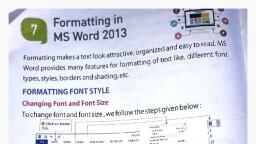
CHAPTER 4 – FORMATTING IN MS WORD, Long answer type question., 1. Write down the steps to change the font type., Ans., Select the text you want to format,, Home tab > click the dropdown arrow next to font group,, Select the font type., 2. How can we change the text alignment?, Ans., Select the text,, Home tab > paragraph group > select the desired, alignment., It can be left, right, center and justify., 3. Write down the steps to change the font color., Ans., Select the text,, Home tab > font group > font color,, Select the desired color., 4. Write the options available in change case feature., Ans. There are four options available in change case feature., They are :, Sentence case – First character in the sentence is in, uppercase and the other characters are in lower case., Lower case – All characters are in lower case., Upper case – All characters are in upper case., Title case – First character of each word is capital.
Page 2 :
Togggle case – All the uppercase letters are converted to, lowercase and lower case letters are converted to upper, case., 5. Write down the steps to apply borders and shading., Ans., Select the text,, Home tab > paragraph group >, Click dropdown arrow next to border button,, Select borders and shading options,, Setting section> box option,, Style section > select type of line you want,, Click ok.