Page 1 :
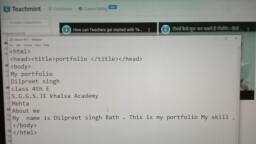
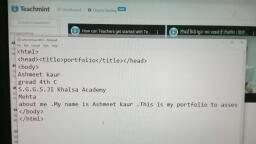
Course of Life, , , , POM) a, , Creating Your Own Portfolio Web Page using HTML!, , In this unit, we will explore how one can create his/her portfolio web page., , You will learn to, ATFOLIO, , * use various HTML tags., , * create a simple portfolio web page., , * add text and apply page formatting to a portfolio web page., , * use image tags to add images to a portfolio web page., , , , * create your own portfolio web page., , Before we begin, let us see a video to understand how creating a portfolio can help us in keeping, track of our skills, projects, and achievements., , This unit is about creating a portfolio web page using HTML. Let us begin the unit with an activity., , Look at the given portfolio. List down the sections that you, think can be used in your personal portfolio. Also, mention Student Name, the advantages of including those sections in your portfolio., , , , Observations, , pAloout me + This section will help Sornesm Knour, Aboot vs., , 2) SKills ~ This Section will help Gomeone 4o KhoW what, Swlis ve fave, , , , , , , )) Hobbus Fas ‘cechon itt help Commeont foKrow Wha achivitea We (bos, , M) Proyteds. Trig geckon will hele someone to Deaawt about thw, , —Frojects use howe worked. on. i F ie, , ©) Achieverneni6: tnjs seclion will hutp Same ans Jo Know odsout, He candificahe on badges we howe rwerwitd «, , , , , , , , This gives us an idea of the points that we can include in our, portfolio to keep track of our achievements., , e SCHOOL
Page 2 :
Course of Life, , , , understand, Think of how you can use the basic HTML tags to create a simple web page: Let re, this with the help of the following activities., , ; uence of, 1.1 Shown below is a list of points required to create a portfolio. Mark the correct seq, points that one can add in his/her portfolio, , , , , , , , , , , , Introduction Ic | Phone number, Title Name, Address 1s | Skills, , , , , , , , , , , , 1.2 Tick ( /) the correct answer., (2) Which of the following languages is a basic language used to create a simple web page?, , () HTML MY (ii) Scratch Cj (iii) Scratch Jr (=}, , | (b) Which tag is used to display all the content of an HTML document in a browser window?, , (i) <head> ) (ii) <title> (iii) <body> C), , 13 Look at the HTML code given below and number it in the correct sequence to create a, simple web page. Rewrite the code in the given box., , 9 </html> aes, , _2 <head> evens, , _§ </head> tlle? hetlo rnaabage, , 3 <title> Hello Message VbHle>, , —4_ </title> <[heod), , _2 </body> <body, , _]__ Hello! This is a simple web page! Halldol Hu8 aba. simple web page), _£ <body> </box, , _1 <html> é/ html), , , , , , 42 cu, — ze SCHOOL
Page 4 :
Course of Life, , , , Think of what else you can do to enhance the appearance of a web page. Let us understand this, with the help of some activities., , MSL] co, , 3.1 Look at the given images and help Riya identify two differences between them., , , , © CD Fam) Oi rateN206/torm 20/0209 /WA/in/ec2OD | rotaped coos IngRROO, , ‘HyperText Markup Language (HTML), , ATMEL w te Yanic language used to create web pages and webuites It defines the wrucrar of web conseet, , HTML Tags, , ie yee TNO. tng to ree a web page A web page pets dipleyed in any web browner, , , , , , , , oleae City, , Qloun, , Horizontal Qing, , , , , , 3.2 Match the columns., , Column A oes), , , , (a) bgcolor___ | (I) Used to show the moving text, , |, , , , , , _(ij) Used to change the background, ‘Se colour, , , , ~~+>(lii) Used to add a horizontal line between, paragraphs, , (c) <marquee>, N, , , , , , 47, SCHOOL