Page 1 :
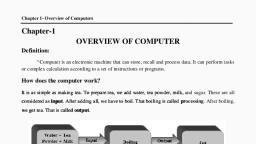
COMPUTER FUNDAMENTAL, Meaning of Computer –, A computer is an electronic device which takes data, stores it and after, processing it gives us desirable formatted output. Modern computers have the ability to, follow generalized sets of operations, called programs. These programs enable computers, to perform an extremely wide range of tasks, , Computer stands for: –, C-Common, O-Operating, M-Machine, P-Particular, U-Used for, T-Technical, E-Education, R-Research, , Block Diagram of computer System: –
Page 2 :
CPU= Central Processing Unit, ALU= Arithmetic & Logical Unit, CU = Control Unit, MU= Memory Unit, , Characteristics of Computer: 1. Speed: –, Computers working speed is very fast. It can perform thousands of instruction in, a few second for which normal user can take two or more days. We can measure the computer speed in nanosecond. (10)-9, , 2. Flexibility: –, We can edit the data, modify (change) the data and delete the data into computer system., , 3. Diligence: –, Computer can work 24 hours without tiring. It has no limitation of working., , 4. Accuracy:–, All calculation are performed by computer are very high accuracy level. Error, may be occurring in computer but they are due to user’s mistake. Computer based on GIGO, (Garbage in Garbage Out) system., , 5. No IQ: –, Computer is a dumb machine. It has no mind itself. It can’t take any decision itself., E.g. 3+4=7, 3*4=12, *Computer can only understand Binary Language (0, 1), , Application of computer, Power, Crime, Banking, Business, Libraries, Transport
Page 3 :
Research, Designing, Accounting, Music &movie, Communication, Print newspaper &books, Scientific & weather forecasting, , Components of Computer System –, There are three components of computer system –, 1. Input Unit, 2. Output unit, 3. CPU, 1. Input Unit:—, Accept the data through input device. It works as intermediate (interface) between user and computer system. It converts the normal language into binary language. So that computer can easily understand it., E.g. - Keyboard, mouse, joystick etc., , 2. Output Unit: –, It is used to give the output either on the screen or on the Paper. It works as reverse of, input unit. It converts binary language into normal language. So that user can easily understand it., E.g. – Monitor, Plotter, Printer etc., , 3. CPU (Central Processing Unit):—, CPU is the working device of computer system. All types of processing Is done by CPU., It is also known as heart cum brain of computer system. It has further three parts.
Page 4 :
CPU, ALU, , CU, , MU, , • ALU (Arithmetic & Logical Unit):—, ALU is used to perform all arithmetic (+,-,*,/) and logical(=,<,>) etc. operation. It has, further two parts., ALU, , ACCUMLATOR, , REGISTER, , Accumulator: –, An accumulator is a register for short-term, intermediate storage of arithmetic and logic data in a computer's CPU (central processing unit)., , Register: –, Resister is used to transfer the information from one component to another., , • Control Unit: –, Control unit is used to control as well as co-ordinate between all the data of, computer system., , • Memory Unit: –, Memory Unit is a storage area of computer system. All the data as well as, result are stored into memory. There are two types of memory.
Page 5 :
A. Primary Memory: –, Primary Memory is the main or internal memory of computer system. It has further two, parts., , I) RAM (Random Access Memory), II) ROM (Read Only Memory), I), , RAM (Random Access Memory): —, , In Ram Data is temporary stored when we switch off the computers. All the data, will disappear. In RAM we can access the data randomly. It has further two types., , Eg –, , Channel – Randomly, Volume – Sequence, , SRAM (static random access memory):SRAM is a type of RAM that stores data using a static method, in which the data, remains constant as long as electric power is supplied to the memory chip., , DRAM (dynamic random access memory):DRAM is a type of RAM that stores each bit of data on a separate capacitor. A, DRAM chip can hold more data than an SRAM (static RAM) chip. So DRAM requires more, power than SRAM., , II) ROM (Read Only Memory): –, IN ROM we can only read the data. We can’t write anything. All the system instructions are stored in ROM. It has further three types., , a) PROM (Programmable Read Only Memory)
Page 6 :
PROM is read-only memory that can be modified only once by a user. The user buys a, blank PROM and enters the desired contents using a PROM program. Inside the PROM chip,, there are small fuses which are burnt open during programming. It can be programmed only, once and is not erasable., , b) EPROM (Erasable and Programmable Read Only Memory), EPROM can be erased by exposing it to ultra-violet light for duration of up to 40, minutes. EEPROM (Electrically Erasable and Programmable Read Only Memory) EEPROM is, programmed and erased electrically. It can be erased and reprogrammed about ten thousand, times., , c) Advantages of ROM, The advantages of ROM are as follows −, 1), 2), 3), 4), 5), , Non-volatile in nature, Cannot be accidentally changed, Cheaper than RAMs, Easy to test, More reliable than RAMs, , B. Secondary Memory: –, Secondary Memory is the external memory of computer system. It is used to store, the data permanently. Its efficiency is fast while its cost is low as according to primary, memory., E.g. - Hard disk, Pen-drive etc., , Cache memory, Cache is very fast and small memory that is placed in between the CPU, and the main memory., 1. Cache memory can be accessed/is faster than RAM;, 2. It is used to hold common/expected/frequently used data/operations., 3. It is closer to CPU than RAM/situated between RAM and CPU/on same, board as CPU/ with faster read/write speed., , Classification of Computer System: –, There are 3(three) classification of computer System –, 1. According to Working Performance, 2. According to purpose, 3. According to Size and Usage
Page 7 :
classification of computer, , According to, working, performence, , According to, Purpose, , according to, size & usage, , analog, , General, purpose, , super, , digital, , Special, purpose, , mainframe, , hybrid, , micro, , mini, , workstation, , According to Working Performance: –, There are three types of computer –, , i), Analog Computer, ii) Digital Computer, iii) Hybrid Computer, a) Analog Computer : –, Computers are those computers which perform measurement rather than counting. Data is stored into graphical form., E.g. – Thermometer, speedometer, and ECG Machine etc., , b) Digital Computer : –, Computers are those computers which perform counting rather than measurement. They convert all the data into digits and then perform operations. They are used in, School and Colleges., , c) Hybrid Computer : –, Hybrid Computers are those computers which perform counting as well as measurement. These are the combination of analog and digital computer. They are used in, robot manufacturing and Weather forecasting., , 1. According to purpose:-
Page 8 :
There are two types of computer, , I. General Purpose Computer, II. Special Purpose Computer, 1. General purpose Computer: Most computers in use today are General-Purpose computers — those built for a great, variety of processing jobs. Simply by using a general purpose computer and different, software, various tasks can be accomplished, including writing and editing (word processing), manipulating facts in a data base, tracking manufacturing inventory, making, scientific calculations, or even controlling organization’s security system, electricity, consumption, and building temperature. General purpose computers are designed to, perform a wide variety of functions and operations. Example: - All mainframes, servers,, laptop, and desktop computers, as well as smartphone and tablets are best for general, purpose., , 2. Specific purpose Computers, A Special-Purpose Computer are designed to be task specific and most of the times, their job is to solve one particular problem. They are also known as dedicated computers, because they are dedicated to perform a single task over and over again. Such a, computer system would be useful in playing graphic intensive Video Games, traffic, lights control system, navigational system in an aircraft, weather forecasting, satellite, launch / tracking, oil exploration, and in automotive industries, keeping time in a digital, watch, or Robot helicopter. While a special purpose computer may have many of the, same features found in a general purpose computer. Example are :-Automatic teller, machine, Washing Machine etc., , 3. According to Size and Usage: –, There are 5 types of Computer—, , i) Super Computer, ii) Mainframe Computer, iii) Micro Computer, iv) Mini Computer, v) Workstation, 1. Super Computer: –, These computers are powerful computer system which is used to solve complex, multivariable, mathematical problems. They are used in scientific and engineering field. They are, costly in range. Its range is 3 to 5 crore. First Indian Supercomputer is PARAM ., World’s first supercomputer is the Control Data Corporation (CDC) 6600 .
Page 9 :
2. Mainframe Computer: –, Mainframe computers are multi-programming, high-performance computers, and multi-user, which means it can handle the workload of more than 100 users at a time on the, computer. These computers can fix most of the hardware and software bugs. Mainframe, computers are mainly used by departmental and commercial organizations like Banks, Companies, Scientific research centers, and governmental departments like railways. These computers can work for 24 hours. Hundreds of users can work on these computations simultaneously., , 3. Micro Computer: –, The design of microcomputers is minimal in size and storage capacity. These computers, consist of many parts like Input and Output devices, Software, operating systems, networks,, and Servers all these need to connect to form a complete Personal Digital Computer., Consist of single processor into a single CPU. Data transfer 5 lakh bytes per second., There is not only a PC or laptop are examples of microcomputers. Other examples of, the microcomputer are smartphone, Tablet, PDA, server, palmtop, and workstation., , 4. Mini Computer: –, Minicomputers are the medium type of computers that have more functionality power, and expensive than microcomputers. On the other hand, the size, storage, and speed of minicomputers are large but less than the mainframe and supercomputers., In general, a minicomputer is a multi-threaded system (several processes at a time) capable of supporting from one to up to 200 users simultaneously. These computers are currently used to store large databases, multi-user applications, and the automation industry., PDP-1 was the world’s first minicomputer., , 5. Workstation: –, The workstation is a computer used for engineering applications (CAD/CAM), desktop, publishing, software development, and other such types of applications which require a moderate amount of computing power and relatively high-quality graphics capabilities., Common operating systems for workstations are UNIX and Windows NT. Like PC, workstations are also single-user computers like PC but are typically linked together to form a local, area network, although they can also be used as stand-alone systems., Workstation is a, desktop size computer which provides high calculation and high resolution graphics. They are, used as a portable computer system. Example – Laptop etc.
Page 10 :
Some Basic Terms of Computer, i) Hardware, ii) Software, iii) Firmware, iv) Human ware, Hardware : –, , i), , All the physical parts of computer system which are tangible in nature are called Hardware. Tangible means we can see it and also touch it., E.g. – Input / Output Device, , ii), , Software : –, , All the internal program of computer systems which are intangible in nature is called, software. Intangible means we can only see it. We can’t touch it. It has further two parts., , Software, , Application, software, , System, software, , Application Software: —, Application program is a program or group of programs design for end users. It is used, to perform a particular task., Example – MS-Word, MS-Excel, MS-PowerPoint etc., , System Software: –, System software is software designed to provide a platform for other software. Examples of system software include operating systems like macOS, Linux, Android and Microsoft, Windows., , iii), , Firmware : –
Page 11 :
Firmware is a software program permanently attached into a hardware device such as, keyboards, Hard Drives BIOS, or video cards. It is programmed to give permanent instructions, to communicate with other devices and perform functions like basic input/output tasks., Firmware is typically stored in the flash ROM (READ ONLY MEMORY) of a hardware device. It can’t be erased and rewritten., , iv), , Human ware : –, , Human ware is a part which performs user’s instructions., , INPUT/OUTPUT DEVICE: –, I., , INPUT DEVICE: –, , Input device is used to enter the data into computer system. There are, several input devices., 1 .Keyboard, 2. Mouse, 3. Joystick, 4. Light pen, 5. OMR, 6. OBR, 7. MICR, 1. Keyboard:–, Keyboard is most popular input device. It is divided into five parts., i), , Alphanumerical Keypad Area: –, It contains alphabets (a-z), numerical (o to 9), special character (+,-,*, /), etc. operations., ii) Numerical Keypad area: –, It is located on the right side of keyboard. It contains numerical (0 to 9), and arithmetic operators (+,-,*, /) etc.
Page 12 :
iii), , Function Keys: –, It contains F1 to F12 keys. Each function key has a different meaning depending on software used., iv) Arrow keys: –, It is also known as cursor controller keys. It contains four keys (left, right,, down, up)., v), , Special keys: –, a) Home key –Home key is used to move the cursor at the starting of the line., b) End Key – End key is used to move the cursor at the end of the line., c) Insert – This key is used to overtype text., d) Escape – This key is used to cancel any object., , 2., , Mouse: –, Mouse is another input device. Mouse is also known as pointing device, because it is used to point at specified area of screen. It has two or three button., Left button is used to select any object. Right button is used to select the property, of any object. Scroll wheel is used to move to cursor or pointer up and down., Mouse moves on the plane rectangular surface area. There are different types of, mouse such as optical mouse, wireless mouse and the rubber ball etc., 3. Joystick: –, Joystick is another input device which is used to playing the games. In, games the basic requirement is moment that is not possible with keyboard that’s, why joystick is used. Joystick is like a gear system in maruti car. A ball present top, of it and moves with stick up, down, right and left direction., 1. Light Pen: –, Light pen is another input device which is used to write directly on screen., It is normally like in pen shape. It top is photosensitive and a lager light is presented on behind the screen which links the pen and object is drawn as well as the, pen’s moves., 2. OMR (Optical Mark Reader): –, OMR is another input device which is used to check the multiple question, answer sheet. Block are provided to the right answer with the HB pencil than the, answer sheet is fed to OMR Machine and light are passed through the sheet and
Page 13 :
computer detect the answer with the intensity to light. IN One hour computer can, check 10,000 documents., 3. OBR (Optical Bar Code Reader): –, OBR is another input device which is used to bar coded data. It converts, the bar code image into alphanumeric, value than this code is put into the computer, where the bar code reader is connected. The Bar code reader is represented in small vertical line., 4. MICR (Magnetic ink Character reader): –, MICR is used to prepare the bank cheque. A special character is written, on the cheque with the magnetic ink. MICR is used to cheque number weather a, cheque is valid or not., , II. OUTPUT DEVICE: –, Output device is used to give the output either on the screen or on the, paper. In computer we get two type of output., i), , Hard Copy Output: —, These outputs which are getting from the printer are called Hard Copy, output. We can see it and also touch it., ii) Soft Copy Output: –, Those output which is display soft copy on the monitor screen is called, soft copy output. We can only see it and can’t touch it., II. Output Devices: –, i) Monitor, ii) Plotter, iii) Printer
Page 14 :
i) Monitor: –, Monitor is most popular output device. It is also known as VDU (Visual, Display Unit). Monitor screen is divided into pixel and group of pixel make an output. It has further two parts., a) CRT (Cathode Ray Tube), b) Flat panel, ii) Plotter: – Plotter is another output device which produces output on the, large sheet in the form of graphics and cables. They are mostly used by, city planner and architecture. It has further two parts., a) Dram: —, Shape like as a drum., b) Flat bed plotter: —, It is used to plot a design on the paper that spread on the table and all, movements are control with the help of computer., 3. Printer: –, Printer is used to get hard copy of output. Basically printers are types of –, 1), , Impact Printer: —, , 2), , Non- Impact Printer: —, , 1., , Impact Printers:The printers that print the characters by striking against the ribbon and onto, the papers are known as Impact Printers., These Printers are of two types:, 1. Character Printers
Page 15 :
2. Line Printers, , a) Character Printer: –, These printers are those printers print a single character at a time., They are also known as low speed printer., b) Line Printer: –, These printers are those printers which print a single line at a time., They are faster than character printer., E.g. – Fax machine., , 2., , Non-Impact Printers: The printers that print the characters without striking against the ribbon and onto the papers are called Non-Impact Printers. These printers print a, complete page at a time, therefore, also known as Page Printers., Page Printers are of two types:, 1) Laser Printers, 2) Inkjet Printers, Laser Printers: These are non-impact page printers. They use laser lights to produces the, dots needed to form the characters to be printed on a page & hence the name, laser printers., Inkjet Printers: These printers use a special link called electrostatic ink. The printer head, has a special nozzle. Nozzle drops ink on paper. Head contains up to 64 nozzles., The ink dropped is deflected by the electrostatic plate. The plate is fixed outside, the nozzle. The deflected ink settles on paper., , Classification According to generation of Computer System: There are 5 development stages of computer system: –, 1st Generation of computer (1946-1959), 2nd Generation of Computer (1959-1964), 3rd Generation of Computer (1964-1971)
Page 16 :
4th Generation of Computer (1971-1980), 5th Generation of Computer (1980-On word), 1st Generation of Computer (1946-1959): —, Computer developed in first generation are ENIAC (Electronic Numerical integrated and calculation). ENIAC was first electronic computer. It was developed, in 1946 in U.S.A. It contains 18000 vacuum tubes and 10,000 resisters. These vacuum tubes like electronic bulb. It produces a lot of heat. It didn’t have any, memory system., Main Points of 1st Generation: –, Period – 1946-1959, Technology – Vacuum Tube, Speed – mili second (10-3), General Remarks: –, i) Very large in size and weight, ii) Generated lot of Heat, iii) High Power Consume, iv) Limited Programming Capacity, V) Non reliable in nature, vi) Very expensive, 2nd Generation of Computer (1959-1964): —, These computers used the transistor instead of vacuum tube. Due to properties of transistor of second generation, Computers were powerful & more reliable., System developed in second generation is IBM (International Business Machine)., Main Points of 2nd Generation: –, Period – 1959-1964
Page 17 :
Technology – Transistor, Speed – 10 micro second (10-6) sec., General Remarks: –, i) Reduce size and weight, ii) Increase reliability, iii) Consume less Power, iv) Fast Operation, v) They were better in portability, 3rd Generation of Computer: –, In third generation of computer silicon chip were invented, this technology, called IC (Integrated Circuit). The IC was invented by Jack kilby. Use of IC made the, computer screen faster. System developed in this generation is ICL (International, Corporation Limited)., Main Point of 3rd Generation: –, Period – 1964-1971, Technology – IC (Integrated Circuit), Speed – 100 nano second (109), General Remarks: –, i) Computers were smaller, faster, and more reliable and needed less power., ii) Intro to mini Computer, iii) Computers have large storage Capacity, iv) Lower Prices, 4th Generation of Computer (1971-1980): —, In this generation the entire computer circuit was built in single silicon chip, which is known as micro processor and the computer silicon chip are also known
Page 18 :
as micro computer or PC (personal Computer). The systems developed in fourth, generation are IBM, APPLE II, and Pc., Main Points of this Generation: —, Period – 1971-1980, Technology – Large scale integrated circuit, Speed – 30 Pico second (10-2) sec., General Remark: –, i), ii), iii), iv), , Increase use of micro computer, Greatly reduced cost of primary storage, Concept of Artificial Intelligence are in progress, They have large storage Capacity, , 5th Generation of Computer: –, In this generation, the VLSI technology became ULSI (Ultra Large Scale Integration) technology. The fifth generation machines are proposed to base on parallel processing hardware and AI (Artificial Intelligence) software. The compute of, this generation are under development stage. USA and Japan have under taken, project to design and develop., General Remark: –, 1), 2), 3), 4), 5), 6), , ULSI Technology, These are portable computers, These computers used for multi threaded operating system., Development in natural Language., Development of true artificial intelligence, More user friendly interface with multi-media features.
Page 19 :
Meaning of Data: –, Data is Raw Material., Basic Operation on Data: –, , INPUT, , DATA (RAW MATERIAL), , PROCESSING, , OPERATION, , OUTPUT, , INFORMATION & RESULT, , Data can be defined as representation of fact concept or instruction in a, suitable manner for communication interpretation or processing by human or, electronic machine., Data is represented with the help of character like alphabets (a to z), Digits (0, to 9), special character (+,-,*, /) etc., Information: –, Information is a process on which action and decision are based., Data Processing: –, Data Processing is the restricting or recording of data by human or electronic machine to increase their value., Data Type:—, Data type of information store in a variable is called data type. There are, mainly two data types –, i), ii), , Numerical, Alphanumerical
Page 20 :
i), , Numerical: –, It contains sequence of digit. It has further two types., , a), b), , Integer data type, Float/Real Data type, a) Integer Data type: –, It contains series of digits without decimal point. E.g. No. of students in, a class., b) Float Data Type: —, It contains series of digits with decimal point. E.g. Average marks of, a class. e.g.:- 89.76%, ii), , Alphanumerical: –, , It contains alphabets (a to z), numerical (0 to 9) and special character (+,-,*, /) etc. E.g. address of a person., Binary: –, A binary number has base of 2. Binary means only two digits o and 1., The binary system is used in computer system as they can store only o or 1., , (OPERATING SYSTEM), Operating system is a set of system program which provide an interface, between user and computer hardware. The main purpose of operating system is to provide an environment in which we can run different-different type, of task., The entire computer system is made of four parts., i), ii), iii), iv), , Hardware, Software, System software, Input/output Device, , Characteristics of operating system:—
Page 21 :
1). It manages the file, 2). Process Management, 3). Input/output device management, 4). Control Management, 5).Security Management, 6). Provide Interface between user and computer hardware, , Type of Operating System:—, 1), , Single user Operating System, , 2), , Multi user operating System, , 1), , Single User Operating System: —, , In this operating system, single user can use data at a time. The processor, can do one task at a time., 2), , Multi User Operating System:—, , In this operating system, more than one user can use data at a time. It allows, the interaction of one user with other user. It performed more than one task at a, time., • Booting: –, Process of loading the operating system from hard disk to main memory is, known as booting. Types of booting, 1. Cold booting: When the computer is started after having been switched off., 2. Warm booting: When the operating system alone is restarted after a system, crash or freeze., • Boot Strap Loader: –, When a computer system is turned on the operating must be brought into, the memory of computer from the hard disk storage, the process normally started, by a small program called boot strap loader.
Page 22 :
Concepts of CPU scheduling, CPU Scheduling: –, In this multiprogramming, operating system C.P.U is one of the primary, computer resources. It is scheduling is which control the operating system., CPU Scheduler: –, When CPU became idle (lazy), operating system must select one of the processing in ready queue to execute selected process carried out by short term, known as scheduler or CPU Scheduler. It selected processor from ready and allocate CPU to it., Scheduling and Limitation: –, The criteria used by scheduler to maximum the system performance., CPU Utilization: –, If CPU is busy all the time, utilization factor of all the component of the system will also be high., Throughput (Output): —, It refers to the amount of work completed in a unit of time. One measure of, work is number of processes that are completed per unit time., FCFS (First Come First Serve)cpu scheduling: –, First Come First Serve (FCFS) is an operating system scheduling algorithm that, executes requests and processes in order of their arrival. It is the easiest and simplest CPU scheduling algorithm. In this type of algorithm, a process which requests the CPU first gets the CPU allocation first. The full form of FCFS is First, Come First Serve., Waiting Time:—, In multiprogramming, operating system several jobs reside at a time in, memory. C.P.U executes only one job at a time and reside offer job wait for C.P.U., , Waiting time = Start time - Arrival time
Page 23 :
Consider the following example –, Process, P1, P2, P3, P4, P5, , Burst time, 6, 3, 8, 3, 4, , The process begins with P4 which has arrival time 0, Gantt chart: –, , Waiting time, P4 = 0-0 = 0, P3 = 3-1 = 2, PI = 11-2 = 9, P5= 17-4 = 13, P2= 21-5 = 16, Average Waiting Time, , = 40/5= 8, Turn Around Time for P1=17, Turn Around Time for P2=23, Turn Around Time for P3=11, , Arrival time, 2, 5, 1, 0, 4
Page 24 :
Turn Around Time for P4=3, Turn Around Time for P5=21, Average turnaround Time=, 17+23+11+3+21, , 75, , 5, , 5, , =, , =15, , SJF (Shortest Job First): —, This algorithm is associated with C.P.U burst time of each process., When C.P.U is available, it is assign to the shortest process. It two process, have same time than C.P.U is assign to process on the FCFS (First Come First, Serve) basis., Consider Following example: —, Process, , Burst Time, , P1, , 7, , P2, , 8, , P3, , 6, , P4, , 3, , Gantt chart –, P4, , 0, , P3, , 3, , Waiting time for P1 =9, Waiting time for P2=16, Waiting time for P3=3, , P1, , 9, , P2, , 16, , 24
Page 25 :
Waiting time for P4=0, Total=28, Average waiting time=28/4=7, , Turnaround time for P1=16, Turnaround time for P2=24, Turnaround time for P3=9, Turnaround time for P4=3, Total=52, Average turnaround Time=52/4=13, Priority Scheduling Algorithm:-A priority is associated with the CPU Burst time. C.P.U. is allocated priority process is executed in the FCFS (First Come First Serve) order., Consider the Following example: —, Process, , Burst Time, , Priority, , P1, , 24, , 1, , P2, , 6, , 4, , P3, , 12, , 2, , P4, , 15, , 3, , Gantt chart –, P1, , 0, , P3, , 24, , P4, , 36, , P2, , 51, , 57
Page 26 :
Waiting Time for P1=0, Waiting Time for P2=51, Waiting Time for P3=24, Waiting Time for P4=36, Total=111, Average waiting Time=111/4=27.75, Turnaround time for P1=24, Turnaround time for P2=57, Turnaround time for P3=36, Turnaround time for P4=51, Total=168, Average Turnaround = 168/4=42
Page 27 :
To Exam View: MC Questions: Q: - ……….tag is used to create a bulleted list in HTML., a) <li>, b) <OL>, , c) <UL>, d) NONE, , Q: - If we want to wrap a block of text arround an image, which CSS property will we, use?, a) Wrap, b) Push, , c) Float, d) Align, , Q: - JavaScript Code can be called by using., a. RMI, b. Triggering Event, , c. Preprocessor, d. Function/Method, , Q: - Preprocessor feature that supply line numbers and file names to compiler is called, a. Selective Inclusion, b. Macro Substitution, , c. Concatenation, d. Line control, , Q: - What should be the name of constructor, a. Same as object, b. Same as member, , c. Same a class, d. None, , Q: - ………is the process of finding and removing errors., a. Debugging, b. ComPiling, , c. Checking, d. Quick watch, , Q: - which of the following behavior are part of active listening?, a. Maintain eye contact, b. Nodding and making eye contact, , c. Asking for clarification, d. None, , Q: - The values in which field uniquely determine the record in a file, a. Primary key, b. Secondary key, , c. Pointer, d. Key, , Q: - Which one of the following is a transport layer protocol, a. Stream control transmission protocol, b. Internet control message protocol, , c. Neighbor descovery protocol, d. Dynamic host configuration protocol, , Q: - The order in which fest levels are performed is: a. Unit, integration, acceptance, system, b. Unit, system, integration, acceptance, , c. Unit, integration, system, acceptance, d. It depends on the nature of a project
Page 28 :
Q: - The RDRAM chips assembled into larger memory modules called, a. RRIM, b. DIMM, , c. SIMM, d. All, , Q: - The office clipboard can hold up to ………items., a. 14, b. 24, , c. 30, d. 34, , Q: - The device through which data and instructions are entered into a computer, a. Software, b. Output device, , c. Input device, d. Memory, , Q: - …………… is the file management application in Windows., a. Control panel, b. Recycle bin, , c. My computer, d. Window explorer, , Q: - The maximum Zoom percentage in Microsoft PowerPoint is……., a. 100, b. 200, , c. 400, d. 500, , Q: - which of the following is not considered a tool at system design phase?, a. Data flow diagram, b. Pie chart, , c. Decision table, d. System Flow chart, , Q: - …………..is a special effect that introduces slieds in a presentation, a. Animation, b. Transition, , c. Motion, d. Show, , Q: - ……………is a search engine., a. Google, b. Yahoo, , c. Orkut, d. Rediff, , Q: - What is the meaning of B2C?, a. BUSINESS TO COMPANY, b. BUSINESS TO CONSUMER, , c. BUSINESS TO CUSTOMER, d. BUSINESS TO COMMERCE, , Q: - The primary tool used in structure designing is a …………….., a. Dataflow diagram, b. Program flow chart, , c. Structure chart, d. Module, , Q: - Files connot be permanently deleted from computer., a. True, , b. False, , Q: - When you press and hold the left mouse key and move the mouse around the slide, is called draging., a. True, , b. False
Page 29 :
Q: - Ctrl+E is the shortcut key to align the text in center., a. True, , b. False, , Q: - Using format painter you can apply the look of selected content to other content., a. True, , b. False, , Q: - The shortcut key add a new slide in a presentation is ‘Ctrl+N’, a. True, , b. False, , Q: - FTP is a means of transferring of file pages from one computer to another., a. True, , b. False, , Q: - <img> tag is a singular tag., a. True, , b. False, , Q: -VB.Net identifiers are cazse sensitive., a. True, , b. False, , Q: -RAM is primary memory., a. True, , b. False, , Q: - The Back and Forward buttons can be used to visit only pages from the same website., a. True, , b. False
Page 30 :
Short Questions: - Define→, Multiprocessing Mode: –, In Computing, a mode of operation in which two or more processors in a, computer simultaneously process two or more different portion of same program, (Set of Information)., For e.g. Different processor may be used to managed memory storage, data, communication or arithmetic function., Multi Processing: –, Multiprocessing is a type of processing in which two or more processor work, together to execute multiple programs simultaneously , multiprocessor refers to a, hardware architecture that allows multiprocessing., Turnaround Time: –, It may be defined as interval time Submission of process to time of it completion., File & Folder: –, File –, File is common storage unit in a computer and all data are written in to a file, and read from a file., Folder: –, Folder provides a method for organizing files in a particular manner. A folder, holds one or more files and it can be empty just a name., Difference between File & Folder: –, Sr., , 1, 2, 3, , File, A File can not contain another file/folder., , Folder, A folder can contain any number of file/folders., , A file has certain size and memory con- A folder has no size of its own. It derives the size from the, sumption., files it contains., Files may or may not have extensions., Folders do not have extensions., , Screen Saver: —, Screen Saver is a picture which starts automatically when our computer remains idle for the no of minutes. In screen saver, we can set 3D text, labels, mystify, photos and ribbon also.
Page 31 :
Q What is interpreter?, Ans: - An interpreter converts an HLL (high level language) program into machine language line by line and executes the converted line., Q What is compiler?, Ans: - A compiler converts an HLL (high level language), Program in machine language in one go. If there are errors in the program, it, gives the error list along with the line number.