Notes of BCA III, RDBMS With ORACLE unit 4 Introduction to PLSQL.docx.pdf - Study Material
Page 1 :
Introduction To PL/SQL, What is PL/SQL?, PL/SQL stands for Procedural Language extension of SQL, PL/SQL is a combination of SQL along with the procedural features of, programming languages. It was developed by Oracle Corporation in the early, 90's to enhance the capabilities of SQL PL/SQL is Oracle's relational, database procedural programming language. It allows us to develop powerful, and complex programs to access and manipulate data in the Oracle, database., What is the difference between SQL and PL/SQL?, Both SQL and PL/SQL are languages used to access data within Oracle, databases., SQL is a limited language that allows you to directly interact with the, database. You can write queries (SELECT), manipulate objects (DDL) and, data (DML) with SQL. However, SQL doesn't include all the things that, normal programming languages have, such as loops and IF...THEN...ELSE, statements., PL/SQL is a normal programming language that includes all the features of, most other programming languages. But, it has one thing that other, programming languages don't have the ability to easily integrate with SQL., Some of the differences:, , , SQL is executed one statement at a time. PL/SQL is executed as a block, of code., SQL tells the database what to do (declarative), not how to do it. In, contrast, PL/SQL tell the database how to do things (procedural)., SQL is used to code queries, DML and DDL statements. PL/SQL, is used to code program blocks, triggers, functions, procedures, and packages., You can embed SQL in a PL/SQL program, but you cannot embed, PL/SQL within a SQL statement., , A Simple PL/SQL Block, Each PL/SQL program consists of SQL and PL/SQL statements which from a, PL/SQL block
Page 2 :
A PL/SQL Block consists of three sections., , , , , The Declaration section (optional)., The Execution section (mandatory)., The Exception ( or Error) Handling section (optional), , Declaration Section:, The Declaration section of PL/SQL Block starts with the reserved keyword, DECLARE. section optional and used to declare any placeholders like, variables, constants, records cursors, which used manipulate data execution, section. Placeholders may be of Variables, Constants and Records, which, stores data temporarily. Cursors are also declared in this section., Execution Section:, The Execution section of a PL/SQL Block starts with the reserved keyword, BEGIN and ends with END. This is mandatory section and is the section, where the program logic is written to perform any task. The programmatic, constructs like loops, conditional statement and SQL statements from the, part of execution section., Exception Section:, The Exception section of a PL/SQL Block starts with the reserved keyword, EXCEPTION. This section is optional. Any errors in the program can be, handled in this section, so that PL/SQL blocks terminates gracefully. If the, PL/SQL Block contains exceptions that cannot be handled, the block, terminates abruptly with errors., Every statement in the above three sections must end with a semicolon ;, PL/SQL blocks can be nested within other PL/SQL blocks. Comment can be, used to document code., This is how a sample PL/SQL Block looks., DECLARE, Variable declaration;, BEGIN
Page 3 :
Program Execution;, EXCEPTION, Exception handling, END;, Advantages of PL/SQL, These are the advantages of PL/SQL., , , Block Structures: PL SQL consists of blocks of code, which can be, nested within each other. Each block forms a unit of a task or a logical, module. PL/SQL Blocks can be stored in the database and reused., Procedural Language Capability PL SQL consists of procedural, language constructs such as conditional statements (if else, statements) and loops like (FOR loops)., , , Better Performance: PL SQL engine processes multiple, SQL statements simultaneously as a single block, thereby, reducing network traffic., , , , Error Handling, PL/SQL handles errors or exceptions effectively during, the execution of a PL/SQL program. Once an exception is caught,, specific actions can be taken depending upon the type of the exception, or it can be displayed to the user with a message., , PL/SQL Variables, These are placeholders that store the values that can change through the, PL/SQL Block, The General Syntax to declare a variable is:, , , , variable_name datatype [NOT NULL = value]., variable_name is the name of the variable datatype is a, valid PL/SQL datatype, NOT NULL is an optional specification on the variable., value or DEFAULT valueis also an optional specification, where, you caninitialize a variable. Each variable declaration is a, separate statement and must be terminated by a semicolon., For example, if you want to store the current salary of an employee,, you can use a Variable, DECLARE, salary number (6);
Page 4 :
*"salary" is a variable of datatype number and of length 6., Functions - %type, %rowtype., What is the difference between %TYP E and %ROWTYPE?, Both %TYPE and %ROWTYPE are used to define variables in PL/SQL, as it is defined within the database. If the datatype or precision of a, column changes, the program automatically picks up the new definition, from the data base without having to make any code changes., The %TYPE and %ROWTYPE constructs provide data independence,, reduces maintenance costs, and allows programs to adapt as the, database changes to meet new business needs., %TYPE, %TYPE is used to declare a field with the same type as that of a, specified table's column. Example:, DECLARE, V_EmpName emp.ename%TYPE,, BEGIN, SELECT ename INTO v_EmpName FROM emp WHERE, ROWNUM = 1;, DBMS_OUTPUT.PUT_LINE(‘Name = ' || v_EmpName);, END;, /, %ROWTYPE, %ROWTYPE is used to declare a record with the same types as found, in the specified database table, view or cursor. Examples:, DECLARE, v_emp emp%ROWTYPE;, BEGIN, v_emp.empno= 10; v_emp.ename = 'XXXXXXX';, END;, /, , Conditional Statements in PL/SQL, As the name implies, PL/SQL supports programming language, features like conditional statements, iterative statements.
Page 5 :
IF THEN ELSE, STATEMENT 1), IF condition, THEN, statement 1;, ELSE, statement 2;, END;, 2), IF condition 1 THEN, statement 1:, statement 2;, ELSIF condtion2, THEN statement 3;, ELSE, statement 4;, END;, 3), IF condition 1 THEN, statement 1;, statement 2;, ELSIF condtion2 THEN, statement 3;, ELSE, statement 4;, END;, 4), IF condition1, THEN ELSE, IF condition2, THEN, Statement1;, END IF;, condition3, THEN, statement2;, END;
Page 6 :
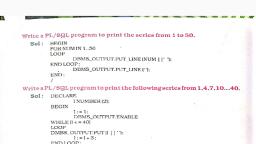
Iterative Statements in PL/SQL, An iterative control Statements are used when we want to repeat the, execution of one or more statements for specified number of times., These are similar to those in, , There are three types of loops in PL/SQL:, • Simple Loop, • While Loop, • For Loop, , 1) Simple Loop, A Simple Loop is used when a set of statements is to be executed, at least once before the loop terminates. An EXIT condition must, be specified in the loop, otherwise the loop will get into an infinite, number of iterations. When the EXIT condition satisfied the, process exits from the loop., The General Syntax to write a Simple Loop is:, LOOP, statements;, EXIT; (or EXIT WHEN condition), END LOOP;, These are the important steps to be followed while using Simple Loop., 1) Initialize a variable before the loop body., 2) Increment the variable in the loop., 3) Use a EXIT WHEN statement to exit from the Loop. If you use a, , EXIT statement without WHEN condition, the statements in the loop, is executed only once., 2) While Loop, A WHILE LOOP is used when a set of statements has to be executed, as long as a condition is true. The condition is evaluated at the, beginning of each iteration. The iteration continues until the condition, becomes false., The General Syntax to write a WHILE LOOP is:, WHILE, <condition>
Page 7 :
LOOP, statements;, END LOOP:, important steps to follow when executing a while loop:, 1) Initialise a variable before the loop body., 2) Increment the variable in the loop., 3) EXIT WHEN statement and EXIT statements can be used in while, , loops but it's not done oftenly., 3) FOR Loop, , A FOR LOOP is used to execute a set of statements for a, predetermined number of times. Iteration occurs between the start and, end integer values given. The counter is always incremented by 1. The, loop exits when the counter reaches the value of the end integer., The General Syntax to write a FOR LOOP is:, FOR counter IN <start value><end, value> loop statement 1;, statement 2;, ., ., statement n;, , END LOOP, , , Start value- Start integer value., , , , End value - End integer value., , Important steps to follow when executing a while loop:, 1) The counter variable is implicitly declared in the declaration, , section, so it's not necessary to declare it explicitly., 2) The counter variable is incremented by 1 and does not need to be, incremented explicitly. 3) EXIT WHEN statement and EXIT, statements can be used in FOR loops but it's not done oftenly., Sequential Control, GOTO Statement :, The GOTO statement enables you to immediately transfer control to
Page 8 :
another labeled PL/SQL block without the need for conditional, checking., Syntax, GOTO <label name>; Aggregate Functions :, A function who takes a set of values that is called aggregate functions, such as MAX, MIN, SORT, COUNT, AVG etc., 1. MAX():, , Return maximum value from desired set, of values Syntax MAX([<DISTINCT>| <ALL>], <columnname>); Example:, Select max(sal) from emp;, 2. MIN():, , Retura minimum value from desired set of, values. Syntax:, MIN DISTINCT> </LL>] <columnname>);, , Example:, Select min(sal) from emp,, 3. COUNT() :, , Calculate the total rows from the, desired table. Syntax:, COUNT(<DISTINCT> <ALL>] <columnname>),, Example:, Select count() from emp;, 4. AVG():
Page 9 :
This function is used to calculate average value from the desired, group of values. Syntax:, AVG([<DISTINCT> <ALL>] <columnname>);, Example:Select avg(sal) from emp;, 5. SUM() :, , Calculate the sum of desired set of, values. Syntax:, SUM([<DISTINCT>| <ALL>], <columnname>); Example:, Select sum(sal) from emp;, What are Cursors?, A cursor is a temporary work area created in the system memory when, a SQL statement is executed. A cursor contains information on a select, statement and the rows of data accessed by it. This temporary work, area is used to store the data retrieved from the database, and, manipulate this data. A cursor can hold more than one row, but can, process only one row at a time. The set of rows the cursor holds is, called the active set., There are two types of cursors in PL/SQL:, Implicit cursors:, These are created by default when DML statements like, INSERT,, UPDATE, and DELETE statements are executed. They are also, created when a SELECT statement that returns just one row is, executed., Explicit cursors:, They must be created when you are executing a SELECT statement, that returns more than one row. Even though the cursor stores multiple, records, only one record can be processed at a time, which is called as, current row. When you fetch a row the current row position moves to
Page 10 :
next row., Both implicit and explicit cursors have the same functionality, but they, differ in the way they are accessed., Implicit Cursors:, When you execute DML statements like DELETE, INSERT,, UPDATE and SELECT statements, implicit statements are, created to process these statements., Oracle provides few attributes called as implicit cursor attributes to, check the status of, DML operations. The cursor attributes available are %FOUND, %, NOTFOUND,%ROWCOUNT, and %ISOPEN, For example. When you execute INSERT, UPDATE, or DELETE, statements the cursor attributes tell us whether any rows are affected, and how many have been affected., When a SELECT... INTO statement is executed in a PL/SQL Block,, implicit cursor attributes can be used to find out whether any row has, been returned by the SELECT statement PL/SQL returns an error when, no data is selected., The status of the cursor for each of these attributes are defined in the, below table.., , Attributes, , %FOUND, , %NOTFOUND, , Return Value, If records are, fetched successfully,, it returns true, otherwise it returns, false., If records are not, fetched successfully, it, returns true otherwise, it, returns false., , Example, , SQL%FOUND, , SQL%NOTFOUND
Page 11 :
%ROWCOUNT, , It returns number of, records processed, from the cursor, , SOL%ROWCOUNT, , For Example: Consider the PL/SOL Block that uses implicit cursor, attributes as shown below:, DECLARE var rows number (5), BEGIN, UPDATE employee, SET salary salary + 1000, IF SQL%NOTFOUND THEN, dbms output put line('None of the salaries where updated');, ELSIF SQL%FOUND THEN var rows=SQL%ROWCOUNT;, Dbms_output.put_line('Salaries for ' || var rows ||'employees are, updated");, END IF, END;, In the above PL/SQL Block, the salaries of all the employees in the, employee' table are updated. If none of the employee's salary are, updated we get a message 'None of the salaries where updated'. Else, we get a message like for example, "Salaries for 1000 employees are, updated' if there are 1000 rows in 'employee' table., Explicit Cursors, An explicit cursor is defined in the declaration section of the PL/SQL, Block. It is created on a SELECT Statement which returns more than, one row. We can provide a suitable name for the cursor., The General Syntax for creating a cursor is as, given below: CURSOR cursor_name IS, select_statement;, , , , cursor_name- A suitable name for the cursor., select statement - A select query which returns multiple rows.
Page 12 :
How to use Explicit Cursor?, There are four steps in using an Explicit Cursor., , , DECLARE the cursor in the declaration section., , , , OPEN the cursor in the Execution Section., , , , FETCH the data from cursor into PL/SQL variables or records in, the Execution Section., , , , CLOSE the cursor in the Execution Section before you end the, PL/SQL, , 1) Declaring a Cursor in the Declaration Section:, , DECLARE, CURSOR emp_cur IS SELECT*FROM emp_tbl WHERE salary > 5000;, In the above example we are creating a cursor 'emp_cur on a query, which returns the records of all the employees with salary greater than, 5000. Here 'emp_tbl' in the table which contains records of all the, employees., 2) Accessing the records in the cursor., , Once the cursor is created in the declaration section we can access, the cursor in the execution, section of the PL/SQL, program. How to access an, Explicit Cursor?, These are the three steps in accessing the cursor., 1) Open the cursor., 2) Fetch the records in the cursor one at a time., 3) Close the cursor.
Page 13 :
General Syntax to open a cursor is:, OPEN cursor_name;, General Syntax to fetch records from a cursor is:, FETCH cursor_name INTO record_name:, OR, FETCH cursor_name INTO, variabl_ list; General Syntax to, close a cursor is:, CLOSE cursor_name;, When a cursor is opened, the first row becomes the current row. When, the data is fetched it is copied to the record or variables and the logical, pointer moves to the next row and it becomes the current row. On every, fetch statement, the pointer moves to the next row. If you want to fetch, after the last row, the program will throw an error. When there is more, than one row in a cursor we can use loops along with explicit cursor, attributes to fetch all the records., Points to remember while fetching a row:, We can fetch the rows in a cursor to a PL/SQL Record or a list of, variables created in the PL/SQL Block, If you are felching a cursor to a PL/SQL Record, the record, should have the same structure as the cursor., If you are fetching a cursor to a list of variables, the variables, should be listed in the same order in the fetch statement as the, columns are present in the cursor., General Form of using an explicit cursor is, DECLARE, Variables;, records;, create a cursor;, BEGIN, OPEN cursor;
Page 14 :
FETCH cursor; process the records;, CLOSE cursor;, END;, Lets Look at the example, below Example 1:, 1> DECLARE, 2> emp_rec emp_tbl%rowtype; 3> CURSOR, emp_cur IS 4> SELECT *, 5> FROM emp. tbl, 6> WHERE salary> 1000;, 7> BEGIN, 8> OPEN emp_cur. 9> FETCH emp_cur INTO emp_rec;, 10> dbms_output.put_line (emp_rec.first_name ||’ ‘ ||, emp_rec.last_name); 11> CLOSE emp_cur,, 12> END;, In the above example, first we are creating a record 'emp_rec of the, same structure as of table 'emp_tbl' in line no 2. We can also create a, record with a cursor by replacing the table name with the cursor name., Second, we are declaring a cursor 'emp_cur' from a select query in line, no 3-6. Third, we are opening the cursor in the execution section in line, no 8. Fourth, we are fetching the cursor to the record in line no 9. Fifth,, we are displaying the first name and last_name of the employee in the, record emp_rec in line no 10. Sixth, we are closing the cursor in line no, 11., , What are Explicit Cursor Attributes?, Oracle provides some attributes known as Explicit Cursor Attributes, to control the data processing while using cursors. We use these, attributes to avoid errors while accessing cursors through OPEN,, FETCH and CLOSE Statements., When does an error occur while accessing an explicit cursor?, a) When we try to open a cursor which is not closed in the previous, , operation., b) When we try to fetch a cursor after the last operation.
Page 15 :
These are the attributes available to check the status of an explicit cursor., , Attributes, , Return values, , Example, , TRUE, if fetch statement, returns at least one row., , %FOUND, , FALSE, if fetch statement Cursor_name%FOUND, doesn't return a row., TRUE, if fetch statement, doesn't return a row., , %NOTFOUND, , FALSE, if fetch statement, returns at least one row. Cursor_name%NOTFOUND, The number of rows, fetched by the fetch, statement, , %ROWCOUNT, , Cursor_name%ROWCOUNT, , If no row is returned, the, PL/SQL, statement returns an, error., TRUE, if the cursor is, already open in the, program, , %ISOPEN, , Cursor_name%ISNAME, FALSE, if the cursor is, not
Page 16 :
What is a Trigger?, A trigger is a pl/sql block structure which is fired when a DML, statements like Insert, Delete, Update is executed on a database table., A trigger is triggered automatically when an associated DML statement, is executed., Syntax of Triggers, The Syntax for creating a trigger is:, CREATE [OR REPLACE ] TRIGGER, trigger_name (BEFORE | AFTER}, (INSERT [OR] | UPDATE [OR] | DELETE}, [OF field_name1,. Field_name n], ON table_name, [REFERENCING OLD AS o, NEW AS n] [FOR EACH, ROW], WHEN, (condition), BEGIN, _ _ _sql, statements, END;, , , CREATE (OR REPLACEJ TRIGGER trigger_namo- This, clause creates a trigger with the given name or overwrites an, existing trigger with the same name., , , , (BEFORE | AFTER)- This clause indicates at what time should, the trigger get fired. I.e for example: before or after updating a, table., , , , (INSERT [OR] UPDATE [OR]| DELETE) - This clause, determines the triggering event. More than one triggering events, can be used together separated by OR keyword. The trigger, gets fired at all the specified triggering event., , , , [OF field_name1, ... Field_name n)- This clause is used with, update triggers. This clause is used when you want to trigger an, event only when a specific column is updated., , , , [ON table_name] - This clause identifies the name of the, table or view to which the trigger is associated.
Page 17 :
, , [REFERENCING OLD AS o NEW AS n]- This clause is used to, reference the old and new values f the data being changed. By, default, you reference the values as old.column_name or, new.column_name. The reference names can changed also be, ged from old (or new) to any other user-defined name. You, cannot reference old values when inserting a record, or new, values when deleting a record, because they do not exist., , , , [FOR EACH ROW-This clause is used to determine whether a, trigger must fire when each row gets affected (i.e. a Row Level, Trigger) or just once when the entire sql statement is executed, (i.e.statement level Trigger)., , , , WHEN (condition) - This clause is valid only for row level, triggers. The trigger is fired only for rows that satisfy the, condition specified., , Types of Triggers :, Oracle provides different types of triggers, 1. Row Triggers, , A row trigger is fired each time a row in the table is affected by the, triggering statement. For example, when you implement update, command in SQL for updates more than one row then row trigger is, fired once for each row affected by the update command. If the, triggers command affects no row, the trigger is not executed at all., , 2. Statement Trigger :, , A statement trigger is fired once on behalf of the triggering statement,, including of the number of rows the triggering statement affects., Statement triggers should be used when a triggering statement affects, row in a table but the processing required as completely independent, of the number of row affected, Before and After Trigger :, Before trigger execute the triggering actions before the triggers, statement. After trigger executes the trigger action after the, triggering statement is executed.
Page 18 :
Example:, Create or replace trigger restrict Before delete on emp, Begin, If (trim (To_char(sysdate, 'day'))= 'Sunday') then, Raise application_error(-20101, 'The delete command is not allowed, on Sunday'); End if;, End;



 Learn better on this topic