Page 1 :
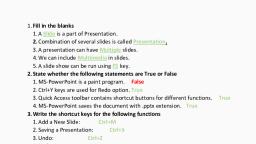
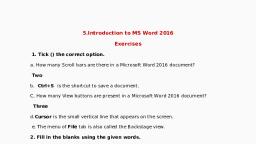
UTS, , File, , Page 1 of 1, , Home, , 262 words, , Insert, , D, , Pee), , Draw Design Layout References. Mailings Review, Fill in the blanks, , a) Software, , b) Document, , ©) Quick Access Toolbar, , , , d) Title Bar, e) MS Office, f) Insert Tab, g) Insert Tab, , State whether the following statements are True or False, , a) False (Word Processing Software), , b) False (Quick Access Toolbar), , c) True, , d) True, , e) False (Ctrl +P), , Write the shortcut keys for the following functions, , a) Ctrl+P, , b) Ctrl+s, , <) Ctrl+w, , d) Altera, , What is a Word Processor?, , ‘A. Word processor is type of software which processes the, documents which contain words. For example, MS Word., , Wi three features of MS-Word., , 1. Spelling And Grammar, , 2. Formatting Text, , 3. Mail Merge, , How can you create a New Document?, , 1. Go to File Tab, , 2. Click New Option, , 3. And Finally click Blank Document., , , , ‘F Accessiblity: Investigate, , View, , Help, , Foxit PDF, , 7. How can you save a document?, 1. GotoFile Tab., 2. Click Save option., 3. Select the location and give a name to your file., 4, Finally click Save button., 8 Write steps of opening Word Art?, 1. Click on Insert Tab, 2. Click on Word Art icon., 3. Now select a type of word art., 4, Finally write the text you want., 9. Write steps to insert picture, 1. Click on Insert Tab., 2. Click on Pictures Icon., , the document., , , , 3. Select any on desired option to insert picture., , 4. Finally select the picture and click Insert Button., , 10Werite steps to insert clip art in the decument., , Do not write the answer for last question., , @ Share, , , , ‘Di Focus f& -——#— + 110%