Page 1 :
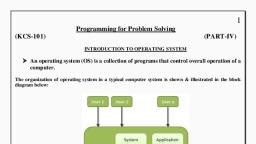
Unit-I, What is Unix ?, The Unix operating system is a set of programs that act as a link between the computer and, the user., The computer programs that allocate the system resources and coordinate all the details of the, computer's internals is called the operating system or the kernel., Users communicate with the kernel through a program known as the shell. The shell is a, command line interpreter; it translates commands entered by the user and converts them into, a language that is understood by the kernel., , , Unix was originally developed in 1969 by a group of AT&T employees Ken, Thompson, Dennis Ritchie, Douglas McIlroy, and Joe Ossanna at Bell Labs., , , , There are various Unix variants available in the market. Solaris Unix, AIX, HP Unix, and BSD are a few examples. Linux is also a flavor of Unix which is freely available., , , , Several people can use a Unix computer at the same time; hence Unix is called a, multiuser system., , , , A user can also run multiple programs at the same time; hence Unix is a multitasking, environment., , Unix Architecture, Here is a basic block diagram of a Unix system −, , The main concept that unites all the versions of Unix is the following four basics −, , , Kernel − The kernel is the heart of the operating system. It interacts with the hardware, and most of the tasks like memory management, task scheduling and file management.
Page 2 :
, , Shell − The shell is the utility that processes your requests. When you type in a, command at your terminal, the shell interprets the command and calls the program that, you want. The shell uses standard syntax for all commands. C Shell, Bourne Shell and, Korn Shell are the most famous shells which are available with most of the Unix, variants., , , , Commands and Utilities − There are various commands and utilities which you can, make use of in your day to day activities. cp, mv, cat and grep, etc. are few examples, of commands and utilities. There are over 250 standard commands plus numerous, others provided through 3rd party software. All the commands come along with various, options., , , , Files and Directories − All the data of Unix is organized into files. All files are then, organized into directories. These directories are further organized into a tree-like, structure called the filesystem., , Features of UNIX, 1. Open Source, As it is open-source, its source code is easily available. Anyone having programming, knowledge can customize the operating system. One can contribute, modify, distribute, and, enhance the code for any purpose., 2. Security, The Linux security feature is the main reason that it is the most favorable option for developers., It is not completely safe, but it is less vulnerable than others. Each application needs to, authorize by the admin user. The virus is not executed until the administrator provides the, access password. Linux systems do not require any antivirus program., 3. Free, Certainly, the biggest advantage of the Linux system is that it is free to use. We can easily, download it, and there is no need to buy the license for it. It is distributed under GNU GPL, (General Public License). Comparatively, we have to pay a huge amount for the license of the, other operating systems., 4. Lightweight, Linux is lightweight. The requirements for running Linux are much less than other operating, systems. In Linux, the memory footprint and disk space are also lower. Generally, most of the, Linux distributions required as little as 128MB of RAM around the same amount for disk space., 5. Stability, Linux is more stable than other operating systems. Linux does not require to reboot the system, to maintain performance levels. It rarely hangs up or slow down. It has big up-times., 6. Performance
Page 3 :
Linux system provides high performance over different networks. It is capable of handling a, large number of users simultaneously., 7. Flexibility, Linux operating system is very flexible. It can be used for desktop applications, embedded, systems, and server applications too. It also provides various restriction options for specific, computers. We can install only necessary components for a system., 8. Software Updates, In Linux, the software updates are in user control. We can select the required updates. There a, large number of system updates are available. These updates are much faster than other, operating systems. So, the system updates can be installed easily without facing any issue., 9. Distributions/ Distros, There are many Linux distributions available in the market. It provides various options and, flavors of Linux to the users. We can choose any distros according to our needs. Some popular, distros are Ubuntu, Fedora, Debian, Linux Mint, Arch Linux, and many more., For the beginners, Ubuntu and Linux Mint would be useful and, Debian and Fedora would be, good choices for proficient programmers., 10. Live CD/USB, Almost all Linux distributions have a Live CD/USB option. It allows us to try or run the Linux, operating system without installing it., 11. Graphical User Interface, Linux is a command-line based OS but, it provides an interactive user interface like Windows., 12. Suitable for programme rs, It supports almost all of the most used, programming languages such, as C/C++, Java, Python, Ruby, and more. Further, it offers a vast range of useful applications, for development., The programmers prefer the Linux terminal over the Windows command line. The package, manager on Linux system helps programmers to understand how things are done. Bash, scripting is also a functional feature for the programmers. It also provides support for SSH,, which helps in managing the servers quickly., 13. Community Support, Linux provides large community support. We can find support from various sources. There are, many forums available on the web to assist users. Further, developers from the various, opensource communities are ready to help us.
Page 4 :
14. Privacy, Linux always takes care of user privacy as it never takes much private data from the user., Comparatively, other operating systems ask for the user's private data., 15. Networking, Linux facilitates with powerful support for networking. The client-server systems can be easily, set to a Linux system. It provides various command-line tools such as ssh, ip, mail, telnet, and, more for connectivity with the other systems and servers. Tasks such as network backup are, much faster than others., 16. Compatibility, Linux is compatible with a large number of file formats as it supports almost all file formats., 17. Installation, Linux installation process takes less time than other operating systems such as Windows., Further, its installation process is much easy as it requires less user input. It does not require, much more system configuration even it can be easily installed on old machines having less, configuration., 18. Multiple Desktop Support, Linux system provides multiple desktop environment support for its enhanced use. The desktop, environment option can be selected during installation. We can select any desktop environment, such as GNOME (GNU Network Object Model Environment) or KDE (K Desktop, Environment) as both have their specific environment., 19. Multitasking, It is a multitasking operating system as it can run multiple tasks simultaneously without, affecting the system speed., 20. Heavily Documented for beginners, There are many command-line options that provide documentation on commands, libraries,, standards such as manual pages and info pages. Also, there are plenty of documents available, on the internet in different formats, such as Linux tutorials, Linux documentation project,, Serverfault, and more. To help the beginners, several communities are available such as Ask, Ubuntu, Reddit, and StackOverflow
Page 5 :
Directory Structure, , Unix uses a hierarchical file system structure, much like an upside-down tree, with root (/) at, the base of the file system and all other directories spreading from there., A Unix filesystem is a collection of files and directories that has the following properties −, , , It has a root directory (/) that contains other files and directories., , , , Each file or directory is uniquely identified by its name, the directory in which it, resides, and a unique identifier, typically called an inode., , , , By convention, the root directory has an inode number of 2 and, the lost+found directory has an inode number of 3. Inode numbers 0 and 1 are not, used. File inode numbers can be seen by specifying the -i option to ls command., , , , It is self-contained. There are no dependencies between one filesystem and another., , The directories have specific purposes and generally hold the same types of information for, easily locating files. Following are the directories that exist on the major versions of Unix −, Sr.No., 1, , Directory & Description, /, This is the root directory which should contain only the directories needed at the top level, of the file structure, , 2, , /bin, This is where the executable files are located. These files are available to all users, , 3, , /dev, These are device drivers
Page 6 :
4, , /etc, Supervisor directory commands, configuration files, disk configuration files, valid user, lists, groups, ethernet, hosts, where to send critical messages, , 5, , /lib, Contains shared library files and sometimes other kernel-related files, , 6, , /boot, Contains files for booting the system, , 7, , /home, Contains the home directory for users and other accounts, , 8, , /mnt, Used to mount other temporary file systems, such as cdrom and floppy for the CDROM drive and floppy diskette drive, respectively, , 9, , /proc, Contains all processes marked as a file by process number or other information that is, dynamic to the system, , 10, , /tmp, Holds temporary files used between system boots, , 11, , /usr, Used for miscellaneous purposes, and can be used by many users. Includes, administrative commands, shared files, library files, and others, , 12, , /var, Typically contains variable-length files such as log and print files and any other type of, file that may contain a variable amount of data, , 13, , /sbin, Contains binary (executable) files,, example, fdisk and ifconfig utlities, , 14, , /kernel, Contains kernel files, , usually, , for, , system, , administration., , For