Page 1 :
Introduction to MySQL and SQL, Difference between SQL and MySQL, While developing software applications programmers use RDBMS to create,, read, update and delete back-end data. The developers have option to choose from, several RDBMS according to specific requirements of each project., But the choice of database is different from one programmer to another. Many, enterprise prefer open source database systems to commercial database systems to, save money. But many large enterprises prefer advanced features along with latest, security mechanism and encryption technology., SQL, SQL is a microsoft product, SQL is structured Query Language,, useful to manage relational databases., SQL is a query language, To query and operate database systems., , MySQL, MySQL is open source database, systems., MySQL is a RDBMS to store, retrieve,, modify and administrate a database, using SQL, MySQL is a database software., Allows data handling, storing,, modifying, deleting in a table format., , SQL:SQL is a language which is used to operate database. SQL is the basic, language used for all the databases. SQL means Structured Query Language., According to ANSI SQL is the standard language to operate RDBMS. It is used in, the accessing, updating and manipulation of data in a database. It is design allows for, the management of data in an RDBMS such as MySQL., MySQL:Developed in mid 90's MySQL was one of the first open source database, available in the market. Today there are many alternatives of MySQL. MySQL is, RDBMS that allows keeping the data that exists in a database organized. MySQL is, pronounced as "My S-Q-L" but it is called "My Sequel". It provides a multiuser, access to databases. MySQL uses the SQL language., MySQL is a free and open source database management system. You need to, use SQL commands to create database., Procedure for creating a database:Login as the MySQL root user to create database$mysql> -u root -p, , means press enter
Page 2 :
mysql>, To create a new database used create command. e.g., mysql>create database books;, database is created. Use database with use command. e.g., mysql> use books;, SQL:Table is an object that represent an entity. The attributes of the entity are, represented by column in the table. Each column of the table has unique name and, it's own characteristics like data types, column size etc., Data types:1)Char(size):This data type hold fixed length character string of maximum length, 255., 2)Varchar(size):This data type holds alphanumeric data of maximum length 2000., 3)Number(size):Fixed or floating numbers are stored in this column and length upto 38, digits., e.g. fix- number(6), float- number(4,2), 4)date:This data type is used to represent data and time. The standard format of, date is date, month and year (DD-MM-YYYY)., 5)Long:When their is large variable length character to be stored, long data type, is used. It contains 2GB long string., 6)RAW/Long RAW:This data type is used to store binary data such as digital pictures or, images. When long raw is used the storage is upto 2GB., Data Definition Language (DDL)Command:1)Create table:A table definition in SQL must contain:i)Name of the table, ii)Name of each column i.e. attributes in the table, iii)The data type and size of every column, iv)The constraints of the column data if any.
Page 3 :
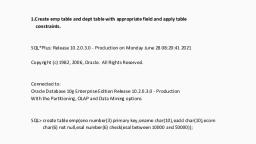
Syntax:create table tablename(column1 data type(size),, column2 datatype(size),, ....................................,, column n data type(size));, e.g. student(sno, sname, sadd, sclass), create table student(sno number(4), sname char(15), sadd varchar(15),, sclass varchar(7));, Table name is the name of table to be created , it must be unique and not, be the same as any of the existing table. Columns are followed by their data, types and size in the brackets. The constraints are specifying column name., Table Constraints:1)Not Null:A null value is an absence of value , it is neither zero nor blank. The, constraints that specify column must hold some or other values and can not be, left without filling any value in the column., Syntax:Columnname datatype(size) not null, e.g., create table student(sno number(4), sname char(15), sadd varchar(15), not null, sclass varchar(7));, 2)Primary key:The PRIMARY KEY constraint uniquely identifies each record in a, table. Primary keys must contain UNIQUE values, and cannot contain NULL, values. A table can have only ONE primary key; and in the table, this primary, key can consist of single or multiple columns (fields)., Syntax:, Columnname datatype(size) primary key, e.g., create table student(sno number(4) primary key, sname char(15), sadd, varchar(15) not null, sclass varchar(7));, 3)Default:The DEFAULT constraint is used to provide a default value for a, column.The default value will be added to all new records IF no other value is, specified., Syntax:
Page 4 :
Columnname datatype(size) default value, e.g., create table student(sno number(4), sname char(15), sadd varchar(15) ,, sclass varchar(7) default „BCS2‟);, 4)Foreign key:A FOREIGN KEY is a key used to link two tables together.A, FOREIGN KEY is a field (or collection of fields) in one table that refers to the, PRIMARY KEY in another table. The relationship between two tables is, represented by foreign key. To define a foreign key at column level, “references” is used., Syntax:, Columnname datatype(size) references primarykeytable (columnname of, primary key), e.g., Emp, Eno PK, Ename, Eadd, , Dept, Dno, Dname, Eno, , PK, FK, , create table Emp(Eno number(5) primary key,Ename char(10),Eadd varchar(15));, create table Dept(Dno number(3) primary key,Dname char(5),Eno, number(5),references Emp(Eno));, 5)Check:- The constraints those can be defined using all keywords are define using, check., Syntax:, Check(condition), Where condition can be any logical expression such as, 1)Logical operation:Column1 :=, !=, <,>,<=,>= value1, AND/OR, Column2 :=, !=, <,>,<=,>= value2, 2)Range: Column name between lower and upper. The column value check between, the given lower and upper value.
Page 5 :
Syntax:Check (column name between lower value and upper value), e.g., check(salary between 5000 and 50000), 3)Pattern:- A string is compare with another string using „%‟ character. The % sign, match a string of any length. The underscore(_) match any single character., Syntax:, Column name like pattern, e.g., sname like “%Ra”, 4)List of values: A column can be allow to have any value from given list., Syntax:, Check(columnname In(values separated by commas)), e.g., check (city In(„Pune‟,‟Satara‟,‟Phaltan‟)), 2)Alter table:, Sometimes it is needed that a new column has to be inserted in a table or the, data type of the column is to be changed. These can be done using alter command., Syntax : for add new column, Alter table tablename add(columnname data type(size));, e.g., alter table stud add(smks number(4));, syntax : for change data type or size, alter table modify(columnname newdatatype(size));, e.g., alter table stud modify(sad varchar(20));, 3)Rename:, Sometimes we may want to rename our table to give it a more relevant name. For, this purpose we can use ALTER TABLE to rename the name of table., ALTER TABLE table_name RENAME TO new_table_name;, 4)Drop table:, A table can be dropped or deleted using drop table command., Syntax:, Drop table tablename;, e.g., drop table stud;
Page 6 :
Data Manipulation Commands:Once the data structure or table structure is define, we have to use it for, manipulate the data. The operations for data manipulations are:, 1)To add new record(insert command):The INSERT INTO statement is used to insert new records in a table., It is possible to write the INSERT INTO statement in two ways., The first way specifies both the column names and the values to be inserted:, Syntax:INSERT INTO table_name (column1, column2, column3, ...), VALUES (value1, value2, value3, ...);, If you are adding values for all the columns of the table, you do not need to specify, the column names in the SQL query. However, make sure the order of the values is, in the same order as the columns in the table. The INSERT INTO syntax would be as, follows:, INSERT INTO table_name VALUES (value1, value2, value3, ...);, e.g., insert into stud values(1,‟ABC‟,‟Phaltan‟,‟BCS-2‟);, 2)To modify existing record(update command):The UPDATE statement is used to modify the existing records in a table., Syntax, UPDATE table_name, SET column1 = value1, column2 = value2, ..., WHERE condition;, e.g., update stud set sad=‟satara‟ where sad=‟phaltan‟;, 3)To delete existing record(delete command):The DELETE statement is used to delete existing records in a table., Syntax(To delete particular record), DELETE FROM table_name WHERE condition;, E.g., Delete from stud where sadd=‟satara‟;
Page 7 :
Syntax(Delete All Records), It is possible to delete all rows in a table without deleting the table. This means that, the table structure, attributes, and indexes will be intact:, DELETE FROM table_name;, e.g., delete from stud;, 4)View existing records(Select command):The SELECT statement is used to select data from a database., The data returned is stored in a result table, called the result-set., Syntax, SELECT column1, column2, ..., FROM table_name;, e.g, select sname,sad from stud;, If you want to select all the fields available in the table, use the following syntax:, SELECT * FROM table_name;, e.g., select * from stud;, if you want to select fields on particular condition:, SELECT column1, column2, ..., FROM table_name Where condition;, , Aggregate Functions:An aggregate function performs a calculation on a set of values, and returns a single, value. Except for COUNT(*), aggregate functions ignore null values. Aggregate, functions are often used with the GROUP BY clause of the SELECT statement., All aggregate functions are deterministic. In other words, aggregate functions return, the same value each time that they are called, when called with a specific set of input, values., 1)avg(Columnname):-This function returns the average of the values in a group. It, ignores null values.
Page 8 :
Syntax:Select avg(columnname) from tablename;, e.g., select avg(smks) from stud;, 2)min(columnname):-This function returns minimum value., Syntax:Select min(columnname) from tablename;, e.g., select min(smks) from stud;, 3)max(columnname):- This function returns maximum value., Syntax:Select max(columnname) from tablename;, e.g., select max(smks) from stud;, 4)sum((columnname):- This function returns sum value., Syntax:Select sum(columnname) from tablename;, e.g., select sum(smks) from stud;, 5)count(columname):-This function returns the number of rows where value of, column is not null or duplicate., Syntax:Select count(columnname) from tablename;, e.g., select count(smks) from stud;, 6)count(*):-This function returns the number of rows including not null or duplicate, values from the table., Syntax:Select count(*) from tablename;, e.g., select count(*) from stud;
Page 9 :
Character functions:Character functions accept character inputs and can return either characters or, number values as output. SQL provides a rich set of character functions that allow, you to get information about strings and modify the contents of those strings in, multiple ways., 1) lower(columnname) : This function converts alpha character values to, lowercase., Syntax:, Select lower(columnname) from tablename;, e.g., select lower(sname) from stud;, 2)Upper(columnname) : This function converts alpha character values to, uppercase., Syntax:, Select upper(columnname) from tablename;, e.g., select upper(sname) from stud;, 3)length(string):-This function returns the length of the string., Syntax:, Select length(string) from tablename;, e.g., select length(„abcd‟) from stud;, 4)substr(char,from,length):- This function returns a part of string from character, number upto length., e.g., select substr(„abcdef‟,2,6) from dual;, 5) INITCAP : This function converts alpha character values to uppercase for the, first letter of each word and all others in lowercase., e.g., select initcap(„welcome to bcs‟) from dual;, 6) CONCAT : This function always appends ( concatenates ) string2 to the end of, string1., Syntax:, CONCAT('String1', 'String2'), e.g., SELECT CONCAT('computer' ,'science') FROM DUAL;
Page 10 :
7) INSTR : This function returns numeric position of a character or a string in a, given string. Optionally, you can provide a position m to start searching, and the, occurrence n of string., Syntax: INSTR(Column|Expression, 'String', [,m], [n]), Input: SELECT INSTR('Google apps are great applications','app',1,2) from dual;, 8) LPAD and RPAD : These functions return the strings padded to the left or right (, as per the use ) ; hence the “L” in “LPAD” and the “R” in “RPAD” ; to a specified, length, and with a specified pad string. If the pad string is not specified, then the, given string is padded on the left or right ( as per the use ) with spaces., Syntax:, LPAD(Column|Expression, n, 'String'), SELECT LPAD('100',5,'*') FROM DUAL;, Output1: **100, Syntax: RPAD(Column|Expression, n, 'String'), SELECT RPAD('5000',7,'*') FROM DUAL;, Output1: 5000***, 9) TRIM : This function trims the string input from the start or end (or both)., Syntax:, TRIM(Leading|Trailing|Both, trim_character FROM trim_source), SELECT TRIM('G' FROM 'GEEKS') FROM DUAL;, Output1: EEKS, 10) REPLACE : This function searches for a character string and, if found, replaces, it with a given replacement string at all the occurrences of the string., Syntax:, REPLACE(Text, search_string, replacement_string), Input1: SELECT REPLACE('DATA MANAGEMENT', 'DATA','DATABASE'), FROM DUAL;, Output1: DATABASE MANAGEMENT, Numeric Functions:Numeric Functions are used to perform operations on numbers and return numbers., Following are the numeric functions defined in SQL:, 1) ABS(): It returns the absolute value of a number., Syntax: SELECT ABS(-243.5);, Output: 243.5, 2) FLOOR(): It returns the largest integer value that is less than or equal to a, number., Syntax: SELECT FLOOR(25.75);, Output: 25, 3) LN(): It returns the natural logarithm of a number., Syntax: SELECT LN(2);, Output: 0.6931471805599453, 4) MOD(): It returns the remainder of n divided by m.
Page 11 :
Syntax: SELECT MOD(18, 4);, Output: 2, 5) POW(): It returns m raised to the nth power., Syntax: SELECT POW(4, 2);, Output: 16, 6) ROUND(): It returns a number rounded to a certain number of decimal places., Syntax: SELECT ROUND(5.553);, Output: 6, 7) SQRT(): It returns the square root of a number., Syntax: SELECT SQRT(25);, Output: 5, 8) TRUNCATE(): This doesn‟t work for SQL Server. It returns 7.53635 truncated, to 2 places right of the decimal point., Syntax: SELECT TRUNCATE(7.53635, 2);, Output: 7.53, Date Functions:, In SQL, dates are complicated for newbies, since while working with, database, the format of the date in table must be matched with the input date in, order to insert. In various scenarios instead of date, datetime (time is also, involved with date) is used.In MySql the default date functions are:, 1)NOW(): Returns the current date and time. Example:, SELECT NOW();, Output:, 2017-01-13 8:03:52, 2)CURDATE(): Returns the current date. Example:, SELECT CURDATE();, Output:, 2017-01-13, 3)CURTIME(): Returns the current time. Example:, SELECT CURTIME();, Output:, 08:05:15, 4)DATE(): Extracts the date part of a date or date/time expression., SELECT Name, DATE(BirthTime) AS BirthDate FROM Test;
Page 12 :
Output:, Name, Pratik, , BirthDate, 1996-09-26, , Clauses:1)Group By Clause:The GROUP BY statement groups rows that have the same values into summary, rows, like "find the number of customers in each country"., The GROUP BY statement is often used with aggregate functions (COUNT, MAX,, MIN, SUM, AVG) to group the result-set by one or more columns., GROUP BY Syntax, SELECT columnname,aggregate function, FROM tablename, GROUP BY columnname;, Select dno,sum(esal) as “Total salary” from emp group by dno;, 2)Order by clause:SQL provides order by clause to display the records in a specific sorted order., By default all rows display in ascending order with order by clause. If you want to, display data in descending order ,you must specify DESC at the end of the statement., Syntax:(ascending order), Select cols from tablename order by columnname;, e.g., select ename,dno from emp order by dno;, syntax:(Descending order), Select cols from tablename order by columnname DESC;, e.g., select ename,dno from emp order by dno DESC;, 3)Having Clause: The having clause is used in combination with group by, clause.This clause is used to select the group which satisfy specific condition., Syntax:, Select cols,aggregate function(col) from tablename group by columnname having, condition;
Page 13 :
e.g., select dno,count(*) as “number of emp”, from emp group by dno having dno=30;, SQL Operators:An operator is a reserved word or a character used primarily in an SQL statement's, WHERE clause to perform operation(s), such as comparisons and arithmetic, operations. These Operators are used to specify conditions in an SQL statement and, to serve as conjunctions for multiple conditions in a statement., 1) IN Operator, , The IN operator allows you to specify multiple values in a WHERE clause., The IN operator is a shorthand for multiple OR conditions., Syntax, SELECT column_name(s), FROM table_name, WHERE column_name IN (value1, value2, ...);, e..g., SELECT * FROM Customers, WHERE address IN ('satara', 'Pune', 'Mumbai');, 2)Not In operator, selects all records that are NOT in list of values., Syntax, SELECT column_name(s), FROM table_name, WHERE column_name NOT IN (value1, value2, ...);, e.g., SELECT * FROM Customers, WHERE address NOT IN ('satara', 'Pune', 'Mumbai');
Page 14 :
3) BETWEEN Operator, The BETWEEN operator selects values within a given range. The values can be, numbers, text, or dates., The BETWEEN operator is inclusive: begin and end values are included., Syntax, SELECT column_name(s), FROM table_name, WHERE column_name BETWEEN value1 AND value2;, E.g., SELECT * FROM Products, WHERE Price BETWEEN 10 AND 20;, 4) Not Between operator:, The BETWEEN operator selects values not within a given range., Syntax, SELECT column_name(s), FROM table_name, WHERE column_name Not BETWEEN value1 AND value2;, E.g., SELECT * FROM Products, WHERE Price Not BETWEEN 10 AND 20;, 5)Like operator:, he LIKE operator is used in a WHERE clause to search for a specified pattern in a, column., There are two wildcards often used in conjunction with the LIKE operator:, , , , % - The percent sign represents zero, one, or multiple characters, _ - The underscore represents a single character, , Syntax, SELECT column1, column2, ..., FROM table_name, WHERE columnN LIKE pattern;
Page 15 :
e.g., The following SQL statement selects all customers with a CustomerName starting, with "a":, SELECT * FROM Customers, WHERE CustomerName LIKE 'a%';, The following SQL statement selects all customers with a CustomerName that have, "r" in the second position:, SELECT * FROM Customers, WHERE CustomerName LIKE '_r%';, SQL Sub Query:A Subquery is a query within another SQL query and embedded within the WHERE, clause., Important Rule:, o, , A subquery can be placed in a number of SQL clauses like WHERE clause,, FROM clause, HAVING clause., , o, , You can use Subquery with SELECT, UPDATE, INSERT, DELETE, statements along with the operators like =, <, >, >=, <=, IN, BETWEEN, etc., , o, , A subquery is a query within another query. The outer query is known as the, main query, and the inner query is known as a subquery., , o, , Subqueries are on the right side of the comparison operator., , o, , A subquery is enclosed in parentheses., , Syntax:, There is not any general syntax for Subqueries. However, Subqueries are seen to, be used most frequently with SELECT statement as shown below:, SELECT column_name, FROM table_name, WHERE column_name expression operator, ( SELECT COLUMN_NAME from TABLE_NAME WHERE ... );, There are different operators used in subquery that are:, 1)Comparison operator:If a subquery uses data from outer query, it needs to be evaluated for each, row of the outer query. In comparison operator we can use =,!=,<,<=,>,>=.
Page 16 :
Syntax:, Select cols from tablename, Where columname operator(subquery);, e.g., select eno,ename,esal from emp where esal >(select avg(esal) from emp);, 2)Logical Operators:There are 3 logical operator AND,OR and NOT., a)Logical AND operator:The AND operator display a row if all conditions are true., Syntax:, Select cols from tablename, Where column1=exp1 AND column2 operator(select cols, from tablename);, e.g., select * from emp where dno=30 AND esal>=(select, avg(esal) from emp);, b)Logical OR operator:The OR operator display a row if any condition is true., Syntax:, Select cols from tablename, Where column1=exp1 OR column2 operator(select cols, from tablename);, e.g., select * from emp where dno=30 OR esal>=(select, avg(esal) from emp);, c)Logical NOT operator:The NOT operator returns true if condition is false and return, false if condition is true., Syntax:, Select cols from tablename where NOT(condition);, e.g., select * from emp where NOT(esal between 1000 and 2000);, 3)In Operator:, It returns multiple rows from inner query., Syntax:, Select cols from tablename where column IN(subquery);, e.g. display total number of products whose unit of measure is „Kg‟., select count(*) from product where um IN(select pname from, product where um=‟kg‟);, 4)ALL operator:, The condition evaluates true if for all rows selected by the subquery ., Syntax:, Select cols from tablename where column comparison operator, ALL(subquery);, e.g.
Page 17 :
List all details of employees who earn more than all employees, working in department 30., Select * from emp where esal > ALL(select esal from emp where, dno=30);, 5)ANY operator:, The condition evaluates true if there is atleast 1 row selected by the, subquery for each comparison holds., Syntax:, Select cols from tablename where column comparison operator, ANY(subquery);, e.g., Select * from emp where esal > ANY(select esal from emp where dno=30);, 6)Exists operator:After query result depends on the whether certain rows do exists in, tables.such type of queries is manipulated by using exists operator., Syntax:, Select cols from tablename where exists(subquery);, e.g., list all department details that have employees., Select * from dept where exists(select * from emp where, dno=dept.dno);, Join:A JOIN clause is used to combine rows from two or more tables, based on a, related column between them.Many queries request data from 2 or more tables in a, database. These request for data in simple database can be accessed using two or, more tables. Two table join means there is link between two tables., Join operation involve two tables and the table must be join with where, clause in which common key field must specify.Sql provides different types of join:, 1)Equi join(Inner join), 2)Outer join, 3)Cross join, 4)Self join, 1) Equi join(Inner join):The INNER JOIN keyword selects records that have matching values in both, tables.they are known as equi join because in the where statement generally, compare two columns with equivalence operator(=).
Page 18 :
INNER JOIN Syntax, SELECT column_name(s), FROM table1, INNER JOIN table2, ON table1.column_name = table2.column_name;, Rno, 101, 102, 103, 104, , Stud, Sname, A, B, C, D, , Mno, 1, 2, 3, 4, , Student, Rno, 102, 104, 101, 104, , venue, Satara, Pune, Satara, pune, , e.g., select stud.rno,sname,mno,venue from stud,student where, stud.rno=student.rno;, 2)Outer join:, This type of join can be used where to select all rows from the table on the left, or right., There are two types:, a)Left outer join(Left join):- The LEFT JOIN keyword returns all records from, the left table (table1), and the matched records from the right table (table2). The, result is NULL from the right side, if there is no match.
Page 19 :
LEFT JOIN Syntax, SELECT column_name(s), FROM table1, LEFT JOIN table2, ON table1.column_name = table2.column_name;, e.g., select stud.rno,sname,venue from stud LEFT JOIN student on, stud.rno=student.rno;, b)Right outer join(Right join):- The RIGHT JOIN keyword returns all records from, the right table (table2), and the matched records from the left table (table1). The, result is NULL from the left side, when there is no match., , RIGHT JOIN Syntax, SELECT column_name(s), FROM table1, RIGHT JOIN table2, ON table1.column_name = table2.column_name;, e.g., select stud.rno,sname,venue from stud RIGHT JOIN student on, stud.rno=student.rno;, 3)Cross Join:- The SQL CROSS JOIN produces a result set which is the number of, rows in the first table multiplied by the number of rows in the second table if no, WHERE clause is used along with CROSS JOIN.This kind of result is called as, Cartesian Product., Syntax:, Select * from table1 CROSS JOIN table2;, e.g., select * from stud CROSS JOIN student;, 4)Self Join:- A self JOIN is a regular join, but the table is joined with itself.
Page 21 :
Self JOIN Syntax, SELECT column_name(s), FROM table1 T1, table1 T2, WHERE condition;, T1 and T2 are different table aliases for the same table., e.g., select S.rno,S.sname,P.rno,P.sname from stud S,student P where S.rno=P.rno;, View:In SQL, a view is a virtual table based on the result-set of an SQL statement., A view contains rows and columns, just like a real table. The fields in a view are, fields from one or more real tables in the database., You can add SQL functions, WHERE, and JOIN statements to a view and present the, data as if the data were coming from one single table., CREATE VIEW Syntax, CREATE VIEW view_name AS, SELECT column1, column2, ..., FROM table_name, WHERE condition;, e.g., create view vstud as select sno,sname,smks from stud;, To display structure of view:, Syntax:, DESC viewtablename;, e.g., DESC vstdu;, To display data from view:Syntax:, Select cols from viewtablename where condition;, e.g.
Page 22 :
select sno,smks from vstdu where smks>67;, update data in the view table:syntax:, update viewtablename set col=value where condition;, e.g., update vstud set smks=78 where sno=3;, To delete data from view:Syntax:, Delete from viewtable where condition;, e.g., delete from vstud where sno=2;, To delete view:Syntax:, Drop view viewtablename;, e.g., drop view vstud;, Index:, The CREATE INDEX statement is used to create indexes in tables., Indexes are used to retrieve data from the database more quickly than otherwise. The, users cannot see the indexes, they are just used to speed up searches/queries., CREATE INDEX Syntax, Creates an index on a table. Duplicate values are allowed:, CREATE INDEX index_name, ON table_name (column1, column2, ...);, e.g., create index empindex on emp(eno); -----simple index, create index empindex on emp(eno,dno);-----composite index
Page 23 :
CREATE UNIQUE INDEX Syntax, Creates a unique index on a table. Duplicate values are not allowed:, CREATE UNIQUE INDEX index_name, ON table_name (column1, column2, ...);, DROP INDEX Statement, The DROP INDEX statement is used to delete an index in a table., Syntax:, Drop index indexname;, e.g., drop index empindex;, sequences:sequence is a feature supported by some database systems to produce unique, values on demand. Some DBMS like MySQL supports AUTO_INCREMENT in, place of Sequence., AUTO_INCREMENT is applied on columns, it automatically increments the column, value by 1 each time a new record is inserted into the table., Sequence is also some what similar to AUTO_INCREMENT but it has some, additional features too., Syntax to create a sequence is,, CREATE SEQUENCE sequence-name, START WITH initial-value, INCREMENT BY increment-value, MAXVALUE maximum-value, CYCLE | NOCYCLE;, , , The initial-value specifies the starting value for the Sequence., , , , The increment-value is the value by which sequence will be incremented., , , , The maximum-value specifies the upper limit or the maximum value upto, which sequence will increment itself., , , , The keyword CYCLE specifies that if the maximum value exceeds the set, limit, sequence will restart its cycle from the begining.
Page 24 :
, , And, NO CYCLE specifies that if sequence exceeds MAXVALUE value, an, error will be thrown.
Page 25 :
e.g., , , , , , , CREATE SEQUENCE seq_1, START WITH 1, INCREMENT BY 1, MAXVALUE 999, CYCLE;