Page 1 :
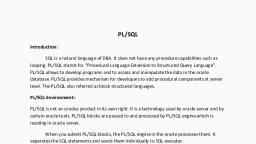
PL/SQL, Introduction:, SQL is a natural language of DBA. It does not have any procedure capabilities such as, looping. PL/SQL stands for “Procedural Language Extension to Structured Query Language”., PL/SQL allows to develop programs and to access and manipulate the data in the oracle, database. PL/SQL provides mechanism for developers to add procedural components at server, level. The PL/SQL also referred as block structured languages., PL/SQL Environment:PL/SQL is not an oracles product in its own right. It is a technology used by oracle server and by, certain oracle tools. PL/SQL blocks are passed to and processed by PL/SQL engine which is, residing in oracle server., When you submit PL/SQL blocks, the PL/SQL engine in the oracle processes them. It, separates the SQL statements and sends them individually to SQL executer., PL/SQL Block Structure:, Declare(optional), -variable declarations, Begin(compulsory), -SQL statements, -PL/SQL statements, Exception(optional), -Action to be taken when errors occurs., End;(compulsory), , PL/SQL is a block structured language means that programs can be divided into logical, blocks. It consists following sections:1)Declare section:, This section contains all variables and constants declarations., 2)Begin and End section:
Page 2 :
Block starts with begin and ends with end statements. This section contains SQL, statements to manipulate data in the database and PL/SQL statements to manipulate the data, in the block., 3)Exception:, This section specifies the action to be performed when errors and abnormal condition, arise in executable section., Executing statements and PL/SQL blocks:, 1)Before writing PL/SQL block code first write, SQL>set serveroutput on, 2)Place a semicolon (;) at end of SQL or PL/SQL statement., 3)Section keywords declare, begin and exception are not followed by semicolon., 4)End and all other PL/SQL statements require a semicolon(;) to terminate the statements., 5)Reserve words cannot be used as variable name., 6)After writing all program use forward slash(/) to run the program., 7)When block is executed successfully without compile errors, the message at the output, should be PL/SQL procedure successfully completed., To display message on screen:Display message or value on the screen oracle provides dbms_output package with, PL/SQL which provides some limited capabilities. We can combine put_line procedure with, dbms_output for display message as well as value of variable on the screen.
Page 3 :
Syntax:, Dbms_output.put_line(‘Statement’); to display message, Dbms_output.put_line(variable name); to display value, e.g., SQL>set serveroutput on, Declare, m integer;, begin, m:=20;, dbms_output.put_line(‘The value of m=’);, dbms_output.put_line(m);, end;, /, PL/SQL data types:, PL/SQL supports the standard oracle SQL data types., 1)number:-for storing numeric data., Syntax:, Variablename number(size);, e.g., a number(10); for integer data, b number(4,2); for float data, , 2)char:- This data type stores fixed length character data., Syntax:Variablename char(size);, e.g.
Page 4 :
name char(10);, 3)varchar/varchar2:- It stores variable length alphanumeric data., Syntax:Variablename varchar (size);, e.g., address varchar(20);, 4)date :- It stores date and time., Syntax:Variablename date;, e.g., dob date;, 5)Boolean:-This data type stores only true false or null values., Syntax:Variablename Boolean;, e.g., flag Boolean;, variable initialization:variables are initialized every time the block or subprogram is entered. We can initialize, variable using assignment operator(:=), syntax:identifier:=value;, e.g., i:=10;, sname:=’ABC’;, Comments:The comment line begins with double hypen(--). In this case the entire line will be treated, as a comment.
Page 5 :
A comment line begins with slash followed by an asterisk(/*) till the occurrence of an, asterisk followed by slash(*/). In this case comment lines can be extended to more than one line., PL/SQL character set:PL/SQL uses standard ASCII set., Uppercase- A to Z, Lowercase –a to z, Digits – 0 to 9, Special symbols- () + - * / < > . @ ‘ % “ # $ ^ & _ \ { } ? [ ] ||, PL/SQL operators:Operators that hold expressions together. There are 4 types of operator:1)Arithmetic operator:- They are used for mathematical calculations., +, -, , For subtraction or negation e.g. -5, , *, /, ** exponentiation (10^5=10**5), 2)Comparison operator:- it returns either true or false., = Equality, !=,<>,-= Inequality, <,>,<=,>=, 3)Logical operator:a)AND:- A AND B is true if A return true and B return true else it is false., b)OR:- A OR B is true if either A or B is true., c)NOT:- NOT A returns true if A is false and return false if A is true., 4)String operators:- PL/SQL has two operators specially design to operate only on character, string type data. These are LIKE and (||) concatenation operator., Syntax of concatenation:, String 1 || string 2
Page 6 :
The concatenation returns a resultant string consisting of all the characters in string1, followed by all the characters in string2., e.g., A:= ‘Mudhoji’, , B:=’College’, , C:=’Mudhojicollege’, To accept input from user:You can give the values at run time by using and operator. It can be used., i)Immediately after the type of variable is declared ., ii)Any where in the executable block of the program., e.g. Write a PL/SQL block code to add two numbers., SQL>set serveroutput on, Declare, a number:=&a;, b number:=&b;, c number;, begin, c:=a+b;, dbms_output.put_line(‘The addition is ‘||c);, end;, OR, , SQL>set serveroutput on, Declare, a number;, b number;, c number;, begin
Page 7 :
a:=&a;, b:=&b;, c:=a+b;, dbms_output.put_line(‘The addition is ‘||c);, end;, Control structure:1)Conditional Control:PL/SQL allows the use of if statement to control the execution of a block of code. It, specifies certain conditions under which a specific block of code should be executed., a)simple if –then statement:syntax:if<condition> then, statement;, end if;, if the given condition is true then statement will be executed., e.g.Write a PL/SQL block code to compare given number., SQL>set serveroutput on, Declare, a number:=&a;, b number:=&b;, begin, if a>b then, dbms_output.put_line(‘a is greater than b’);, end if;, end;, b)if-then-else statement:if <condition> then
Page 8 :
statement 1;, else, statement 2;, end if;, if the given condition is true then statement1 will be executed, if it is false then statement 2 will, be executed., e.g.Write a PL/SQL block code to compare given number., SQL>set serveroutput on, Declare, a number:=&a;, b number:=&b;, begin, if a>b then, dbms_output.put_line(‘a is greater than b’);, else, dbms_output.put_line(‘b is greater than a’);, , end if;, end;, 3)Nested control statement:Syntax:If <condition> then, Statement1;, else if<condition> then, statement2;, else, statement3;
Page 9 :
end if;, e.g. Write a PL/SQL block code to accept 3 numbers and display the largest number from them., SQL>set serveroutput on, Declare, a number:=&a;, b number:=&b;, c number:=&c;, begin, if a>b and a>c then, dbms_output.put_line(‘a is greater than b and c’);, else if b>a and b>c then, dbms_output.put_line(‘b is greater than a and c’);, else, dbms_output.put_line(‘c is greater than a and b’);, end if;, end;, Loops in PL/SQL:- There are 3 types of loops, 1)simple loop, 2)for loop, 3)while loop, , 1)simple loop:- In simple loop the keyword loop should be placed before the first statement and, keyword end loop should be written at the end of the statement., Syntax:, Loop, Sequence of statements, End loop;
Page 10 :
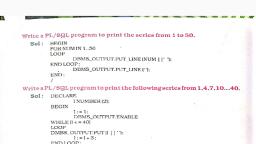
e.g. To print 1 to 10 numbers., Declare, a number:=0;, begin, loop, a:=a+1;, exit when a:=10;, dbms_output.put_line(a );, end loop;, end;, 2)for loop:Syntax:, For variable in [reverse] start..end, Loop, Statements;, End loop;, The variable in the for loop need not be declare. Also the increment value cannot be specified., The for loop variable is always increment by 1. The commands inside the loop are automatically, executed until the variable value does not reach to the end value., e.g. To print 1 to 10 numbers in ascending order., SQL>begin, For i in 1..10, Loop, Dbms_output.put_line(i);, End loop;, End;, e.g. To print 1 to 10 numbers in descending order., SQL>begin
Page 11 :
For i in reverse 1..10, Loop, Dbms_output.put_line(i);, End loop;, End;, 3)while loop:, Syntax:, While <condition> loop, Statements;, End loop;, This loop executes whenever condition is true., e.g., SQL>declare, i number:=0;, begin, while i<=10 loop, dbms_output.put_line(i);, i:=i+1;, end loop;, end;
Page 12 :
PL/SQL using Tables:The basic building block of a table is a cell i.e. tables column. While creating, a table user attached certain attributes like data types and constraints. These attributes can be, passed to variables being created in PL/SQL. These simplifies the declaration of variables and, constants., For this purpose , the %type attribute is used in the declaration of variables, where the variables attributes must take from a table., Syntax:, PL/SQLvariable tablename.tablecolumn %type;, e.g., , currentsal emp.esal %type;, , currentsal is the variable of PL/SQL block. It gets the data type and, constraints of the table column esal belong to the table emp., Declaring variable with %type attribute has two advantages:, 1)you do not need to know the data type of table column., 2)if you change the parameters of the table column, the variables parameters will change as well., In case variables for the entire row of a table need to be declared, then instead, of declaring them individually, %rowtype is used., e.g., , emprow emp%rowtype;, , A variable can be declared with %rowtype i.e. equivalent to a row of a table i.e. record with, several fields., e.g. Display the job and salary of smith from emp table., SQL>declare, job emp.ejob%type;, sal emp.esal%type;, Begin, Select ejob,esal into job,sal from emp where ename=’smith’;, Dbms_output.put_line(‘The job of smith is=’||job);, Dbms_output.put_line(‘The salary of smith is=’||sal);, End;
Page 13 :
Difference between SQL and PLSQL:, SQL, 1.SQL enter,edit,store and access by single, command or statement., 2.Various queries are used to handle the, database in a simplified manner., 3.SQL is a limited language that allows you, directly interact with the database. It goes not, include normal programming language., 4.SQL is used for DDL and DML., 5.In SQL there is not branching and looping, statement., , PLSQL, 1.PLSQL process all SQL statements one at a, time., 2.PL/SQL is a procedure language contain, various types of variable and procedures., It is a normal programming language that, include all the features of other programming, language., 4.PL/SQL used for cursors and triggers., 5.In PL/SQL we can used branching and, looping statement., , Advantages of PL/SQL:1)PL/SQL offers procedural methods of code writing for accessing the database and, manipulating the data with flexibility., 2)PL/SQL is development tool that are not only support SQL data manipulation but also provides, facilities of conditional checking, branching and looping., 3)PL/SQL also permits dealing with errors as required and display user friendly messages when, errors are occurred., 4)PL/SQL allows to declare variables and use them in the block of code., 5)Programmers can write interactive programs that accept input from the user., Disadvantages:1)PL/SQL is proprietary i.e. personal to oracle which means if you change database vendors then, you have to rewrite all your PL/SQL programs., 2)The other limitation of oracle is there is very little support of input to read and write files.