Notes of DEEE II SEM, Programming in C Programming in C - Study Material
Page 1 :
1, , Programming methodology, and introduction to c language, , OBJECTIVES, , , 1.0. Programming Methodology and Introduction to C Language, , , , 1.1. State different steps involved in problem solving, , , , 1.2. Define algorithm and know its characteristics, , , , 1.3. State the steps involved in algorithm development, , , , 1.4. Develop algorithms for simple problems., , , , 1.5. Define flowchart and know symbols used in drawing flowcharts, , , , 1.6. Draw flowchart for simple problems., , , , 1.7. Differentiate algorithm and flowchart, , , , 1.8. Define program and differentiate between program and algorithm, , , , 1.9. Define High level language and low level language, , , , 1.10. Define Compiler, Assembler, Linker and Loader, , , , 1.11. Define source code, assembly code, object code, machine code., , , , 1.12. state the importance of C language, , , , 1.13. Explain the structure of C program, , , , 1.14. List and Explain different stages in converting the C program source, code to executable code., , , , 1.15. Explain the steps involved in executing the C program
Page 2 :
Programming Methodology and Introduction to C Language, , 1-2, , 1.1. State different steps involved in problem solving, Problem solving by the computer involves the following steps., 1. Problem definition, 2. Analysis, 3. Algorithm, 4. Flowchart, 5. Pseudo code, 6. Coding, 7. Running the program, 8. Debugging, 9. Testing, 10. Documentation, Please note that an algorithm, flowchart and pseudocode are the steps involved in, the design phase of a problem., , 1. Problem Definition, o This is the first step in computer problem solving., o The problem solver should understand the problem thoroughly in terms of the, requirements., o That is, what are the input and output operations to be performed?, o The programmer should extract from the problem statement, a set of welldefined and precise tasks that can be carried out., o If the problem is not properly interpreted then we cannot obtain the desired, results., , 2. Analysis, o The given problem must be analyzed before it is solved. This determines the, data items, their types and relationship., o We should specify the operations (Arithmetic and logical) to be performed on, them and check the suitability in terms of memory execution time., , 3. Algorithm, o Refer Section: 1.2.1, , 4. Flow chart, o Refer Section: 1.5.1, Maanya’s M.G.B Publications, , Programming in C
Page 3 :
Programming Methodology and Introduction to C Language, , 1-3, , 5. Pseudocode, o A pseudocode is neither an algorithm nor a program., o It is an abstract form of a program. It consists of English like statements, which, perform the specific operations., o It is defined for an algorithm., o It does not use anigraphical representation., o In a pseudocode, the program is represented in terms of words and phrases,, but the syntax of a program is not strictly followed., o Advantages, Easy to read, Easy to understand, Easy to modify, The program can be developed easily from a pseudo code rather than a, flowchart., , Example 1: Write a pseudocode to perform the basic arithmetic operations., Solution:, Read n1, n2, Sum = n1 + n2, Diff = n1 - n2, Mult = n1 * n2, Quot = n1/n2, Print sum, diff, mult, quot, End, , 6. Coding, o The complete structure of a problem to be solved by a computer is called a, program., o The computer does not process an algorithm or a flowchart, but executes the, program., o A program is a set of instructions to solve a particular problem by the, computer and the actual process of writing a program is called coding., o Programs are written using programming languages and are fed to the, computer., , Maanya’s M.G.B Publications, , Programming in C
Page 4 :
Programming Methodology and Introduction to C Language, , 1-4, , 7. Running the program, o The program can be run (executed) in the central processing unit (CPU). This, phase of problem solving by a computer involves three steps., Understand the instructions, Store data and instructions, Perform computations, o The user prepares his/her program and makes it ready for execution. All the, instruction stored in the RAM, must be fetched one by one by the ALU to, perform corresponding operations., o This is called the fetch/execute cycle. The processed data is stored again in the, RAM. Finally, they are transferred to the output devices., , 8. Debugging, o The process of detecting and correcting errors (mistakes) in the program is, known as debugging., o There is a program called debugger that takes object program as input and, executes it and helps in eliminating the mistakes that occur in the source, program., o The term debug was coined after detecting a real bug in MARK-I, an electromechanical computer, in 1945, by Admiral Gracehopper., o She removed the bug from the machine and wrote it in a record book The, MARK-I was debugged today., o Generally, programmers commit three types of errors. They are,, Syntax errors, Logical errors, Run-time errors, , 9. Testing, o The process of executing the program to test the correctness of the output, (result) of the problem is called testing., o Executing with different sets of data tests the program. Logical errors are the, outcome of this process. ., , 10. Documentation, o While writing programs, it is a good programming practice to make a brief, explanatory note on the program or program segments., o This explanatory note is called a comment., o It explains how the program works and how to interact with it., o Thus, it helps other programmers to understand the program., Maanya’s M.G.B Publications, , Programming in C
Page 5 :
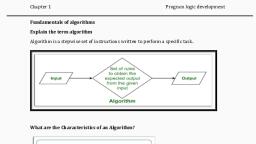
Programming Methodology and Introduction to C Language, , 1-5, , 1.2. Define algorithm and know its characteristics, 1.2.1. Algorithm, This is a problem solving technique. It can be defined as a step-by-step procedure to, solve a particular problem., It consists of English like statements. Each statement must be precise and welldefined to perform a specific operation., When these statements are carried out for a given set of conditions, they will, produce the required results., The word Algorithm is named after the famous ninth century Arabic author and, mathematician, Abu Jafar Mohammed Ibn Musa AI Khowarizmi., The last two terms of the name took different pronunciations over the period such, as Alkhowarism, Algorism and finally it became Algorithm., , 1.2.2. Characteristics of Algorithm, Each and every algorithm is characterized by the following five important, characteristics., 1., , Input, , :, , It may accept zero or more inputs., , 2., , Output, , :, , It should produce at least one output (result)., , 3., , Definiteness, , :, , Each instruction must be clear, well-defined and precise., There should not be any ambiguity., , 4., , Finiteness, , :, , It should be a sequence of finite instructions. That is, it, should end after a fixed time. It should not enter a, infinite loop., , 5., , Effectiveness, , :, , This means that operations must be simple and carried, out in a finite time at one or more levels of complexity., It, should be effective whenever traced manually for, the results., , Computer programming languages are required to check the definiteness and, effectiveness of each instruction of the algorithm., , 1.3. State the steps involved in algorithm development, The development of an algorithm (a plan) is a key step in solving a problem. Once, we have an algorithm, we can translate it into a computer program in some, programming language., Our algorithm development process consists of the following steps., Maanya’s M.G.B Publications, , Programming in C
Page 6 :
Programming Methodology and Introduction to C Language, , 1-6, , Example 1: Real life example algorithm to write a ‘C’ program, Step 1:, , Start, , Step 2:, , Analyze the problem, , Step 3:, , Gather what are the inputs required and outputs needed, , Step 4:, , Write program in C editor, , Step 5:, , Compile the program, , Step 6:, , If errors then, , Step 6.1: Go to editor, correct the errors and repeat from step 5, Step 6.2: Else, Step 6.3: Supply input, Step 6.4: endif, Step 7:, , Verify outputs, , Step 8:, , Stop, , 1.4. Develop algorithms for simple problems., Example 1: Algorithm to find the number is negative or positive. Assume, that the number is ‘n’., Step 1: Start, Step 2: Read n, Step 3: If n > 0 then, Step 3.1: Print number is negative, Step 3.2: Else print number is positive, Step 3.3: endif, Step 4: Stop, , Example 2: Algorithm to find biggest in two number Assume that the two, numbers are ‘a’ and ‘b’., Step 1: Start, Step 2: Read a, b, Step 3: If a > b then, Step 3.1: Print ‘a’ is big, Step 3.2: Else, Step 3.3: Print ‘b’ is big, Step 4: endif, Step 5: Stop, Maanya’s M.G.B Publications, , Programming in C
Page 7 :
Programming Methodology and Introduction to C Language, , 1-7, , Example 3: Write a program to find the largest of three numbers, Step 1: Start, Step 2: READ a, b, c, Step 3: IF (a > b) and (a > c) Then, Step 3.1: Print ‘A is Big’, ELSE, Step 4: IF 9b > c) Then, Step 4.1: Print ‘B is Big’, ELSE, Step 4.2: Print ‘C is Big’, Step 5: Stop, , Example 4: Write a program to find area of the triangle., Step 1: Start, Step 2: Read the value of a, b, c, Step 3: To calculate three sides of the triangle using formula, s (a + b + c)/2, Step 4: To find area of a triangle apply formula., area sqrt(s * (s - a) * (s - b) * (s - c)), Step 5: Print the area, Step 6: Stop, , Example 5: Write a program to find the factorial of the given number, Step 1: Start, Step 2: Read the value of n, Step 3: Set initial values of Fact, i, Step 4: Is I < = n else Goto step 6, Step 4.1: Fact¬Fact *i, Step 4.2: i i +1, Step 5: Goto step 4, Step 6: Print Fact, Step 7: Stop, Maanya’s M.G.B Publications, , Programming in C
Page 8 :
Programming Methodology and Introduction to C Language, , 1-8, , Example 6: Write an algorithm to find the roots of the quadratic equation., Step 1:, , Start, , Step 2:, , Enter the value of a ,b, c., , Step 3:, , Find the value of 'D' of using the formula, D=b*b–4*a*c, , Step 4:, , If D is greater than or equal to zero then find the two roots are, root 1 (- b + sqrt(d)) / (2 * a), root 2 (- b – sqrt (d)) / (2 * a), , Step 5:, , Print the two roots, root l, root 2., , Step 6:, , If D is not greater than or equal to zero, then print the roots are imaginary., , Step 7:, , Stop, , Example 7: Algorithm to compute the area of circle., Algorithm: Area of a circle, Step 1:, , Start, , Step 2:, , Read radius, , Step 3:, , [Compute the area], , Area =3.142 x radius x radius, , Step 4:, , [Print the area], , Print 'Area of a circle:', Area, , Step 5:, , [End of algorithm], , Step 6:, , Stop., , Example 8: Algorithm to perform the basic arithmetic operations such as, addition, subtraction, multiplication and division., Algorithm: Arithmetic operation, Step 1:, , Start, , Step 2:, , [Read the value of A and B], Read A, B, , Step 3:, , [Compute the sum, difference, product and quotient], sum = A+ B, diff = A- B, prod = A x B, quot = A + B, , Step 4:, , [Print the contents of sum, diff, prod, quot], Print 'Sum of A and B =', sum, Print 'Difference of A and B =', diff, Print 'Product of A and B =', prod, , Maanya’s M.G.B Publications, , Programming in C
Page 9 :
Programming Methodology and Introduction to C Language, , 1-9, , Print 'Quotient after dividing A by B =', quot, Step 5 : [End of algorithm], Step 6:, , Stop, , Example 9: Algorithm to calculate the simple interest and compound, interest for the amount deposited (P) for some years (T) for the rate of, interest (R)., Algorithm: Simple Interest, Step 1:, , [Re, , Step 2:, , [Read the value of P, R, T], Read P, R, T, , Step 3:, , [Compute the simple interest], SI = (P x R x T) /100, , Step 4:, , [Compute the compound interest], CI = P x [1 + (R/100W - P, , Step 5:, , [Print the simple interest and compound interest], Print 'Simple interest =', SI, Print 'Compound Interest =', CI, , Step 6:, , [End of algorithm], , Step 7:, , Stop, , 1.5. Define flowchart and know symbols used in drawing, flowcharts, 1.5.1. Flowchart, This is a chart showing a flow of logic involved in solving a problem. This is, defined for an algorithm., The flowchart can be defined as a diagramatic representation of an algorithm. It is, referred to as the blue print of an algorithm., It is also defined as a visual or graphical representation of an algorithm., The flowchart is an easy way to understand and analyze the problem. It is a useful, aid for programmers and system analysts. It is machine independent. Itcan be used, for any type of problems., Flowcharts are classified into two types. They are,, o Program flowcharts, o System flowcharts., Flowcharts make use of geometrical figures, to specify a particular operation., Maanya’s M.G.B Publications, , Programming in C
Page 10 :
Programming Methodology and Introduction to C Language, , 1-10, , 1.5.2. Symbols used in drawing flowcharts, Following table shows different geometrical figures used in a program flowchart, with their functions. While drawing a flowchart, operations must be written inside, the geometric figures., Geometrical, figure, , Name, , Function, , Oval, , Start and stop, , Parallelogram, , Input and Output, , Rectangle, , Processing, , Rhombus, , Decision Making, , Arrows, , Connections, , Circle, , Continuation, , The symbols used in the flowchart are described below., 1. Oval /Rounded rectangle: Show the starting and ending point of the process., 2. Parallelogram: Represents the Inputs given to the process or an Output generated, by the process., 3. Rectangle: Illustrates a processing step., 4. Rhombus/Diamond: Renders the decision point generally in the form of Yes/No, or True/False., 5. Arrows/Flow lines: These are the left to right or top (to bottom lines connecting, symbols. These lines shows the flow of control through the program. These, flowlines indicates the exact sequence in which the statements or instructions to be, executed. However to avoid ambiguity, flowlines are usually drawn with an arrow, head., 6. Circle/Connectors: A connector symbol is represented by a circle and a letter or, digit is placed in the circle to specify the link. Whenever a complex flowchart is to, be drawn with the number of direction of flow lines is confusing or it can long as, over the more than one page, in such a situation, the connector symbols are used to, connect the flowchart., Maanya’s M.G.B Publications, , Programming in C
Page 11 :
Programming Methodology and Introduction to C Language, , 1-11, , 1.6. Draw flowchart for simple problems., Example 1: Draw a flowchart to find largest of three numbers., , Example 2: Draw a flowchart to find the area of a triangle when its three, sides are given., , Maanya’s M.G.B Publications, , Programming in C
Page 12 :
Programming Methodology and Introduction to C Language, , 1-12, , Example 3: Draw a flowchart to compute the factorial of a given number., , Example 4: Draw a flowchart to find the roots of the quadratic equation., , Maanya’s M.G.B Publications, , Programming in C
Page 13 :
Programming Methodology and Introduction to C Language, , 1-13, , 1.7. Differentiate algorithm and flowchart, S. No, 1, , Algorithm, , Flow chart, , An algorithm is the series of steps It is nothing but a manner of, that must be executed to solve a representing an algorithm. It is also, problem., known as the flow diagram, A flowchart is the pictorial illustration, of the algorithm., , 2, , Hard to understand, , Easily interpreted, , 3, , Uses text, , Uses symbols, , 4, , No rules are employed, , Predefined rules are implemented., , 5, , Debugging is easier, , Debugging is difficult, , 6, , It is difficult to write algorithm as It is easy to make flowchart., compared to flowchart., , Example:, Example Flowchart, , Step by step Algorithm, Begin the flowchart., Initialize value for memory variables a and b., Multiply a and b and store the result in, variable c., Print the value of variable c., End the flowchart., , Maanya’s M.G.B Publications, , Programming in C
Page 14 :
Programming Methodology and Introduction to C Language, Example Flowchart, , 1-14, , Step by step Algorithm, Begin the flowchart., Read two variables and store the value in, variable m and n., Check whether the value of m is greater, than value of n., If m is greater than n then print m is, greater. Otherwise print n is greater, End of the flowchart., , 1.8. Define program and differentiate between program, and algorithm, Program: A program is a set of instruction written to carry out a particular task, so, that computer can follow them., The terms computer program, software program, applications program, system, software, or just programs that are used to refer either an executable program or the, collection of source code from which an executable program is created., A computer program is a set of instructions or statements to carry out particular, task by the computers CPU., Using set of instructions or statements the users can develop a program or software, which is called programming., The program tells the computer what the system will do. Specifically the term, software describes an operating system or application., A computer takes instructions, in the form of computer programs, and carries out, the requested task., The human beings cannot interact directly with the computer using natural, languages such as English, Tamil, etc., because computers knows and understand, only programming languages., The example of the programming languages are BASIC, COBOL, FORTRAN,, PASCAL, C,C++, JAVA etc., Maanya’s M.G.B Publications, , Programming in C
Page 15 :
Programming Methodology and Introduction to C Language, , 1-15, , 1.8.1. Differences between program and algorithm, S. No., , Algorithm, , Program, , 1., , Algorithm is finite, , Program need not to be finite, , 2., , Algorithm is written using natural Programs are written using a specific, language or algorithmic language., programming language., , 3., , An algorithm is a description of A program is an implementation of, how to solve a problem., an algorithm in a particular language, to run on a computer., , 4., , Algorithms, are, grammatic rules., , 5., , It helps to simplify and understand A method, the problem, algorithm., , free, , from Programs must follow some syntax, rules, of, , developing, , an, , 1.9. Define High level language and low level language, Basically, computer languages are classified into low level and high level, programming languages., Here, the terms low level do not mean the real world low level or high level., The low level languages are those which are easily understood by machines., For example, machine language is a low level language., On the other hand, the high level languages are those which are nearer to the, natural languages like English., The figure shows the classification of computer programming languages., , 1. Low Level Languages, These are easily understood by computers. They are machine dependent languages., That is, these languages are specific to computers., The machine language and assembly language are specific to computers., Maanya’s M.G.B Publications, , Programming in C
Page 16 :
Programming Methodology and Introduction to C Language, , 1-16, , The machine language and assembly language are examples of low level languages, and they are discussed in the following sections., Programs written in these languages are not transferable from one computer to, another., , a) Machine Languages, o As the name itself implies, programming is done at machine level. The, vocabulary of computer consists of only two words, zero and one. That is, the, digits of a binary number system., o A 0 indicates low voltage level and 1 indicates high voltage level, since the, computer is operating in only two levels of voltage such as high and low., o The machine level language is considered as a first generation language. This, is because, programming was started with this language., o Any sequence of 0'sand 1's forms an instruction in this language., , b) Assembly Language, o To overcome the drawbacks of the machine level language, computer, engineers developed a new programming language which uses symbolic, instructions., o This symbolic instruction oriented programming language is known as, assembly language or assembly level language., o This is called as the second generation programming language, o Symbolic words used in this language are referred to as mnemonics., o Examples:, ADD, , for Addition, , SUB, , for Subtraction, , MUL, , for Multiplication, , STA, , for Store at, Accumulator, , HALT for Halt, JMP, , for Jump, , INR, , for Increment and so, on., , o The writing of program in assembly language is much easier as compared to, the writing of a program in machine language., , Maanya’s M.G.B Publications, , Programming in C
Page 17 :
Programming Methodology and Introduction to C Language, , 1-17, , 2. High Level Languages, The machine language and assembly language are highly machine dependent. It, will be ·very difficult for the programmer to switch over from one machine, language to another and from one assembly language to other., Programming languages that are more concerned with the problem specification, and not oriented towards the details of a computer are called High Level, Languages (HLLs)., High level languages are English like. The elements of these languages are, alphabets, digits, punctuations and other special symbols. The instructions are, composed from these elements., Hence, each and every instruction is easier to read and understand. Instructions are, machine independent., That is, program written for one computer can be run on another computer with, very little or no modifications. Hence, the programmer feels comfortable. These are, standardized as compared to the other two programming languages., , 1.9.1. Differences between machine level and assembly level, programming, S.No., , Machine Language, , Assembly Language, , High-Level Language, , 1, , Language consists of Language consists of Language consists of, binary codes which mnemonics, which English-like statements, specify the operation., specify the operation., which specify more-than, one operation., , 2, , Processor, dependent, and hence requires, knowledge of internal, details of processor to, write a program., , 3, , Programs require less Programs, memory., memory., , 4, , Programs have, execution time., , 5, , Program development Program development is Program development is, is difficult., similar than machine easy., language., , 6, , It is not user friendly., , Processor dependent and Independent, hence, requires processor., knowledge of internal, details of processor to, write a program., require, , less Programs, have, execution time., , Maanya’s M.G.B Publications, , of, , less Programs require more, memory., less Programs have, execution time., , It is less user friendly., , more, , It is user friendly., Programming in C
Page 18 :
Programming Methodology and Introduction to C Language, , 1-18, , 1.10. Define Compiler, Assembler, Linker and Loader, Assembler: It is a software that converts assembly language program codes to, machine language codes., Compiler: It is a software that converts the programs written in high level language, to machine language., Interpreter: It is similar to a compiler but it converts the instructions one by one., Compiler and Assembler plays an important role in the execution of a program., Some compilers directly generate the executable code instead of assembly code., The compiler takes the preprocessed source code and translates it into the assembly, code., The assembler takes the assembly code from the compiler and translates it to the, relocatable machine code., The below fig illustrates the translation of high level and assembly languages into, machine language., , Maanya’s M.G.B Publications, , Programming in C
Page 19 :
Programming Methodology and Introduction to C Language, , 1-19, , 1.10.1. Assembler, The process of converting assembly language instructions to machine readable form, is carried out by a program called assembler., The translation process is show in the figure., , The assembly language program (ALP) that is given as input to the assembler is, called source program and the output of the assembler is called object program., There are different assembler programs available in the software market., Example: TASM (Turbo Assembler), MASM (Macro Assembler)., , 1.10.2. Compiler, The process of translating high level language program into machine language, requires an intermediatory program called the translator., The compiler and interpreter are two translator programs that are used to translate, the high level language programs into machine language., Here, also the program written in high level language is called source program., The corresponding program after translation (either by compiler or interpreter) is, called object program., The high level language program to machine level conversion is shown in figure., , 1.10.3. Differences between the compiler and an interpreter, S. No, , Complier, , Interpreter, , 1., , It takes entire high level language It takes one statement of a high level, program as input and translates it Language program as input and, into machine language., translates it into machine language, and executes it., , 2., , All errors that occur in the Errors that occur only in the, program are listed and displayed. statement being taken for translation, are displayed, , 3., , Debugging is faster., , Debugging is slower., , 4., , Requires more memory, , Requires less memory., , 5., , Costlier., , Cheaper., , Maanya’s M.G.B Publications, , Programming in C
Page 20 :
Programming Methodology and Introduction to C Language, , 1-20, , 1.10.4. Linker and Loader, , a) Linker vs Loader, Linker is the software that links the object The loader is the system software that, code with additional files such as header loads the executable file generated by the, files and creates an executable file with linker to the main memory., .exe extension., , b) Role of Linker and Loader, Source code, , Written in any HLL, , Compiler, , Convert LLL into 0 and 1, , Assembler, , Assembler generates the object code of a source program, , Object code, , Code produced by a compiler or assembler executable machine, code, , Linker, , Helps to link a object modules of program into a single object file., It is executable file as output for loader., , Executable file, , Input for Loader, , Loader, , Load the executable file/module to the main memory for, execution., , Maanya’s M.G.B Publications, , Programming in C
Page 21 :
Programming Methodology and Introduction to C Language, , 1-21, , 1.11. Define source code, assembly code, object, code, machine code., 1.11.1. Source code and Object Code, , Source code: A program written in a high-level language is called source code., Source code is also called a source program. The computer cannot understand the, statements written in a high-level language. Source code cannot be executed by the, computer directly. It is converted into object code then executed., Object code: A program written in machine language is called an object code., Object code is also called an object program. The computer can understand object, code directly., S. No., , Source Code, , Object Code, , 1., , Source code is written in high level Object code is written in machine, or assembly language., language through compilers., , 2., , Source code is easy to understand., , Object code is difficult to understand., , 3., , Source code is easy to modify, , Object code is difficult to modify, , 4., , Source, code, contains, statements than object code., , 5., , Source, code, understandable., , Maanya’s M.G.B Publications, , is, , fewer Object code contains more statements, than source code., human Object, code, understandable., , is, , not, , human, , Programming in C
Page 22 :
Programming Methodology and Introduction to C Language, , 1-22, , 6., , Source code is not directly, understandable by machine., , Object code is machine, understandable and executable., , 7., , It is written in high level language, like C, C++, Java, Python etc or, assembly language., , It is written in machine language, through compiler or assembler or, other translator., , 8., , It contains less number of, statements than object code., , It contains more number of, statements than source code., , 1.11.2. Machine code and Assembly Language, S. No., , Machine code, , Assembly Language, , 1., , Consists of binaries, which are zeros, and ones, , Follows syntax similar to the, English language., , 2., , Only understood by the CPU, , Understood by the programmer., , 3., , Depends on the platform or the, operating system, , Consists of a set of standard, instructions., , 4., , Can be directly executed by the CPU, to perform the defined tasks in the, computer program, , Used by applications such as realtime systems and microcontrollerbased embedded systems, , * Programming Language *, , Fig. Programming Language, When a particular problem is to be solved, it is necessary to design statements or, instructions for the computer to carry out., The art of writing instructions for a computer to solve the specific task is known as, programming., The output of programming is a well-defined set of instructions. This is called a, program., Maanya’s M.G.B Publications, , Programming in C
Page 23 :
Programming Methodology and Introduction to C Language, , 1-23, , Software is a program or a collection of programs. Software cannot be sensed or, touched. It makes the computer hardware to work. Software can be developed by, using programming languages., A Programming language is the medium of communication between the man and, the machine., , 1.12. State the importance of C language, Additional Information, To write a computer program, we need a programming language., Based on the applications different programming languages such as FORTRAN,, COBOL, PASCAL, PROLOG, LISP,B, C, C++, JAVA etc., were developed., Every programming language has a specific goal., For example FORTRAN was developed for scientific calculations, COBOL for, business data processing, PASCAL for general applications and PROLOG and LISP, for artificial intelligence applications., There was need for a programming language which would be used to develop both, application programs and the system programs. C is a new programming language,, is developed to fulfill this requirement., , * History of ‘C’ *, C is a high level language. It is both a general purpose and a specific purpose, programming language. C is the most popular and common programming, language for every application developer., C was developed by Dennis Ritchie in the year 1972 at AT& T Bell Laboratories;, USA. C is derived from two early programming languages such as BCPL (Basic, Combined Programming Language) and B language., The BCPL was developed by Martin Richards and B was developed by Ken, Thompson., In 1972, Dennis Ritchie developed a new version of B and named it as C. He, selected the name C for his new language because C comes after B in the, alphabetical order which indicates of BCPL (i.e., C) for naming his language., Initially, there was a plan to develop the UNIX operating system using C language,, but C language itself is implemented on the UNIX operating system., Although, C is strongly associated with the UNIX operating system, it also runs, under various operating systems including MS-DOS, Windows 95/98/2000/XP,, LINUX etc., For years the book “The C Programming Language, 1st edition” was the standard, on the language C., Maanya’s M.G.B Publications, , Programming in C
Page 24 :
Programming Methodology and Introduction to C Language, , 1-24, , In 1983 a committee was formed by the American National Standards Institute, (ANSI) to develop a modern definition for the programming language C., In 1988, they delivered the final standard definition ANSI C. (The standard was, based on the book from K&RC 1st edition)., , * Features of ‘C’ *, C language has number of characteristics or features. Due to this C-language, becomes a popular programming language. The important characteristics of C are, given below:, 1. C is a general purpose and simple programming language., 2. C is a structure based programming language., 3. Helps in the development of system software., 4. It has more operators than other languages, 5. It has more data types., 6. It has very less number of reserved words (32 keywords)., 7. C programs are highly portable., 8. C programs are efficient and have fast execution speed., 9. No rigid format. Any number of statements can be typed in a single line., *Note: Portable means any C program can be run on different machines with little or, no modification., The C programming language timeline is shown in the table below., Language, , Year, , Founder, , ALGOL, , 1960, , International group, , BCPL, , 1967, , Martin Richards, , B, , 1970, , Ken Thompson, , C, , 1972, , Dennis Ritchie, , K&RC, , 1978, , Kernighan and Ritchie, , ANSI C, , 1989, , ANSI committee, , ANSI/ISO C, , 1990, , ISO committee, , Maanya’s M.G.B Publications, , Programming in C
Page 25 :
Programming Methodology and Introduction to C Language, , 1-25, , * Applications of ‘C’ *, Because of its portability and efficiency, C is used to develop the system as well as, application software. Some of the system and application softwares are listed, below., , a) System Software, 1. Operating system, 2. Interpreters, 3. Compliers, 4. Assemblers, 5. Editors, 6. Loaders, 7. Linkers, , b) Application Software, 1. Graphics Packages, 2. Spread Sheets, 3. Office Automation Tools, 4. Word Processors, 5. Scientific and Engineering Application, 6. Data Base Management System (DBMS), , 1.13. Explain the structure of C program, 1. Documentation Section, The documentation section is used to write the details about the program like,, name of the program, author, when it is coded and what are the features of it, etc., The documentation section begins with /* symbol and ends with */ symbol., The documentation section is only for the user or programmer understandable, purpose, the documentation part is not compiled and executed by the compiler., , 2. Link Section, The link section provides instructions to the compiler to link functions from the, system library. The syntax used to include files is as shown below., Include<header file name>, *Note: The statements begin with # symbol are called the preprocessor directives., Maanya’s M.G.B Publications, , Programming in C
Page 26 :
Programming Methodology and Introduction to C Language, , 1-26, , 3. Definition Section, The definition section defines all symbolic constants., The general syntax is,, #define NULL 0, for defining symbolic constant, NULL = 0., #define PI 3.14, , for defining symbolic constant PI = 3.14., , Part-I, Documentation section, Link (preprocessor)section, Definition section, Global Declaration section, OR, , Part-II, main() Function section, {, Declaration part;, Executable part;, }, , Part-III, User defined functions, , 4. Global Declarations, There are some variables that are used in more than one function. Such variables, are called global variables whose existence is known throughout the program. This, declaration should be made before main() function., Examples:, 1. inta,b,c;, 2. float x,y,z;, 3. char name[20];, Maanya’s M.G.B Publications, , Programming in C
Page 27 :
Programming Methodology and Introduction to C Language, , 1-27, , 5. The main() function, As the name itself indicates this is the main function of every C program. Execution, of a C program starts with main(). No C program executes without the main(), function, This section contains two parts: declaration part and executable part., The declaration is a part of the C program where all the variables, arrays, functions, etc used in the C program are declared and may be initialized with their basic data, types., The executable part is a set of statements to perform a given task, there should be at, least one statement in the executable part., , 6. Braces, Every C program uses a pair of curly braces({ , }). The left braces indicates the, beginning of the main() function. On the other hand, the right brace indicates the, end of the main() function., , 7. User-Defined Functions, These are subprograms., These are written by the user, hence the name user-defined functions., , Additional Information, * Compiling and Executing a C program *, A C program typed from the keyboard cannot be directly used as it is not in the, machine language of the computer., A readable C program is known as the source program. It normally has a .C, extension. The source program is converted to machine language using C, compilers., Compiling a C program means translating it into machine language. The C, program to be compiled must be typed in using an editor. An editor is a program, which allows the programmer to write the program and edit it., C compilers are available with and without editors. The environment where you, find the compiler, editor, debugging tools, linking facilities, tracing and testing, tools is called the Integrated Development Environment (IDE)., Examples: Turbo C (TC), Borland C/C++, Microsoft C/C++ and ANSI C., , 1.14. List and Explain different stages in converting the, C program source code to executable code., Programs written in high level language must be translated into machine language, for execution., Creating and executing C program requires at least four steps as follows:, Maanya’s M.G.B Publications, , Programming in C
Page 28 :
Programming Methodology and Introduction to C Language, , 1-28, , 1. C program (source code) is sent to preprocessor first. The preprocessor is, responsible to convert preprocessor directives into their respective values. The, preprocessor generates an expanded source code., 2. Expanded source code is sent to compiler which compiles the code and converts, it into assembly code., 3. The assembly code is sent to assembler which assembles the code and converts it, into object code. Now a simple.obj file is generated., 4. The object code is sent to linker which links it to the library such as header files., Then it is converted into executable code. A simple.exe file is generated., 5. The executable code is sent to loader which loads it into memory and then it is, executed. After execution, output is sent to console., , 1.15. Explain the steps involved in executing the C, program, There are basically five steps in the successful execution of a program., 1. Creating a program file (source file), 2. Saving the program ( with .c as extension), 3. Compilation, 4. Linking system library functions, 5. Running (executing .exe file) the program, The fig. illustrates how an executable program is created from the source code., Maanya’s M.G.B Publications, , Programming in C
Page 29 :
Programming Methodology and Introduction to C Language, , 1-29, , The steps involved in the procedure are:, Step 1: The source code is entered using a text editor in a file with a .C extension., (Press F2 to save). It consists of preprocessor directives and functions., Step 2: The preprocessor expands the #define directive and adds the #include, files., Step 3: Press Alt + F9 to compile the program. The compiler produces an, intermediate object code with a.obj extension from the extended source code., Step 4: If there are errors, correct the errors and recompile the program. If there, are no errors, then press Ctrl + F9 to execute/run the program., Step 5: Press Alt + F5 to open User Screen and check the result. The linker adds, the relevant library routines and produces an executable version with a.exe, extension., , Maanya’s M.G.B Publications, , Programming in C
Page 30 :
Programming Methodology and Introduction to C Language, , Maanya’s M.G.B Publications, , 1-30, , Programming in C



 Learn better on this topic