Page 3 :
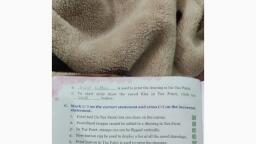
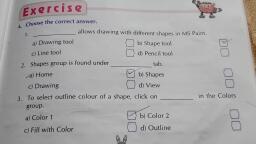
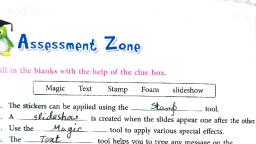
<b) New, @o)tine GB 4) Eraser, 2. contains the drawing and editing control tools,, , y To create a new drawing, click onthe ___ —____. bitten:, BD a) Paint, , , , <B) Toolbar GB ») shapes, @ co) Help Area, , d) Eraser, — is a palette of available colours., , @ a) Help Area, , @ b) Toolbar, @ Line Wiican Box, 4. This is the }, , ‘argest part of the screen in, , the center of the Tux Painy, window where we draw., Boi Drawing Canvas @ b) Help Area, , @ Line, , @ & Color Box, 5. It shows different things like brush, , es and stamps, depending On the, control tools., @a)New button @ b) Toolbar, ©) Selector, , , , d) Drawing Canvas, B. Fill in the blanks., , , , a tool is used to draw straight lines,, — See, , tool is used to erase the mistakes,, Sean, , tool is used to draw simple filled shapes., Se eee, , tool provides a variety, , oe, a, 4., , 5. Click on the, , of brushes to create a drawing., button to close the Tux Paint window,

Page 4 :
Tux Paint provides a variety of tools to create beautiful drawings., paint tool contains a number of brushes to make the drawings., Line tool is used to draw straight lines using different brushes., Shapes tool is used to draw simple filled and outlined shapes., Eraser tool is used to erase the mistakes (in the drawings)., , a me, : aE, Fill in the crossword with the correct words., , tool is used to draw a straight line., , 1 eas, tool is used to draw filled and outlined shapes., is a palette of available colours jn a TuxPaint window., , , , 3., Ae 2 tool is like a brush for painting on the canvas., , tool is used to erase the mistakes in the drawing., 6. button is used to save a drawing., , button is used to quit the Tux Paint window.
Page 5 :
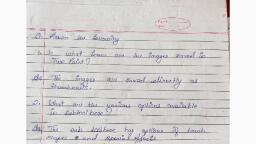
CLASS 2, , CHAPTER 6 COMPUTER, , Fun Zone, , 1.Line tool, , e 2.Shapes tool, , e 3.Colors box, , e 4, Paint tool, , e 5, Eraser tool, , ° 6. Save, , e 7. Quit, , e D. Answer the following questions, , e 1. Toolbar , Selector , Drawing Canvas ,, , colors Box , Help Area ., , e 2.Square, rectangle, circle, triangle.