Notes of Class 12, Informatics Practices mysql - Study Material
Page 1 :
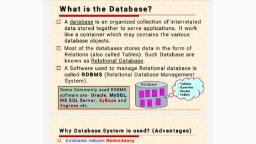
CHAPTER – MYSQL, DATABASE:, A database system is a basically a computer-based record keeping system. The collection of data, usually referred, as the database, contains information about one particular enterprise., Advantages of database systems are as follows:, •, •, •, •, •, •, , Reduce data redundancy (data duplication) to a large extent, Control data inconsistency to a large extent, Facilitate sharing of data, Enforce standards, Centralized databases can ensure data security, Integrity can be maintained through databases., , RELATIONAL DATA MODEL:, A data model refers to a set of concepts to describe the structure of a database, and certain constraints (restrictions), that database should obey., In relational data model, the data is organized into tables (i.e. rows and columns). These tables are called relations., •, •, •, •, •, •, •, •, •, •, •, , Relation: A table storing data containing rows and columns, Domain: A pool/set of values from which the actual values appears in a particular row and column, Tuple: A row of relation, also called a record, Attribute: A column of a relation, also known as field, Cardinality: Number of rows (tuples) in a relation, Degree: Number of columns (attributes) in a relation, View: It is a virtual table that does not really exist in its own right but is instead derived from one or more, underlying base table(s)., Primary Key: A set of one or more attributes that can uniquely identify tuples within the relation., Candidate Key: All attribute combinations inside a relation that can serve as primary key are candidate, keys as these are candidate for primary key position., Alternate Key: A candidate key that is not primary key, is called an alternate key., Foreign Key: A non-key attribute, whose values are derived from the primary key of some other table, is, known as foreign key in its current table., , REFERENTIAL INTEGRITY:, A referential integrity is a system of rules that database management system uses to ensure that relationships, between records in related tables are valid, and that users don’t accidently delete or change related data., , MySQL DATABASE SYSTEM:, MySQL database systems refers to the combination of a MySQL server instance and a MySQL database. MySQL, operates using client/server architecture in which the server runs on the machine containing the databases and, clients connect to the server over a network., In MySQL, all programs and users must use SQL (Structured Query Language) which is a set of commands that, enables you to operate on relational databases.
Page 2 :
CLASSIFICATION OF SQL STATEMENTS:, SQL Provides many different types of commands used for different purposes. SQL commands can be mainly, divided into following categories:, (i) DDL (Data Definition Language): Commands that allow you to perform task related to data definition e.g., •, •, •, , Creating, Altering and Dropping, Granting and Revoking Privileges and Roles, Maintenance commands, , (ii) DML (Data Manipulation Language): Commands that allow you to perform data manipulation e.g., •, •, •, •, , Retrieving (selecting), Insertion, Deletion, Modification, , (iii) TCL (Transaction Control Language): Commands that allow you to manage and control the transactions., A transaction is one complete unit of work involving many steps e.g., •, •, •, •, , Making changes to database, permanent, Undoing changes to database, permanent, Creating savepoints, Setting properties for current transactions, , COMMON MySQL DATATYPES:, Datatypes are means to identify the type of data and associated operations for handling it. A value’s datatype, associate is a fixed set of properties., Some commonly used datatype in MySQL are briefly listed below:, •, •, •, •, •, •, •, •, •, •, •, , CHAR, VARCHAR, TEXT, INT, FLOAT, DOUBLE, DECIMAL, DATE, TIME, DATETIME, BOOLEAN, , (String 0-255), (String 0-255), (String, has versions also like TINYTEXT, MEDIUMTEXT, LONGTEXT), (Integer, has versions also like TINYINT, SMALLINT, MEDIUMINT, BIGINT), (Decimal, precise to 23 digits), (Decimal, precise 24 to 53 digits), Double stored as string, YYYY-MM-DD, HH:MM:SS, YYYYMMDDHHMMSS, TINYINT(1), , Note: Difference between CHAR and VARCHAR is that of fixed length and variable length. The CHAR datatype, specifies a fixed length character string, whereas VARCHAR specifies a variable length string., , CREATING DATABASE in MySQL:, For creating a new database, the syntax is :, CREATE DATABASE <database-name>;, Example: CREATE DATABASE mydatabase;
Page 3 :
ACCESSING DATABASE in MySQL:, Before writing SQL commands or making queries, we need to open the database for use., Syntax: USE <database-name>;, Example: USE mydatabase;, , CREATING TABLES in MySQL:, When a table is created, its columns are named, data types and sizes are supplied for each column. Each table, must have at least one column., Syntax:, CREATE TABLE <table-name>, (<column-name>, , <data-type>(size), , <constraint if any>,, , <column-name>, , <data-type>(size), , <constraint if any>,, , <column-name>, , <data-type>(size), , <constraint if any>, …….) ;, , Example:, CREATE TABLE employee, (ecode int primary key, ename char(20), sex char(1), grade char(2) gross decimal);, , INSERTING DATA into TABLE:, The rows (tuples) are added to relations using INSERT command., Syntax:, INSERT INTO <table-name> (<column-list), VALUES (<value>, <value> ……);, Example:, INSERT into employee (ecode, ename, sex, grade, gross), VALUES (1001, ‘Ravi’, ‘M’, ‘E4’, 4670.00), Note 1: In INSERT command, only those columns can be omitted that have either default value or they allow, NULL values., Note 2: To insert NULL values in a specific column, you can type NULL without quotes., Note 3: Dates are default entered in ‘YYYY-MM-DD’ format., , MAKING SIMPLE QUERIES THROUGH SELECT COMMAND:, The SELECT command is used to pull information from a table., Syntax:, SELECT <what_to_select> FROM <which_table> WHERE <conditions_to_satisfy>;
Page 4 :
Task with SELECT, , Syntax, , Example, , Selecting all data:, , SELECT * FROM <table-name> ;, , SELECT * FROM employee;, , Selecting particular rows:, , SELECT * FROM <table-name>, WHERE <condition> ;, , SELECT * FROM employee, WHERE SEX=’M’;, , Selecting Particular columns:, , SELECT <column-names>, FROM <table-name>, WHERE <condition> ;, , SELECT ecode, ename, FROM employee, WHERE SEX=’M’;, , Eliminating Redundant Data:, (with Keyword DISTINCT), , SELECT DISTINCT <column-name>, SELECT DISTINCT grade, FROM <table-name>, DISTINCT keyword eliminates, FROM employee;, WHERE <condition, if any> ;, duplicate rows from the result of a, SELECT statement., Selecting from all the Rows:, SELECT ALL <column-name>, If in place of DISTINCT, keyword FROM <table-name>, ALL gives the result retaining the WHERE <condition, if any> ;, duplicate output rows., , SELECT ALL grade, FROM employee, WHERE gross > 4000;, , Viewing Structure of a Table:, DESCRIBE command gives the, structural description of the table., , DESC <table-name> ;, , DESC employee;, , SELECT 4*3-2;, Performing simple calculations:, , SELECT <expression> ;, Result: 10, , Using Column Alias:, , SELECT <column-name> AS, <column-alias>, The columns in a query can be, FROM <table-name> ;, given a different name., Condition Based on a range:, , SELECT <column-names>, FROM <table-name>, BETWEEN operator defines a WHERE <column-name>, range of values, it includes both BETWEEN <low_range> AND, lower value and upper value., <upp_range> ;, Condition Based on a list:, , SELECT <column-names>, FROM <table-name>, IN operator selects a value that, WHERE <column-name>, match any value in a given list of, IN <list-of-values>;, values., Condition, Matches:, •, •, , based, , on, , Pattern, , SELECT <column-names>, FROM <table-name>, % character matches any, WHERE <column-name>, substring, LIKE <condition of % or _>;, _ character matches any, character, , Searching for NULL:, , SELECT <column-names>, FROM <table-name>, WHERE <column-name> IS NULL;, , SELECT ecode as, Employee_Code, from employee;, SELECT ecode, ename FROM, employee, WHERE gross BETWEEN, 2000 AND 5000 ;, SELECT ecode, ename FROM, employee, WHERE grade, IN (‘E3’, ‘E5’, ‘E6’, ‘E8’) ;, SELECT ecode, ename FROM, employee, WHERE ename, LIKE ‘S%’ ;, (gives name starting form S), or, LIKE ‘_a%’ ;, (gives name having 2nd letter s), SELECT ecode, ename FROM, employee, WHERE grade IS NULL;
Page 5 :
SQL CONSTRAINTS:, A constraint is a condition or check applicable on a field (column) or set of fields., •, , NOT NULL: Ensures that a column cannot have NULL value., CREATE TABLE Customer, (SID integer NOT NULL,, Last_Name varchar (30) NOT NULL,, First_Name varchar (30) ) ;, , •, , DEFAULT: Provides a default value for a column when none is specified., CREATE TABLE Student, (StudentID integer,, Last_Name varchar (30),, First_Name varchar (30),, Score DEFAULT 80) ;, , •, , UNIQUE: Ensures that all values in a column are different., CREATE TABLE Student, (StudentID integer UNIQUE,, Last_Name varchar (30),, First_Name varchar (30) ) ;, , •, , CHECK: Makes sure that all values in a column satisfy certain criteria., CREATE TABLE Student, (StudentID integer CHECK (StudentID > 0) ,, Last_Name varchar (30) NOT NULL,, First_Name varchar (30) );, , •, , PRIMARY KEY: Used to uniquely identify a row in a table., CREATE TABLE Student, (StudentID integer PRIMARY KEY,, Last_Name varchar (30),, First_Name varchar (30) );, , •, , FOREIGN KEY: Used to ensure referential integrity of the data., CREATE TABLE Orders, (Order_Id integer PRIMARY KEY,, Order_Date date,, Customer_SID integer,, Amount double,, FOREIGN KEY (Customer_SID) references Customer(SID) );, , Note: A constraint can be applied to a column to a group of columns. When it is applied to a group of columns,, it is called table constraint.
Page 6 :
CREATE TABLE items, (icode char(5), , NOT NULL,, , descp char(20), , NOT NULL,, , ROL, , integer,, , QOH integer,, CHECK (ROL < QOH),, UNIQUE (icode, descp) );, , INSERTING DATA FROM ANOTHER TABLE:, INSERT command can also be used to take or derive values from one table and place them in another by using, it with a query. To do this, simply replace the VALUES clause with an appropriate query as follows:, INSERT INTO branch1, SELECT * FROM branch2, WHERE gross > 7000;, Note: Both the tables must be existing tables of the database., , MODIFYING DATA IN TABLES:, The UPDATE command specifies the rows to be changed using the WHERE clause and new data is placed using, SET keyword., Syntax:, UPDATE <table-name> SET <column-name> = <new-value> WHERE <condition> ;, Example:, UPDATE employee SET gross = gross * 2 WHERE grade = ‘E3’ OR grade = ‘E4’ ;, , DELETING DATA FROM TABLES:, DELETE command removes rows from a table., Syntax: DELETE FROM <table-name> WHERE <condition>;, Example: DELETE FROM employee WHERE gross < 2200.00 ;, Note: If you specify no condition, then all the rows of table will be deleted., DELETE FROM employee;, , ALTERING TABLES:, The ALTER TABLE command is used to change the definitions of existing tables.
Page 7 :
Task, , Syntax, , Example, , To add a column:, , ALTER TABLE <table-name>, ADD (<column-name> <datatype> <size>, <constraint>);, , ALTER TABLE employee, ADD (tel_number integer);, , To modify existing, column:, , ALTER TABLE <table-name>, MODIFY ( <column-name> <new-datatype>, <new-size> <constraint> ) ;, , ALTER TABLE employee, MODIFY( Job char(30) );, , To change name of, one column:, , ALTER TABLE <table-name>, CHANGE <old-column-name> <new columnname with data-type size and constraint> ;, , ALTER TABLE employee, CHANGE First_Name, FName varchar(30);, , To delete a column:, , ALTER TABLE <table-name>, DROP <column-name>;, , ALTER TABLE employee, DROP grade;, , DROPPING TABLES:, The DROP TABLE command is used to remove / drop a table completely from the database., Syntax: DROP TABLE <table-name>;, Example: DROP TABLE employee;, Note: the IF EXISTS clause of DROP TABLE first check whether the given table exist in the database or not., DROP TABLE IF EXISTS players;, , SQL JOINS:, An SQL Join is a query that fetches data from two or more tables whose records are joined with one another, based on a condition., Syntax:, SELECT <column-list>, FROM <table1>, <table2>…, WHERE <join condition for the tables > AND <any other condition>;, Examples:, •, , SELECT ename, loc, FROM employee, department, WHERE employee.dept_no = department.dept_no AND ename=’ANOOP’ ;, , •, , SELECT employee.ename, department.loc, FROM employee, department, WHERE employee.dept_no = department.dept_no AND employee.ename=’ANOOP’ ;, , •, , SELECT E.ename, D.loc, FROM employee E, department D, WHERE E.dept_no = D.dept_no AND ename=’ANOOP’ ;
Page 8 :
INDEXES IN DATABASE:, An index is a data structure maintained by a database that helps it find records within a table more quickly. An, index stores the sorted / ordered values within the index field and their location in the actual table., (i) Creating Index at time of table Creation:, CREATE TABLE PLAYERS, (Player_No integer NOTNULL,, Name char(15) NOT NULL,, DOB date,, Address varchar(100),, Team_No char(4) NOT NULL,, PRIMARY KEY (Player_no),, INDEX Player_Idx (Team_No) ) ;, , (ii) Creating index on an already existing table:, CREATE TABLE PLAYERS, (Player_No integer NOTNULL,, Name char(15) NOT NULL,, DOB date,, Address varchar(100),, Team_No char(4) NOT NULL,, PRIMARY KEY (Player_no),, INDEX Player_Idx (Team_No) ) ;, , ORDER BY:, ORDER BY clause of SQL SELECT statement sort or orders the result set as per required predication., Syntax:, SELECT <column-list> FROM <table-name>, WHERE <condition> ORDER BY <field-name> ;, Example:, SELECT * FROM data, ORDER BY marks;, Note: ASC word is explicitly specified for ordering the result set in ascending order whereas DESC is specified, for ordering the result set in descending order., SELECT * FROM data, ORDER BY DESC;, •, , Ordering data on multiple columns:, SELECT * FROM data, ORDER BY section ASC, marks DESC;, , •, , Ordering data on the basis of an Expression:, SELECT rollno, name, grade, section, marks*0.35, FROM data WHERE marks >70, ORDER BY section ASC, marks*0.35 DESC;, , •, , Specifying Custom Sort Order:, Syntax: SELECT * FROM data, ORDER BY FIELD (<specify column name>, <value1>, <value2> …...);, Example: SELECT * FROM data, ORDER BY FIELD (Project, ‘Evaluated’, ‘Pending’, ‘Submitted’, ‘Assigned’);
Page 9 :
AGGREGATE FUNCTIONS:, MySQL supports group functions or aggregate functions which works upon groups of rows, rather than on single, rows., Function, AVG( ), , Syntax, SELECT AVG(<column-name>) “Name”, FROM <table-name>, WHERE <condition, if any>;, , Example, SELECT AVG (salary) “Average”, FROM employee;, , COUNT( ), , SELECT COUNT(<column-name>) “Name”, FROM <table-name>, WHERE <condition, if any>;, , SELECT COUNT (job) “Job Count”, FROM employee;, , MAX( ), , SELECT MAX(<column-name>) “Name”, FROM <table-name>, WHERE <condition, if any>;, , SELECT MAX (salary) “MaxSalary”, FROM employee;, , MIN( ), , SUM( ), , SELECT MIN(<column-name>) “Name”, FROM <table-name>, WHERE <condition, if any>;, SELECT SUM(<column-name>) “Name”, FROM <table-name>, WHERE <condition, if any>;, , SELECT MIN (salary) “MinSalary”, FROM employee;, SELECT SUM (salary) “Total, Salary”, FROM employee;, , TYPES OF SQL FUNCTIONS:, SQL functions can be categorized into following two type:, •, •, , Single row functions: Works with single row at a time., Multiple row or Group functions: works with data of multiple rows at a time and return aggregated value., , GROUP BY:, The GROUP BY clause combines all those records that have identical values in a particular field or a group of, fields. This grouping results into one summary record per group., Example:, SELECT job, COUNT(*), FROM employee, GROUP BY job;, •, , Nested Groups – Grouping on multiple columns:, This can be done by specifying in GROUP BY expression, where the first field determines the highest, group level, the second field determines the second group level and so on., SELECT Deptno, Job, COUNT (empno), From employee, GROUP By Deptno, Job;, , •, , Placing Conditions on Groups – HAVING clause:, The HAVING clause places conditions on groups in contrast to WHERE clause that places conditions on, individual rows. While WHERE conditions cannot include aggregate functions, HAVING conditions can, do so., Example:
Page 10 :
SELECT AVG(gross), SUM(gross), FROM employee, GROUP BY grade, HAVING grade=’E4’;, You can also place more than one condition in HAVING clause., , INTERFACE PYTHON with MYSQL, In order to connect to a database from within Python, we need a library that provides connectivity functionality., We will work with mysql connector library for the same purpose. It can be installed using pip command from, within the scripts folder inside python directory., pip install mysql, STEPS FOR CREATING DATABASE CONNECTIVITY:, There are mainly seven steps that must be followed in order to create a database connectivity application., Step 1: Start Python IDLE, Step 2: import mysql.connector package, import mysql.connector as msc, Step 3: Open a connection to MySQL database:, The connect( ) function establishes a connection to a MySQL database and requires four parameters, which are:, <connection-object> = mysql.connector.connect ( host = <host-name>, user = <username>, passwd=, <password>, database = <database-name>), • user is the username on MySQL, • passwd is the password of the user, • host is the database server hostname or IP address, • database is optional which provides the database name, Example:, import mysql.connector as msc, con = msc.connect (host=”localhost”, user=”root”, passwd=”nhpc”, database=”empl”), To check for successful connection, we use function is_connected( ) as follows:, if con.is_connected( ):, print(“Successfully connected to the MySQL database.”), Step 4: Create a Cursor instance:, A database cursor is a useful control structure of database connectivity. It gets the access of all the records, retrieved as per query and allows you to traverse the result set row by row., Syntax: <cursor-object> = <connection-object>. cursor( ), Example: cursr = con.cursor( ), Step 5: Execute SQL Query:, We can execute SQL query using execute( ) function with cursor object as per following syntax:, Syntax: <cursor-object>.execute(<SQL Query>), Example: cursr.execute(“SELECT * FROM data”)
Page 11 :
Step 6: Extract Data from Resultset:, Once the result of query is available in the form of a resultset stored in cursor object, you can extract data using, fetch…( ) functions., • fetchall( ) : Return all the records in a tuple form., • fetchmany( ) : Return number of records to fetch and returns a tuple where each record itself a tuple., • fetchone( ) : Return one record as a tuple., • rowcount : Returns the number of rows retrieved from the cursor so far., Example:, import mysql.connector as msc, con = msc.connect (host=”localhost”, user=”root”, passwd=”nhpc”, database=”empl”), if con.is_connected( ):, print(“Successfully connected to the MySQL database.”), cursr = con.cursor( ), cursr.execute(“SELECT * FROM data”), x = cursr.fetcone( ), y = cursr.fetchmany(3), z = cursr.fetchall( ), count= cursr.rowcount, Step 7: Clean up the environment:, After you are through all the processing, in this final step, you need to close the connection established., Syntax: <connection-object>.close( ), Example: con.close( ), , PARAMETERIZED QUERIES:, Sometimes we need to run queries which are based on some parameters or values that are provided from, outside, such queries are called parameterised queries e.g., inp = 70, SELECT * FROM student WHERE marks > inp;, To form query strings based on some parameters, the following two methods are used:, (i) String templates with % formatting – Old Style:, In this style, string formatting use the form: f % v where f is a template string and v specifies the value to be, formatted., For this, we write the SQL query in a string but use a %s operator in place of the value to be provided as a, parameter; and provide the value for %s placeholder in the form of a tuple as follows:, For example:, “SELECT * FROM student WHERE marks > %s” % (70,), str = “SELECT * FROM student WHERE marks > %s and section = %s”, , % (70, ’B’), , (ii) String templates with % formatting – New Style:, In this style, we use { } as placeholders and use format( ) function for passing the arguments., For example:, str = “SELECT * FROM student WHERE marks >{} and section = {}”, , . format (70, ’B’)
Page 12 :
str2 = “SELECT * FROM student WHERE marks >{marks} and section ={section}” . format (marks=70,, section=’B’), , PERFORMING INSERT AND UPDATE QUERIES:, INSERT and UPDATE queries make changes to the database unlike SELECT, so you must commit your query, after executing INSERT and UPDATE commands., Syntax: <connection-object>.commit( ), Example:, (i) str = “INSERT INTO student (rollno, name, marks, grade, section), VALUES ({ }, ‘{ }’, { }, ‘{ }’, ‘{ }’) ” . format(108, ‘Eka’, 84.0, ‘A’, ‘B’), cursr.execute(str), con.commit( ), (ii) str= “UPDATE student SET marks = { }, WHERE marks = { }” . format(77, 76.8), cursr.execute(str), con.commit( ), Note: We need to run commit( ) with connection object for queries that change the data of the database table so, that changes are reflected in the database., , ***



 Learn better on this topic