Page 2 :
Computer, Computer Fundamentals:, Fundamentals: Pradeep, Pradeep K., K. Sinha, Sinha &, & Priti, Priti Sinha, Sinha, , Learning Objectives, In this chapter you will learn about:, § Definition and need for operating system, § Main functions of an operating system, § Commonly used mechanisms for:, § Process management, § Memory management, § File management, § Security, § Command interpretation module, § Some commonly used OS capability enhancement software, § Some popular operating systems, , Ref Page 251, , Chapter 14: Operating Systems, , Slide 2/54
Page 3 :
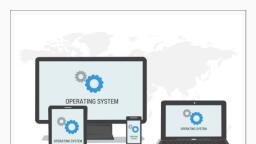
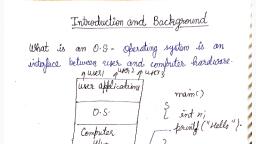
Computer, Computer Fundamentals:, Fundamentals: Pradeep, Pradeep K., K. Sinha, Sinha &, & Priti, Priti Sinha, Sinha, , Definition and Need for OS, § Integrated set of programs that controls the resources, (the CPU, memory, I/O devices, etc.) of a computer, system, § Provides its users with an interface or virtual machine, that is more convenient to use than the bare machine, § Two primary objectives of an OS are:, § Making a computer system convenient to use, § Managing the resources of a computer system, , Ref Page 251, , Chapter 14: Operating Systems, , Slide 3/54
Page 4 :
Computer, Computer Fundamentals:, Fundamentals: Pradeep, Pradeep K., K. Sinha, Sinha &, & Priti, Priti Sinha, Sinha, , Logical, Logical Architecture, Architecture of, of a, a Computer, Computer System, System, , Users, Other, System Software and, Application Programs, Operating System, , Computer, Hardware, , Ref Page 252, , The operating system, layer hides the details of, the hardware from the, programmer, and, provides the programmer, with convenient interface, for using the system, , Chapter 14: Operating Systems, , Slide 4/54
Page 6 :
Computer, Computer Fundamentals:, Fundamentals: Pradeep, Pradeep K., K. Sinha, Sinha &, & Priti, Priti Sinha, Sinha, , Parameters, Parameters for, for Measuring, Measuring System, System, Performance, Performance, , § Throughput: Amount of work that the system is able to, do per unit time, § Turnaround time: Interval from the time of submission, of a job to the system for processing to the time of, completion of the job, § Response time: Interval from the time of submission of a, job to the system for processing to the time the first, response for the job is produced by the system, , Ref Page 253, , Chapter 14: Operating Systems, , Slide 6/54
Page 7 :
Computer, Computer Fundamentals:, Fundamentals: Pradeep, Pradeep K., K. Sinha, Sinha &, & Priti, Priti Sinha, Sinha, , Process Management, § A process (also called job) is a program in execution, § Process management manages the processes, submitted to a system in a manner to minimize idle time, of processors (CPUs, I/O processors, etc.) of the system, , Ref Page 253, , Chapter 14: Operating Systems, , Slide 7/54
Page 8 :
Computer, Computer Fundamentals:, Fundamentals: Pradeep, Pradeep K., K. Sinha, Sinha &, & Priti, Priti Sinha, Sinha, , Process, Process Management, Management Mechanisms, Mechanisms in, in, Early, Early Systems, Systems, , § Manual loading mechanism: Jobs were manually, loaded one after another in a computer by the, computer operator, § Batch processing mechanism: Batch of jobs was, submitted together to the computer and job-to-job, transition was done automatically by the operating, system, § Job Control Language (JCL): Control statements, were used to facilitate job loading and unloading, , Ref Page 253, , Chapter 14: Operating Systems, , Slide 8/54
Page 9 :
Computer, Computer Fundamentals:, Fundamentals: Pradeep, Pradeep K., K. Sinha, Sinha &, & Priti, Priti Sinha, Sinha, , Use, Use of, of Job, Job Control, Control Statements, Statements in, in Batch, Batch, Processing, Processing (An, (An Example), Example), $END, Data for program, $RUN, $LOAD, COBOL program, $COBOL, $JOB, ONGC05839,, USER=SINHA, , Ref Page 255, , Chapter 14: Operating Systems, , Slide 9/54
Page 10 :
Computer, Computer Fundamentals:, Fundamentals: Pradeep, Pradeep K., K. Sinha, Sinha &, & Priti, Priti Sinha, Sinha, , Multiprogramming, § Uniprogramming: Only one job is processed at a, time and all system resources are available exclusively, for the job until its completion, § Multiprogramming: Interleaved execution of two or, more different and independent programs by a, computer, § Types of Multiprogramming:, § Multiprogramming with fixed tasks (MFT): Fixed, number of jobs can be processed concurrently, § Multiprogramming with variable tasks (MVT):, Number of jobs can vary, § Area occupied by each job residing simultaneously in, the main memory is known as a memory partition, , Ref Page 255, , Chapter 14: Operating Systems, , Slide 10/54
Page 11 :
Computer, Computer Fundamentals:, Fundamentals: Pradeep, Pradeep K., K. Sinha, Sinha &, & Priti, Priti Sinha, Sinha, , Job, § CPU bound: Mostly perform computations with little, I/O operations. Scientific and engineering, computations usually fall in this category, § I/O bound: Mostly perform I/O operations with little, computation. Commercial data processing applications, usually fall in this category, , Ref Page 255, , Chapter 14: Operating Systems, , Slide 11/54
Page 12 :
Computer, Computer Fundamentals:, Fundamentals: Pradeep, Pradeep K., K. Sinha, Sinha &, & Priti, Priti Sinha, Sinha, , Uniprogramming System, Main memory, Operating, system, , User job, , OS area, , User program area, , Execution in, progress, , CPU, , Only one job is processed by the system at a time and all, the system resources are exclusively available for the job, until it completes, Ref Page 255, , Chapter 14: Operating Systems, , Slide 12/54
Page 13 :
Computer, Computer Fundamentals:, Fundamentals: Pradeep, Pradeep K., K. Sinha, Sinha &, & Priti, Priti Sinha, Sinha, , Multiprogramming System, Main memory, Operating system, Writing output data, , Job A, Job B, , Secondary disk storage, Execution in, progress, , Ref Page 257, , Chapter 14: Operating Systems, , Job C, (Waiting for CPU), , CPU, , Slide 13/54
Page 14 :
Computer, Computer Fundamentals:, Fundamentals: Pradeep, Pradeep K., K. Sinha, Sinha &, & Priti, Priti Sinha, Sinha, , Process, Process States, States in, in Multiprogramming, Multiprogramming, , New, job, , Ready, , Job is allocated the, CPU for execution, , I/O completed, Blocked, , Ref Page 257, , Running, , Job, processing, completed, , Job must wait for I/O, completion, , Chapter 14: Operating Systems, , Slide 14/54
Page 16 :
Computer, Computer Fundamentals:, Fundamentals: Pradeep, Pradeep K., K. Sinha, Sinha &, & Priti, Priti Sinha, Sinha, , Process, Process Control, Control Block, Block (PCB), (PCB), process identifier, process state, program counter, values of various CPU, registers, accounting and scheduling, information, I/O status information, , PCB is used to preserve the job status of each loaded, process in a multiprogramming system, Ref Page 257, , Chapter 14: Operating Systems, , Slide 16/54
Page 17 :
Computer, Computer Fundamentals:, Fundamentals: Pradeep, Pradeep K., K. Sinha, Sinha &, & Priti, Priti Sinha, Sinha, , Multitasking, § Interleaved execution of multiple jobs (often referred, to as tasks of same user) in a single-user system, § Computer systems used for multitasking are, uniprocessor systems (having only one CPU), § Treated differently from multiprogramming that refers, to interleaved execution of multiple jobs in a multiuser system, , Ref Page 258, , Chapter 14: Operating Systems, , Slide 17/54
Page 18 :
Computer, Computer Fundamentals:, Fundamentals: Pradeep, Pradeep K., K. Sinha, Sinha &, & Priti, Priti Sinha, Sinha, , Multithreading, § Thread is basic unit of CPU utilization. Threads, share a CPU in the same way as processes do, § All threads of a process also share the same set of, operating system resources, § All threads of a process inherit parent’s address, space and security parameters, § Each thread of a process has its own program, counter, its own register states, and its own stack, § Referred as mini-process or lightweight process, , Ref Page 258, , Chapter 14: Operating Systems, , Slide 18/54
Page 19 :
Computer, Computer Fundamentals:, Fundamentals: Pradeep, Pradeep K., K. Sinha, Sinha &, & Priti, Priti Sinha, Sinha, , Multithreading System, Address space, , Address space, , Thread, Thread, , Thread, , Thread, , (a) Single-threaded and (b) multithreaded processes. A, single-threaded process corresponds to a process of a, traditional operating system. [Reproduced with, permission, from the book titled Distributed Operating, Systems: Concepts and Design by Pradeep K. Sinha., © 1997 IEEE, USA]., , Ref Page 259, , Chapter 14: Operating Systems, , Slide 19/54
Page 20 :
Computer, Computer Fundamentals:, Fundamentals: Pradeep, Pradeep K., K. Sinha, Sinha &, & Priti, Priti Sinha, Sinha, , Multiprocessing, § System with two or more CPUs having ability to execute, multiple processes concurrently, § Multiple CPUs are used to process either instructions from, different and independent programs or different, instructions from the same program simultaneously, § Types of multiprocessing:, § Tightly-coupled: Single system-wide primary memory, shared by all processors, § Loosely-coupled: Each processor has its own local, memory, , Ref Page 259, , Chapter 14: Operating Systems, , Slide 20/54
Page 21 :
Computer, Computer Fundamentals:, Fundamentals: Pradeep, Pradeep K., K. Sinha, Sinha &, & Priti, Priti Sinha, Sinha, , CPU,, CPU, Memory,, Memory, and, and I/O, I/O Processors, Processors of, of a, a, Computer, Computer System, System, , Main, memory, , I/O Units, , Ref Page 260, , I/O, Processors, , Chapter 14: Operating Systems, , CPU, , Slide 21/54
Page 22 :
Computer, Computer Fundamentals:, Fundamentals: Pradeep, Pradeep K., K. Sinha, Sinha &, & Priti, Priti Sinha, Sinha, , Multiprocessing, Multiprocessing System, System, , CPU-1, , Main, memory, , CPU-2, , I/O, processors, , I/O, processors, , I/O units, , I/O units, , Ref Page 260, , Chapter 14: Operating Systems, , Slide 22/54
Page 23 :
Computer, Computer Fundamentals:, Fundamentals: Pradeep, Pradeep K., K. Sinha, Sinha &, & Priti, Priti Sinha, Sinha, , Time-sharing, Time-sharing, § Simultaneous interactive use of a computer system by, many users in such a way that each one feels that, he/she is the sole user of the system, § User terminals connected to the same computer, simultaneously, § Uses multiprogramming with a special CPU scheduling, algorithm, § Short period during which a user process gets to use, CPU is known as time slice, time slot, or quantum, § CPU is taken away from a running process when the, allotted time slice expires, , Ref Page 261, , Chapter 14: Operating Systems, , Slide 23/54
Page 24 :
Computer, Computer Fundamentals:, Fundamentals: Pradeep, Pradeep K., K. Sinha, Sinha &, & Priti, Priti Sinha, Sinha, , Process, Process State, State Diagram, Diagram for, for a, a Time-Sharing, Time-Sharing, System, System, , New, Job, , Ready, , Job is allocated to, CPU for execution, , Running, , Allotted time slice is over, I/O completed, Blocked, , Ref Page 261, , Chapter 14: Operating Systems, , Job, processing, completed, , Job must wait, for I/O, completion, , Slide 24/54
Page 25 :
Computer, Computer Fundamentals:, Fundamentals: Pradeep, Pradeep K., K. Sinha, Sinha &, & Priti, Priti Sinha, Sinha, , Advantages, Advantages of, of Time-sharing, Time-sharing Systems, Systems, § Reduces CPU idle time, § Provides advantages of quick response time, § Offers good computing facility to small users, , Ref Page 262, , Chapter 14: Operating Systems, , Slide 25/54
Page 26 :
Computer, Computer Fundamentals:, Fundamentals: Pradeep, Pradeep K., K. Sinha, Sinha &, & Priti, Priti Sinha, Sinha, , Memory, Memory Management, Management, § Memory is important resource of a computer system, that must be properly managed for the overall system, performance, § Memory management module:, § Keeps track of parts of memory in use and parts not, in use, § Allocates memory to processes as needed and, deallocates when no longer needed, , Ref Page 262, , Chapter 14: Operating Systems, , Slide 26/54
Page 27 :
Computer, Computer Fundamentals:, Fundamentals: Pradeep, Pradeep K., K. Sinha, Sinha &, & Priti, Priti Sinha, Sinha, , Uniprogramming, Uniprogramming Memory, Memory Model, Model, § Used in systems that process one job only at a time, and, all system resources are available exclusively for the job, until it completes, § Simple and easy to implement, § Does not lead to proper utilization of the main memory as, unoccupied memory space by the currently active user, process remains unused, § Used only on very small or dedicated computer systems, , Ref Page 262, , Chapter 14: Operating Systems, , Slide 27/54
Page 29 :
Computer, Computer Fundamentals:, Fundamentals: Pradeep, Pradeep K., K. Sinha, Sinha &, & Priti, Priti Sinha, Sinha, , Multiprogramming, Multiprogramming Memory, Memory Models, Models, Two memory management schemes used to facilitate this, are:, § Multiprogramming with fixed number of memory, partitions: User area of the memory is divided into a, number of fixed-sized partitions, § Multiprogramming with variable number of memory, partitions: Number, size and location of the partitions, vary dynamically as processes come and go, , Ref Page 263, , Chapter 14: Operating Systems, , Slide 29/54
Page 30 :
Computer, Computer Fundamentals:, Fundamentals: Pradeep, Pradeep K., K. Sinha, Sinha &, & Priti, Priti Sinha, Sinha, , Multiprogramming, Multiprogramming with, with Fixed, Fixed Number, Number of, of Memory, Memory, Partition, Partition, Operating system, area, , Operating, system, Partition 1, Partition 2, , User area divided, into n equal-sized, partitions, , Partition 3, , Partition n, , Ref Page 263, , Chapter 14: Operating Systems, , Slide 30/54
Page 33 :
Computer, Computer Fundamentals:, Fundamentals: Pradeep, Pradeep K., K. Sinha, Sinha &, & Priti, Priti Sinha, Sinha, , Virtual Memory, Memory management scheme that allows execution of, processes that might not be completely loaded in the main, memory., It does not require the entire process to be in memory, before the process can execute, , Ref Page 265, , Chapter 14: Operating Systems, , Slide 33/54
Page 34 :
Computer, Computer Fundamentals:, Fundamentals: Pradeep, Pradeep K., K. Sinha, Sinha &, & Priti, Priti Sinha, Sinha, , Virtual Memory Realization, Three basic concepts used for its realization are:, § On-line secondary storage: Used to keep a process’s, address space ready to be loaded into the memory, § Swapping: Process of transferring a block of data from, the on-line secondary storage to main memory, (swapping in) or vice-versa (swapping out), § Demand paging: Scheme of swapping in of pages of a, process as and when needed during execution of the, process, rather than loading all the pages before, starting the process’s execution, , Ref Page 265, , Chapter 14: Operating Systems, , Slide 34/54
Page 35 :
Computer, Computer Fundamentals:, Fundamentals: Pradeep, Pradeep K., K. Sinha, Sinha &, & Priti, Priti Sinha, Sinha, , Advantages of Virtual Memory, § Provides a large virtual memory to programmers on a, system having smaller physical memory, § Enables execution of a process on a system whose main, memory size is less than the total memory required by the, process, § Enables a process’s execution to be started even when, sufficient free memory for loading the entire process is not, available, § Makes programming easier there no longer need to worry, about the memory size limitations, § Often leads to less I/O activity resulting in better, throughput, turnaround time, and response time, , Ref Page 266, , Chapter 14: Operating Systems, , Slide 35/54
Page 36 :
Computer, Computer Fundamentals:, Fundamentals: Pradeep, Pradeep K., K. Sinha, Sinha &, & Priti, Priti Sinha, Sinha, , Disadvantages, Disadvantages of, of Virtual, Virtual Memory, Memory, § Difficult to implement because it requires algorithms to, support demand paging, § If used carelessly, it may substantially decrease, performance due to high page fault rate, , Ref Page 266, , Chapter 14: Operating Systems, , Slide 36/54
Page 37 :
Computer, Computer Fundamentals:, Fundamentals: Pradeep, Pradeep K., K. Sinha, Sinha &, & Priti, Priti Sinha, Sinha, , File Management, § A file is a collection of related information, § Every file has a name, its data and attributes, § File’s name uniquely identifies it in the system and is used, by its users to access it, § File’s data is its contents, § File’s attributes contain information such as date & time of, its creation, date & time of last access, date & time of last, update, its current size, its protection features, etc., § File management module of an operating system takes, care of file-related activities such as structuring,, accessing, naming, sharing, and protection of files, , Ref Page 266, , Chapter 14: Operating Systems, , Slide 37/54
Page 38 :
Computer, Computer Fundamentals:, Fundamentals: Pradeep, Pradeep K., K. Sinha, Sinha &, & Priti, Priti Sinha, Sinha, , File Access Methods, Two commonly supported file access methods are:, § Sequential access: Information stored in a file can be, accessed sequentially (in the order in which they are, stored, starting at the beginning), § Random access: Information stored in a file can be, accessed randomly irrespective of the order in which, the bytes or records are stored, , Ref Page 267, , Chapter 14: Operating Systems, , Slide 38/54
Page 39 :
Computer, Computer Fundamentals:, Fundamentals: Pradeep, Pradeep K., K. Sinha, Sinha &, & Priti, Priti Sinha, Sinha, , File Operations, § Set of commands provided by an operating system to, deal with files and their contents, § Typical file operations include create, delete, open,, close, read, write, seek, get attributes, set attributes,, rename, and copy, , Ref Page 267, , Chapter 14: Operating Systems, , Slide 39/54
Page 40 :
Computer, Computer Fundamentals:, Fundamentals: Pradeep, Pradeep K., K. Sinha, Sinha &, & Priti, Priti Sinha, Sinha, , File Naming, File naming deals with the rules for naming files in an, operating system. This may include such rules as:, § Maximum number of characters that a file name may, have, § Special characters allowed in a file name, § Distinction between upper case and lower case letters, § Multi-part file names allow file extensions to be part of a, file name. File extensions indicate something about the, file and its content, § Used by applications to check for the intended type of, file before operating on it, , Ref Page 268, , Chapter 14: Operating Systems, , Slide 40/54
Page 41 :
Computer, Computer Fundamentals:, Fundamentals: Pradeep, Pradeep K., K. Sinha, Sinha &, & Priti, Priti Sinha, Sinha, , File, File Extensions, Extensions (Example), (Example), File extension, , .bas, .c, .ftn, .pas, .obj, .bin, .lib, .dat, .hlp, .man, , Its meaning, Basic source program file, C source program file, Fortran source program file, Pascal source program file, Object file (compiler output, not yet linked), Executable binary program file, Library of .obj files used by the linker, Data file, Text file for HELP command, Online manual page file, , (Continued on next slide), , Ref Page 268, , Chapter 14: Operating Systems, , Slide 41/54
Page 42 :
Computer, Computer Fundamentals:, Fundamentals: Pradeep, Pradeep K., K. Sinha, Sinha &, & Priti, Priti Sinha, Sinha, , File, File Extensions, Extensions (Example), (Example), (Continued from previous slide), , File extension, , Its meaning, , .man, , Online manual page file, , .txt, , General text file, , .bak, , Backup file, , .doc, , Microsoft word document file, , .wav, , Microsoft windows sound file, , .wk4, , Lotus 1-2-3 spreadsheet file, , .xls, , Microsoft Excel spreadsheet file, , .jpg, , JPEG graphics file, , .gif, , GIF graphics file, , Ref Page 268, , Chapter 14: Operating Systems, , Slide 42/54
Page 43 :
Computer, Computer Fundamentals:, Fundamentals: Pradeep, Pradeep K., K. Sinha, Sinha &, & Priti, Priti Sinha, Sinha, , Security, §, , Deals with protecting the various resources and information, of a computer system against destruction and unauthorized, access, , §, , External security: Deals with securing computer against, external factors such as fires, floods, earthquakes, stolen, disks/tapes, etc. by maintaining adequate backup, using, security guards, allowing access to sensitive information to, only trusted employees/users, etc., , §, , Internal security: Deals with user authentication, access, control, and cryptography mechanisms, , Ref Page 269, , Chapter 14: Operating Systems, , Slide 43/54
Page 44 :
Computer, Computer Fundamentals:, Fundamentals: Pradeep, Pradeep K., K. Sinha, Sinha &, & Priti, Priti Sinha, Sinha, , Security, § User authentication: Deals with the problem of, verifying the identity of a user (person or program), before permitting access to the requested resource, § Access Control: Once authenticated, access control, mechanisms prohibit a user/process from accessing those, resources/information that he/she/it is not authorized to, access, § Cryptography: Means of encrypting private information, so that unauthorized access cannot use information, , Ref Page 269, , Chapter 14: Operating Systems, , Slide 44/54
Page 45 :
Computer, Computer Fundamentals:, Fundamentals: Pradeep, Pradeep K., K. Sinha, Sinha &, & Priti, Priti Sinha, Sinha, , Command Interpretation, § Provides a set of commands using which the user can give, instructions to the computer for getting some job done by, it, § Commands supported by the command interpretation, module are known as system calls, , (Continued on next slide), , Ref Page 269, , Chapter 14: Operating Systems, , Slide 45/54
Page 46 :
Computer, Computer Fundamentals:, Fundamentals: Pradeep, Pradeep K., K. Sinha, Sinha &, & Priti, Priti Sinha, Sinha, , Command Interpretation, (Continued from previous slide), , Two types of user interfaces supported by various operating, systems are:, §, , Command-line interface: User gives instructions to, the computer by typing the commands, , §, , Graphical User Interface (GUI): User gives, commands to the system by selecting icon or menu, item displayed on the screen with the use of a pointand-draw device, , Ref Page 269, , Chapter 14: Operating Systems, , Slide 46/54
Page 47 :
Computer, Computer Fundamentals:, Fundamentals: Pradeep, Pradeep K., K. Sinha, Sinha &, & Priti, Priti Sinha, Sinha, , OS, OS Capability, Capability Enhancement, Enhancement Software, Software, § Perform several tasks of routine nature, frequently, needed by users but are not provided as part of the OS, § They are primarily grouped into three categories:, § Translating programs: Translate a source program, into an object program, § Library programs: Consist of frequently used, functions and operations, § Utility programs: Assist users with system, maintenance tasks such as disk formatting, data, compression, data backups, antivirus utilities, , Ref Page 270, , Chapter 14: Operating Systems, , Slide 47/54
Page 48 :
Computer, Computer Fundamentals:, Fundamentals: Pradeep, Pradeep K., K. Sinha, Sinha &, & Priti, Priti Sinha, Sinha, , UNIX, UNIX OS, OS, § Developed in the early 1970s at Bell Laboratories by Ken, Thompson and Dennis Ritchie, § Written in C high-level language, hence, highly portable, § Multi-user, time-sharing OS, § Used on a wide variety of computers ranging from, notebook computers to super computers, § Especially prevalent on RISC workstations such as those, from Sun Microsystems, Hewlett-Packard, IBM, and, Silicon Graphics, § Structured in three layers – kernel, shell, and utilities, , Ref Page 272, , Chapter 14: Operating Systems, , Slide 48/54
Page 49 :
MS-DOS, , Computer, Computer Fundamentals:, Fundamentals: Pradeep, Pradeep K., K. Sinha, Sinha &, & Priti, Priti Sinha, Sinha, , § Stands for Microsoft Disk Operating System., § Single-user OS for IBM and IBM-compatible personal, computers (PC), § Structured in three layers – BIOS (Basic Input Output, System), kernel, and shell, § Very popular in the 1980s, now not in much use and, development with the launch of Microsoft Windows OS in, 1990s, , Ref Page 272, , Chapter 14: Operating Systems, , Slide 49/54
Page 50 :
Computer, Computer Fundamentals:, Fundamentals: Pradeep, Pradeep K., K. Sinha, Sinha &, & Priti, Priti Sinha, Sinha, , Microsoft Windows, § Developed by Microsoft to overcome limitations of MSDOS operating system, § Single-user, multitasking OS, § Native interface is a GUI, § Designed to be not just an OS but also a complete, operating environment, § OS of choice for most PCs after 1990, , Ref Page 272, , Chapter 14: Operating Systems, , Slide 50/54
Page 51 :
Computer, Computer Fundamentals:, Fundamentals: Pradeep, Pradeep K., K. Sinha, Sinha &, & Priti, Priti Sinha, Sinha, , Microsoft Windows NT, § Multi-user, time-sharing OS developed by Microsoft, § Designed to have UNIX-like features so that it can be, used for powerful workstations, network, and database, servers, § Supports multiprogramming and is designed to take, advantage of multiprocessing on systems having, multiple processors, § Native interface is a GUI, § Built-in networking and communications features, § Provides strict system security, § Rich set of tools for software development, , Ref Page 273, , Chapter 14: Operating Systems, , Slide 51/54
Page 52 :
Computer, Computer Fundamentals:, Fundamentals: Pradeep, Pradeep K., K. Sinha, Sinha &, & Priti, Priti Sinha, Sinha, , Linux, § Open-source OS enhanced and backed by thousands of, programmers world-wide, § Multi-tasking, multiprocessing OS, originally designed to, be used in PCs, § Name “Linux” is derived from its inventor Linus Torvalds, § Several Linux distributions available (Red Hat, SuSE)., Difference in distribution is mostly set of tools, number, and quality of applications, documentation, support, and, service, , Ref Page 273, , Chapter 14: Operating Systems, , Slide 52/54
Page 53 :
Computer, Computer Fundamentals:, Fundamentals: Pradeep, Pradeep K., K. Sinha, Sinha &, & Priti, Priti Sinha, Sinha, , Keywords/Phrases, §, §, §, §, §, §, §, §, §, §, §, §, §, §, §, §, §, §, §, , Access control, Batch processing, Command interpretation, Command-line interface (CLI), CPU-bound jobs, Cryptography, Demand paging, External security, File, File attributes, File extensions, File management, Graphical User Interface (GUI), I/O-bound jobs, Internal security, Job control language (JCL), Library programs, Linux, Loosely coupled system, , §, §, §, §, §, §, §, §, §, §, §, §, §, §, §, §, §, §, §, , Memory management, Memory partition, Microsoft Windows, Microsoft Windows NT, MS-DOS, Multiprocessing, Multiprogramming, Multiprogramming with fixed tasks (MFT), Multiprogramming with variable tasks, (MVT), Operating systems, Multithreading, Process, Process Control Block (PCB) Multitasking, Process management, Random access files, Response time, Security, Sequential access files, Swapping, , (Continued on next slide), Ref Page 274, , Chapter 14: Operating Systems, , Slide 53/54
Page 54 :
Computer, Computer Fundamentals:, Fundamentals: Pradeep, Pradeep K., K. Sinha, Sinha &, & Priti, Priti Sinha, Sinha, , Keywords/Phrases, (Continued from previous slide), , §, §, §, §, §, §, §, §, §, §, §, §, , Throughput, Tightly coupled system, Time-sharing, Time slice, Time slot, Translating programs, Turnaround time, Unix, User authentication, Utility programs, Virtual machine, Virtual memory, , Ref Page 274, , Chapter 14: Operating Systems, , Slide 54/54