Page 1 :
Chapter 8, , Strings, 8.1 Introduction, , “The great thing about a, , We have studied in Chapter 5, that a sequence is an, orderly collection of items and each item is indexed by, an integer. Following sequence data types in Python, were also briefly introduced in Chapter 5., • Strings, • Lists, • Tuples, Another data type ‘Dictionary’ was also introduced, in chapter 5 which falls under the category of mapping., In this chapter, we will go through strings in detail., List will be covered in Chapter 9 whereas tuple and, dictionary will be discussed in Chapter 10., , computer notebook is that no, matter how much you stuff, into it, it doesn't get bigger or, heavier. ”, – Bill Gates, , 8.2 Strings, String is a sequence which is made up of one or more, UNICODE characters. Here the character can be a letter,, digit, whitespace or any other symbol. A string can be, created by enclosing one or more characters in single,, double or triple quote., Example 8.1, >>>, >>>, >>>, >>>, , str1, str2, str3, str4, , =, =, =, =, , 'Hello World!', "Hello World!", """Hello World!""", '''Hello World!'', , In this chapter, , str1, str2, str3, str4 are all string variables, having the same value 'Hello World!'. Values stored in, str3 and str4 can be extended to multiple lines using, triple codes as can be seen in the following example:, >>> str3 = """Hello World!, welcome to the world of Python""", >>> str4 = '''Hello World!, welcome to the world of Python''', , »» Introduction to, Strings, »» String Operations, »» Traversing a String, »» Strings Methods, and Built-in, Functions, »» Handling Strings, , 2020-21, Ch 8.indd 175, , 08-Apr-19 12:39:21 PM
Page 2 :
176, , Computer Science – Class, , xi, , 8.2.1 Accessing Characters in a String, Python does not have, a character data type., String of length one is, considered as character., , Each individual character in a string can be accessed, using a technique called indexing. The index specifies, the character to be accessed in the string and is written, in square brackets ([ ]). The index of the first character, (from left) in the string is 0 and the last character is n-1, where n is the length of the string. If we give index value, out of this range then we get an IndexError. The index, must be an integer (positive, zero or negative)., #initializes a string str1, >>> str1 = 'Hello World!', #gives the first character of str1, >>> str1[0], 'H', #gives seventh character of str1, >>> str1[6], 'W', #gives last character of str1, >>> str1[11], '!', #gives error as index is out of range, >>> str1[15], IndexError: string index out of range, , The index can also be an expression including, variables and operators but the expression must, evaluate to an integer., #an expression resulting in an integer index, #so gives 6th character of str1, >>> str1[2+4], 'W', #gives error as index must be an integer, >>> str1[1.5], TypeError: string indices must be integers, , Python allows an index value to be negative also., Negative indices are used when we want to access the, characters of the string from right to left. Starting from, right hand side, the first character has the index as -1, and the last character has the index –n where n is the, length of the string. Table 8.1 shows the indexing of, characters in the string ‘Hello World!’ in both the cases,, i.e., positive and negative indices., >>> str1[-1] #gives first character from right, '!', >>> str1[-12]#gives last character from right, 'H', , 2020-21, Ch 8.indd 176, , 08-Apr-19 12:39:21 PM
Page 3 :
Strings, , 177, , Table 8.1 Indexing of characters in string 'Hello World!', Positive Indices, , 0, , 1, , 2, , 3, , 4, , String, , H, , e, , l, , l, , o, , Negative Indices, , -12, , -11, , -10, , -9, , -8, , 5, , -7, , 6, , 7, , 8, , 9, , 10, , 11, , W, , o, , r, , l, , d, , !, , -6, , -5, , -4, , -3, , -2, , -1, , An inbuilt function len() in Python returns the length, of the string that is passed as parameter. For example,, the length of string str1 = 'Hello World!' is 12., #gives the length of the string str1, >>> len(str1), 12, #length of the string is assigned to n, >>> n = len(str1), >>> print(n), 12, #gives the last character of the string, >>> str1[n-1], '!', #gives the first character of the string, >>> str1[-n], 'H', , 8.2.2 String is Immutable, A string is an immutable data type. It means that, the contents of the string cannot be changed after it, has been created. An attempt to do this would lead to, an error., >>> str1 = "Hello World!", #if we try to replace character 'e' with 'a', >>> str1[1] = 'a', TypeError: 'str' object does not support item, assignment, , 8.3 String Operations, As we know that string is a sequence of characters., Python allows certain operations on string data type,, such as concatenation, repetition, membership and, slicing. These operations are explained in the following, subsections with suitable examples., 8.3.1 Concatenation, To concatenate means to join. Python allows us to join, two strings using concatenation operator plus which is, denoted by symbol +., , 2020-21, Ch 8.indd 177, , 08-Apr-19 12:39:21 PM
Page 4 :
178, , Computer Science – Class, , xi, , >>> str1 = 'Hello', , #First string, >>> str2 = 'World!', #Second string, >>> str1 + str2, #Concatenated strings, 'HelloWorld!', , #str1 and str2 remain same, >>> str1 , #after this operation., 'Hello', >>> str2, 'World!', , 8.3.2 Repetition, Python allows us to repeat the given string using, repetition operator which is denoted by symbol *., #assign string 'Hello' to str1, >>> str1 = 'Hello', #repeat the value of str1 2 times, >>> str1 * 2, 'HelloHello', #repeat the value of str1 5 times, >>> str1 * 5, 'HelloHelloHelloHelloHello', Note: str1 still remains the same after the use of, repetition operator., , 8.3.3 Membership, Python has two membership operators 'in' and 'not, in'. The 'in' operator takes two strings and returns, True if the first string appears as a substring in the, second string, otherwise it returns False., >>> str1 = 'Hello World!', >>> 'W' in str1, True, >>> 'Wor' in str1, True, >>> 'My' in str1, False, The 'not in' operator also takes two strings and, , returns True if the first string does not appear as a, substring in the second string, otherwise returns False., >>> str1 = 'Hello World!', >>> 'My' not in str1, True, >>> 'Hello' not in str1, False, , 8.3.4 Slicing, In Python, to access some part of a string or substring,, we use a method called slicing. This can be done by, 2020-21, Ch 8.indd 178, , 08-Apr-19 12:39:21 PM
Page 5 :
Strings, , 179, , specifying an index range. Given a string st r1, the, slice operation st r1[n:m] returns the part of the string, str1 starting from index n (inclusive) and ending at m, (exclusive). In other words, we can say that st r1[n:m], returns all the characters starting from st r1[n] till, st r1[m-1]. The numbers of characters in the substring, will always be equal to difference of two indices m and, n, i.e., (m-n)., >>> str1 = 'Hello World!', #gives substring starting from index 1 to 4, >>> str1[1:5] , 'ello', #gives substring starting from 7 to 9, >>> str1[7:10] , 'orl', #index that is too big is truncated down to, #the end of the string, >>> str1[3:20] , 'lo World!' , #first index > second index results in an, #empty '' string, >>> str1[7:2], , If the first index is not mentioned, the slice starts, from index., #gives substring from index 0 to 4, >>> str1[:5], 'Hello', , If the second index is not mentioned, the slicing is, done till the length of the string., #gives substring from index 6 to end, >>> str1[6:] , 'World!', , The slice operation can also take a third index that, specifies the ‘step size’. For example, str1[n:m:k],, means every kth character has to be extracted from, the string str1 starting from n and ending at m-1. By, default, the step size is one., >>> str1[0:10:2], 'HloWr', >>> str1[0:10:3], 'HlWl', , Negative indexes can also be used for slicing., #characters at index -6,-5,-4,-3 and -2 are , #sliced, >>> str1[-6:-1], 2020-21, Ch 8.indd 179, , 21-May-19 12:26:40 PM
Page 6 :
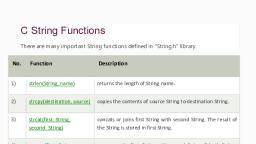
Computer Science – Class, , 180, , xi, , 'World', , If we ignore both the indexes and give step size as -1, #str1 string is obtained in the reverse order, >>> str1[::-1], '!dlroW olleH', , 8.4 Traversing, , a, , String, , We can access each character of a string or traverse a, string using for loop and while loop., (A) String Traversal Using for Loop:, >>> str1 = 'Hello World!', >>> for ch in str1:, print(ch,end = ''), Hello World!, #output of for loop, , In the above code, the loop starts from the first, character of the string str1 and automatically ends, when the last character is accessed., (B) String Traversal Using while Loop:, >>> str1 = 'Hello World!', >>> index = 0, #len(): a function to get length of string, >>> while index < len(str1):, print(str1[index],end = ''), index += 1, Hello World!, , #output of while loop, , Here while loop runs till the condition index, < len(str) is True, where index varies from 0 to, len( st r1) -1., , 8.5 String Methods, , and, , Built-in Functions, , Python has several built-in functions that allow us to work, with strings. Table 8.2 describes some of the commonly, used built-in functions for string manipulation., Table 8.2 Built-in functions for string manipulations, Method, len(), , Description, Returns the, given string, , length, , Example, of, , the, , >>> str1 = 'Hello World!', >>> len(str1), 12, , title(), , Returns the string with first letter, of every word in the string in, uppercase and rest in lowercase, , >>> str1 = 'hello WORLD!', >>> str1.title(), 'Hello World!', , 2020-21, Ch 8.indd 180, , 08-Apr-19 12:39:21 PM
Page 7 :
Strings, lower(), , upper(), , count(str,, start, end), , find(str,start,, end), , 181, , Returns the string with all, uppercase, letters, converted, to lowercase, , >>> str1 = 'hello WORLD!', , Returns the string with all, lowercase, letters, converted, to uppercase, , >>> str1 = 'hello WORLD!', , Returns, number, of, times, substring str occurs in the, given string. If we do not give, start index and end index then, searching starts from index 0, and ends at length of the string, , >>> str1 = 'Hello World! Hello, Hello', , Returns the first occurrence of, index of substring str occurring, in the given string. If we do not, give start and end then searching, starts from index 0 and ends, at length of the string. If the, substring is not present in the, given string, then the function, returns -1, , >>> str1 = 'Hello World! Hello Hello', , >>> str1.lower(), 'hello world!', , >>> str1.upper(), 'HELLO WORLD!', , >>> str1.count('Hello',12,25), 2, >>> str1.count('Hello'), 3, >>> str1.find('Hello',10,20), 13, >>> str1.find('Hello',15,25), 19, >>> str1.find('Hello'), 0, >>> str1.find('Hee'), -1, , index(str,, start, end), , Same as find() but raises an, exception if the substring is not, present in the given string, , >>> str1 = 'Hello World! Hello, Hello', >>> str1.index('Hello'), 0, >>> str1.index('Hee'), ValueError: substring not found, , endswith(), , Returns True if the given string, ends with the supplied substring, otherwise returns False, , >>> str1 = 'Hello World!', >>> str1.endswith('World!'), True, >>> str1.endswith('!'), True, >>> str1.endswith('lde'), False, , startswith(), , Returns True if the given string, starts with the supplied substring, otherwise returns False, , >>> str1 = 'Hello World!', >>> str1.startswith('He'), True, >>> str1.startswith('Hee'), False, , 2020-21, Ch 8.indd 181, , 08-Apr-19 12:39:22 PM
Page 9 :
Strings, isspace(), , Returns True if the string is, non-empty and all characters, are white spaces (blank, tab,, newline, carriage return), , >>> str1 = ', , \n, , 183, , \t \r', , >>> str1.isspace(), True, >>> str1 = 'Hello, , \n', , >>> str1.isspace(), False, istitle(), , Returns True if the string is, non-empty and title case, i.e.,, the first letter of every word in, the string in uppercase and rest, in lowercase, , >>> str1 = 'Hello World!', >>> str1.istitle(), True, >>> str1 = 'hello World!', >>> str1.istitle(), False, , lstrip(), , Returns the string after removing, the spaces only on the left of the, string, , >>> str1 = ', ', >>> str1.lstrip(), 'Hello World!, , rstrip(), , strip(), , replace(oldstr,, newstr), , Hello World!, , ', , Returns the string after removing, the spaces only on the right of, the string, , >>> str1 = ', , Returns the string after removing, the spaces both on the left and, the right of the string, , >>> str1 = ', , Replaces all occurrences of old, string with the new string, , >>> str1 = 'Hello World!', , Hello World!', , >>> str1.rstrip(), ', , Hello World!', Hello World!', , >>> str1.strip(), 'Hello World!', , >>> str1.replace('o','*'), 'Hell* W*rld!', >>> str1 = 'Hello World!', >>> str1.replace('World','Country'), 'Hello Country!', >>> str1 = 'Hello World! Hello', >>> str1.replace('Hello','Bye'), 'Bye World! Bye', , join(), , Returns a string in which the, characters in the string have, been joined by a separator, , >>> str1 = ('HelloWorld!'), >>> str2 = '-', , #separator, , >>> str2.join(str1), 'H-e-l-l-o-W-o-r-l-d-!', , 2020-21, Ch 8.indd 183, , 08-Apr-19 12:39:22 PM
Page 10 :
Computer Science – Class, , 184, partition()), , split(), , xi, , Partitions the given string at the, first occurrence of the substring, (separator) and returns the string, partitioned into three parts., 1. Substring before the, separator, 2. Separator, 3. Substring after the separator, If the separator is not found in the, string, it returns the whole string, itself and two empty strings, Returns a list of words delimited, by the specified substring. If no, delimiter is given then words are, separated by space., , >>> str1 = 'India is a Great Country', >>> str1.partition('is'), ('India ', 'is', ' a Great, Country'), >>> str1.partition('are'), ('India is a Great Country',' ',', '), , >>> str1 = 'India is a Great Country', >>> str1.split(), ['India','is','a','Great',, 'Country'], >>> str1 = 'India is a Great, Country', >>> str1.split('a'), ['Indi', ' is ', ' Gre', 't, Country'], , 8.6 Handling Strings, In this section, we will learn about user defined functions, in Python to perform different operations on strings., Program 8-1 Write a program with a user defined, function to count the number of times a, character (passed as argument) occurs in, the given string., #Program 8-1, #Function to count the number of times a character occurs in a, #string, def charCount(ch,st):, count = 0, for character in st:, if character == ch:, count += 1, return count, #end of function, st = input("Enter a string: "), ch = input("Enter the character to be searched: "), count = charCount(ch,st), print("Number of times character",ch,"occurs in the string, is:",count), , 2020-21, Ch 8.indd 184, , 08-Apr-19 12:39:22 PM
Page 11 :
Strings, , 185, , Output:, Enter a string: Today is a Holiday, Enter the character to be searched: a, Number of times character a occurs in the string is: 3, , Program 8-2 Write a program with a user defined, function with string as a parameter which, replaces all vowels in the string with '*'., #Program 8-2, #Function to replace all vowels in the string with, def replaceVowel(st):, #create an empty string, newstr = '', for character in st:, , #check if next character is a vowel, if character in 'aeiouAEIOU':, , #Replace vowel with *, newstr += '*', else:, newstr += character, return newstr, #end of function, st = input("Enter a String: "), st1 = replaceVowel(st), print("The original String is:",st), print("The modified String is:",st1), , '*', , Output:, Enter a String: Hello World, The original String is: Hello World, The modified String is: H*ll* W*rld, , Program 8-3 Write a program to input a string from, the user and print it in the reverse order, without creating a new string., #Program 8-3, #Program to display string in reverse order, st = input("Enter a string: "), for i in range(-1,-len(st)-1,-1):, print(st[i],end=''), Output:, Enter a string: Hello World, dlroW olleH, , Program 8-4 Write a program which reverses a string, passed as parameter and stores the, reversed string in a new string. Use a user, defined function for reversing the string., , 2020-21, Ch 8.indd 185, , 08-Apr-19 12:39:22 PM
Page 12 :
186, , Computer Science – Class, , xi, , #Program 8-4, #Function to reverse a string, def reverseString(st):, newstr = '', #create a new string, length = len(st), for i in range(-1,-length-1,-1):, newstr += st[i], return newstr, #end of function, st = input("Enter a String: "), st1 = reverseString(st), print("The original String is:",st), print("The reversed String is:",st1), Output:, Enter a String: Hello World, The original String is: Hello World, The reversed String is: dlroW olleH, , Program 8-5 Write a program using a user defined, function to check if a string is a palindrome, or not. (A string is called palindrome if it, reads same backwards as forward. For, example, Kanak is a palindrome.), #Program 8-5, #Function to check if a string is palindrome or not, def checkPalin(st):, i = 0, j = len(st) - 1, while(i <= j):, if(st[i] != st[j]):, return False, i += 1, j -= 1, return True, #end of function, st = input("Enter a String: "), result = checkPalin(st), if result == True:, print("The given string",st,"is a palindrome"), else:, print("The given string",st,"is not a palindrome"), Output 1:, Enter a String: kanak, The given string kanak is a palindrome, Output 2:, Enter a String: computer, The given string computer is not a palindrome, , 2020-21, Ch 8.indd 186, , 08-Apr-19 12:39:22 PM
Page 13 :
Strings, , 187, , Notes, , Summary, • A string is a sequence of characters enclosed in, single, double or triple quotes., • Indexing is used for accessing individual, characters within a string., • The first character has the index 0 and the last, character has the index n-1 where n is the length, of the string. The negative indexing ranges from, -n to -1., • Strings in Python are immutable, i.e., a string, cannot be changed after it is created., • Membership operator in takes two strings and, returns True if the first string appears as a, substring in the second else returns False., Membership operator ‘not in’ does the reverse., • Retrieving a portion of a string is called slicing., This can be done by specifying an index range., The slice operation str1[n:m] returns the part of, the string str1 starting from index n (inclusive), and ending at m (exclusive)., • Each character of a string can be accessed either, using a for loop or while loop., • There are many built-in functions for working, with strings in Python., , Exercise, 1. Consider the following string mySubject:, mySubject = "Computer Science", What will be the output of the following string operations :, i. print(mySubject[0:len(mySubject)]), ii. print(mySubject[-7:-1]), iii. print(mySubject[::2]), iv. print(mySubject[len(mySubject)-1]), v. print(2*mySubject), vi. print(mySubject[::-2]), vii. print(mySubject[:3] + mySubject[3:]), viii. print(mySubject.swapcase()), ix. print(mySubject.startswith('Comp')), x. print(mySubject.isalpha()), , 2. Consider the following string myAddress:, myAddress = "WZ-1,New Ganga Nagar,New Delhi", What will be the output of following string operations :, i. print(myAddress.lower()), , 2020-21, Ch 8.indd 187, , 08-Apr-19 12:39:22 PM
Page 14 :
188, , Computer Science – Class, , Notes, , xi, , ii., iii., iv., v., vi., vii., viii., ix., x., , print(myAddress.upper()), print(myAddress.count('New')), print(myAddress.find('New')), print(myAddress.rfind('New')), print(myAddress.split(',')), print(myAddress.split(' ')), print(myAddress.replace('New','Old')), print(myAddress.partition(',')), print(myAddress.index('Agra')), , Programming Problems, 1. Write a program to input line(s) of text from the user, until enter is pressed. Count the total number of, characters in the text (including white spaces),total, number of alphabets, total number of digits, total, number of special symbols and total number of, words in the given text. (Assume that each word is, separated by one space)., 2. Write a user defined function to convert a string, with more than one word into title case string where, string is passed as parameter. (Title case means, that the first letter of each word is capitalised), 3. Write a function deleteChar() which takes two, parameters one is a string and other is a character., The function should create a new string after, deleting all occurrences of the character from the, string and return the new string., 4. Input a string having some digits. Write a function, to return the sum of digits present in this string., 5. Write a function that takes a sentence as an input, parameter where each word in the sentence is, separated by a space. The function should replace, each blank with a hyphen and then return the, modified sentence., , 2020-21, Ch 8.indd 188, , 08-Apr-19 12:39:22 PM




 Learn better on this topic