Page 1 :
CBSE COMPUTER APPLICATION Class-X Notes 2020-21, Unit-1, , Networking, , Internet : Internet is a global system to inter connect computer network. We can connect our computer to, another computer anywhere either in India or abroad . Internet is a wide area network which allow a user, to access data of information , stored on web and it provide number of facilities like email , web, chat, social, network, online registration etc., History of Internet : It began in 1970’s and 1980’s. The Internet as we know it today began as the ARPANET, (Advanced Research Projects Agency Network) built by a division of the Department of Defence. Many local, area networks connected to the ARPANET with TCP/IP. TCP-Transmission Control Protocol/IP-Internet, Protocol was developed in 1974., Networking : A group of two almost computer inter connected by the telephone lines co axial cabal, satellite,, links, radio, microwave etc. Some other combination techniques are called networking., Domain Name System : The domain name system (DNS) is a hierarchical distributed naming system for, computers, services, or any resource connected to the private network. It associates information with, domain names assigned to each of the participating entities. Most prominently, it translates easily, memorized domain names to the numerical IP addresses needed for the purpose of locating computer, services and devices worldwide. By providing a worldwide, distributed keyword-based redirection service,, the Domain Name System is an essential component of the functionality of the Internet., Internet Protocols : The Internet Protocol (IP) is the principal communications protocol in the Internet, protocol suite for relaying datagram across network boundaries. Its routing function enables, internetworking, and essentially establishes the Internet., World Wide Web : World Wide Web (WWW) is a set of program standards to allow a user to access web pages, governed by the protocols where you can create or access your websites containing text, images, graphics,, audio and video. Websites are the files created and displayed on web and accessed though hyperlinks, supported by HTTP protocol., Web Servers : A web server is a remote database which provides information to the user via web browsers, requested. We might be connected to internet through an ISP which provides we the connectivity and a page, on net we request then it opens to our web server has a web address which is needed to access certain web, page., Web Clients : Web client is web browser, for eg. chrome, mozilla, internet explorer, edge etc. web client / web, browser is a computer applications running on a user's computer and connect to a server. A Web client / web, browser contains two parts: Dynamic Web pages and the Web browser., Websites : The documents which contain combination of computer data, including graphics, sounds, text,, videos, multimedia and interactive content that runs while the user is interacting with the page. Each website, has its own unique address which let a user to access the web page through client side application known as, web browsers. We enter the website address in browser URL bar and access the website. Here’s an address, of a website like http://www.google.co.in, Web Pages : A web page is written using HTML and is stored on a web server. It is a digital page which may, contain text, hyperlink, videos, audios, images, tables etc. Each web page is identified by a unique web, address called Uniform Resource Locator (URL)., Web Browsers : A web browser is a program that enables a user to display and interact with text, images,, sound and other information located on a web page of a website on the World Wide Web. It is a special, communication program that reads and interprets HTML documents on the World Wide Web. Web browsers, enable a user to quickly and easily access information provided on the Web pages of the Web sites by, traversing these links., Page 1
Page 2 :
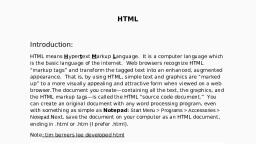
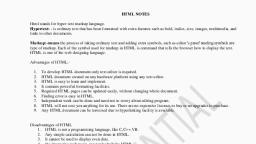
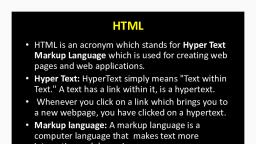
CBSE COMPUTER APPLICATION Class-X Notes 2020-21, Some popular browsers – Microsoft Internet Explorer, Google Chrome, Mozilla Firefox, Opera etc., Blogs : A blog is a discussion style site used by non-technical (or technical users) users for creating personal, web pages. Blogs are similar to an online personal diary and simple to use. We can use a blog to convey, messages about events, announcements, news, reviews, etc. Blogs are usually managed using a web browser, and this requires active internet connection., Newsgroups : A newsgroup is a discussion about a particular subject consisting of notes written to a central, Internet site and redistributed through Usenet., Usenet : Usenet stands for user’s network. It is an Internwt service that enables its users to join a newsgroup to, discuss various topics of their intersects., HTML : HTML stands for Hyper Text Markup Language. This language is used to create web pages. HTML, elements are the basic building blocks of a web page. It is used to set structure, layout and appearance of a, web page on the World Wide Web. The HTML page can display text, graphics and use hyperlinks to interact, with other web page on the World Web. The HTML page can display text, graphics and use hyperlinks to, interact with other web pages. Hyperlinks are highlighted text or images that connect to other pages on the, web., Web Address : web address is a unique following by the domain name is used to access a certain website to, avail related information. These addresses are known as URL (Uniform resource Locators)., E-Mail address : E-Mail (Electronic Mail) messages are useful and recordable method of communication, other, method including chatting and instant messaging. The difference between email and instant messaging is the, email is encrypted message and in instant messaging, no any encryption is made. Many free email providers, servers as web-based E-Mail (e.g. Gmail, Hotsmail, Yahoo Mail, Rediffmail, mail.in.com, etc). This allows users, to login the email account by using an Internet browser to send and receive their email., Downloading files from a remote site : Downloading refers to receiving data from a remote machine to a local, machine., Uploading files from a remote site : Uploading can be defined as the process of transmission of a file from one, computer system to another, usually a large computer system., TCP/IP : The Internet Protocol (IP) gives address to the computer. Each computer that is on the Internet has an, IP address. This is the unique identification that distinguishes one computer from another., The IP delivers the packets that are received from one computer to another. It is not responsible for the, order of packets. Arranging the packets in order is the job of TCP (Transmission Control Protocol)., Example of IP address : 66.220.144.0-66.220.149.266, ISP : An Internet Service Provider (ISP) also known as internet access provider is an organization that provides, the internet access to the users. Most of the service providers are telephone companies like Reliance, MTNL,, BSNL, Airtel., SMTP : Simple Mail Transfer Protocol (SMTP) is the most common protocol used for sending e-mails between, two or more servers., POP3 : POP3 is a client/server protocol in which e-mail is received and held for you by your Internet server., Periodically, you (or your client e-mail receiver) check your mail-box on the server and download any mail,, probably using POP3 ., HTTP : Hyper Text Transfer Protocol (HTTP) determines how different programs exchange data over the, Internet. Every actions web servers and browsers should take in response to various commands. Hyper Text, is a system in which different types of documents/files such as images, sound effects and text are linked to, each other. These documents can easily be accessed using a Web browser., Page 2
Page 3 :
CBSE COMPUTER APPLICATION Class-X Notes 2020-21, HTTPS : Stands for "Hyper Text Transport Protocol Secure." HTTPS is the same thing as HTTP, but uses a, secure socket layer (SSL) for security purposes. Some examples of sites that use HTTPS include banking and, investment websites, e-commerce websites, and most websites that require you to log in., SSH : Secure Shell ( SSH ) is a cryptographic protocol and interface for executing network services, shell services, and secure network communication with a remote computer. Secure Shell enables two remotely connected, users to perform network communication and other services on top of an unsecured network., SFTP : Short for Secure File Transfer Protocol or SSH File Transfer Protocol, SFTP is a version of FTP that, encrypts data transfers helping keep our passwords secure and our session private. Because SFTP is a, different protocol than FTP, for we to establish an SFTP connection, we must be connecting to a computer, that supports SFTP. Using SFTP to connect to an FTP server will not work., FTP : File Transfer Protocol (FTP) is a standard Internet Protocol which is used to exchange files between two, or more computers on the Internet., SCP : Secure copy (SCP) is a file transfer protocol, which helps in transferring computer files securely from a, local host to a remote host. It works on the Secure Shell (SSH) protocol technique. The term secure copy, refers to either the SCP protocol or the SCP program., TELNET : Telnet is an Internet service provided to establish a connection between different computers, which, may be geographically apart. This allows an Internet user to login at some remote computer and then work, on it., SMTP : The Simple Mail Transfer Protocol (SMTP) controls the transfer of e-mail messages on the Internet., SMTP defines the interaction between Internet hosts that participate in forwarding e-mail from a sender to, its destination., Chat : Chatting is very similar to texting or talking over Internet. Now a days it is most use communication over, the internet many of the web providing free chatting to the user during chatting both of expect has to be, connected to internet. There are more than to can check simultaneously no as group chat., Email : It is an important communications service available on the Internet. The concept of sending electronic, text messages between parties in a way analogous to mailing letters or memos predates the creation of the, Internet. Pictures, documents and other files are sent as email attachments., Video conferencing : Video conferencing involves the use of video cameras connected to two or more, computers. Images and sounds are then sent through the Internet where users not only hear each other but, can also have a face to face conversation., E-Learning : E- learning refers to the use of electronic media and Information and Communication Technologies, (ICT) in education. It includes all forms of educational technology in learning and teaching. Multimedia, learning, online education and digital education collaboration are alternative names for e-learning., E-Banking :E-banking also known as online banking or Internet Banking allows customers of a bank to do, financial transactions on a secure website operated by the institution. The customer registers for Internet, banking and the bank provides a username or password., E-Shopping : Electronic shopping or online shopping (E-Shopping) is the process of shopping done over the, Internet. We can buy any type items on paying online transaction., E-Reservation : E-reservation is computerized system that is used for conducting online booking for train, bus,, plain, cars, hotels etc. It is also knows as computer reservation system or central reservation system., E-Governance : E - governance , expands to electronic governance , is the integration of Information and, Communication Technology (ICT) in all the processes, with the aim of enhancing government ability to, Page 3
Page 4 :
CBSE COMPUTER APPLICATION Class-X Notes 2020-21, address the needs of the general public. ... In short , it is the use of electronic means, to promote good, governance ., E-Groups : We can create groups wherein we can group and store one type of contacts. E.g.: ‘Family’ with e-mail, addresses of family members, ‘Friends’ with e-mail addresses of friends, ‘Office’ with e-mail addresses of, office colleagues etc., Social Networking : A social networking site is an online platform that allows users to create a public profile, and interact with other users on the website. Social networking sites usually have a new user input a list of, people with whom they share a connection and then allow the people on the list to confirm or deny the, connection., SMS : SMS Stands for "Short Message Service." SMS is used to send text messages to mobile phones. The, messages can typically be up to 160 characters in length, though some services use 5-bit mode, which, supports 224 characters., MMS : MMS Stands for "Multimedia Messaging Service." MMS is mobile phone service that allows users to send, multimedia messages to each other. This includes images, videos, and sound files. MMS is an extension of, SMS, which is used to send and receive text messages., 3G : Third Generation (3G) of wireless mobile telecommunication technology. It is the upgrade for 2G and 2.5G, GPRS networks, for faster internet speed. 3G telecommunication networks support services that provide an, information transfer rate of at least 0.2Mbit/s., 4G : Fourth Generation (4G) is an abbreviation for the fourth generation of cellular wireless standards and, replace the third generation of broadband mobile communication. Standard 4G (or 4G LTE) is around 5-7, times faster than 3G, offering theoretical speeds of up to around 150Mbps., , Page 4
Page 5 :
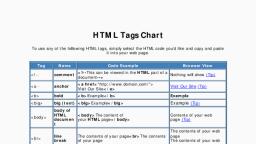
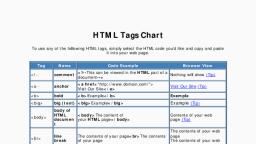
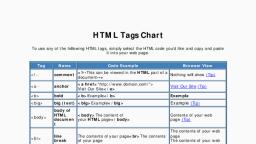
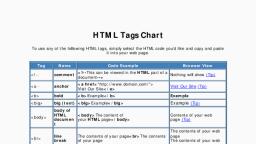
CBSE COMPUTER APPLICATION Class-X Notes 2020-21, Unit-1, Syntax for background colour (bgcolor), <html>, <head>, <title>QUALITY PUBLIC SCHOOL</title></head>, <body bgcolor=yellow>, <html>, , HTML, , Title, Bgcolor, , Syntax for font color, size & face, <html>, <head>, <title>QUALITY PUBLIC SCHOOL</title></head>, <body><font color=green, size=18, face=”cambria”>, Quality Public School</body>, <html>, , Syntax for bold(b), italic(I), underline(U) and center, <html>, <head>, <title>QUALITY PUBLIC SCHOOL</title></head>, <body>, <font face=Harlow Solid size=11 color=red><b><i><u><center> Quality Public School Khalispur Azamgarh, </center></u></i></b></font><br><br>, <font size=5>My school is very good having two storey building. It is like a temple where we go daily to study., First of all in the early morning, we pray to God for our better study and say good morning to our class teacher., Then we start study according to our syllabus .I like to go school daily. My school has very strict discipline which, we need to follow on regular basis .<br>I like my school dress very much. It is situated around 2 km away from, my sweet home ., </p></font>, </body>, <html>, , Page 5
Page 11 :
CBSE COMPUTER APPLICATION Class-X Notes 2020-21, <html>, , Page 11