Notes of Bsc Cs, Computer Science RDBMS Full Programs - Study Material
Page 1 :
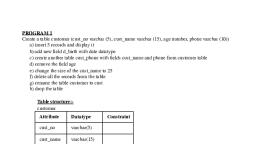
PROGRAM 1, Create a table customer (cust_no varchar (5), cust_name varchar (15), age number, phone varchar (10)), a) insert 5 records and display it, b) add new field d_birth with date datatype, c) create another table cust_phone with fields cust_name and phone from customer table, d) remove the field age, e) change the size of the cust_name to 25, f) delete all the records from the table, g) rename the table customer to cust, h) drop the table, Table structure:customer, Attribute, , Datatype, , cust_no, , varchar(5), , cust_name, , varchar(15), , age, , number, , phone, , varchar(10), , Constraint, , Cust_phone, Attribute, , Datatype, , cust_name, , varchar(15), , phone, , varchar(10), , Constraint, , Query:create table customer(cust_no varchar(5),cust_name varchar(15),age int, phone varchar(10));, A) insert into customer values(1,’SHAMEEM’,19,234578);, insert into customer values(2,'ASWIN',19,7865490);, insert into customer values(3,'ATHUL',19,4567321);, insert into customer values(4,'ASWANI',19,5895624);, insert into customer values(5,'ADITHYA',19,895262);, select * from customer;, B). alter table customer add d_birth date;
Page 2 :
C). create table cust_phone as select cust_name,phone from customer;, D). alter table customer drop age;, E). alter table customer alter column cust_name type varchar(25);, F). delete from customer;, G). alter table customer rename to cust;, H). drop table cust;, , Output, , Table created, a). 5 rows inserted, cust_no, , cust_name, , age, , phone, , 1, , SHAMEEM, , 19, , 234578, , 2, , ASWIN, , 19, , 7865490, , 3, , ATHUL, , 19, , 4567321, , 4, , ASWANI, , 19, , 5895624, , 5, , ADITHYA, , 19, , 895262, , b). Table altered, c). Table altered, d). Table altered, e). Table altered, f). 5 rows deleted, g). Table altered, h). Table dropped., , PROGRAM 2, Create a table sales_man (salesman_no primary key, s_name not null, place, phone unique) Create table, sales_order (order_no primary key, order_date not null, salesman_no foreign key references salesman_no in sales_man, del_type values should be either P or F (check constraints), order_status values should be 'Inprocess','Fullfilled','Backorder', 'Cancelled' (check, constraints)), a) Insert few records in both tables
Page 5 :
d) Display all doctors who have more than 5 years experience but do not have the qualification‘MD’, e) Display the doctors in ‘Skin’ department, f) update the experience of doctor with doctored=’D003’ to 5, g) Delete the doctor with DoctorID=’D005’, Table structure:Hospital, Attribute, , Datatype, , doctorid, , varchar(5), , doctorname, , char(10), , department, , char(10), , qualification, , varchar(10), , experience, , varchar(5), , Constraints, , Query:-, , create table hospital(doctorid varchar(5), doctorname char(10), department char(10), qualification, varchar(10), experience varchar(5));, A). insert into hospital values('d001','Arun','Skin','MBBS','9');, insert into hospital values('d002','Athira','Ortho','MD','3');, insert into hospital values('d003','Kavya','Skin','MD','7');, insert into hospital values('d004','Kiran','ENT','BHMS','5');, insert into hospital values('d005','Jaya','Gynac','MBBS','8');, B). select * from hospital;, C). select * from hospital where qualification='MD';, D). select doctorname from hospital where experience>'5' and qualification!='MD';, E). select doctorname from hospital where department='Skin';, F). update hospital set experience='5' where doctorid='d003';, G). delete from hospital where doctorid='d005';, , Output:Table created., a). 5 rows inserted.
Page 7 :
PROGRAM 4, Create the following tables, Bank_customer (accno primary key, cust_name, place), Deposit (accno foreign key, deposit_no, damount), Loan (accno foreign key loan_no, Lamount), Write the following queries, a) Display the details of the customers, b) Display the customers along with deposit amount who have only deposit with the, bank, c) Display the customers along with loan amount who have only loan with the bank, d) Display the customers they have both loan and deposit with the bank, e) Display the customer who have neither a loan nor a deposit with the bank, Table structure:Bank_customer, Attribute, , Datatype, , acc_no, , number, , cust_name, place, , Constraint, , varchar(10), varchar(15), , Deposit, Attribute, , Datatype, , acc_no, , number, , deposit_no, , number, , damount, , number, , constraint, , Loan, Attribute, , Datatype, , loan_no, , number, , l_amount, , number, , constraint
Page 10 :
PROGRAM 5, Create a table employee with fields (EmpID, EName, Salary, Department, and Age). Insert some records. Write, SQL queries using aggregate functions and group by clause, A. Display the total number of employees., B. Display the name and age of the oldest employee of each department., C. Display the average age of employees of each department, D. Display departments and the average salaries, E. Display the lowest salary in employee table, F. Display the number of employees working in purchase department, G. Display the highest salary in sales department;, H. Display the difference between highest and lowest salary, Table structure:Attribute, , Datatype, , emp_id, , number, , emp_name, , varchar(10), , salary, , number, , department, , varchar(10), , age, , number, , Constraint, , Query:create table employee(emp_id int, emp_name varchar(10), salary float, department varchar(10), age float);, insert into employee values(101,'JOSEPH',25000,'Sales',30);, insert into employee values(102,'STEPHEN',30000,'Sales',37);, insert into employee values(103,'DAVID',18000,'Sales',21);, insert into employee values(104,'JOHN',15000,'Marketing',25);, insert into employee values(105,'JAMES',21000,'Purchasing',32);, insert into employee values(106,'KARTHIK',25000,'Purchasing',35);, A). select count(*) from employee;, B). select emp_name,department,age from employee where age in(select max(age) from employee group by, department);, C). select department,avg(age) from employee group by department;, D). select department,avg(salary) from employee group by department;, E). select min(salary) from employee;, F). select count(*) from employee where department='Purchasing';, G). select max(salary) from employee where department=’Sales’;, H). select max(salary)-min(salary) as salary_difference from employee;
Page 11 :
Output:Table created., 6 rows inserted., a)., count(*), 6, , b)., emp_name, , department, , age, , STEPHEN, , Sales, , 37, , Marketing, , 25, , Purchasing, , 35, , JOHN, KARTHIK, , c)., department, , avg(age), , Purchasing, , 33.5, , Sales, , 29.33, , Marketing, , 25, , d)., department, , avg(salary), , Purchasing, , 23000, , Sales, , 24333.33, , Marketing, , 15000, , e)., min(salary), 15000
Page 12 :
f)., count(*), 2, , g)., max(salary), 30000, , h)., salary_difference, 15000, , PROGRAM 6, , Create a table product with the fields (Product_code primary key, Product_Name, Category, Quantity,, Price). Insert some records Write the queries to perform the following., a. Display the records in the descending order of Product_Name, b. Display Product_Code, Product_Name with price between 20 and 50, c. Display the details of products which belongs to the categories of ‘bath soap’, ‘paste’, or ‘washing, powder’, d. Display the products whose Quantity less than 100 or greater than 500, e. Display the products whose names starts with 's', f. Display the products which not belongs to the category 'paste', g. Display the products whose second letter is 'u' and belongs to the Category 'washing powder', , Table structure:Attribute, , Datatype, , product_code, , varchar(4), , product_name, , char(10), , Constraints
Page 13 :
category, , char(20), , quantity, , number, , price, , number, , Query:create table product(product_code varchar(4) primary key,product_name char(10),category char(20), quantity, int,price int);, insert into product values('p111','Dove','Bathsoap',600,38);, insert into product values('p112','Sunlight','Washing powder',200,65);, insert into product values('p113','Chandrika','Handwash',500,20);, insert into product values('p114','Santoor','Bathsoap',100,30);, insert into product values('p115','Ariel','Washing powder',60,10);, insert into product values('p116','Colgate','Paste',120,25);, insert into product values('p117','Closeup','Paste',150,35);, insert into product values('p118','Sandal','Bathsoap',650,80);, insert into product values('p119','Gathri','Washing powder',100,30);, insert into product values('p120','Kabani','Washing soap',650,70);, A). select * from product order by product_name desc;, B). select product_code,product_name from product where price between 20 and 50;, C). select * from product where category in('Bathsoap','Washing powder','Paste');, D). select * from product where (quantity<100 or quantity>500);, E). select product_name from product where product_name like 'S%';, F). select product_name from product where category <>'Paste';, G). select product_name from product where product_name like '_u%' and category='Washing powder';, , Output:Table created., 10 rows inserted., a)., product_code, , product_name, , category, , quantity, , price, , p112, , Sunlight, , Washing powder, , 200, , 65, , p114, , Santoor, , Bathsoap, , 100, , 30, , p118, , Sandal, , Bathsoap, , 650, , 80
Page 16 :
PROGRAM 7, , Consider the employee database given below. Give an expression in SQL for each of the following, queries: EMPLOYEE (Employee-Name, City), WORKS (Employee-Name, Company-Name, Salary), COMPANY (Company-Name, City), MANAGES (Employee-Name, Manager-Name), A) Find the names of all employees who work in Infosys, B) Find the names and cities of residence of all employees who works in Wipro, C) Find the names, and cities of all employees who work in Infosys and earn more than Rs., 10,000., D) Find the employees who live in the same cities as the companies for which they work., E) Find all employees who do not work in Wipro Corporation., F) Find the company that has the most employees., Table structure:Employee, Attribute, , Datatype, , emp_name, , varchar(20), , city, , varchar(20), , Constraints, , Works, Attribute, , Datatype, , emp_name, , varchar(20), , company_name, , varchar(20), , salary, , number, , Constraints, , Company, Attribute, , Datatype, , company_name, , varchar(20), , city, , varchar(20), , constraints
Page 19 :
e)., emp_nam, e, Ajith, Alex, Sindhu, Balan, , f)., company_name, , no_of_employees, , Infosys, , 3, , PROGRAM 8, , Write a program code to calculate the area of a circle for a value of radius varying from 3 to 7. Store the, radius and the corresponding value of calculated area in an empty table named areas with field’s radius and, area., Table structure:Attribute, , Datatype, , radius, , number, , area, , float, , Constraint, , Query:create table areas(radius float,area float);, create or replace function calcarea() returns void as, 'declare, rad float:=3;, area float;
Page 20 :
begin, loop, area:=3.14*rad*rad;, insert into areas values (rad,area);, rad:=rad+1;, exit when rad>7;, end loop;, end;, 'language 'plpgsql';, select calcarea();, select * from calcarea();, , Output:Table created., Function created., radius, , area, , 3, , 28.26, , 4, , 50.24, , 5, , 78.5, , 6, , 113.04, , 7, , 153.86, , PROGRAM 9, , Write a program block to calculate the electricity bill by accepting cust_no and units_consumed.
Page 21 :
Table structure:Attribute, , Datatype, , cons_no, , int, , units, , int, , amount, , Constraint, Primary key, , float, , Query:create table bill(cons_no int primary key,units int,amount float);, create or replace function elecbill(int,int) returns void, language plpgsql, as $$, declare, cons_no alias for $1;, units alias for $2;, amount float;, begin, amount:=units*6.40;, insert into bill values(cons_no,units,amount);, end;, $$, select elecbill(123,216);, select * from bill;, , Output:Table created., cons_no, , units, , amount, , 123, , 216, , 1382.4
Page 22 :
PROGRAM 10, Create a procedure to print Fibonacci number up to a limit, limit is passed as an argument, , Query:create or replace function fibo(int) returns text as, 'declare, a int:=0;, b int:=1;, c int;, n alias for $1;, begin, raise notice ''The fibonacci series is :'';, while a<=n, loop, raise notice ''%'',a;, c:=a+b;, a:=b;, b:=c;, end loop;, end;, 'language'plpgsql';, select fibo(15);, , Output:Fibonacci series is :, 0, 1, 1, 2, 3, 5, 8, 13
Page 23 :
PROGRAM 11, , Create a function to check whether a given number is prime or not, Query:create or replace function prime(int) returns text, language plpgsql, as $$, declare, n alias for $1;, i int:=2;, counter int:=1;, msg text;, begin, for i in 2..n/2 loop, if mod(n,i)=0 then, counter:=0;, exit;, end if;, end loop;, if counter = 1 then, msg:=n||' is a prime number';, else, msg:=n||' is not a prime number';, end if;, return msg;, end;, $$, select prime(31);, select prime(5);, select prime(4);, , Output:Function created., 31 is a prime number., 5 is a prime number., 4 is not a prime number.



 Learn better on this topic