Page 1 :
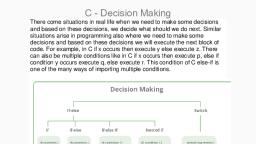
UNIT 2, , THE DECISION AND LOOPING, CONTROL STRUCTURE, , Q. Explain If Statement with example, If Statement:, The if statements allows branching (decision making) depending upon the value or state of variables., This allows statements to be executed or skipped, depending upon decisions. The basic format is,, if (expression), Program statement;, Example:, if( students < 65 ), ++student_count;, In the above example, the variable student_count is incremented by one only if the value of the integer, variable students is less than 65., The following program uses an if statement to validate the users input to be in the range 1-10., Example:, #include <stdio.h>, main(), {, int number;, int valid = 0;, while( valid == 0 ) {, printf("Enter a number between 1 and 10 -->");, scanf("%d", &number);, /* assume number is valid */, valid = 1;, if( number < 1 ) {, printf("Number is below 1. Please re-enter\n");, valid = 0;, }, if( number > 10 ) {
Page 2 :
printf("Number is above 10. Please re-enter\n");, valid = 0;, }, }, printf("The number is %d\n", number );, }, Q. Explain If-----Else Statement with example, If-Else statement:, An if statement can be followed by an optional else statement, which executes when the Boolean, expression is false., The general format for these are,, if( condition 1 ), statement1;, else if( condition 2 ), statement2;, else if( condition 3 ), statement3;, else, statement4;, The else clause allows action to be taken where the condition evaluates as false (zero)., The following program uses an if else statement to validate the users input to be in the range 1-10., Example:, #include <stdio.h>, main(), {, int number;, int valid = 0;, while( valid == 0 ) {, printf("Enter a number between 1 and 10 -->");, scanf("%d", &number);, if( number < 1 ) {, printf("Number is below 1. Please re-enter\n");, Unit 2, , The Decision and Looping, Control Structure Page 2
Page 3 :
valid = 0;, }, else if( number > 10 ) {, printf("Number is above 10. Please re-enter\n");, valid = 0;, }, else, valid = 1;, }, printf("The number is %d\n", number );, }, This program is slightly different from the previous example in that an else clause is used to set the variable, valid to 1. In this program, the logic should be easier to follow, , Q. Explain Nesting If-----Else Statement with example, Nesting of If-Else:, It is always legal in C programming to nest if-else statements, which means you can use one if or else if, statement inside another if or else if statement(s)., The general format for these are, if( boolean_expression 1), {, /* Executes when the boolean expression 1 is true */, if(boolean_expression 2), {, /* Executes when the boolean expression 2 is true */, }, }, Example:, #include <stdio.h>, main(), {, int number1, number2, result;, Unit 2, , The Decision and Looping, Control Structure Page 3
Page 4 :
printf("Enter three numbers \n");, scanf("%f %c %f", &number1, &number2, &number3);, if(number1>number2), {, , printf("number1 is Maximum \n");, if(number1>number3), {, printf("number1 is Maximum \n");, }, Else, {, printf("number3 is Maximum \n");, ), Else, {, if(number2>number3), {, printf("number2 is Maximum \n");, }, Else, {, printf("number3 is Maximum \n");, }}, }, , Q. Explain Else------if ladder Statement with example, , Else-if ladder:, If statement can be followed by an optional else if...else statement, which is very useful to test, various conditions using single if...else if statement. When using if…else if…else statements, there are, few points to keep in mind:, , , If can have zero or one else's and it must come after any else if's., Unit 2, , The Decision and Looping, Control Structure Page 4
Page 5 :
, , If can have zero to many else if's and they must come before the else., , , , Once an else if succeeds, none of the remaining else if's or else's will be tested., , Example:, #include <stdio.h>, main(), { int invalid_operator = 0;, char operator;, float number1, number2, result;, printf("Enter two numbers and an operator in the format\n");, printf(" number1 operator number2\n");, scanf("%f %c %f", &number1, &operator, &number2);, if(operator == '*'), result = number1 * number2;, else if(operator == '/'), result = number1 / number2;, else if(operator == '+'), result = number1 + number2;, else if(operator == '-'), result = number1 - number2;, Unit 2, , The Decision and Looping, Control Structure Page 5
Page 6 :
else, invalid_operator = 1;, if( invalid_operator != 1 ), printf("%f %c %f is %f\n", number1, operator, number2, result );, else, printf("Invalid operator.\n"), , Q. Explain switch Statement with example, , Switch Statement:, The switch statement:- C provide multiway decision statement known as a switch. The switch statement, tests the value of a given variable (or expression) against a list of case values and when a match is found, , a block of statements associated with case is executed. The general form of the switch statement is as, shown below:, switch(expression), {, case value-1:, block-1;, break;, case value-2:, block-2;, break;, ……, ……, default:, default- block-;, break;, }, Statement-x;, The expression is an integer expression or characters. Value-1,value-2….. are constants or, constant expressions and are known as case labels. Block-1,block-2 ….. are statement lists and mat, contain zero or more statements. Note that case labels end with a colon (:)., Unit 2, , The Decision and Looping, Control Structure Page 6
Page 7 :
The default is an optional case. When present, it will be executed if the value of the expression, does not match with any of case values. if not present, no action takes place if all matches fail and the, control goes to the statement-x., Example:, #include<stdio.h>, #include<conio.h>, void main(), {, int a; /* variable declration */, clrscr();, printf("Enter Week day no = ");, scanf("%d",&a);, switch(a) /*test expression*/, {, case 1:, printf("Sunday");, break;, case 2:, printf("Monday");, break;, case 3:, printf("Tuesday");, break;, case 4:, printf("Wednesday");, break;, case 5:, printf("Thrusday");, break;, case 6:, printf("Friday");, break;, Unit 2, , The Decision and Looping, Control Structure Page 7
Page 8 :
case 7:, printf("Staturday");, break;, default:, printf("Wrong Day NO Insert.");, }, getch();, }, , Q. Write a short note on Break Statement., THE BREAK STATEMENT, The break statement is used to force fully terminate loops or to exit from a switch. It can be used within, a while, a do-while, for or a switch statement. The format is simple as, break;, Without any embedded expression or statements. The break statement causes a transfer of control out of, the entire switch statement, to the first statement following the switch statement., f a break statement is included in a while, in do while or in for loop, then control will immediately be, transferred out of the loop when the break statement is encountered. Thus provides a convenient way to, terminate the loop if an error or other irregular condition is detected. Let us consider a program segment, of break statement in while loop., #include <stdio.h>, main(), {, int x, sum=Ο;, printf(“Enter any number”);, scanf(“%d” &x);, while(x<=50), {, if (x<zero), {, printf(“error value because of negative value”);, break;, Unit 2, , The Decision and Looping, Control Structure Page 8
Page 9 :
}, scanf(“%d”, &x);, }, Q. Write a short note on Continue Statement, The continue statement, The continue statement is used to bypass the remainder of the current pass through a loop. The loop does, not terminate when a continue statement is encountered, instead the remaining loop statements are skipped, and the computation proceeds directly to the next pass through the loop. It can also be included within a, while, do while or a for statement as like break statement. It is also written simply as, Continue;, Without any embedded statement or expression., Example:, #include <stdio.h>, int main (), {, /* local variable definition */, int a = 10;, /* do loop execution */, do, {, if( a == 15), {, /* skip the iteration */, a = a + 1;, continue;, }, printf("value of a: %d\n", a);, a++;, }while( a < 20 );, return 0;, }, , Unit 2, , The Decision and Looping, Control Structure Page 9
Page 10 :
Q. Write a short note on GoTo Statement, THE GOTO STATEMENT, The goto statement is used to alter the normal sequence of program execution by transferring control to, some other part of the program. It is written as, goto label;, Where label is an identifier used to label the target statement to which control will be transferred. Control, may be transferred to any other statement within the program. The target statement must be labeled, and, the label must be followed by a colon. Thus the target statement will appear as, Label : statement, No two statements cannot have the same label, Goto statements has many advantages like branching around statements or groups of statements under, certain conditions, jumping to the end of a loop under certain conditions, thus bypassing the remainder of, the loop during the current pass, jumping completely out of a loop under certain conditions, thus, terminating the execution of a loop., Example, #include <stdio.h>, int main (), {, /* local variable definition */, int a = 10;, /* do loop execution */, LOOP: do, {, if( a == 15), {, /* skip the iteration */, a = a + 1;, goto LOOP;, }, printf("value of a: %d\n", a);, a++;, }while( a < 20 );, Unit 2, , The Decision and Looping, Control Structure Page 10
Page 11 :
return 0;, }, Q. What is Loop? Explain while loop with example., While loop:, A while loop in C programming repeatedly executes a target statement as long as a given condition is, true., Syntax, The syntax of a while loop in C programming language is:, , Here, statement(s) may be a single statement or a block of statements., The condition may be any expression, and true is any nonzero value. The loop iterates while the, condition is true., When the condition becomes false, the program control passes to the line immediately following, the loop., Example:, #include <stdio.h>, main(), {, int x = 0, printf(“Print 0 to 50 numbers”);, while(x>=50), {, printf(“%d\n”,x);, x ++ ;, }, }, , Q. What is Loop? Explain Do-while loop with example., , Unit 2, , The Decision and Looping, Control Structure Page 11
Page 12 :
Do-While loop:, Unlike for and while loops, which test the loop condition at the top of the loop, the do...while, loop in C programming checks its condition at the bottom of the loop., A do...while loop is similar to a while loop, except the fact that it is guaranteed to execute at least, one time., Syntax, The syntax of a do...while loop in C programming language is:, , Example:, #include <stdio.h>, int main (), {, /* local variable definition */, int a = 1;, /* do loop execution */, do, {, printf("value of a: %d\n", a);, a = a + 1;, }while( a <= 50 );, return 0;, }, , Q. What is Loop? Explain For loop with example., For loop:, A for loop is a repetition control structure that allows you to efficiently write a loop that needs to, execute a specific number of times., Syntax, The syntax of a for loop in C programming language is:, Unit 2, , The Decision and Looping, Control Structure Page 12
Page 13 :
Here is the flow of control in a ‘for’ loop:, 1. The init step is executed first, and only once. This step allows you to declare and initialize, any loop control variables. You are not required to put a statement here, as long as a, semicolon appears., 2. Next, the condition is evaluated. If it is true, the body of the loop is executed. If it is false,, the body of the loop does not execute and the flow of control jumps to the next statement, just after the ‘for’ loop., 3. After the body of the ‘for’ loop executes, the flow of control jumps back up to the, increment statement. This statement allows you to update any loop control variables., This statement can be left blank, as long as a semicolon appears after the condition., 4. The condition is now evaluated again. If it is true, the loop executes and the process, repeats itself (body of loop, then increment step, and then again condition). After the, condition becomes false, the ‘for’ loop terminates., Example:, #include <stdio.h>, main(), {, int i = 1;, int fact=1;, int n;, printf(“Enter the Factorial number”);, for(i=1;i>=n;i++), {, fact=fact*I;, i++ ;, }, printf(“%d\n”,x); }, Unit 2, , The Decision and Looping, Control Structure Page 13