Page 1 :
1. Introduction to System Software, 1. What is system software ?, System software is a type of computer program that is designed to run a computer's hardware and application programs., If we think of the computer system as a layered model, the system software is the interface between the hardware and, user applications. The operating system is the best-known example of system software. The OS manages all the other, programs in a computer., System software is used to manage the computer itself. It runs in the background, maintaining the computer's basic, functions so users can run higher-level application software to perform certain tasks. Essentially, system software, provides a platform for application software to be run on top of., Important features of system software, Computer manufacturers usually develop the system software as an integral part of the computer. The primary, responsibility of this software is to create an interface between the computer hardware they manufacture and the end, user., System software generally includes the following features:, a. High speed. System software must be as efficient as possible to provide an effective platform for higher-level, software in the computer system., b. Hard to manipulate. It often requires the use of a programming language, which is more difficult to use than a, more intuitive user interface (UI)., c. Written in a low-level computer language. System software must be written in a computer language the central, processing unit (CPU) and other computer hardware can read., d. Close to the system. It connects directly to the hardware that enables the computer to run., e. Versatile. System software must communicate with both the specialized hardware it runs on and the higher-level, application software that is usually hardware-agnostic and often has no direct connection to the hardware it runs, on. System software also must support other programs that depend on it as they evolve and change., , Execution of a C program, , Execution Flow, 1) C program (source code) is sent to, preprocessor first. The preprocessor is, responsible to convert preprocessor directives, into their respective values. The preprocessor, generates an expanded source code., 2) Expanded source code is sent to compiler, which compiles the code and converts it into, assembly code., 3) The assembly code is sent to assembler which, assembles the code and converts it into object, code. Now a simple.obj file is generated., 4) The object code is sent to linker which links it, to the library such as header files. Then it is, converted into executable code. A simple.exe file, is generated., 5) The executable code is sent to loader which, loads it into memory and then it is executed. After, execution, output is sent to console., , Macro Processor, 1. Introduction to system Software Page 1
Page 2 :
Macro Processor, • Last Updated : 06 Oct, 2020, , A Macro instruction is the notational convenience for the programmer. For every, occurrence of macro the whole macro body or macro block of statements gets, expanded in the main source code. Thus Macro instructions make writing code, more convenient., Salient features of Macro Processor:, • Macro represents a group of commonly used statements in the source, , programming language., • Macro Processor replaces each macro instruction with the corresponding group of, , source language statements. This is known as the expansion of macros., • Using Macro instructions programmer can leave the mechanical details to be, , handled by the macro processor., • Macro Processor designs are not directly related to the computer architecture on, , which it runs., • Macro Processor involves definition, invocation, and expansion., , Interpreter Vs Compiler, Interpreter, , Compiler, , Translates program one statement at a time., , Scans the entire program and translates it as a, whole into machine code., , Interpreters usually take less amount of time to, analyze the source code. However, the overall, execution time is comparatively slower than, compilers., , Compilers usually take a large amount of time to, analyze the source code. However, the overall, execution time is comparatively faster than, interpreters., , No Object Code is generated, hence are memory, efficient., , Generates Object Code which further requires, linking, hence requires more memory., , Programming languages like JavaScript, Python,, Ruby use interpreters., , Programming languages like C, C++, Java use, compilers., , Working of Compiler and Interpreter, , 1. Linker :, , A linker is special program that combines the object files, generated by, compiler/assembler, and other pieces of codes to originate an executable file have., exe extension. In the object file, linker searches and append all libraries needed for, execution of file. It regulates the memory space that will hold the code from each, module. It also merges two or more separate object programs and establishes link, among them. Generally, linkers are of two types :, 1. Linkage Editor, 2. Dynamic Linker, 1. Introduction to system Software Page 2
Page 3 :
2. Dynamic Linker, , 2. Loader :, , The loader is special program that takes input of object code from linker, loads it to, main memory, and prepares this code for execution by computer. Loader allocates, memory space to program. Even it settles down symbolic reference between, objects. It is in charge of loading programs and libraries in operating system. The, embedded computer systems don’t have loaders. In them, code is executed, through ROM. There are following various loading schemes:, 1., 2., 3., 4., , Absolute Loaders, Relocating Loaders, Direct Linking Loaders, Bootstrap Loaders, , Difference Between Linker and Loader :, , S.No., , LINKER, , LOADER, , 1, , The main function of Linker is to generate Whereas main objective of Loader is, executable files., to load executable files to main, memory., , 2, , The linker takes input of object code, generated by compiler/assembler., , And the loader takes input of, executable files generated by linker., , 3, , Linking can be defined as process of, combining various pieces of codes and, source code to obtain executable code., , Loading can be defined as process of, loading executable codes to main, memory for further execution., , 4, , Linkers are of 2 types: Linkage Editor and, Dynamic Linker., , Loaders are of 4 types: Absolute,, Relocating, Direct Linking, Bootstrap., , 5, , Another use of linker is to combine all, object modules., , It helps in allocating the address to, executable codes/files., , 6, , Linker is also responsible for arranging, objects in program’s address space., , Loader is also responsible for, adjusting references which are used, within the program., , Device Driver and It’s Purpose, Device Driver refers to a special kind of software program or a specific type of software application, which controls a specific hardware device that enables different hardware devices for communication, with the computer’s Operating System, , A device driver communicates with the computer hardwares by computer subsystem or computer bus, connected to the hardware., Device Drivers are very essential for a computer system to work properly because without device, 1. Introduction to system Software Page 3
Page 4 :
Device Drivers are very essential for a computer system to work properly because without device, driver the particular hardware fails to work accordingly means it fails in doing a particular, function/action for which it has been created., In a very common way most term it as only a Driver also when someone says Hardware Driver that, also refers to this Device Driver., , Working of Device Driver :, Device Drivers depend upon the Operating System’s instruction to access the device and performing, any particular action. After the action they also shows their reactions by delivering output or, status/message from hardware device to the Operating system.For Example a printer driver tells the, printer in which format to print after getting instruction from OS, similarly A sound card driver is there, due to which 1’s and 0’s data of MP3 file is converted to audio signals and you enjoy the music. Card, reader, controller, modem, network card, sound card, printer, video card, USB devices, RAM,, Speakers etc need Device Drivers to operate., , The following figure illustrates the interaction between user, OS, Device driver and the devices:, , Types of Device Driver:, For almost every device associated with the computer system there exist Device Driver for the, particular hardware.But it can be broadly classified into two types i.e.,, 1. Kernel-mode Device Driver –, This Kernel-mode device driver includes some generic hardwares which loads with operating System, as part the OS these are BIOS, motherboard, processor and some other hardwares which are part of, kernel software. These includes the minimum system requirement device drivers for each operating, system., 2. User-mode Device Driver –, Other than the devices which are brought by kernel for working of the system the user also bring, some devices for use during the using of a system that devices needs device drivers to functions, those drivers falls under User mode device driver. For example user needs any plug and play action, that comes under this., Virtual Device Driver :, , There are also virtual device drivers(VxD), which manages the virtual device. Sometimes we use, same hardware virtually at that time virtual driver controls/manages the data flow from different, 1. Introduction to system Software Page 4
Page 5 :
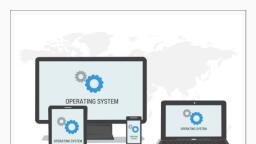
same hardware virtually at that time virtual driver controls/manages the data flow from different, application used by different users to the same hardware., It is essential for a computer to have the required device drivers for all its parts to keep the system, running efficiently. Many device drivers are provided by manufactures from beginning and also we, can later include any required device driver for our system., , Editor, Any text editing tool can be used to write and edit source code. The Linux platform has two categories, of editors: one includes line editors such as ed and ex; the other includes full-screen editors such as vi,, Emacs, and gedit. Line editors can only operate on one line, while full-screen editors can edit an entire, screen of code and the edited files are displayed, thus overcoming the shortcomings of line editing and, making it easier to use. Full-screen editors have a larger feature set than line editors., In an IDE, editors are integrated into the tool and need not be used separately to write source code., , Debugger, A debugger is a software program used to test and find bugs (errors) in other programs., A debugger is also known as a debugging tool., A debugger is a computer program used by programmers to test and debug a target program., Debuggers may use instruction-set simulators, rather than running a program directly on the processor, to achieve a higher level of control over its execution. This allows debuggers to stop or halt the program, according to specific conditions. However, use of simulators decreases execution speed., , When a program crashes, debuggers show the position of the error in the target program. Most, debuggers also are capable of running programs in a step-by-step mode, besides stopping on specific, points. They also can often modify the state of programs while they are running., , Operating System [OS], The Operating System is a program with the following features −, • An operating system is a program that acts as an interface between the software and the computer, hardware., • It is an integrated set of specialized programs used to manage overall resources and operations of the, computer., • It is a specialized software that controls and monitors the execution of all other programs that reside in, the computer, including application programs and other system software., , Characteristics of Operating System, , Here is a list of some of the most prominent characteristic features of Operating Systems −, • Memory Management − Keeps track of the primary memory, i.e. what part of it is in use by whom, what, part is not in use, etc. and allocates the memory when a process or program requests it., • Processor Management − Allocates the processor (CPU) to a process and deallocates the processor, when it is no longer required., • Device Management − Keeps track of all the devices. This is also called I/O controller that decides, which process gets the device, when, and for how much time., • File Management − Allocates and de-allocates the resources and decides who gets the resources., • Security − Prevents unauthorized access to programs and data by means of passwords and other, similar techniques., • Job Accounting − Keeps track of time and resources used by various jobs and/or users., • Control Over System Performance − Records delays between the request for a service and from the, system., • Interaction with the Operators − Interaction may take place via the console of the computer in the form, of instructions. The Operating System acknowledges the same, does the corresponding action, and, informs the operation by a display screen., • Error-detecting Aids − Production of dumps, traces, error messages, and other debugging and errordetecting methods., 1. Introduction to system Software Page 5
Page 6 :
detecting methods., • Coordination Between Other Software and Users − Coordination and assignment of compilers,, , interpreters, assemblers, and other software to the various users of the computer systems., , 1. Introduction to system Software Page 6