Page 1 :
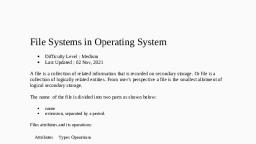
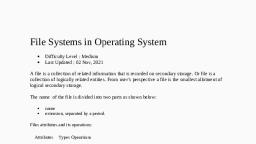
File Systems in Operating System, Difficulty Level :, Last Updated : 02 Nov, 2021, A file is a collection of related information that is recorded on secondary storage. Or file is a collection of logically related entities. From user’s perspective a file is the smallest allotment of logical secondary storage., The name of the file is divided into two parts as shown below:, name, extension, separated by a period., Files attributes and its operations:, FILE DIRECTORIES: , Collection of files is a file directory. The directory contains information about the files, including attributes, location and ownership. Much of this information, especially that is concerned with storage, is managed by the operating system. The directory is itself a file, accessible by various file management routines., Information contained in a device directory are:, Name, Type, Address, Current length, Maximum length, Date last accessed, Date last updated, Owner id, Protection information, Operation performed on directory are:, Search for a file, Create a file, Delete a file, List a directory, Rename a file, Traverse the file system, Advantages of maintaining directories are:, Efficiency: A file can be located more quickly., Naming: It becomes convenient for users as two users can have same name for different files or may have different name for same file., Grouping: Logical grouping of files can be done by properties e.g. all java programs, all games etc., Types of Security Mechanism, Difficulty Level :, Last Updated : 10 Sep, 2020, is field in computer technology that deals with ensuring security of computer network infrastructure. As the network is very necessary for sharing of information whether it is at hardware level such as printer, scanner, or at software level. Therefore security mechanism can also be termed as is set of processes that deal with recovery from security attack. Various mechanisms are designed to recover from these specific attacks at various protocol layers., Access Control :, This mechanism is used to stop unattended access to data which you are sending. It can be achieved by various techniques such as applying passwords, using firewall, or just by adding PIN to data., Notarization :, This security mechanism involves use of trusted third party in communication. It acts as mediator between sender and receiver so that if any chance of conflict is reduced. This mediator keeps record of requests made by sender to receiver for later denied., Data Integrity :, This security mechanism is used by appending value to data to which is created by data itself. It is similar to sending packet of information known to both sending and receiving parties and checked before and after data is received. When this packet or data which is appended is checked and is the same while sending and receiving data integrity is maintained., Authentication exchange :, This security mechanism deals with identity to be known in communication. This is achieved at the TCP/IP layer where two-way handshaking mechanism is used to ensure data is sent or not, Bit stuffing :, This security mechanism is used to add some extra bits into data which is being transmitted. It helps data to be checked at the receiving end and is achieved by Even parity or Odd Parity., Digital Signature :, This security mechanism is achieved by adding digital data that is not visible to eyes. It is form of electronic signature which is added by sender which is checked by receiver electronically. This mechanism is used to preserve data which is not more confidential but sender’s identity is to be notified., PRINCIPLES OF I/O HARDWARE, One of the important jobs of an Operating System is to manage various I/O devices including mouse, keyboards, touch pad, disk drives, display adapters, USB devices, Bit-mapped screen, LED, Analog-to-digital converter, On/off switch, network connections, audio I/O, printers etc., An I/O system is required to take an application I/O request and send it to the physical device, then take whatever response comes back from the device and send it to the application. I/O devices can be divided into two categories −, Block devices − A block device is one with which the driver communicates by sending entire blocks of data. For example, Hard disks, USB cameras, Disk-On-Key etc., Character devices − A character device is one with which the driver communicates by sending and receiving single characters (bytes, octets). For example, serial ports, parallel ports, sounds cards etc, Device Controllers, Device drivers are software modules that can be plugged into an OS to handle a particular device. Operating System takes help from device drivers to handle all I/O devices., The Device Controller works like an interface between a device and a device driver. I/O units (Keyboard, mouse, printer, etc.) typically consist of a mechanical component and an electronic component where electronic component is called the device controller., There is always a device controller and a device driver for each device to communicate with the Operating Systems. A device controller may be able to handle multiple devices. As an interface its main task is to convert serial bit stream to block of bytes, perform error correction as necessary., Any device connected to the computer is connected by a plug and socket, and the socket is connected to a device controller. Following is a model for connecting the CPU, memory, controllers, and I/O devices where CPU and device controllers all use a common bus for communication., Synchronous vs asynchronous I/O, Synchronous I/O − In this scheme CPU execution waits while I/O proceeds, Asynchronous I/O − I/O proceeds concurrently with CPU execution, Communication to I/O Devices, The CPU must have a way to pass information to and from an I/O device. There are three approaches available to communicate with the CPU and Device., Special Instruction I/O, Memory-mapped I/O, Direct memory access (DMA), Special Instruction I/O, This uses CPU instructions that are specifically made for controlling I/O devices. These instructions typically allow data to be sent to an I/O device or read from an I/O device., Memory-mapped I/O, When using memory-mapped I/O, the same address space is shared by memory and I/O devices. The device is connected directly to certain main memory locations so that I/O device can transfer block of data to/from memory without going through CPU., While using memory mapped IO, OS allocates buffer in memory and informs I/O device to use that buffer to send data to the CPU. I/O device operates asynchronously with CPU, interrupts CPU when finished., The advantage to this method is that every instruction which can access memory can be used to manipulate an I/O device. Memory mapped IO is used for most high-speed I/O devices like disks, communication interfaces., Direct Memory Access (DMA), Slow devices like keyboards will generate an interrupt to the main CPU after each byte is transferred. If a fast device such as a disk generated an interrupt for each byte, the operating system would spend most of its time handling these interrupts. So a typical computer uses direct memory access (DMA) hardware to reduce this overhead., Direct Memory Access (DMA) means CPU grants I/O module authority to read from or write to memory without involvement. DMA module itself controls exchange of data between main memory and the I/O device. CPU is only involved at the beginning and end of the transfer and interrupted only after entire block has been transferred., Direct Memory Access needs a special hardware called DMA controller (DMAC) that manages the data transfers and arbitrates access to the system bus. The controllers are programmed with source and destination pointers (where to read/write the data), counters to track the number of transferred bytes, and settings, which includes I/O and memory types, interrupts and states for the CPU cycles.