Page 1 :
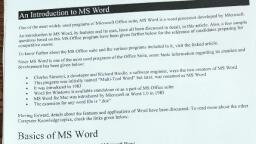
Introduction to Wy, , most widely used programs of M, , and its use:, have been given f, , One of the, , , , n to MS Word, its features, further be!, , An introductio, ffice program, , questions based on this MS Of, competitive exams., , To know further about the MS Office suite and the v:, , Word is one of the most used programs of the Office Suite,, , Since MS, development has been given below:, , eloper and Richard Brodie, a software, , Charles Simonyi, @ dev, ly named “Multi, , This program was initial, It was introduced in 1983, , Word for Windows is avai, MS Word for Mae was intro, The extension for any word file is *, , lable stand, duced by Microsoft as Wort, , “doc”, , d 1.0, , features and applications of Word, , Moving forward, details about the, k the links given below:, , Computer Knowledge topics, chec!, , Basics of MS Word, , Let us first understand some basic aspects of Microsoft Word., , Word, , Starting..., , What is MS Word?, Used to make professional-quality documents, letters, reports, etc., It has advanced features which allow you to format ans, , Where to find MS Word on your personal computer?, , icrosoft Office suite, MS Word, , have all been discussed in det, , arious programs included in it, vis', , -Tool Word” but later, was renamed as, , id edit your fi, , , , , is a word processor developed by Microsoft., , Also, a few sample, , |, in this article., ates preparing for, , ence of candid:, , , , Jow for the re!, , it the linked article., , some basic information regarding its creation and, , two creators of MS Word, , gineer, were the, MS Word, , en, , alone or as a part of MS Office suite, , in 1985, , have been discussed. To read more about the other, , , , , MS Word is a word processor developed by Microso, les and documents in the best possible way., , Follow these simple steps to open MS Word on your personal computer:, , Start > All Programs — MS Office > MS Word., , What are the uses of MS Word?
Page 2 :
MS Word enables users to do write-ups, create documents, resumes, contracts, etc, This is one of the most commonly used, programs under the Office suite., , How to create an MS Word document?, , f q -e the program i en,, To create an MS Word doc, follow the steps mentioned above to open Microsoft Word. Then once the program 1s op, click on “File” followed by “New”. This opens a new doc where something new can be created,, , ince it i { : : ces, having proper knowledge of, Since it is used by people of all age groups, in schools, in colleges and for official purposes, having proper ki 8, Microsoft Word is a must, The preview of the MS Doc file once it is opened is given below:, , Wow NOM OESON—paoK LAYOUT. RENNES Maes WW, , Th Colts tod) “tk «|A Mae EDIE. eee, Paste, , DAB asevece Aonoceor Aonvceor ,, , omphasie, Tale sibtile Subtle Ee p :, , , , Aaanceox | Aasbceds AABLC, Druemne 0% a> Be te qe de [ umomar | tne syncs. tendon) Hera 2, , , , Format Pinter, , , , , , , , Features of MS Word, , Now let us read more about the features and components of an MS Word doc file in detail., , The image given below shows the different elements and categories which are available in MS Word doc:, , , , TY tome = nsert DESIGN PAGELAYOUT REFERENCES MAILINGS REVIEW VIEW, , , , or [Calor @ody) = [11] ie, [Calibr 2a? a | aac = a, ; Lela Goce ea 5 8 EVE 21 1 | paBbccd< | Aal, aste x =, ate Format Painter |B F Uvaex, | A-~ ~~ TNormal | TN:, Clipboard fa Font mali, , , , Te, , |
Page 3 :
asic elements which, , , , « Home, ts, line spacing, etc. All the bs, , , , font style, alignment, bulle!, , i ions like f -, font size, ., This has options like font colour, Tae onder the Home option,, , one may need to edit their document is avai, , number, etc. can e enter the docume! ey are, umbe! can all be entered in the document. They ar, , Tables, shapes, images, charts, graphs, header, footer, page, included in the “Insert” category., , e Design, ment to be created can be selected under the Design tab. Choosing, , The template or the design in which you want your docur, an appropriate tab will enhance the appearance of your document., , ¢ Page Layout, Under the Page Layout tab comes options like margins, orientation, columns, lines, indentation, spacing, ete., , ¢ References, This tab is the most useful for those who are creating a thesis or writing books or lengthy documents. Options like citation,, , footnote, table of contents, caption, bibliography, etc. can be found under this tab., , ° Review, Spell check, grammar, Thesaurus, word count, language, translation, comments, etc. can all be tracked under the review, tab. This acts as an advantage for those who get their documents reviewed on MS Word., , Apart from all the above-mentioned features, the page can be set in different views and layouts, which can be added and, optimised using the View tab on the Word document. Margins and scales are also available for the benefit of the users., When compared with MS PowerPoint, MS Word is more of reading while PPT is more of visual and graphical, , representation of data., , Uses of MS Word, , Given below are the different fields in which MS Word is used and simplifies the work of an individual:, , * In Education: It is considered as one of the simplest tools which can be used by both teachers and students., Creating notes is easier using MS Word as they can be made more interactive by adding shapes and images. It is, also convenient to make assignments on MS Word and submitting them online, , In Workplace: Submitting letters, bills, creating reports, letterheads, sample documents, can all easily be done, , using MS Word, , * Creating & Updating Resume: One of the best tools to create your resumes and is easy to edit and make, changes in it as per your experience, , graphy, table of contents, etc., it is the best tool which, , ¢ For Authors: Since separate options are available for biblio;, can be used by authors for writing books and adjusting it as per the layout and alignment of your choice
Page 4 :
Also, Creating a Doc file and Converting it into PDF js, , 4 more suitable option, so it is highly recommended., , For competitive exam aspirants, given below are links which may help you prepare yourself for the upcoming exams:, , Sample MS Word Question and Answers, , ; ; . j . to these for, Some sample questions and answers with the competitive exam perspective have been given below. Refer, assistance., , Q 1. How can you open the column dialogue box?, , 1. AlttO+C, 2. AlttA+C, 3. Alt+R+C, 4. AlttC, , 5. Alttetrl+C, , Answer: (1) AlttO+C, Q2. Which is the default alignment in MS Word?, , 1. Right, , 2. Centre, , 3. Left, , 4. Justify, , 5. None of the Above, , Answer: (3) Left, Q3. “Ctrl +=" is used for, , Change Alignment, Subscript, Superscript, , Change font to Bold, None of the above, , Yeon, , Answer: (2) Subscript, , J 4. A combination of which shortcut keys to use to split a table?, , 1. Ctrl+shift+enter, 2. Ctrl+enter, 3. Shift+enter, 4. ctrl+alt+S, 5. alt+S, , iswer: (1) Ctrl+shift+enter, , requently Asked Questions on Microsoft Word, , I. Which formatting features can be added to the MS Word, cument?
Page 5 :
available on MS Word include:, , Ans, The common formatting features which are, , Font Style, Size and Colour, Header and Footer, , Insert Images, , Add tables and bulleted lists, Set a page layout, , Add Word Art, , [990000 6, , d over any other text editor is that it makes the document more visually, , The basic feature of why people choose MS Wor, interactive and appealing., , Q 2. Can I use MS Word online without downloading it?, ‘Ans. No, to use MS Word, one must have MS Office installed in their system. Only then can they create a doc file., , Q 3. What are the basic functions of MS Word?, , Ans. Given below are the basic functions of Microsoft Word:, , Creating text documents, Editing and Formatting the existing documents, , Making a text document interactive with different features and tools, Graphical documents, comprising images, , Used by Authors and Researchers, , Detect grammatical errors in a text document, , ry, , Q 4. What is the extension of an MS Word file?, Ans. An MS Word file is always saved with the extension of .doc., , Q 5. What are the five basic fields of application for MS Word?, , Ans, Using Microsoft Word, one can create resumes, reports, and write letters. Authors can use it to write their books and, researchers for writing a thesis. Apart from this, it can be used as a simple text editor.