Page 1 :
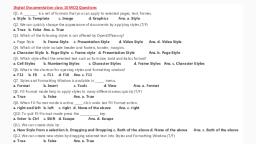
Digital Documentation class 10 MCQ Questions, Q1. A _________ is a set of formats that you can apply to selected pages, text, frames., a. Style, b. Template, c. Image, d. Graphics, Ans. a. Style, Q2. We can quickly change the appearance of documents by applying styles.(T/F), a. True, b. False, Ans. a. True, Q3. Which of the following styles is not offered by OpenOffice.org?, a. Page Style, b. Frame Style, c. Presentation Style, d. Video Style, Ans. d. Video Style, Q4. Which of the style include header and footers, border, margins., a. Character Style, b. Page Style, c. Frame style, d. Presentation Style, Ans. b. Page Style, Q5. Which style affect the selected text such as font size, bold and italics format?, a. Cell Styles, b. Numbering Styles, c. Character Styles, d. Frame Styles, Ans. c. Character Styles, Q6. What is the shortcut for opening styles and formatting window?, a. F12, b. F8, c. F11, d. F10
Page 2 :
Ans. c. F11, Q7. Styles and Formatting Window is available in ______ menu., a. Format, b. Insert, c. Tools, d. View, Ans. a. Format, Q8. Fill Format mode help to apply styles to many different areas quickly.(T/F), a. True, b. False, Ans. a. True, Q9. When Fill Format mode is active, _____ click undo last Fill Format action., a. right and left, b. left, c. right, d. None of the above, Ans. c. right, Q10. To quit Fill Format mode press the ____________ key., a. Enter, b. Ctrl, c. Shift, d. Escape, Ans. d. Escape, Q11. We can create style by :, a. New Style from a selection, b. Dragging and Dropping, c. Both of the above, d. None of the above, Ans. c. Both of the above, Q12. We can create new styles by dragging selected text into Styles and Formatting, Window.(T/F), a. True, b. False, Ans. a. True
Page 3 :
Q13. We can modify the predefined styles also?(T/F), a. True, b. False, Ans. a. True, Q14. We can not copy the styles from other document. (T/F), a. True, b. False, Ans. b. False, Q15. Images can be added to a document :, a. from file, b. from Open Office gallery, c. directly from scanner, d. All of the above, Ans. d. All of the above, Q16. Area where cut and copied image stored is _________________, a. Clipboard, b. RAM, c. ROM, d. Imageboard, Ans. a. Clipboard, Q17. Shortcut to copy image is ctrl + _______, a. V, b. X, c. C, d. None of the above, Ans. a. V, Q18. To open insert picture dialog box, click on _______ menu., a. Format, b. Insert, c. View, d. Tools, Ans. b. Insert, Q19. Click on ______ menu to open Gallery., a. Tools
Page 4 :
b. Insert, c. Format, d. View, Ans. a. Tools, Q20. Which of the following is correct to open Picture toolbar?, a. View—> Tools—> Picture, b. Insert—> Tools—> Picture, c. View—> Toolbars—> Picture, d. Insert—> Toolbars—> Picture, Ans. c. View—> Toolbars—> Picture, Q21. We can hide the gallery in Writer if required.(T/F), a. True, b. False, Ans. a. True, Q22. Click on Tools —> Gallery and uncheck the gallery option will_________, a. Hide the gallery, b. Close the gallery, c. Change position of the gallery, d. None of the above, Ans. b. Close the gallery, Q23. Choose the correct option to open picture toolbar., a. View—>Toolbars—>Picture, b. Tool—>Toolbars—>Picture, c. Insert—>Toolbars—>Picture, d. Insert—>Picture—>Toolbars, Ans. a. View—>Toolbars—>Picture, Q24. Which of the following option is not available in Graphics mode of picture toolbar?, a. Grayscale, b. Black/White, c. Watermark, d. Original, Ans. d. Original, Q25. Flip Vertically option in picture toolbar will make the image as the __________, a. mirror placed at the left of the image
Page 5 :
b. mirror placed at the right of the image, c. mirror placed at the top of the image, d. mirror placed at the bottom of the image, Ans. d. mirror placed at the bottom of the image, Q26. Which option is used to undo the task?, a. Ctrl + Z, b. Alt + Backspace, c. Both of the above, d. Ctrl + Y, Ans. c. Both of the above, Q27. Color toolbar allow us to change, a. RGB Color Components, b. Brightness, c. Gamma effect of image, d. All of the above, Ans. d. All of the above, Q28. Which filter makes the picture appear like painting?, a. Posterize, b. Poster, c. Postersize, d. poster like, Ans. a. Posterize, Q29. Transparency effect help to create watermark.(T/F), a. True, b. False, Ans. a. True, Q30. Which of the following filter will play with the contrast of the image?, a. Smooth, b. Sharpen, c. Both of the above, d. None of the above, Ans. c. Both of the above, Q31. We can not give border to picture.(T/F), a. True
Page 6 :
b. False, Ans. b. False, Q32. Which option help us to take only particular section/part of image?, a. Crop, b. Background, c. Wrap, d. None of the above, Ans. a. Crop, Q33. Which option is available in crop page ?, a. Keep Scale, b. Keep image size, c. Both of the above, d. None of the above., Ans. c. Both of the above, Q34. In which of the following, size of image does not change even after cropping of image?, a. Keep Scale, b. Keep image size, c. Both of the above, d. None of the above., Ans. b. Keep image size, Q35. How many resizing handles appear when we select any image?, a. 8, b. 6, c. 4, d. 12, Ans. a. 8, Q36. The corner handles resize both ______________the and ______________ of graphic., a. Contrast and brightness, b. Width and Height, c. Length and Width, d. None of the above, Ans. b. Width and Height, Q37. To retain original proportion of the graphic, ________ + click one of the corner handles., a. Ctrl, b. Alt
Page 7 :
c. Shift, d. None of the above, Ans. c. Shift, Q38. Writer does not provide a direct tool to rotate a picture.(T/F), a. True, b. False, Ans. a. True, Q39. To open drawing toolbar, click on _____ menu., a. Format, b. Edit, c. Insert, d. View, Ans. d. View, Q40. Rotate option available on ________ toolbar., a. Picture, b. Art, c. Drawing, d. None of the above, Ans. c. Drawing, Q41. To select two drawing objects in Writer, Select one object and hold ______ key and select, other object., a. Ctrl, b. Alt, c. Spacebar, d. Shift, Ans. d. Shift, Q42. ________ menu have the option to group drawing object in Writer., a. Format, b. Edit, c. Insert, d. View, Ans. a. Format, Q43. Once we group two or more objects in Writer, we can not ungroup them.(T/F), a. True
Page 8 :
b. Value, Ans. b. False, Q44. When we right click on drawing object, a ________ menu open., a. Pop up Menu, b. Shortcut Menu, c. Context Menu, d. All of the above, Ans. d. All of the above, Q45. Writer is a DTP Software.(T/F), a. True, b. False, Ans. b. False, Q46. Which of the following setting is not used for positioning of graphic?, a. Arrange, b. Alignment, c. Wrap, d. Caption, Ans. d. Caption, Q47. _________ refers to the relation of graphics to the surrounding text., a. Anchoring, b. Text Wrapping, c. Graphic Wrapping, d. All of the above, Ans. b. Text Wrapping, Q48. ________________ refers to the reference point for the graphics., a. Anchoring, b. Text Wrapping, c. Text Reference, d. All of the above, Ans. a. Anchoring, Q49. Alignment refers to vertical or horizontal placement of graphic. (T/F), a. True, b. False
Page 9 :
Q50. Four resizing handles(other than the corner handles) resize image only in one, dimension.(T/F), a. True, b. False, Ans. True, Q51. A _________ is a model that we use to create other documents., a. template, b. style, c. image, d. none of the above, Ans. a. template, Q52. Ananya wants that her company’s logo should automatically appear on the top of the, Writer document whenever she opens a new document. Which feature of Writer will help her to, do so?, a. Style, b. Automatic, c. Template, d. All of the above, Ans. c. Template, Q53. A template can have :, a. Text, b. Graphic, c. Particular Style, d. All of the above, Ans. d. All of the above, Q54. We can create template in __________________, a. Writer, b. Spreadsheet, c. Impress, d. All of the above, Ans. d. All of the above, Q55. Template option is available in ________________ menu, a. File, b. Edit, c. Insert, d. Tool
Page 10 :
Ans. a. File, Q56. We can not create our own template.(T/F), a. True, b. False, Ans. b. False, Q57. We can create template for ________, a. Letter, b. Fax, c. Presentation, d. All of the above, Ans. d. All of the above, Q58. We can create template using Wizard.(T/F), a. True, b. False, Ans. a. True, Q59. We can create new document by choosing, a. File>>New, b. Edit >> New, c. Insert >> New, d. None of the above, Ans. a. File>>New, Q60. Template management dialog box opens by clicking on _______, a. File >>Template>>Manage, b. File >>Template>>Organize, c. File >>Template>>Balance, d. None of the above, Ans. b. File >>Template>>Organize, Q61. _______ feature of Writer help us to build an automated index from heading., a. Table of Contents, b. Style, c. Template, d. None of the above, Ans. a. Table of Contents
Page 11 :
Q62. Indexes and Tables option available in ___________ menu., a. File, b. Edit, c. View, d. Insert, Ans. d. Insert, Q63. Table of Contents in Writer will automatically update when we add or remove any, heading.(T/F), a. True, b. False, Ans. b. False, Q64. Which of the following tab is not available in insert Index/Table dialog box?, a. Entries, b. Styles, c. Background, d. None of the above, Ans. d. None of the above, Q65. Which of the following levels of headings can be indexed in Writer?, a. H1, b. H3, c. H7, d. All of the above, Ans. d. All of the above, Q66. We can not change the table of content directly in the document if :, a. “Protected against manual changes” check box is selected, b. number of level is 3, c. Title is entered in the Title field, d. None of the above, Ans. a. “Protected against manual changes” check box is selected, Q67. The E# button in Entries tab of Insert Index / Table represent., a. Entry Text, b. Chapter number, c. Tab Stop, d. Page Number, Ans. b. Chapter number
Page 12 :
Q68. The “LS” button in Entries tab of Insert Index / Table represent, a. End of a hyperlink, b. Left Side, c. Start of a hyperlink, d. Page number, Ans. c. Start of a hyperlink, Q69. Which tab of Insert Index/Table dialog box help us to apply paragraph style to the table of, content., a. Paragraph Style, b. Styles, c. Columns, d. Background, Ans. b. Styles, Q70. We can add a graphic in the background of Table of Content.(T/F), a. True, b. False, Ans. a. True, Q71. Mail Merge involves merging of, a. two documents, b. two mails, c. both of the above, d. None of the above, Ans. a. two documents, Q72. Which of the following feature of Writer help us to create a letter for multiple people with, personalized touch?, a. Letter Merge, b. Template, c. Mail Merge, d. Style, Ans. c. Mail Merge, Q73. Writer prompt you to confirm delete while deleting table of content.(T/F), a. True, b. False, Ans. a. True
Page 13 :
Q74. Amit buys a new Showroom and wants to invite his friends and relatives (approximately, 100) on inauguration ceremony. Which feature of Writer will help him to create personalized, invitation letter for every one?, a. Documentation, b. Mail Merge, c. Style, d. Template, Ans. b. Mail Merge, Q75. Document (in mail merge) which contain the common data is called ________, a. Data Source, b. Common Document, c. Main Document, d. None of the above, Ans. c. Main Document, Q76. List that contain name, addresses etc which changes in every document is, called _________, a. Data Source, b. Main Document, c. Main List, d. None of the above, Ans. a. Data Source, Q77. _______ is a feature on word processing software that help users to create personalized, letters, greeting cards with different names and addresses stored in a database., a. Merging of Mail, b. Merge Mail, c. Mail Merge, d. None of the above, Ans. c. Mail Merge, Q78. Data Source in Writer can be created in __________, a. Spreadsheet, b. MySQL, c. Oracle, d. All of the above, Ans. d. All of the above, Q79. What is the shortcut to see non – printing characters in Writer?, a. Ctrl + F11