Page 1 :
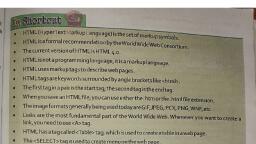
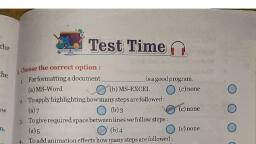
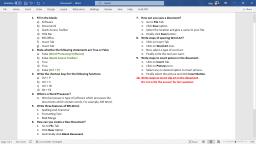
Shortcut, 4., The Backstage view, which can be accessed from the File menu, helps you find frequently used, features for managing your Word documentation files., Drop cap is a specially formatted letter that appears at the beginning of a paragraph., Word offers two styles of drop caps., Header and Footer are used to put repetitive information in the top and bottom margins of the, 5., C. Wr, 1., 2., document., Footnotes and Endnotes are used in printed documents to explain, comment on, or to provide, references for text document., 4., 5., A bookmark identifies a location or selection of text that you name and identify for future, reference., For shortcut command of Spelling and Grammar, Press F7., Thesaurus provides synonyms and antonyms of selected word in a document., D. A, 2, Test Time, Choose the correct option:, 1., Word offers two styles of db, сaps., (a) crop, (b) droop, (c) drop, 7d) drum, 2., A bookroo identifies a location or selection of text that you name and identify for future, reference., (a) TOC, (b) find and replace text, 1, (c) bookmark, (d) thesaurus, Е. V, 3., For shortcut command of Spelling and Grammar, Dress F7., (a) press F5, (b) press F7, (c) press F3, (d) press F1, Tableofeontents, 4., TOC stands for, (a) Table of Contents, (b) Table of Context, (c) Table over Contents., (d) Tables on Contents, B. Fill in the blanks with the help of clue box:, A., Clue Box, Word offers styles of Drop, A Header consists of text or graphics that appears at the top, 1., сaps., future, drop, of, name, 2., B., every page., synonyms and antonyms, top, table of contents, 3., A bookmark identifies à location or selection of text that you, 88 Computer-7, 3., 6., 7.

Page 2 :
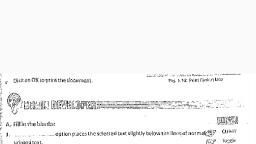
name andidentify for uturereference., Thesaurus automatically shows you -Rynonymoftheselected word., TOC stands for table of content, C. Write True or False:, and antonyms, 4., 5., Fabe, Drop Cap is a specially formatted letter that appears at the beginning of a paragraph. Toue, 1., Word offers three styles of drop caps., 2., 3., Endnotes appear at the end of each page in a document., Falie, False, Fase, Thoue, Fage, 4., Footer and Footnotes are same., 5., Press F7 key to insert text., 6., Thesaurus provides synonyms and antonyms of selected word in a document., 7., TOC stands for Table of Text., D., Answer the following questions:, 1., What is Backstage view? How can it be accessed and used?, 2., What is Drop Cap? Explain., 3., How do you create Bookmark option? Explain it., 4., How do you use Spelling and Grammar Check? Explain., 5., What is Mail Merge?, 6., Why do you use Mail Merge?, 7., How do you create Mail Merge option? Explain in details., 8., What do you mean by TOC?, 9., What is Watermark?, 10., How do you create and remove watermark?, E. Write short notes on the following in your notebook:, 2., Footnotes and Endnotes, 1., Drop Cap, 4., Mail Merge, 3., Bookmark, 6., TOC, 5., Watermark, Activity time, * Create a 3 page document. Apply all the features of font and paragraph formatting in, the document., Osing Page setup settings, specify the margins of your ducument as per the below, mentioned specifications., yms, c. Left and Right Margins: Default, a. Top Margin: 2 inch, b. Bottom Margin: 2.5 inch, Computer-7 89