Page 1 :
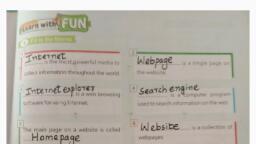
Chapter Introduction to Internet Explorer, Internet Explorer:- Internet explorer is the feature of, Microsoft for providing the information to user. It is a, graphical browser introduced in 1995., How to use internet explorer:To open Internet Explorer, select Start , and enter Internet Explorer in Search ., Select Internet Explorer (Desktop app) from the results., , Search Engine:- A Serch engine is a software program that helps people, find the information they are looking for online using keywords or, phrases. Search engines are able to return results quickly—even with, millions of websites online., , Name of different Search engines, Google, Bing, Yahoo, Baidu, AOL., Ask. Com etc are the search, engines., Refining your search:Refining a query means changing or adding to the set of search, terms to do a better job of returning the pages you’re seeking., Saving information from internet, Saving text, To save just a little of a web page’s text, select the text you, want to grab, right-click it, and choose Copy. Open your word, processor and paste the text into a new document and save it, in your Documents folder with a descriptive name.


Page 2 :
Saving a picture, As you browse through web pages and spot a picture that’s too, good to pass up, save it to your computer: Right-click the, picture and choose Save Picture, as shown here., Intranet:- An intranet is a computer network for sharing, information, collaboration tools, operational systems, and, other computing services within an organization., Difference between Intranet and Internet:-The Internet is a, globally-connected network of computers that enables people, to share information and communicate with each other. An, intranet, on the other hand, is a local or restricted network that, enables people to store, organize, and share information within, an organization.