Notes of B.Com V Semester, Comp.App.in Business-2 & 3 Data types in MS Access 2007 - Study Material
Page 1 :
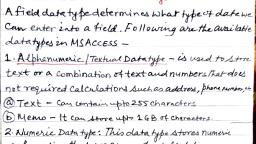
Basic Types, Note: Attachment and Calculated data types aren't available in .mdb file formats., Number, Date and Time, Yes/No, OLE Object OLE objects, such as Word documents., Field size property, After you create a field and set its data type, you can set additional field properties. The field's data type determines which other properties that you can set. For example, you can control the size of a Text field by setting its Field Size property., For Number and Currency fields, the Field Size property is especially important, because it determines the range of field values. For example, a one-bit Number field can store only integers ranging from 0 to 255., The Field Size property also determines how much disk space each Number field value requires. Depending on the field size, the number can use exactly 1, 2, 4, 8, 12, or 16 bytes., Note: Text and Memo fields have variable field value sizes. For these data types, Field Size sets the maximum space available for any one value., For more details about field properties and how they work with the different data types go to the section. Also read the article ., A table relationship is an association between common fields in two tables. A relationship can be one-to-one, one-to-many, or many-to-many., A join is a SQL operation that combines data from two sources into one record in a query recordset based on values in a specified field that the sources have in common. A join can be an inner join, a left outer join, or a right outer join., When you create a table relationship or add a join to a query, the fields that you connect must have the same or compatible data types. For example, you cannot create a join between a Number field and a Text field, even if the values in those fields match., In a relationship or a join, fields that are set to the AutoNumber data type are compatible with fields that are set to the Number data type if the Field Size property of the latter is Long Integer., You cannot change the data type or the Field Size property of a field that is involved in a table relationship. You can temporarily delete the relationship to change the Field Size property. However, if you change the data type, you won't be able to re-create the relationship without first also changing the data type of the related field. For more information on tables see the article, ., Data type reference, When you apply a data type to a field, it contains a set of properties that you can select. Click on data types below for more information., Attachment, Purpose Used in a field that allows attaching files or images to a record. For example, if you have a job contacts database, you can use an attachment field to attach a photo of the contact, or attach documents such as a resume. For some file types, Access compresses each attachment as you add it. Attachment data types are available only in .accdb file format databases., Types of attachments that Access compresses, When you attach any of the following file types, Access compresses the file., Bitmaps, such as .bmp files, Windows Metafiles, including .emf files, Exchangeable File Format files (.exif files), Icons, Tagged Image File Format files, You can attach many kinds of files to a record. However, some file types that may pose security risks are blocked. As a rule, you can attach any file that was created in one of the Microsoft Office programs. You can also attach log files (.log), text files (.text, .txt), and compressed .zip files. For a list of supported image file formats, see the table later in this section., List of blocked file types, Access blocks the following kinds of attached files., Supported field properties, Supported image file formats, Access supports the following graphic file formats without the need for additional software being installed on your computer., Windows Bitmap (.bmp files), Run Length Encoded Bitmap (.rle files), Device Independent Bitmap (.dib files), Graphics Interchange Format (.gif files), Joint Photographic Experts Group (.jpe, .jpeg, and .jpg files), Exchangeable File Format (.exif files), Portable Network Graphics (.png files), Tagged Image File Format (.tif and .tiff files), Icon (.ico and .icon files), Windows Metafile (.wmf files), Enhanced Metafile (.emf files), File naming conventions, The names of your attached files can contain any Unicode character supported by the NTFS file system that is used in Microsoft Windows NT. In addition, file names must follow the following guidelines:, Names must not exceed 255 characters, including the file name extensions., Names cannot contain the following characters: question marks (?), quotation marks ("), forward or backward slashes (/ \), opening or closing brackets (< >), asterisks (*), vertical bars or pipes (|), colons (:), or paragraph marks (¶)., Top of Page, AutoNumber, Purpose Use an AutoNumber field to provide a unique value that serves no other purpose than to make each record unique. The most common use for an AutoNumber field is as a primary key, especially when no suitable natural key (a key that is based on a data field) is available., An AutoNumber field value requires 4 or 16 bytes, depending on the value of its Field Size property., Suppose that you have a table that stores contacts' information. You can use contact names as the primary key for that table, but how do you handle two contacts with exactly the same name? Names are unsuitable natural keys, because they are often not unique. If you use an AutoNumber field, each record is guaranteed to have a unique identifier., Note: You should not use an AutoNumber field to keep a count of the records in a table. AutoNumber values are not reused, so deleted records can result in gaps in your count. Moreover, an accurate count of records can be easily obtained by using a Totals row in a datasheet., Supported field properties, Top of Page, Calculated, Purpose Use to store the results of a calculation., The calculation must refer to other fields in the same table. You would use the Expression Builder to create the calculation. Note, Calculated data types were first introduced in Access 2010. Calculated data types are available only in .accdb file format databases., Supported field properties, Currency, Purpose Use to store monetary data., Data in a Currency field is not rounded off during calculations. A Currency field is accurate to 15 digits to the left of the decimal point and 4 digits to the right. Each Currency field value requires 8 bytes of storage., Supported field properties, Top of Page, Date/Time and Date/Time Extended, Purpose Use to store date and time-based data., Supported field properties, Top of Page, Hyperlink, Purpose Use to store a hyperlink, such as an e-mail address or a Web site URL., A hyperlink can be a UNC path or a URL. It can store up to 2048 characters., Supported field properties, Top of Page, Memo, Purpose Use to store a block of text that is more than 255 characters long and is formatted text. Note, beginning in Access 2013 Memo data type has been renamed to Long Text., Supported field properties, Top of Page, Number, Purpose Use to store a numeric value that isn't a monetary value. If you might use the values in the field to perform a calculation, use the Number data type., Supported field properties, Top of Page, Large Number, Purpose Use to store a Large numeric value that isn't a monetary value. If you might use the values in the field to perform a calculation, use the Large Number data type., Supported field properties, Top of Page, OLE Object, Purpose Use to attach an OLE Object, such as a Microsoft Office Excel spreadsheet, to a record. If you want to use OLE features, you must use the OLE Object data type., In most cases, you should use an Attachment field instead of an OLE Object field. OLE Object fields support fewer file types than Attachment fields support. In addition, OLE Object fields do not let you attach multiple files to a single record., Supported field properties, Top of Page, Text, Purpose Use to store up to 255 characters of text. Note, beginning in Access 2013 the Text data type has been renamed to Short Text., Supported field properties, Top of Page, Yes/No, Purpose Use to store a Boolean value., Supported field properties



 Learn better on this topic