Page 1 :
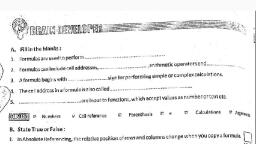
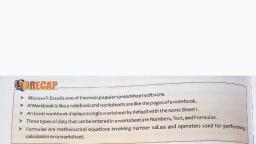
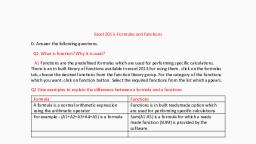
Formulas are used to perform calculations involving addition, subtraction, division, and, multiplication. It is an expression that can include cell addresses, numbers, arithmetic, operators, and parenthesis. For example, to find Average of four values, you can use the, formula: (value 1 + value 2 + value 3 + value 4)/4., The cell address in a formula is known as the cell reference. References help in finding the, values or data in a worksheet, that you want to use in formula. There are three types of cell, references: Relative reference, Absolute reference, and Mixed reference., Two ways of entering a cell reference in a formula:, a. Relative reference: In this method, reference to a cell is based on the position relative to, the cell., Example: A3=A1+A2, b. Mixed reference: In this type of reference, either row or column is fixed by placing a dollar, sign ($) before it., Example: A3=SA1+AS$2, The difference between the two ways becomes visible when the formula is copied to other, cells. In case of relative reference, the cell reference automatically gets changed whereas, the fixed column or row remains unchanged in case of mixed reference., Absolute reference is used when it is required to keep the address of the cell fixed while, copying the formula to another cell. To use absolute reference in a formula, dollar sign ($) is, used before the column and row number., Example: =$A$1+$A$2, Function Library provides an insight into the names and functionality of the different functions, defined in Excel. The functions can be accessed by selecting the Formula tab and clicking on, an appropriate category under the Function Library group., Circular reference occurs when a formula in a cell refers to its own cell value directly or, indirectly. For example, if the formula =A1+A2*3 is entered in cell A2, it signifies the, occurrence of circular reference and results in a warning message., Functions are the pre-designed formulas in Excel to perform both simple and complex, calculations. Functions save time and eliminate the chance to write wrong formulas. Some, examples are: SUM, AVERAGE, ODD, ROUND, etc., Rules to enter a function are given below:, e All Excel functions must begin with = sign., Function name must be a valid Excel name, followed by an opening and closing, parenthesis., e Arguments are enclosed in the parenthesis.