Page 1 :
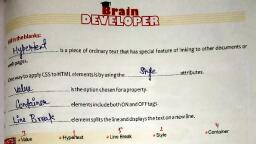
Exercises, A.l.b 2¢ 3. a 4a 5.b, B. 1. oblique 2. Shorthand 3. weight 4. Repeat 5. direction, C.1. False 2. True 3. False 4. True 5. False, Did Ze 3a 4.¢ 5.b, E. 1. CSS is cascading style sheet that helps to make HTML document more stylish and presentable., 2. Word Spacing: Used to add or subtract spaces between the words of a sentence., Letter Spacing: Used to add or subtract spaces between the letters that make up a word., , 3. Background image position is a CSS property. Background properties help to set the, background image and its position of HTML element., 4. Text indent is used to indent the text of a paragraph., , 5. Syntax of CSS style rule:, , Selector Declaration, hl { Color:blue; font-size: 12px;}, , F. 1. When CSS is written using style attribute, it is called “inline style”Inline style looks and, operates much like CSS, with a few differences. Inline styles directly affect the tag they are, written in, without the use of selectors. The style attribute is just like any other HTML attribute., It goes inside the element's beginning tag, right after the tag name. The attribute starts with, style, followed by the sign ,=, then finally uses double quotes, “", which contains the value of the, attribute. Forexample, The p tag with the style attribute P { color: blue; Font size: 46px; }, , 2. CSS text property helps in styling text. We can change color, alignment and can add decoration, properties to the text. Some of the text properties of element are as follows:, , , , , , , , , , , , , , , , , , , , , , , , Color Used to set the color of a text., , Direction Used to set the text direction such as right or left., , Letter/Word Spacing | Used to add or subtract spaces between the letters/Word that make up, a word., , Indent Used to indent the text of a paragraph., , Align Used to align the text of a paragraph. It can be center, left or right., , White Space Used to control flow and formatting of text., , , , Shadow Used to set the text shadow around a text.
Page 2 :
3. The font-style property is mostly used to specify italic text., ‘This property has three values:, i. normal - The text is shown normally ii. italic - The text is shown in italics, iii. oblique - The text is “leaning” (oblique is very similar to italic, but less supported), ‘This property accepts one of three possible values: normal, italic, and oblique., 4. CSS border property allows you to specify the style, width and color of element's border. There, , are three border properties:, i. Border Color(Used to specify the color of the border.), , ii. Border Width(Used to specify the width of the border.), , iii. Border Style(used to specify whether the border should be solid, dashed line, double line, or, one of the other possible values.), , CSS margin property defines the space around an HTML element. We have following margin, properties to set for an element:, , i. Margin(Used as shorthand for setting all the margins at once)., ii. Margin Bottom (used to set bottom margin)., , iii. Margin Top (Used to set top margin)., , iv. Margin Left (Used to set left margin)., , v. Margin Right (Used to set right margin)., , , , , , , , , , , , , , , , , , , , , , , , , , , , , , , , Brain Teaser, A. Solve the crossword with the help of clues., 1D 2R, oO E, T P, T E, sitlylile A, ‘olr{r{elc[t{r Jo }N, , , , , , , , , , , , , , B. 1. Border Top Style: changes the style of top border., 2. Border Width: Used to specify the width of the border., , 3. Margin Right: Used to set right margin.