Notes of Class 7th, Computer Virus important Questions - Study Material
Page 1 :
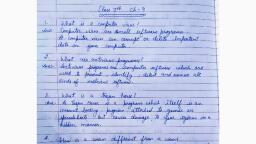
Class 7th, Chaptier:- Virust, Important Questions, State whether the following statements are True/False, Question 1, A computer shows unusual behaviour due to a virus attack., True, Question 2, A computer virus is intentionally made to disturb the proper functioning of the computer system., True, Question 3, There is no difference between a computer virus and a biological virus., False, Question 4, A computer virus can be removed from the system through vaccination., False, Question 5, A computer virus is destructive in nature., True, Question 6, A system gets affected by the virus automatically., False, Question 7, A computer virus replicates itself within the amount of available memory., True, Question 8, Antivirus software is specially designed to protect the entry of viruses into the system., False, Question 9, The system gives an alarm, when a virus affected storage media is connected., False, Question 10, Once an antivirus is loaded, your computer will never be affected by viruses., False, Give two examples of each, Question 1, Boot Sector Virus, Answer, Danish boot, Quox, Question 2, Worm, Answer, Swen, Scalper, Question 3, Trojan, Answer, Backdoor, Nuker, Question 4, Macro, Answer, Bloodhound, Melissa, Question 5, Bomb, Answer, Saturday the 14th, Happy Birthday 30, Question 6, Stealth, Answer, Frodo, Brain, Distinguish between the following, Question 1, Computer Virus and Biological Virus, Answer, Question 2, Program Virus and Macro Virus, Answer, Question 3, Virus and Antivirus, Answer, Short Answer Questions, Question 1, What is a computer virus?, Answer, Computer virus is a computer program which runs on any computer system without the user's knowledge. It is a malicious code that has the ability to duplicate and sends copies of itself to other computers through the Internet. Viruses can alter, corrupt and delete files, freeze your computer and interfere with the computer operation., Question 2, State two ways of classifying a computer virus., Answer, A computer virus can be classified into two categories based on their behaviour:, General infectors: These viruses infect the data files and application softwares of the computer system. They often make copies of themselves and try to reach other systems through e-mail. For example- worm, trojan and bomb., System infectors: These viruses infect the files and system softwares of a computer system. As a result, the entire system crashes and the user is unable to work on the system. For example- boot sector virus, program virus, macro virus, stealth virus., Question 3, Define the following, Worm, Trojan, Bomb, Answer, Worm — These viruses are programs which don't affect the functioning of a system. Once these viruses enter, they attack the security zone of a computer system. As a result, they just keep on replicating themselves in the disks., They also spread through e-mail while using Internet. They use the address book of the system to send themselves through e-mails. These viruses drastically decrease the available memory of the system. For example- Swen, Scalper etc., Trojan — These computer programs move around the valid programs and get executed with a flashy opening screen. They usually get into the system through e-mail attachments with fascinating names., Once you open the e-mail, they become active in the background and slowly start deleting/corrupting the files inside the system. They can only spread through user interaction such as opening an e-mail attachment or downloading and running a file from the Internet. For example- Backdoor, Nuker ,etc., Bomb — These viruses remain inactive for a long time and wait for a specific data or specific event for the disaster. The explosion takes place in the form of a sudden disaster inside the system., For example, the virus 'Friday 13' waits for the day and date Friday the 13th to delete all the files of the system., Long Answer Questions, Question 1, What are the various ways to get virus attack to a computer system?, Answer, The various ways to get virus attack to a computer system are:, A virus infected floppy disk or other storage media like CD, DVD, pen drive can easily infect a system., Pirated softwares, Hired computer games or audio or video CDs., Browsing unwanted websites through Internet., Unwanted mails in the spam folder., Question 2, How will you detect that a computer system is infected by viruses?, Answer, We can detect that a computer system is infected by viruses if we notice one or more of these symptoms-, The speed of the processor becomes comparatively slow., You may get unusual messages on the screen., The disk drive light may constantly flash., The opening or closing of programs/data files takes more time., The programs may not run. Even if they run, they don't function properly., The size of the infected file increases. Thus, the available memory decreases., The system may frequently restart without the knowledge of the user., The system may not be able to read the contents of CD/DVD/Pen drive., The data files may corrupt or show unusual symbols/characters in place of the actual data., Question 3, State the various ways to protect your system from viruses., Answer, We can protect our system against viruses by following these measures:, Avoid using pirated CD/DVD to install any software in your system., If you are using a Pen drive to transfer data to your system, make sure that the drive is free from virus., If your system is connected to a LAN, keep a check on the users to avoid the misuse of the system., Don't browse unwanted websites., Install Antivirus software in your system., Keep your antivirus software updated., If you are using any external storage media to transfer data, scan the disc properly with Antivirus software., Avoid reading unwanted e-mails while working with the e-mail account., Always keep a backup copy of your program/data files., Question 4, Why do people spread viruses? Explain., Answer, One cannot understand the logic behind people's addiction to create and spread viruses. There are some reasons that might explain why people spread viruses:, They don't think about the consequences, others have to face., They draw a false distinction between creating/publishing viruses and distributing them., They consider it to be the responsibility of someone else to protect systems from their creations., This is a way they fight with the authorities., They think it is a way of getting attention/recognition from their peers., They want to engage the antivirus vendors in a job., Question 5, What is meant by an antivirus? Name different types of antivirus softwares., Answer, An antivirus software is a computer program used to scan files. It detects, prevents, identifies and eliminates computer viruses and other malicious softwares. It also takes action to disarm or remove malicious software, such as viruses and worms, from a computer., An antivirus software uses two different techniques to accomplish its job. They are:, Examining files to look for known viruses by means of a virus dictionary., Identifying suspicious behaviour from any computer program which might indicate infection., Examples of antivirus softwares are Kaspersky Antivirus, Quick Heal, Net Protector, AVG Antivirus, MCAfee etc., Question 6, Write down the steps to update your Antivirus software., Answer, The steps to update your Antivirus software are as follows:, Step 1: Select the Antivirus icon on the desktop and double click on it., Step 2: The Antivirus window will open. by default, it shows the dashboard details., Step 3: Click the 'Update' button on the Antivirus window. It will show you the information regarding your antivirus, if it need an update, when it was last updated, etc., Step 4: It is up to you to update the software manually or set it on the automatic mode. In automatic mode, the antivirus will update automatically when connected to the internet., Step 5: Click on 'Update' button to update your antivirus. The files required for update will be downloaded., Step 6: The Antivirus may ask to restart the system, depending upon the kind of update. You can restart the system immediately or after some time., Hence, the antivirus will be updated., Question 7, You have loaded 'Norton Antivirus' software in your computer system. Does it make your computer system free from virus attack for a lifetime? Justify., Answer, No, loading of Norton antivirus software in your computer system doesn't make your computer system free from virus attack for a lifetime because everyday new types of viruses are being developed and an antivirus software might not be able to detect or eliminate them., So, it is very important to keep your antivirus software updated against the new viruses. It can be done by using the Internet and checking for updates on a regular basis., Question 8, What actions can an antivirus take, if a threat is detected in your computer system?, Answer, If a threat is detected in our computer system, our antivirus can take one or more of these actions in a specific order:, Repair — The antivirus tries to clean the infected file and remove the threat safely. This is important when it's our personal file and we would like to retain the data., Quarantine — If repairing fails, the antivirus could choose to quarantine or isolate the infected file into a safe location. The quarantined file cannot be accessed but we will have a copy of the file. When a method of removing the threat is discovered, we can retrieve the data safely., Delete — If the infected file can't be repaired and we do not want to retain the data, we can delete the files from our computer



 Learn better on this topic