Page 1 :
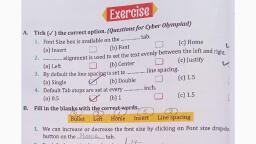
y REMEMBER!, , ®) Bulleted list adds small dots called Bullets before the list items and a numbe, , , , , adds Numbers. 1. WI, ® Theitems list thatis marked witha specific symbol is called bulleted list. Bu, © Theitemslist that is marked with anumber oralphabetiscallednumberedlist, | {, , , , , *® Adropcapisan enlarged first letter that appears at the beginning of a paragraph,, , , , , , , ® Atextboxisa special type of shape designed to place text ina document., , el, , , , , © Atext box can be moved around easily, anywhere ina document., , , , , , , , , ¢ Apage border is an outline given toa page to make it look more attractive. > 1, In MS Word, youcan finda wordorphraseandreplaceitwithanewone. = | —__, owe ll i tt—i‘(‘(‘(‘(‘(‘(‘(‘(‘(‘(‘i‘(‘<‘<‘iaRmS, NCU eee, A. Fillintheblanks. =e i ee, a, HINTS Numbered | TextBox | Replace | Bulleted | Drop Cap, 1. Theitems list that is marked with a specific symbol is called Bulleted ee list., 2. Theitems list that is marked with a number or alphabet is called Num hesedl a list., 3, AL wOE..LOP.. isan enlarged first letter that appears at the beginning of a paragraph., 4, A.1eXT..b0OX.......isa special type of shape designed to place text ina document. z :, 5. Youcanreplace a word inadocumentusing....... Replace Coolie caus command., B. Write T for True and F for False., 1. Tofindand replace text, click onthe find button. ‘ (9, 2. Dropcap button is located in the Text group of Insert tab. : (YH, 3. You cannot add drop cap toa paragraph. |, 4. Atext box once created cannot be moved. (x ], , , , 5. The Borders and Shading dialog box opens when you click on the Page Borders button., , , , nae More on Microsoft Word 2007 ;