Page 1 :
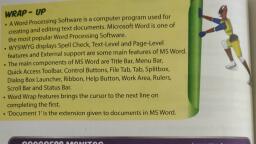
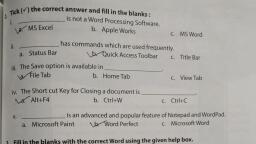
5.Introduction to MS Word 2016, Exercises, 1. Tick () the correct option., a. How many Scroll bars are there in a Microsoft Word 2016 document?, Two, b. Ctrl+S is the shortcut to save a document., C. How many View buttons are present in a Microsoft Word 2016 document?, Three, d.Cursor is the small vertical line that appears on the screen., e. The menu of File tab is also called the Backstage view., 2. Fill in the blanks using the given words., a. MS Word is a word-processing software and is used to create,edit and print text documents. b. Text is typed or edited in the document window., c. To exit MS Word, click on the Exit button., d. We can Cut, Copy and Paste text in MS Word., e. The Undo, Save and Redo buttons are on the Quick Access Toolbar., 3. Match the following., a. New File (ii) (i) Ctrl+X, b. Open File (v) (ii) Ctrl+N, c. Cut (i) (iii) Ctrl+V, d. Copy (iv) (iv) Ctrl+C, e. Paste (iii) (v) Ctrl+O, 4.Answer the following questions., a. What is MS Word?, Ans- MS word is a software application used to create,edit and print text documents., b.How do you open an MS Word document saved on the desktop?, Ans- Click on the file tab, Select open option, Click on the file you want to open, In open dialog box,click the open button., c.What are the steps to copy a paragraph and paste it?, Ans-, Select the text to be copied., Click the copy button in the clipboard group from the home tab, Place the cursor where you want to paste the text, Click on the paste button from the clipboard., d. What are the steps to print a document?, Ans-, Click on the file tab, Select the print option, Check the page setup properties, Select the number of copies to be printed., Click on the print button, e. What are the different kinds of information that can be written on MS Word?, Ans- We can create a document , write a letter,story and a report etc., 5. Give the uses of the following in MS Word 2016., a. File tab :- File tab helps us to create ,save,open and print files., b. Document window :- It helps us to typed or edited the text., c. Status bar :- It displays the number of pages,word count and grammatical errors icon., d. Scroll bars:- It helps us to scroll up and down and left - right through text.