Notes of Advance Tally Prime Batch, Tally Tally Prime Chapter-1.pdf - Study Material
Page 1 :
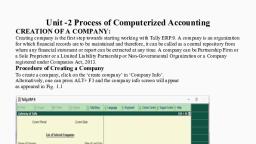
CHAPTER- 1, , COMPANY INFORMATION, 1. How to create a company in Tally Prime?, Ans: Gateway Of Tally (GOT), Press Alt+F3 from your keyboard, select the Create Company option and press Enter on this Fill the company, details information, for Accept press Y from your keyboard., Step1: Press Alt+F3, Step 2: Press enter on the Create Company option
Page 2 :
CHAPTER- 1, , COMPANY INFORMATION, , Step 3: Fill the company details information, , Press “W” from your keyboard for select state as “West Bengal”
Page 3 :
CHAPTER- 1, , COMPANY INFORMATION, , Press “Y” from your keyboard for Accept or Save the details., , 2. How to select a company in Tally Prime?, Ans: Gateway Of Tally (GOT), press Alt+F3 from your keyboard, Choose your company name then press enter on this., Step 1: Press Alt+F3
Page 4 :
CHAPTER- 1, , COMPANY INFORMATION, Step 2:, , Enter on the company name., , 3. How to Alter or, editing a company details in Tally Prime?, Ans: Gateway Of Tally (GOT), Press Alt+K from your keyboard, select the Alter (A) option and press Enter on this, anything changes or,, correction on the company details information.
Page 5 :
CHAPTER- 1, , COMPANY INFORMATION, Step 1: Press Alt+K, Step 2:, , Enter on the Alter option.
Page 6 :
CHAPTER- 1, , COMPANY INFORMATION, Step 3:, , After any correction or changes Press “Y” for accept or, save.
Page 7 :
CHAPTER- 1, , COMPANY INFORMATION, 4. How to Shut a company from Tally Prime?, Ans: Gateway Of Tally (GOT), press Ctrl+F3 from your keyboard, Choose your shut company name then press enter on this., Step 1: Press Ctrl+F3, Step 2:, , Select the shut company name.
Page 8 :
CHAPTER- 1, , COMPANY INFORMATION, , 5. How to select a company from a Specify Path in Tally Prime?, Ans: Gateway Of Tally (GOT), Press Alt+F3 from your keyboard, select the Specify Path option and press Enter on this, Copy a folder, path and Paste the folder path then press Enter, Choose your company, name then press enter on this., Step 1: Press Alt+F3, Step 2:, , Enter on the Specify Path option
Page 9 :
CHAPTER- 1, , COMPANY INFORMATION, , Step 3:, , Copy the folder path using shortcut key Ctrl+C
Page 10 :
CHAPTER- 1, , COMPANY INFORMATION, Step 4:, , Paste thee folder path using shortcut key Ctrl+Alt+V, Step 5: Select the company name and enter on this., , 6. How to select a company from Drive in Tally Prime?, Ans: Gateway Of Tally (GOT), Press Alt+F3 from your keyboard, select the Select from Drive option and press Enter on this, choose a, drive and data folder path then press Enter, Choose your company name, then press enter on this.
Page 11 :
CHAPTER- 1, , COMPANY INFORMATION, Step 1: Press Alt+F3, Step 2:, , Enter on the Select from Drive option.
Page 12 :
CHAPTER- 1, , COMPANY INFORMATION, Step 3:, , Select a drive and select a Tally Data folder., Step 4: Choose the company name and enter on this., , 7. How to select a company from Remote in Tally Prime?, Ans: Ans: Gateway Of Tally (GOT), Press Alt+F3 from your keyboard, select the Select Remote Company option, type Tally.Net ID and, Password, Choose your company name then press enter on this., Step 1: Press Alt+F3
Page 13 :
CHAPTER- 1, , COMPANY INFORMATION, , Step 2:, , Enter on the Select Remote Company option.
Page 14 :
CHAPTER- 1, , COMPANY INFORMATION, , Step 3:, , Type the Tally.NET ID and Password then press enter., Step 4: Choose the company name and enter on this.



 Learn better on this topic