Assignment of Railway, Maths GS - Study Material
Page 1 :
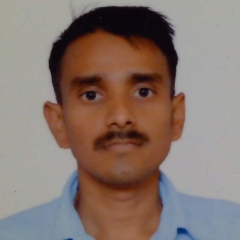
Guidelines for Scanning and Uploading of Documents, Before applying online a candidate will be required to have a scanned (digital), image of his/her photograph and signature as per the specifications given below., Photograph Image:, - Photograph must be a recent passport size colour picture., - Make sure that the picture is in colour, taken against a light-coloured,, preferably white, background., - Look straight at the camera with a relaxed face, - If the picture is taken on a sunny day, have the sun behind you, or place, yourself in the shade, so that you are not squinting and there are no harsh, shadows, - If you have to use flash, ensure there's no "red-eye", - If you wear glasses make sure that there are no reflections and your eyes can, be clearly seen., - Caps, hats and dark glasses are not acceptable. Religious headwear is, allowed but it must not cover your face., - Dimensions 200 x 230 pixels (preferred), - Size of file should be between 20kb–50 kb, - Ensure that the size of the scanned image is not more than 50kb. If the size, of the file is more than 50 kb, then adjust the settings of the scanner such as the, DPI resolution, no. of colours etc., during the process of scanning., - If the photo is not uploaded at the place of Photo Admission for Examination, will be rejected/denied. Candidate him/herself will be responsible for the same., - Candidate should also ensure that photo is uploaded at the place of photo, and signature at the place of signature. If photo in place of photo and signature, in place of signature is not uploaded properly, candidate will not be allowed to, appear for the exam., - Candidate must ensure that Photo to be uploaded is of required size and the, face should be clearly visible., Signature:, -, , The applicant has to sign on white paper with Black Ink pen., The signature should be of the applicant and not by any other person., The signature will be used to put on the Call Letter and wherever necessary., If the Applicant’s signature on the attendance sheet or Call letter, signed at, the time of the examination, does not match the signature uploaded, the, applicant will be disqualified., - Signature / Hand written declaration in CAPITAL LETTERS shall NOT be, accepted., o File type: jpg / jpeg, o Dimensions: 140 x 60 pixels in 200 DPI (Preferred for required quality), o File Size: 10 KB – 20 KB
Page 2 :
•, , Left thumb impression:, The applicant has to put his left thumb impression on a white paper with black or blue, ink., o File type: jpg / jpeg, o Dimensions: 240 x 240 pixels in 200 DPI (Preferred for required quality) i.e 3, cm * 3 cm (Width * Height), o File Size: 20 KB – 50 KB, Hand-written declaration:, • Hand written declaration content is to be as expected., • Hand written declaration should not be written in CAPITAL LETTERS., • The applicant has to write the declaration in English clearly on a white paper with, black or blue ink., • The hand written declaration should be of the applicant and not by any other, person., • Hand written Declaration, o File type: jpg / jpeg, o Dimensions: 800 x 400 pixels in 200 DPI (Preferred for required quality) i.e, 10 cm * 5 cm (Width * Height), o File Size: 50 KB – 100 KB, , Scanning the documents:, - Set the scanner resolution to a minimum of 200 dpi (dots per inch), - Set Color to True Color, - File Size as specified above, - Crop the image in the scanner to the edge of the photograph/signature/, left thumb impression / hand written declaration, then use the upload, editor to crop the image to the final size (as specified above)., - The image file should be JPG or JPEG format. An example file name is:, image01.jpg or image01.jpeg Image dimensions can be checked by listing, the folder files or moving the mouse over the file image icon., - Candidates using MS Windows/MSOffice can easily obtain documents, in .jpeg format not exceeding 50kb (photograph and left thumb, impression) & 20kb (signature) and 100 kb (Hand written Declaration) by, using MS Paint or MSOffice Picture Manager. Scanned documents in any, format can be saved in .jpg format by using ‘Save As’ option in the File, menu and size can be reduced below 50 kb (photograph and hand written, declaration) & 20 kb (signature and left thumb impression) by using crop, and then resize option (Please see point (i) & (ii) above for the pixel size), in the ‘Image’ menu. Similar options are available in other photo editor, also., If the file size and format are not as prescribed, an error message will, be displayed.
Page 3 :
-, , While filling in the Online Application Form the candidate will be, provided with a link to upload his/her photograph, signature, left, thumb impression and hand written declaration., , Procedure for Uploading the documents, - There will be separate links for uploading Photograph, signature,, left thumb impression and hand written declaration, - Click on the respective link “Upload Photograph / signature / left, thumb impression / hand written declaration”, - Browse and Select the location where the Scanned Photograph /, signature / left thumb impression / hand written declaration file has, been saved., - Select the file by clicking on it, - Click the ‘Open/Upload’ button, Your Online Application will not be registered unless you upload your Photograph,, signature, left thumb impression and hand written declaration as specified., Note:, (1) In case the face in the photograph or signature or left thumb, impression or the hand written declaration is unclear /, smudged the candidate’s application may be rejected., (2) After uploading the Photograph / signature / left thumb, impression / hand written declaration in the online, application form candidates should check that the images, are clear and have been uploaded correctly. In case the, photograph or signature or left thumb impression or the, hand written declaration is not prominently visible, the, candidate may edit his/ her application and re-upload his/, her photograph or signature, prior to submitting the form., (3) After registering online candidates are advised to take a, printout of their system generated online application forms.



 Learn better on this topic